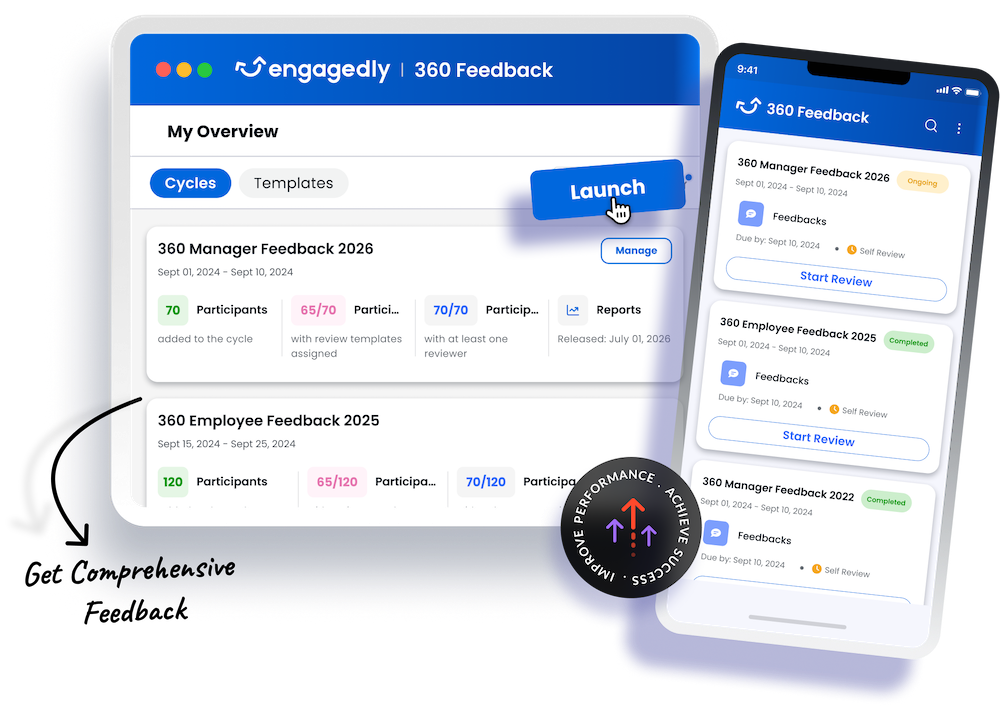
Capture Feedback from Every Perspective

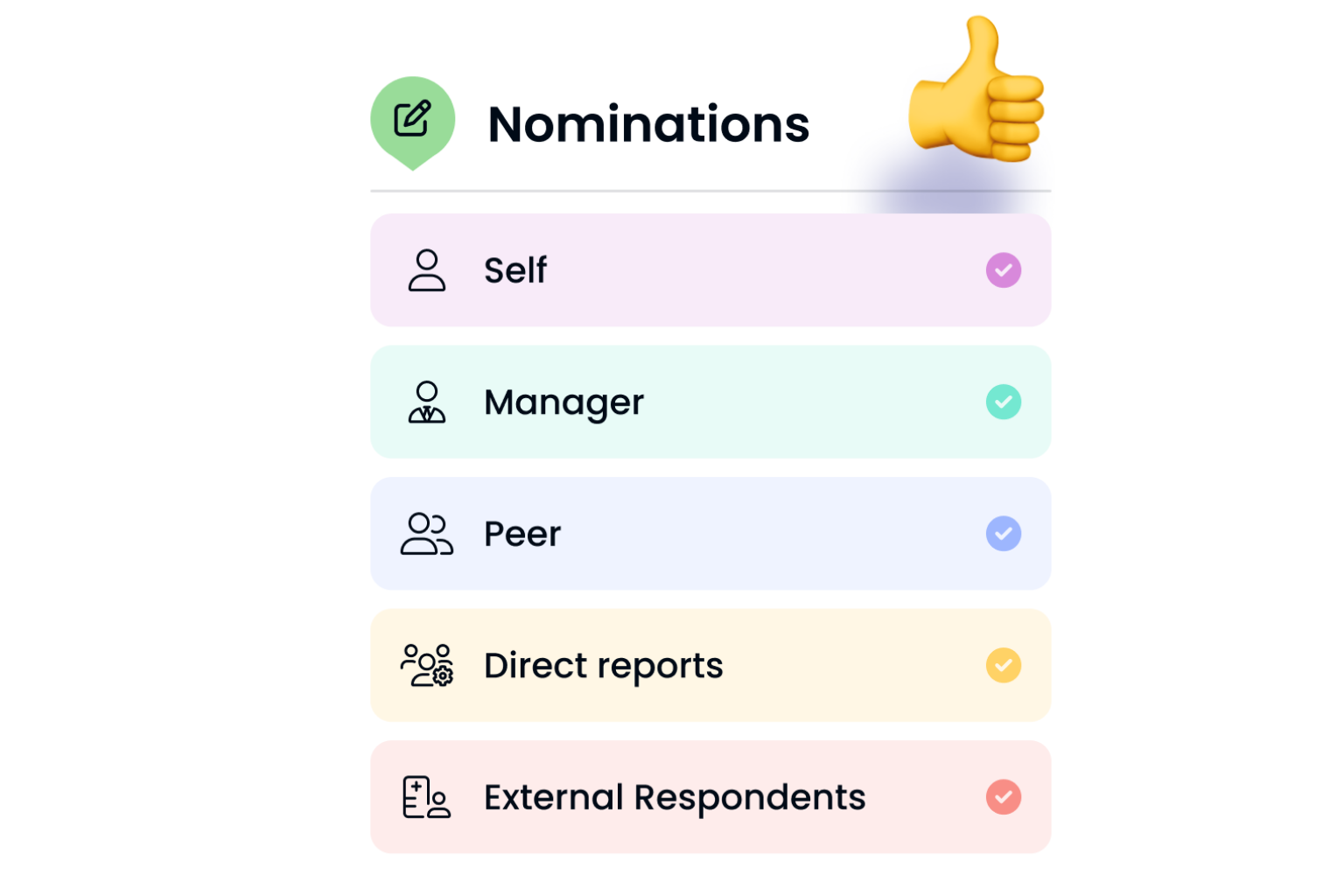
360 degree feedback - nominee selections

Collect feedback from the people who see different sides of an employee’s performance and impact.

  • Gather input from managers, peers, and direct reports, along with employee self-assessments.
  • Invite clients, customers, vendors, partners, and other external reviewers.
  • Automatically identify relevant respondents based on organizational relationships.
  • Allow employees and managers to nominate reviewers while HR manages the process.
  • Bring every perspective together within one structured feedback cycle.
360 degree feedback - nominee selections

Uncover Patterns Across Perspectives

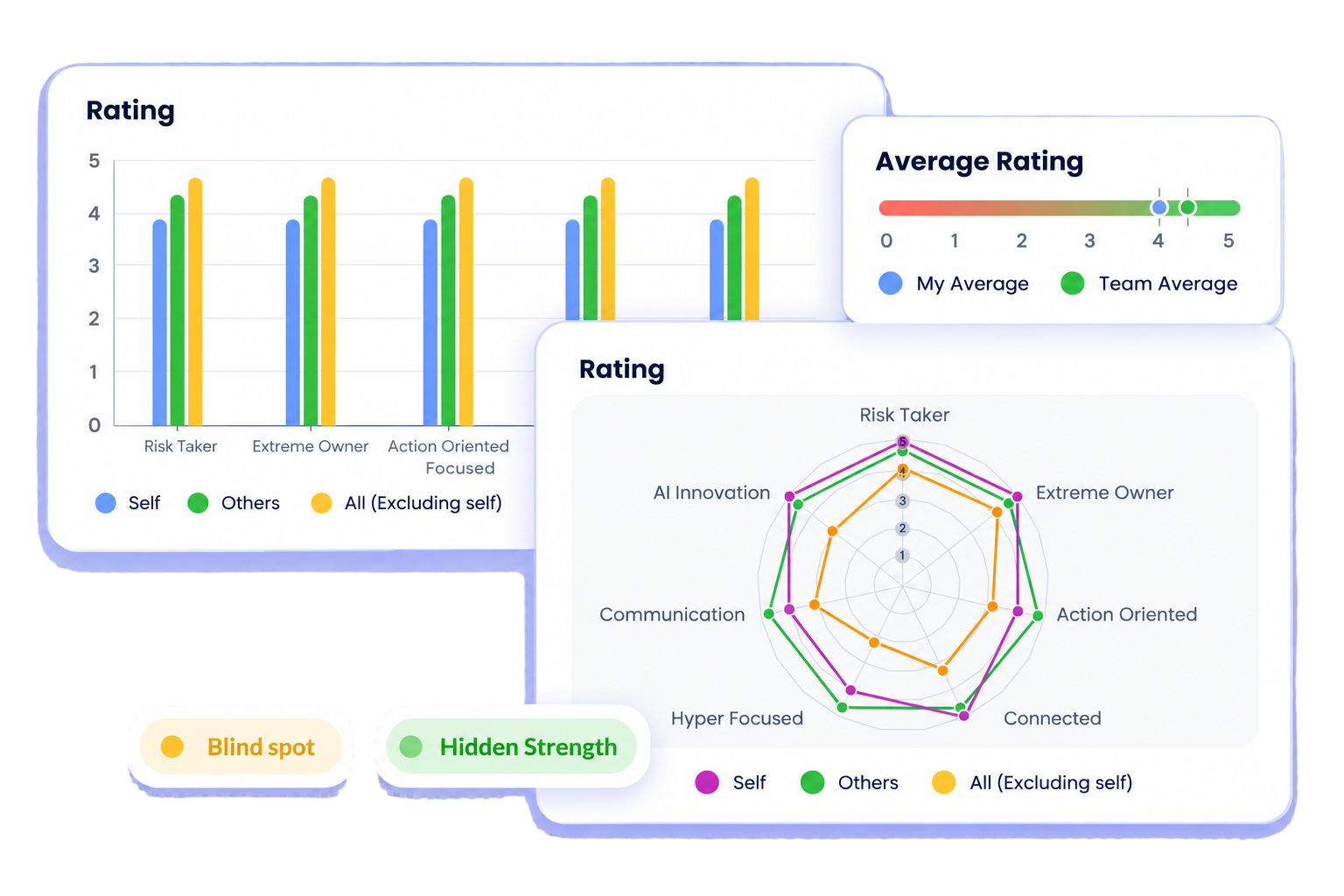
360 degree feedback, uncover patterns

Turn feedback from different reviewer groups into clearer insights about strengths, gaps, and development opportunities.

  • Compare self, manager, peer, and direct report feedback side by side.
  • Use spider charts to visualize differences and alignment across reviewer groups.
  • Help employees understand how their behaviors and impact are experienced by the people they work with.
360 degree feedback, uncover patterns

Flexible Feedback Cycles and Templates

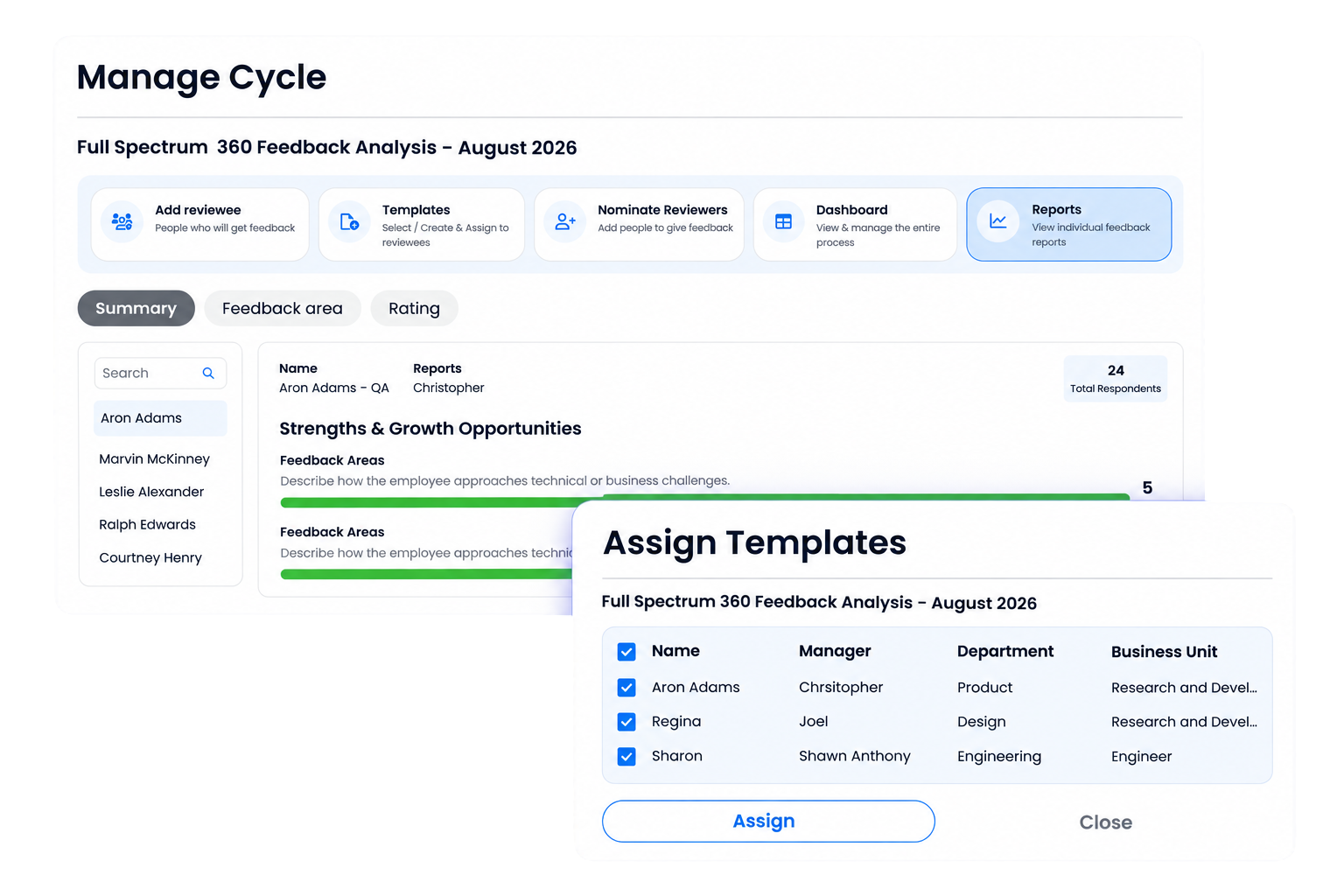
360 degree feedback manage cycle and assign template

Build 360 feedback programs around your organization, roles, competencies, and development priorities.

  • Start with ready-to-use templates or create your own feedback questionnaires.
  • Customize questions around competencies, leadership behaviors, company values, and role specific skills.
  • Combine customizable rating scales with open-response questions for richer feedback.
  • Run multiple feedback cycles across teams, departments, or leadership groups.
  • Use automated reminders and notifications to keep reviews moving.
360 degree feedback manage cycle and assign template

Encourage Candid Feedback

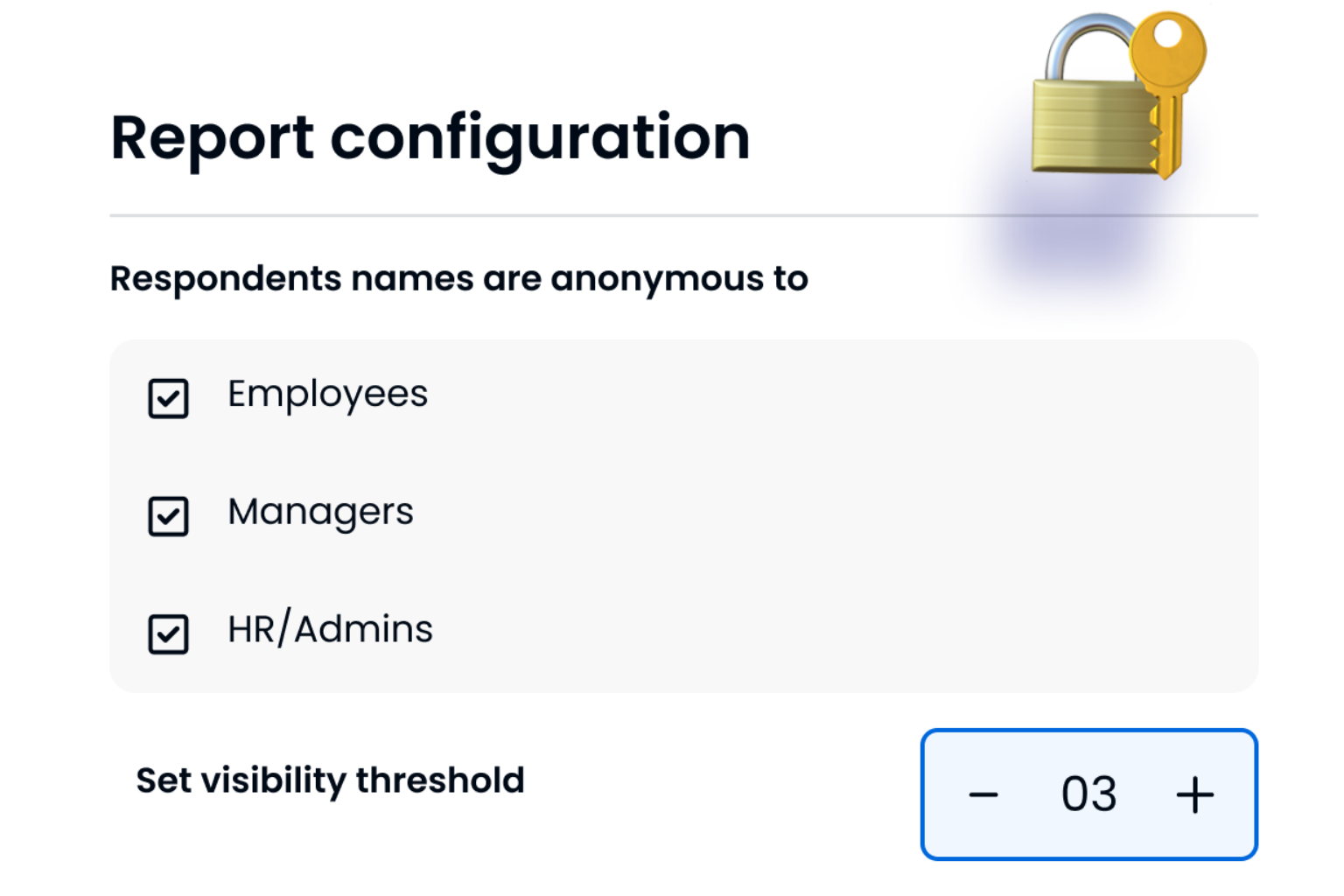
360 degree feedback - rreport configuration

Give reviewers the confidence to share honest input with flexible anonymity controls.

  • Set minimum response thresholds before aggregated feedback becomes visible.
  • Control how respondent identities are displayed across reviewer groups.
  • Adjust confidentiality settings based on reviewer type and feedback context.
360 degree feedback - rreport configuration


Make Feedback Easier to Understand with AI

Encourage Candid 360 degree feedback

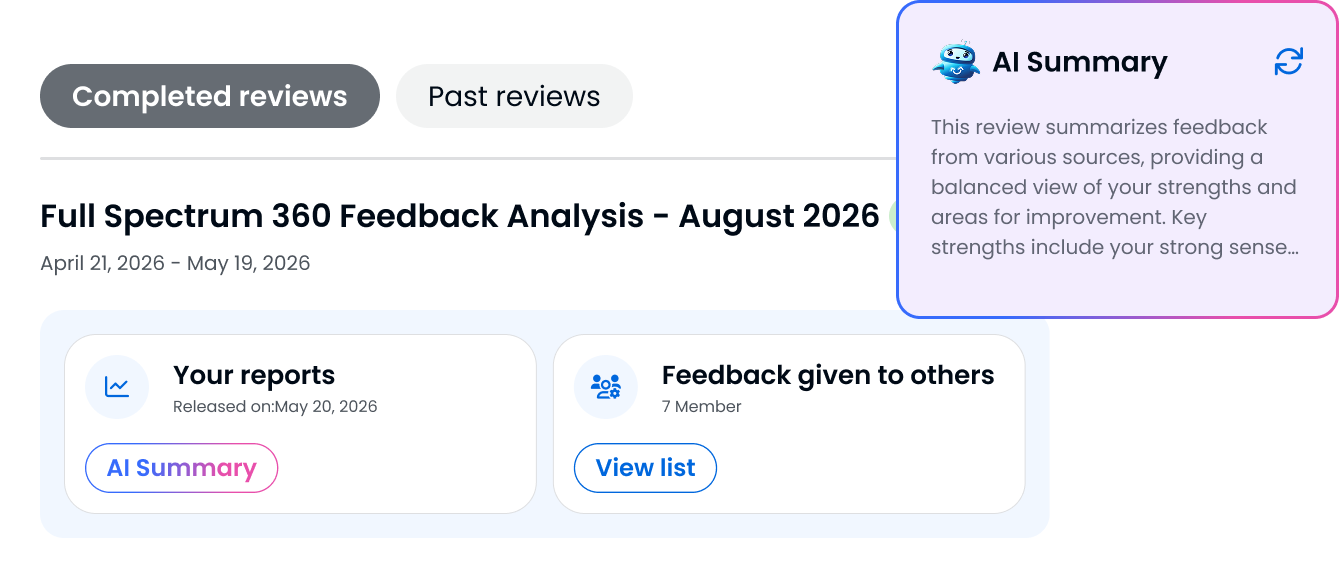
Turn qualitative feedback into clear summaries that help employees and managers understand what matters most.

  • Use Marissa AI to summarize open-response feedback across full reports, specific sections, feedback areas, and representative behaviors.
  • Surface key themes, strengths, and development areas from qualitative responses.
  • Use Marissa AI to help employees and managers review qualitative feedback more efficiently.
Encourage Candid 360 degree feedback
USE CASES

Tailored Solutions to Unlock Potential of Your People

Leadership Development

Help leaders understand how their leadership is experienced across the organization and identify areas for continued growth.

Competency and Skill Assessments

Evaluate employees against the competencies and behaviors that matter most for their roles.

Project Reviews

Capture feedback from the people who worked closely together on important projects and initiatives to understand what worked, what didn’t, and where collaboration can improve.

Succession Planning

Bring broader feedback into talent conversations when evaluating leadership readiness, strengths, and development needs.


STEPS

A Step-by-Step Guide to 360 Feedback

1. Configuration

Define participants, competencies, questions, rating scales, timelines, and anonymity requirements.

2. Select Reviewers

Choose managers, peers, direct reports, self assessments, and external respondents.

3. Collect Feedback

Invite reviewers and gather structured ratings and qualitative feedback.

4. Understand the Insights

Bring responses together through reports, spider charts, reviewer comparisons, and Marissa AI summaries.

5. Identify Development Priorities

Surface strengths, blind spots, perception gaps, and areas that deserve attention.

6. Plan the Next Steps

Use feedback insights to guide development conversations and create focused action plans for improvement.

Turn Every Perspective into an Opportunity to Grow

Give your people a clearer understanding of their impact and the insight they need to keep improving.

Frequently Asked Questions

What is 360 degree feedback?

360 degree feedback gathers input about an employee from multiple people who work with them, including managers, peers, direct reports, and the employee themselves. External stakeholders can also be included when relevant.

Can 360 feedback be anonymous?

Yes. Engagedly provides configurable anonymity controls and minimum response thresholds to help protect respondent confidentiality.

Can we customize our 360 feedback templates?

Yes. Organizations can customize questions, competencies, rating scales, behaviors, and open response prompts around their own feedback framework.

Can we run multiple feedback cycles?

Yes. Engagedly supports concurrent feedback cycles across different teams, departments, or leadership groups.

How does Marissa AI support 360 feedback?

Marissa AI summarizes qualitative feedback across the complete report or specific sections, helping employees and managers understand key themes, strengths, development areas, and representative behaviors.

Does Engagedly support external reviewers?

Yes. Clients, customers, vendors, partners, board members, and other external stakeholders can be included in the feedback process.

How are 360 feedback results presented?

Engagedly provides comprehensive reports and spider charts that compare feedback across reviewer groups and help reveal strengths, development areas, and perception gaps.