Employee Survey: Questions, Types and Best Practices

An employee survey can reveal the difference between the workplace leaders believe they have created and the one employees experience every day. A flexible work policy may look generous on paper while teams struggle to use it. A development program may attract registrations while employees remain unsure how to advance. A strong company score may hide a department where people cannot get basic decisions made.

The value of asking employees about these experiences lies in the decisions their answers make possible. Which processes need attention? Where do managers need support? What should the organization protect because it is already working?

The need for that understanding is considerable. Gallup’s State of the Global Workplace 2026 report found that 20% of employees globally were engaged in 2025. The publication year and measurement year are different: the 2026 report describes employee experiences measured during 2025.

For HR leaders, surveys provide a structured starting point for examining their own workplace. This guide covers the main survey types, original example questions, questionnaire design, participation, analysis, and a practical process for translating feedback into action.

What is an employee survey?

An employee survey is a structured questionnaire that collects employees’ views about their work, management, and organization. It can measure a broad experience, such as satisfaction, or investigate a specific issue, such as workload, onboarding, recognition, or access to development.

Employee surveys help organizations understand what is working well and where employees need better support. Depending on the purpose, they can explore the overall employee experience or focus on specific areas such as manager communication, career development, recognition, and workload.

The format usually combines rating questions with opportunities to explain an answer. Ratings help identify patterns across responses. Written feedback helps HR understand what employees mean and which situations deserve further investigation.

A useful survey has a defined audience, a clear purpose, and an agreed plan for reviewing the results. Before adding a question, ask: What decision could this answer help us make? If there is no reasonable answer, the question may not belong in the questionnaire.

Why employee surveys matter

Workplace problems rarely arrive neatly labeled. A decline in participation during meetings could reflect workload, unclear priorities, poor meeting design, or discomfort with speaking up. A resignation may have several causes that an exit conversation only partly captures.

An employee survey gives leaders another source of evidence. Its greatest practical benefit is helping them investigate the experience behind an observable problem before choosing a response.

Connect employee experience with business priorities

Gallup’s 2024 engagement research combined 736 studies covering more than 3.3 million employees. Comparing business units in the highest and lowest engagement quartiles, it reported median differences including 23% higher profitability, 18% higher sales productivity, and 78% lower absenteeism in the more engaged units.

These findings describe relationships between engagement and business outcomes. They do not establish that sending a questionnaire produces those improvements. A survey can help identify conditions worth addressing; the organizational response determines what happens next.

For example, a service business concerned about customer delays might investigate whether employees have authority to resolve routine requests. That creates a direct connection between employee feedback and an operational decision.

Look beyond an overall satisfaction score

Pew Research Center reported in December 2024 that 50% of U.S. workers were extremely or very satisfied with their jobs overall. However, only 30% were highly satisfied with their pay, and 26% with promotion opportunities.

Those differences show why one broad question cannot explain an entire employment experience. Someone can like their colleagues and daily responsibilities while feeling uncertain about compensation or progression.

In your own questionnaire, keep overall measures separate from questions about specific conditions. This makes the results easier to interpret and gives managers a clearer basis for discussion.

Give quieter experiences a place in the conversation

Consider whose views leaders hear most often. They may regularly speak with office employees, senior specialists, or people comfortable sharing ideas publicly. Colleagues working different shifts or locations may have fewer opportunities to contribute.

Design the survey around those access differences. Employees should have a practical way to respond during their working day, in language they understand, without needing to explain their answers to a supervisor.

Then examine participation across eligible groups before treating the findings as an organizational picture.

Types of employee surveys and when to use them

Choose a survey according to the decision you need to make. Sending every possible questionnaire creates unnecessary work for employees and leaves HR with more information than it can use.

Employee engagement survey

An employee engagement survey examines employees’ connection to their work and organization, along with workplace conditions that may support that connection.

For planning purposes, separate engagement outcomes, such as enthusiasm or commitment, from potential contributing factors, such as useful feedback and clear priorities. Otherwise, a single combined score can make it difficult to explain what changed.

Use a validated instrument when you need established measurement properties or comparisons with the provider’s benchmark database. A custom questionnaire can support internal discussion, but it should not be described as validated without appropriate evidence.

Employee satisfaction survey

An employee satisfaction survey asks how employees evaluate aspects of their employment. It is useful when reviewing work arrangements, benefits, internal services, or the everyday employment experience.

Decide which dimensions matter for the decision. If the organization is reviewing benefits, distinguish awareness, access, usage, and satisfaction. An employee who has never used a benefit may need information, while someone who has struggled to access it may need a process change.

Employee pulse survey

A pulse survey is a short questionnaire focused on a limited set of questions. Treat it as a way to check a specific development, such as whether a revised scheduling process is working.

Repeat the relevant questions using the same wording and response options. Add a clear reference period so employees know which experience to assess. A pulse becomes less useful when every edition measures something different and the results are presented as a continuous trend.

Onboarding survey

An onboarding survey explores how new employees experience joining the organization. Plan questions around milestones rather than assuming a single questionnaire can evaluate everything.

For instance, an early survey might ask about access to systems and the clarity of initial responsibilities. A later one might explore coaching, relationships, and readiness to work independently. Assign operational issues to the team capable of resolving them so a missing system permission does not disappear into a general onboarding score.

Exit survey

An exit survey gathers feedback from departing employees. Use it to identify recurring concerns, while recognizing that people leaving may differ from those who remain.

Offer space for multiple reasons behind a departure. Someone may accept a better salary elsewhere after months of limited development or unpredictable hours. Forcing one answer can erase that context.

Compare recurring themes with other evidence before making broad claims about why employees leave.

Surveys about a specific workplace issue

A focused employee survey may be appropriate after a process change, during a benefits review, or when investigating access to learning. Define the scope narrowly enough that the relevant owner can respond.

For example, a survey about a new approval process could examine instructions, decision times, and escalation routes. It should avoid expanding into a general culture questionnaire unless that wider scope serves a separate, explicit purpose.

Gallup recommends combining survey formats within a broader listening approach, with timing tied to what the organization needs to understand and can act on.

How to create an employee survey

1. Write the decision brief first

Before drafting questions, write a short brief covering the audience, business question, intended decisions, and responsible owners.

Suppose employees are taking longer to complete customer implementation projects. A useful brief might ask whether the delays relate to unclear handoffs, access to expertise, or shifting priorities. This gives the questionnaire a concrete purpose and helps prevent unrelated additions.

Also identify what is outside the survey’s scope. If compensation decisions cannot be reviewed through this project, avoid implying that the survey is a compensation consultation.

2. Select a manageable set of questions

Build a question bank, then select only the items relevant to the brief. Estimate completion time through a pilot instead of assuming that a particular number of questions always takes five minutes.

Writing demands matter as much as item count. Ten questions requiring detailed comments may take longer than a larger set of simple ratings.

Keep a stable core when tracking a trend, and document any additions or wording changes. This record will help future analysts understand whether a movement reflects employee experience or a different measurement approach.

3. Ask about one thing at a time

Avoid combining separate experiences in one question. An item asking whether a manager provides clear priorities and useful development advice creates an interpretation problem: an employee may agree with one part and disagree with the other.

Split the ideas into separate statements. Use familiar language and specify the situation when needed. Replace broad terms such as organizational enablement with the actual experience you want employees to assess.

Also remove wording that implies a preferred answer. Employees should be able to evaluate a process without first accepting that it is successful, generous, or innovative.

4. Choose response options deliberately

For agreement statements, a possible scale is strongly disagree, disagree, neither agree nor disagree, agree, and strongly agree.

For a frequency question, use frequency options instead. Asking how often a discussion occurs and offering agreement choices makes the response harder to interpret.

Provide a separate option for not applicable or insufficient experience where necessary. Do not treat that response as neutral. Someone who has not had a development conversation cannot meaningfully rate its usefulness.

5. Explain how responses will be handled

Describe the actual survey setup in plain language. An anonymous survey does not connect responses with a respondent’s identity. A confidential survey may allow an authorized administrator or provider to make that connection while restricting disclosure.

Check whether unique links, employee records, or demographic combinations permit identification before promising anonymity. Explain who can access individual data, what managers receive, and how comments are reviewed.

Set reporting rules before launch. Small groups and detailed comments may expose individuals even when names are absent. Consider group size, overlapping filters, and recognizable circumstances together when deciding what to share.

6. Pilot the complete experience

Ask a small, varied group to test the questionnaire and access process. Include employees using different devices or working arrangements when relevant.

Ask testers to explain how they interpreted selected questions. This can reveal ambiguity that a simple request to check the wording misses.

Test instructions, completion time, translations, accessibility, and the final submission screen. Resolve practical obstacles before inviting the full audience, and keep the pilot responses separate from the actual results.

30 employee survey questions to adapt

The following items are an original starting bank for a custom questionnaire. They are not a validated assessment or a reproduction of Gallup’s instrument. Select questions that fit your purpose, then test their wording with your audience.

For statements 1 through 27, use a consistent agreement scale and a separate option where the respondent lacks relevant experience. Questions 28 through 30 invite written answers.

Work priorities and resources

  1. When new tasks arrive, I understand which existing work should take priority.
  2. Our team receives important changes to instructions before they affect delivery.
  3. The systems I use allow me to complete routine work without avoidable delays.
  4. I can identify the person who can resolve a dependency blocking my work.
  5. The time allocated to my responsibilities matches what completing them requires.

Manager support and communication

  1. My manager explains the reasoning behind changes that affect our team.
  2. Discussions with my manager help me decide what to do differently.
  3. My manager follows up on concerns we agree need attention.
  4. I can raise a workload conflict before it becomes a delivery problem.
  5. Team discussions leave me clear about the decisions that were made.

Recognition and contribution

  1. Recognition in our team explains the contribution being appreciated.
  2. Work that happens outside the spotlight receives appropriate acknowledgment.
  3. I understand how my recent work contributed to a team result.
  4. When I put forward an improvement idea, I receive a response.

Development and career opportunities

  1. I understand the evidence needed to demonstrate readiness for my next career step.
  2. My workload leaves realistic time for agreed development activities.
  3. I have opportunities to apply something I recently learned.
  4. Information about internal opportunities reaches employees who could benefit from it.
  5. Career discussions lead to a specific next action I can take.

Workload and everyday working conditions

  1. When deadlines conflict, our team makes explicit decisions about tradeoffs.
  2. I can take planned time away without routinely continuing my usual work.
  3. Our current meeting schedule leaves enough time for focused tasks.
  4. When responsibilities increase, our team reviews the resources needed.

Trust and listening

  1. Leaders explain what employee feedback has influenced.
  2. I know how to raise a concern that I would prefer not to discuss with my manager.
  3. Decisions affecting my work are explained with enough context to understand them.
  4. I expect the findings from this questionnaire to receive a clear response.

Written feedback

  1. Which recurring obstacle should our team address first, and what would a workable improvement look like?
  2. Which part of your working experience should we preserve as the organization changes?
  3. What relevant experience have these questions not given you space to explain?

You do not need to send all 30 items. For a survey about development, items 15 through 19 and a focused written prompt may be enough to begin a useful discussion. For a broad baseline, select a balanced set rather than allowing the longest category to dominate the overall picture.

How to improve employee survey participation

Start with a clear invitation. State why the survey is being run, who should respond, the tested completion time, the closing date, and when employees will hear about the findings.

Give people a practical opportunity to participate. An invitation delivered only through email may miss employees who rarely use a company inbox. Consider accessible shared devices, suitable mobile access, or another arrangement that preserves privacy.

Managers can explain the purpose and make time available, but should avoid watching completion or asking employees how they answered. Keep reminders factual and respectful.

After the survey closes, assess who participated. A strong overall response rate can coexist with limited participation from one location or shift. Review coverage using eligible population counts, while protecting small groups.

Participation is evidence about the listening process, too. If a group responds less often, investigate access, timing, and confidence in the process before assuming employees are uninterested.

How to analyze employee survey results

Start with data quality and coverage

Confirm the number of eligible employees, submitted questionnaires, and valid responses to each question. Apply a consistent rule for partial submissions.

For a hypothetical example, if 360 of 450 eligible employees complete the survey, the completion rate is 80%. Label that measure accurately and use the same definition in future cycles.

Next, examine whether the respondent mix resembles the eligible workforce. A change in who answered can affect results even if individual experiences have not changed.

Calculate favorable responses clearly

On an agreement scale, you might define favorable responses as agree and strongly agree. State that definition wherever you report the measure.

For example, if 144 of 200 valid respondents choose those two options, the favorable score is 72%. Exclude not applicable responses from the valid denominator if that is your defined method, and report the excluded count separately.

Show the distribution when it adds context. Two questions with the same favorable score can have very different shares of neutral and unfavorable answers.

Compare like with like

Check wording, scale, population, timing, and scoring before comparing survey cycles. A department that has absorbed another team may no longer be directly comparable with its previous version.

Use percentage points for changes between percentages. A favorable score moving from 60% to 68% has increased by eight percentage points.

Avoid declaring every movement meaningful. Smaller groups can show large percentage changes after only a few different responses. Consider response counts and analytical uncertainty before deciding that a trend requires intervention.

Read comments systematically

Create a simple set of themes, then apply them consistently. Distinguish the subject of a comment from its suggested solution. A request for more meetings may reflect a need for clearer decisions rather than a genuine preference for additional meetings.

Track how often a theme appears, but do not equate comment frequency with the proportion of all employees who experience it. Writing a comment is itself a choice.

Review examples that challenge the dominant interpretation. They can reveal differences between teams or show that the same process works well under some conditions.

If AI helps summarize comments, check its output against the original text, restrict access to sensitive information, and review minority concerns separately. Treat automated themes as material for human review.

Choose priorities with a decision test

For each possible priority, ask how widespread the issue appears, what additional evidence is needed, who can address it, and what a realistic improvement would involve.

The lowest score is not automatically the best starting point. A moderately rated process affecting many employees may be more tractable than a broad issue requiring a longer strategic review.

Also identify strengths to preserve. Changes intended to solve one problem should not unintentionally damage practices employees value.

Turn employee survey results into an action plan

Reserve time for the response before launching the questionnaire. Assign responsibility for analysis, communication, and decisions so results do not wait indefinitely for an available meeting.

Gallup’s guidance emphasizes that survey effectiveness depends on how leaders interpret and respond to feedback. It recommends giving managers usable findings and connecting communication with specific next steps.

A practical approach is to choose one or two priorities per team, subject to the scope and seriousness of the findings. For each priority, document the problem, action, owner, review date, and evidence of improvement.

Consider a hypothetical customer support team whose responses indicate unclear escalation routes. A concrete action could be to publish decision rules, assign an escalation owner for each shift, and review unresolved cases weekly. Success could be assessed through a repeated clarity question and operational evidence about resolution delays.

Before finalizing the response, discuss the interpretation with employees without asking anyone to identify their answers. Ask whether the proposed action addresses the experience behind the result.

Then communicate what will happen, what needs further investigation, and what cannot change at present. An honest explanation of a constraint gives employees more useful information than an unqualified promise.

At the review date, report whether the action was completed and whether it helped. These are separate questions. A new guide can be published on time while remaining difficult to use. If the evidence suggests limited improvement, revise the response and explain the next step.

Common employee survey mistakes to avoid

Adding questions without removing any. Ask every stakeholder requesting an item to identify its decision owner and intended use. This creates a practical test for inclusion.

Treating a custom score as an external benchmark. A favorable score from your own questionnaire cannot automatically be compared with a provider’s engagement percentage. The instruments and scoring methods may measure different things.

Combining unrelated topics into one number. A single average across benefits, workload, and leadership can obscure the specific experience requiring attention. Report useful dimensions separately.

Using results to pressure managers into better ratings. Evaluate how managers discuss findings and deliver agreed actions. Pressure for favorable scores can distort the conversation employees are being invited to have.

Publishing recognizable comments. Removing a name may leave enough contextual detail to identify someone. Summarize themes or edit identifying details carefully before wider distribution.

Repeating the survey before an action can reasonably work. Define what should change and how long that change needs before measuring it again. Additional questionnaires should answer a new decision need or assess progress.

What to look for in employee survey software

Evaluate software against the listening process you intend to run. Ask vendors to demonstrate the complete workflow using a realistic example from your organization.

  • Check how the platform manages eligibility, reminders, questionnaire versions, translations, access permissions, and reporting thresholds. Ask what happens when a department reorganizes or a reporting group becomes too small.
  • For analysis, examine whether you can see valid response counts, distributions, historical wording, and transparent scoring. Confirm how comments are handled and whether automated summaries can be checked against source material.
  • For action planning, test whether owners can record commitments and review progress. A polished dashboard is useful only if the people responsible can turn its findings into decisions.
  • Finally, confirm whether the provider’s benchmarks match your instrument and population closely enough to support the comparisons you intend to make.

Build a consistent employee listening process with Engagedly

Understanding employee experience takes more than an occasional questionnaire. HR teams need opportunities to gather feedback, identify concerns, and check whether the changes they introduce are helping.

Engagedly supports this process through customizable employee surveys and Team Pulse. Organizations can use broader surveys to explore workplace experiences, then use shorter pulse checks to monitor employee sentiment between assessments.

For example, if an employee survey reveals concerns about unclear priorities, managers can agree on changes with their teams and use a focused pulse check to understand whether those changes have improved clarity.

Connecting surveys with ongoing listening helps teams keep employee feedback part of everyday management and maintain attention on the issues employees have raised.

Ready to strengthen your employee listening strategy? Request an Engagedly demo to explore how employee surveys and Team Pulse can help you understand your workforce and guide meaningful improvements.
Performance Management System

Frequently Asked Questions (FAQs)

How often should you run an employee survey?

Set the frequency according to the decision, pace of change, and capacity to respond. You might use a broad periodic assessment with focused checks after specific improvements. Document why each survey is needed and leave enough time for employees to experience the action being evaluated.

What is a good employee survey response rate?

There is no single percentage that guarantees reliable insight for every organization. Assess the response rate together with workforce coverage, group sizes, question completion, and possible differences between respondents and nonrespondents. A high overall figure does not resolve missing participation from an important employee group.

Should employee surveys be anonymous?

Choose the design that fits the purpose and explain it accurately. For feedback about workplace experiences, protect employees from unnecessary identification. Confirm whether responses can be linked to individuals before using the word anonymous, and describe confidentiality controls when identification remains technically possible.

How many questions should an employee survey include?

Include enough questions to support the intended decision and remove items without a clear use. Test completion time with actual users. A focused pulse may need only a few items, while a broader assessment requires more coverage. Length should follow purpose and respondent effort.

What is the difference between engagement and satisfaction?

Satisfaction concerns how employees evaluate their employment experience. Engagement concerns their connection and involvement with work and the organization. Define the construct you intend to measure, choose an appropriate instrument, and avoid using the two labels interchangeably in reporting.

What should happen after an employee survey?

Check the data, communicate findings, discuss the interpretation, and assign specific actions. Give each commitment an owner and review date. Then assess both implementation and impact, using employee feedback alongside other relevant evidence. Tell employees what changed because they participated.

Best 21 Performance Management Software In 2026

Choosing the best performance management software in 2026 is no longer just about digitizing annual appraisals.

Companies need performance management systems that help managers set clearer goals, give timely feedback, run fair reviews, coach employees, identify skill gaps, and connect individual performance with business priorities.

That need is becoming more important as organizations adapt to faster changes in work and skills. Deloitte’s 2026 Global Human Capital Trends found that 85% of leaders consider workforce adaptability critical, but only 7% say their organizations are leading in helping employees continuously grow and adapt.

At the same time, Gallup reports that only 20% of employees globally were engaged in 2025, while manager engagement fell to 22%.

Modern employee performance management software addresses this gap by bringing goals, continuous feedback, reviews, analytics, coaching, development, and increasingly AI-assisted workflows into one system.

But the right platform depends heavily on how your organization manages performance.

This guide compares 21 of the best performance management software platforms for 2026, including their strengths, ideal use cases, pricing approach, and potential limitations.

Performance Management SoftwareBest ForStandout CapabilityPricing Approach
EngagedlyMid-market organizations wanting performance + talent managementPerformance, goals, feedback, learning, engagement and AI in one ecosystemPricing: $5–$8 per user/month, billed annually; $7,500/year minimum
LatticeStructured performance and people programsReviews, goals, engagement and developmentPerformance + Goals bundle publicly listed from $13/user/month
15FiveManager effectiveness and continuous performanceCheck-ins, coaching, reviews and manager developmentPerform plan $11/user/month annually
LeapsomeIntegrated people enablementReviews, goals, surveys and learningCustom/package-based
PerformYardHighly customizable review processesFlexible performance cycles and reportingRoughly $5–$15/user/month depending on package
BetterworksEnterprise goal alignmentEnterprise OKRs and continuous performanceCustom pricing
Culture AmpPerformance + employee experienceEngagement data combined with performance and developmentCustom pricing
BambooHRSMB and mid-market HR teamsPerformance integrated with core HRPackage/custom pricing
DeelGlobal and distributed workforcesGlobal HR combined with performance managementPackage-based
Peoplebox.aiOKR-driven and fast-growing organizationsGoals, reviews, calibration and AIPerformance Management listed at $8/employee/month annually
WorkleapSMB and mid-market teams wanting simple adoptionPerformance, engagement and AI insightsStandard starts at $4,999 annually
TeamflectMicrosoft 365 organizationsPerformance management inside Teams and OutlookFree tier; paid plans available per user
ClearCompanyTalent lifecycle managementRecruiting, onboarding and performance togetherCustom pricing
Profit.coStrategy and OKR-heavy organizationsOKRs connected with performance managementPackage-based
PrimalogikFlexible 360 feedback and reviewsCustom review and multi-rater feedback programsPackage-based

There is no single “best” performance management platform for every organization.

A company running quarterly OKRs has very different needs from a business focused primarily on annual reviews, leadership development, manager coaching, or global workforce management.

For this comparison, we considered the factors that matter most when organizations evaluate performance management software:

Performance review capabilities

Can the platform support annual, quarterly, project-based and continuous review cycles?

Goal and OKR management

Can managers connect individual and team goals with company priorities and track progress throughout the year?

Continuous feedback

Does the software support ongoing manager feedback, peer feedback, check-ins and 1:1 conversations?

360-degree feedback

Can organizations collect structured feedback from managers, peers, direct reports and other stakeholders?

Manager experience

How easy is it for managers to run reviews, prepare conversations, identify performance gaps and follow up?

Employee development

Does performance data connect with skills, learning, career planning or development plans?

Analytics and calibration

Can HR teams identify performance trends, compare ratings and support more consistent talent decisions?

AI capabilities

Does AI meaningfully reduce administrative work or improve insights rather than simply generate text?

Integrations

How easily can the platform connect with HRIS, collaboration, productivity and business systems?

Ease of implementation

How difficult is the software to configure, adopt and maintain?

Scalability

Can the system continue working as the organization grows in headcount, complexity or geography?

Pricing and value

Is pricing transparent, and does the organization need to buy multiple additional modules to get the functionality it needs?

Disclosure: Engagedly publishes this guide and is one of the platforms included. The goal of this comparison is to help buyers understand the differences between performance management solutions and create a shortlist based on their specific requirements.

Best Performance Management Software Platforms for 2026 

1. Engagedly

Best for: Mid-market organizations looking for an AI-powered performance management platform connected with learning, engagement, recognition, and talent development.

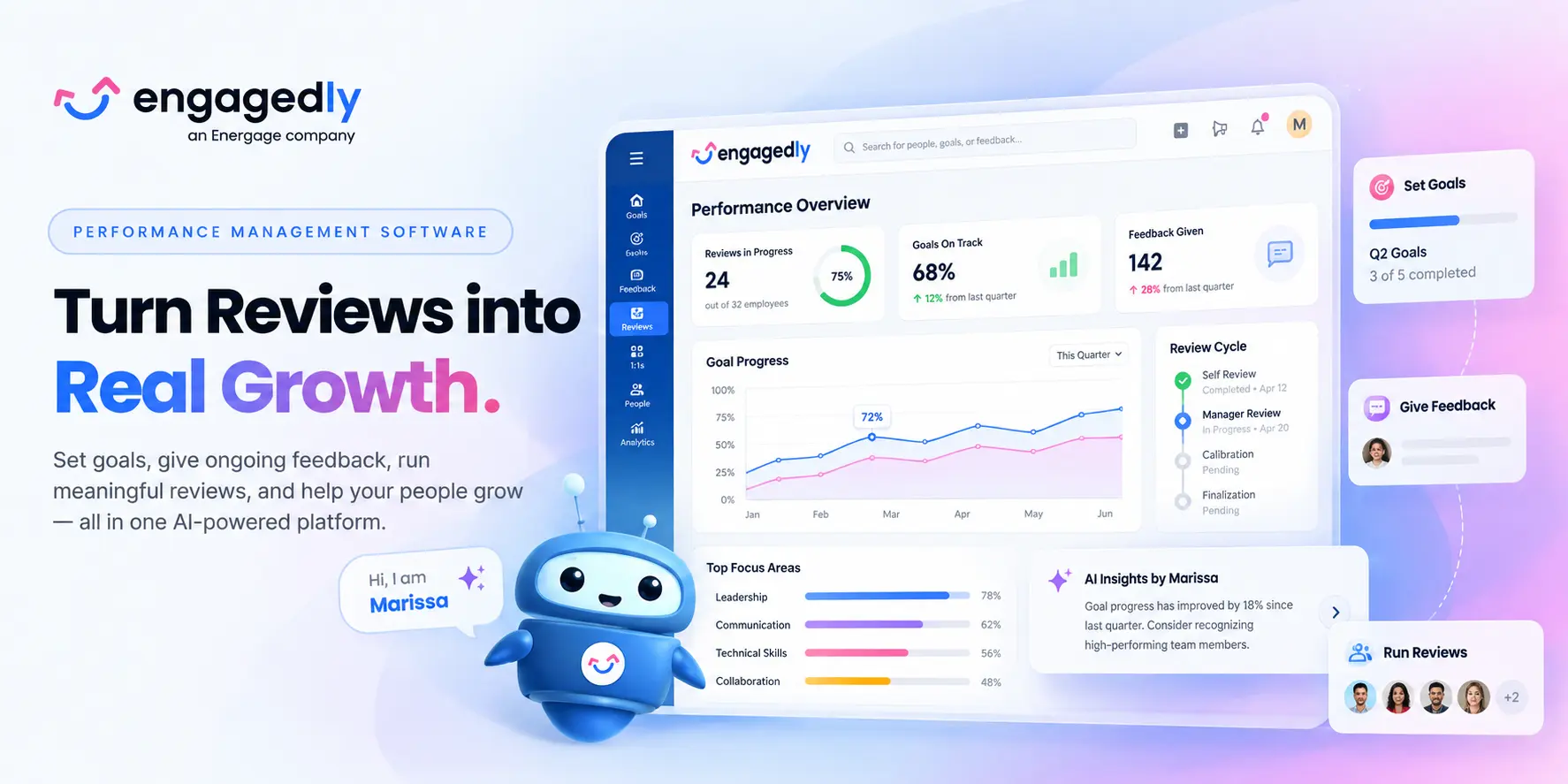
Engagedly is an AI-powered talent management and employee experience platform built to help organizations activate, develop, and retain top talent.

Engagedly Performance management Software

At its core is Marissa AI, an advanced agentic intelligence layer that helps automate workflows, surface actionable insights, and provide contextual guidance to HR teams, managers, and employees.

What differentiates Engagedly is the breadth of its connected talent management ecosystem. Performance does not stop once a review is completed. Organizations can connect performance insights with goals, learning recommendations, skill development, recognition, succession planning, and talent mobility, helping turn performance data into continuous employee development.

Key Capabilities

  • Performance reviews and 360 feedback
  • Goals and OKRs
  • Real-time feedback and 1:1s
  • Competencies and skills
  • Learning and development
  • Engagement surveys
  • Recognition and rewards
  • Succession planning and talent mobility
  • AI-driven talent insights

Pricing

Engagedly’s Performance Suite costs $5–$8 per user/month, billed annually, with a $7,500 annual minimum.

Potential Limitation

Organizations that only need a basic annual appraisal tool may not need the breadth of Engagedly’s wider talent-management platform.

Performance Management Tool

2. Lattice

Best for: Mid-market and larger organizations that want structured performance management, goals, talent reviews, and employee development in one platform.

Lattice is a people management platform built around performance, goals, employee development, engagement, and manager effectiveness. Its performance product supports formal reviews as well as the ongoing activities that feed into those reviews, including 1:1 meetings, weekly updates, feedback, and goal tracking.

A major strength is the connection between performance reviews and broader talent decisions. Organizations can use Lattice for reviews, calibration, talent reviews, promotions, succession planning, and performance improvement plans, while its Goals & OKRs product helps connect individual work with team and company priorities.

Lattice has also expanded its AI capabilities. Review drafts can draw from information already stored in the platform, such as goals, feedback, 1:1s, updates, and growth areas, which can reduce the amount of information managers need to reconstruct during review season.

Key capabilities

  • Performance reviews and self-assessments
  • Goals and OKRs
  • 1:1 meetings and weekly updates
  • Continuous feedback
  • Talent reviews
  • Calibration
  • Succession planning
  • Promotions
  • Performance improvement plans
  • Employee development
  • Workforce analytics
  • AI-assisted review drafting

What makes Lattice stand out?

Lattice is particularly strong for organizations that want formal talent-management processes to sit alongside everyday manager habits. Goals, feedback, conversations, reviews, and talent decisions are connected rather than treated as separate HR exercises.

Potential limitation

Organizations wanting a broad native ecosystem covering learning management, extensive employee recognition, and wider talent-development workflows may still need complementary tools.

Pricing

Lattice currently lists its Performance product at $10 per seat/month, Goals & OKRs at $8, and its broader Foundations package at $13 per seat/month, billed annually. Lattice also lists a $4,000 minimum annual agreement.

3. 15Five

Best for: Organizations that want to improve manager effectiveness and build more continuous performance conversations.

15Five approaches performance management from a manager-development perspective. Instead of focusing only on formal appraisal cycles, the platform combines performance reviews with regular check-ins, 1:1 meetings, feedback, OKRs, and career-development tools.

This makes it especially relevant for organizations trying to move away from annual reviews toward a more continuous model. Managers can use ongoing check-ins and 1:1s to understand progress and blockers, while formal reviews bring together performance information at defined points during the year.

15Five also combines its software with manager-focused development capabilities, making the platform useful for companies that see manager quality as one of the biggest drivers of employee performance.

Key capabilities

  • Performance reviews
  • 360-degree feedback
  • Weekly employee check-ins
  • 1:1 meetings
  • Goals and OKRs
  • Career growth tools
  • Engagement surveys
  • AI-powered performance workflows
  • Manager development
  • Performance analytics

What makes 15Five stand out?

Its biggest differentiator is the focus on manager effectiveness. Rather than treating managers primarily as review administrators, the system is designed to help them maintain more regular conversations with employees throughout the year.

Potential limitation

Organizations looking for a broader talent-management suite with native learning management, extensive recognition, succession planning, and internal mobility may need additional products.

Pricing

15Five lists its Perform plan at $11 per user/month billed annually. Its Total Platform plan is listed at $16 per user/month and combines performance, engagement, and manager-development capabilities.

4. Leapsome

Best for: Organizations wanting performance management, goals, engagement, competencies, and employee development in a connected people platform.

Leapsome brings several parts of the employee experience into one system, including performance reviews, goals and OKRs, employee surveys, competencies, feedback, meetings, and learning.

One of its strengths is the way these areas can work together. Goal progress can be connected to performance reviews, survey data can provide additional context around engagement and retention, and competency assessments can help organizations identify skill gaps and development priorities.

This makes Leapsome particularly relevant for HR teams that do not want performance reviews to end with a rating. Review outcomes can instead become part of broader conversations around skills, learning, development, and employee growth.

Key capabilities

  • Performance and 360-degree reviews
  • Goals and OKRs
  • Competency frameworks
  • Instant and continuous feedback
  • Employee surveys
  • 1:1 meetings
  • Learning and development
  • People analytics
  • Integrations with common HR and collaboration systems

What makes Leapsome stand out?

Leapsome’s main advantage is the connection between performance, engagement, and development. It can work well for organizations trying to build a broader people-enablement strategy instead of managing each HR process in isolation.

Potential limitation

Because Leapsome covers multiple HR use cases, buyers should evaluate the exact modules they need and compare the total package rather than judging the platform solely on its performance-management capabilities.

Pricing

Leapsome does not publish a standard per-user rate. Its current information states that contracts have a one-year minimum term, there are no setup fees, and a 14-day free trial is available.


5. Reflektive

Reflektive is a comprehensive performance evaluation software that assists in business growth through continuous improvement. The tool helps increase productivity through constructive employee engagement and driving growth through high-performance-driven teams.

Solutions offered by Reflektive:

  • Real-time Feedback
  • Easy and quick employee recognition
  • Multiple user tagging
  • Performance and talent calibration
  • Increase and measure employee engagement through surveys

6. PerformYard

PerformYard is a scalable performance management platform that provides intelligent insights about the workforce through data-driven features. It helps in executing performance reviews, frequent check-ins, real-time feedback, and inputs from throughout the organization.

Solutions offered by Performyard:

  • Customizable Performance Review Cycles – Create review schedules that fit your business rhythm, from quarterly check-ins to annual appraisals.
  • 360-Degree Feedback – Gather multi-source feedback from peers, managers, and direct reports for a balanced employee performance view.
  • Goal Setting and Tracking – Align individual and team goals with organizational objectives, track progress visually, and adjust in real time.
  • Continuous Feedback Loops – Encourage frequent, informal feedback to build a culture of ongoing improvement rather than one-time evaluations.
  • Automated Reminders and Notifications – Keep managers and employees on track with built-in alerts for upcoming tasks and review deadlines.
  • Detailed Performance Analytics – Access dashboards and reporting tools to spot trends, identify high performers, and address skill gaps.

Also Read: How to build performance management metric strategy?

7. Deel

Deel is a global HR platform that combines payroll, compliance, and talent management into one comprehensive solution. While originally known for its employer of record (EOR) services, Deel Engage has evolved into a robust performance management system designed for distributed and international teams.

Solutions offered by Deel:

  • 360-Degree Feedback & Reviews – Conduct comprehensive performance evaluations with customizable anonymity settings, peer selection criteria, and multi-source feedback from managers, peers, and direct reports.
  • Goal Setting & OKR Management – Create, track, and align individual and team goals with organizational objectives. Use AI-driven suggestions tailored to role, level, and past performance.
  • Competency Frameworks & Skills Mapping – Define role-specific competencies and create transparent career progression pathways. Use skills matrices and 9-box grids to identify high potentials and skill gaps.
  • Performance Calibration – Compare and calibrate ratings across employee demographics with heatmaps, radar charts, and calibration tools to ensure fairness and reduce bias.
  • Automated Review Cycles – Trigger performance evaluations automatically based on probation periods, start dates, or custom criteria. Send personalized auto-nudges and reminders throughout the review process.
  • Compensation Integration – Link performance outcomes directly with compensation data to reward top performers and make fair, equitable pay decisions seamlessly.

What sets Deel apart:

Deel’s unique advantage lies in its ability to manage the entire employee lifecycle for global teams—from compliant hiring and payroll in 150+ countries to performance reviews and development plans—all on one platform. This makes it ideal for companies with international workforces who need integrated compliance, payroll, and performance management.

Best for: Global companies and remote-first organizations needing integrated EOR, payroll, and performance management.

8. HROne

HROne is an AI-powered performance management system, designed for organizations to manage their talent force with data-driven insights and actions. With features like defining and quantifying KPIs, easy performance review process, performance scorecard, 9-box rating, and 1-on-1 meetings for conflict resolution, you can address talent management from all aspects rather than monitoring it superficially.  

With its continuous 360–degree feedback feature, you can nurture the skills and performance of your workforce from all touchpoints. For example, you cannot only ask a manager’s feedback for an employee but also from their peers, colleagues, and overall, 8-12 people to get a broader picture of their performance and cultural fit. 

Key Solutions Offered: 

  • Review rating formula for final performance rating 
  • Easy OKR mapping 
  • 360-degree feedback process for anonymous and overall feedback 
  • Easy goal creation and defining of KPIs 
  • 9-box rating for identifying future leaders 
  • 1-on-1 for candid manager and person conversation

9. Betterworks

Betterworks helps enterprises scale up their performance by providing intuitive and directional insights. This performance management tool helps create a vision with the right set of goals, reviews, and continuous feedback from the employees. Managers can use features like reviews and check-ins, goal management, and continuous feedback for performance enhancement.

Solutions offered by Betterworks:

  • Continuous Performance Management & Check-Ins
  • Offers ongoing feedback loops, regular one-on-one check-ins, and light, coaching-oriented performance conversations instead of infrequent formal reviews.
  • OKR & Strategic Goal Setting Alignment
  • Facilitates company-wide objectives (OKRs) cascaded down to team and individual levels, ensuring alignment of efforts with larger business goals.
  • 360-Degree Feedback & Peer Recognition
  • Incorporates multi-source feedback, real-time peer-to-peer recognition (e.g., digital badges), and fosters a supportive, transparent feedback culture.
  • Advanced Analytics & Reporting
  • Equipped with real-time dashboards, trend and historical performance tracking, customizable analytics, and manager-specific insights to guide decision-making.

10. 7Geese/Paycor

It is a human capital management tool that offers a range of services, like HR & payroll management, talent management, workforce management, and employee experience. It helps in building an engaging and collaborative culture to enhance organizational performance.

Solutions offered by 7Geese/Paycor

  • 1:1 and feedback tools
  • Automated workflows to eliminate repetitive tasks
  • Customizable dashboard for coaching sessions
  • OKRs and goal management

10. Peoplebox.ai

Peoplebox.ai is an AI-powered talent management platform that seamlessly integrates performance management, OKRs, and employee engagement directly into tools teams already use—specifically Slack and Microsoft Teams. The platform emphasizes ease of use, automation, and real-time insights.

Solutions offered by Peoplebox.ai:

  • OKR & Goal Management – Set, align, and track objectives and key results across individual, team, and company levels. Auto-update progress through integrations with Jira, Asana, Salesforce, HubSpot, and other work tools.
  • Customizable Performance Reviews – Design review cycles tailored to your business needs with flexible templates, rating scales, competency mapping, and goal selection. Run 360° reviews, peer reviews, self-evaluations, and manager assessments.
  • 1-on-1 Meetings & Check-ins – Schedule and structure meaningful conversations between managers and direct reports with automated agendas, goal tracking, and action items.
  • 9-Box Talent Matrix – Visualize employee performance and potential to identify high performers, succession candidates, and development needs across departments and roles.
  • 360-Degree Feedback – Collect comprehensive feedback from multiple sources to provide balanced, unbiased performance insights.
  • Engagement Surveys & Pulse Checks – Measure employee satisfaction and engagement through customizable surveys delivered directly in Slack or Teams.
  • Business Reviews & Analytics – Conduct strategic reviews where OKRs are set, tracked, and embedded in review boards. Generate detailed reports and analytics to make data-driven talent decisions.

What sets Peoplebox.ai apart:

The platform lives inside Slack and Microsoft Teams, eliminating the need for employees to learn or log into another system. This “no new login” approach drives exceptionally high adoption rates and makes performance management feel like a natural part of daily work rather than an administrative burden.

Best for: Tech companies and fast-growing startups that prioritize Slack or Microsoft Teams and want OKRs, reviews, and engagement in one integrated platform.

12. Workleap

Workleap (formerly Officevibe) is a modular, people-first employee experience platform that brings together engagement, performance management, onboarding, learning, and organizational clarity. Built with AI at its core, Workleap helps organizations – especially SMBs and hybrid teams—simplify HR processes while keeping employees engaged and aligned.

Solutions offered by Workleap:

  • AI-Powered Performance Reviews – Build customizable review cycles with self, peer, and manager feedback. Workleap AI generates performance summaries, highlights achievements and growth opportunities, and suggests draft responses to reduce manager workload.
  • Goals & OKRs – Create, track, and update individual and team objectives with flexible goal structures. AI analyzes progress, feedback, and context across roles and teams to deliver clear performance synthesis.
  • 360-Degree Feedback – Conduct multi-source evaluations with customizable anonymity settings and reviewer groups to match your culture.
  • Real-Time Dashboards & Analytics – Monitor review progress, track rating distributions, and compare results across teams with visual dashboards and calibration tools.
  • Continuous Feedback & Recognition – Enable ongoing feedback loops with “Good Vibes” peer-to-peer recognition and instant feedback features.
  • Engagement Surveys (Officevibe) – Run automated pulse surveys with anonymous feedback, eNPS tracking, and AI-powered sentiment analysis to measure team morale and identify improvement areas.
  • Onboarding Workflows – Create personalized welcome portals with role-specific checklists, automated document signing, and progress tracking.
  • Learning & Development – Deliver self-paced learning paths with AI-powered course recommendations.

What sets Workleap apart:

Workleap’s Performance Flywheel creates a connected system where goals, reviews, and feedback work together continuously rather than in isolation. The AI Cycle Builder can set up review cycles in minutes, and the platform integrates seamlessly with Slack, Microsoft Teams, and major HRIS systems—all with transparent pricing and no setup fees.

Best for: SMBs, hybrid teams, and remote-first organizations seeking an intuitive, modular platform for performance, engagement, and development.

13. Thrivesparrow

Thrivesparrow is an emerging AI-powered performance management and employee engagement platform designed for small to medium-sized businesses. It combines 360-degree feedback, goal tracking, recognition, and pulse surveys with advanced AI analytics to turn performance data into actionable insights.

Solutions offered by Thrivesparrow:

  • 360-Degree Performance Reviews – Collect comprehensive feedback from peers, managers, and direct reports with customizable review cycles, competency frameworks, and role-based evaluations.
  • AI-Driven Insights & Analytics – Transform review and survey data into visual heatmaps, bell curves, competency summaries, and trend reports. AI sentiment analysis highlights strengths, skill gaps, and engagement risks.
  • Goals & OKRs Tracking – Align individual and team objectives with organizational priorities. Track progress transparently with visual dashboards and real-time updates.
  • Continuous Feedback & Recognition – Share instant peer-to-peer feedback and recognition badges to build a culture of continuous improvement and appreciation.
  • Engagement Surveys & Pulse Checks – Measure employee sentiment with customizable, multilingual surveys. AI-powered reports provide quick, detailed analysis of results.
  • AI-Generated Personal Development Plans (PDPs) – Automatically create personalized development plans based on 360 feedback, GAP analysis, and performance trends—saving managers significant time.
  • Rewards & Recognition – Gamified recognition system with point-based rewards and a global rewards marketplace supporting 80+ countries.

What sets Thrivesparrow apart:

Thrivesparrow’s AI capabilities go beyond basic reporting—the platform uncovers what truly drives team performance and provides heat-map visualizations showing performance patterns. The tool is particularly strong in helping managers turn feedback into action with AI-suggested next steps and personalized development plans.

Best for: Small businesses and startups looking for an affordable, feature-rich performance management solution with strong AI analytics capabilities.

14. ClearCompany

ClearCompany offers a platform that combines recruitment, onboarding, performance management, and workforce planning into one ambit. It offers a range of solutions that help organizations develop and nurture talent for higher performance. 

Solutions offered by ClearCompany:

15. Primalogik

Primalogik is an intuitive, flexible performance management platform specializing in 360-degree feedback, performance reviews, and goal management. Built for mid-sized organizations, it offers extensive customization options while maintaining simplicity and ease of use.

Solutions offered by Primalogik:

  • 360-Degree Feedback – Create fully customizable 360 review processes with flexible questionnaires, rating scales (3-point to 10-point), and anonymity levels. Collect multi-source feedback from managers, peers, direct reports, and other stakeholders.
  • Performance Reviews – Conduct structured reviews with self-assessments and manager evaluations. Use customizable templates and automated reminders to streamline the process.
  • Goal Setting & OKR Management – Set clear, measurable objectives and track progress toward both individual and organizational goals. Managers can collaborate with employees on goal-setting.
  • Continuous Feedback & Recognition – Enable real-time feedback exchange and instant recognition throughout the year to build a feedback-rich culture.
  • Employee Engagement Surveys – Launch anonymous surveys to gather honest feedback on engagement, satisfaction, and organizational culture.
  • Advanced Analytics & Reporting – Access dynamic, easy-to-understand reports that filter through performance data. Compare results over time to track growth and create development plans.
  • Development Planning – Build targeted development plans for each team member based on 360 feedback results. Focus on improvement areas and measure progress across review cycles.

What sets Primalogik apart:

Primalogik’s strength is its flexibility—users can build completely custom questionnaires, choose rating scales, and select anonymity levels to match their culture. The platform strikes a balance between powerful customization and user-friendly simplicity, making it accessible even for non-technical users. Customer support is frequently praised as responsive and helpful.

Best for: Mid-sized organizations seeking a flexible, customizable 360 feedback and performance review solution with excellent support.

Small Improvements is a lightweight performance management platform built for growing teams. Used by companies like Duolingo, SoundCloud, and Zapier, it helps foster a culture of continuous feedback, alignment, and development.

Key Features:

  • Customizable performance reviews & 360° feedback
  • Lightweight goals & objectives
  • Real-time feedback & praise
  • 1:1 meeting agendas & notes
  • Pulse surveys & engagement insights
  • Integrations with tools like BambooHR, Slack, and Google

Ideal for companies with 10–1350 employees, Small Improvements offers a flexible, user-friendly toolkit to improve performance and employee experience.

17. Workable HR

Workable HR is a comprehensive human resources information system (HRIS) that combines recruiting, onboarding, employee management, and performance reviews into one unified platform. While best known for its applicant tracking system (ATS), Workable has evolved into a full-featured HR solution.

Solutions offered by Workable HR:

  • Performance Reviews – Create tailored review templates with configurable question types for different roles and departments. Customize review cycles (quarterly, annual, or project-based) to align with company objectives.
  • Multi-Level Feedback System – Conduct self-reviews, manager evaluations, peer feedback, and direct report reviews to get a complete 360-degree performance picture.
  • Progress Tracking & Reporting – Monitor review completion across the organization with dashboards filtered by department, manager, or status. Generate comprehensive reports to identify top performers and improvement areas.
  • Goal Setting & Performance Alignment – Set and track individual and team goals aligned with organizational objectives (performance management tools currently being expanded).
  • Employee Database & Org Charts – Store and organize all employee data with customizable profiles, track role history and compensation, and maintain automated org charts reflecting real-time company structure.
  • Onboarding & Self-Service – Build personalized welcome portals with role-specific workflows, automate paperwork with e-signatures, and enable employees to manage their own HR tasks.
  • Time-Off Management – Configure custom time-off policies with advanced accrual rules, approval workflows, and company calendar integration.
  • Recruiting & ATS Integration – Seamlessly connect performance data with hiring processes through Workable’s industry-leading ATS.

What sets Workable HR apart:

Workable excels at providing an all-in-one HR solution where recruiting, onboarding, employee records, and performance management live in the same system. This eliminates data silos and creates a seamless employee lifecycle experience. The multi-level feedback system allows for fully customizable 360 reviews that can be reused cycle after cycle.

Best for: Growing companies that need both recruiting and HR management in one platform, particularly those wanting customizable performance reviews integrated with comprehensive employee data.

18. Teamflect

Teamflect is an all-in-one performance management and employee engagement solution built natively for Microsoft Teams and Outlook. It’s the highest-rated performance management tool in the Microsoft Teams app store, designed to keep all HR processes within the Microsoft 365 ecosystem employees already use daily.

Solutions offered by Teamflect:

  • Native Microsoft 365 Integration – Run the entire performance cycle inside Teams and Outlook with single sign-on (SSO), Entra ID integration, and bi-directional sync with Microsoft To Do and Outlook Tasks.
  • Performance Reviews & 360 Feedback – Build customizable review cycles with self, peer, manager, and direct report feedback. Use the extensive template library and AI-guided review writing assistance.
  • Goals & OKRs – Set and track cascading goals with complete customization. Create custom goal labels, relate tasks to goals, and track progress with automated check-ins inside Teams chat.
  • 1-on-1 Meetings – Structure meetings with talking points, shared and private notes, check-in forms, integrated goal setting, and task management—all within Teams meetings.
  • Continuous Feedback & Recognition – Share instant feedback and celebrate achievements with customizable recognition badges and points-based rewards. Create leaderboards to foster healthy competition.
  • Engagement Surveys & Pulse Checks – Run surveys directly in Teams chat with AI-powered analysis and real-time sentiment tracking.
  • Teamflect Agent (AI Assistant) – Use AI to prepare 1-on-1s, generate feedback, detect burnout signals, and make smarter people decisions.
  • Task Management – Create tasks from Teams chat, meetings, emails, and OKRs. Sync seamlessly with Microsoft To Do and Outlook Tasks for unified task tracking.
  • Succession Planning & Career Development – Build branching career paths, create individual development plans (IDPs), and identify succession candidates.

What sets Teamflect apart:

Teamflect’s native Microsoft 365 integration means zero new logins and the highest adoption rates among competitors. Everything from goal-setting to feedback to reviews happens where employees already work—in Teams and Outlook. The platform also integrates with Power BI for advanced analytics and Power Automate for custom HR workflows.

Best for: Organizations deeply embedded in the Microsoft 365 ecosystem seeking native Teams/Outlook performance management with high adoption rates.

19. Effy.AI

Effy.AI is an AI-first performance management platform that transforms 360-degree feedback and performance reviews from an administrative burden into strategic insights. Built for modern teams, especially SMBs, it emphasizes speed and simplicity—organizations can launch comprehensive 360 reviews in under 10 minutes.

Solutions offered by Effy.AI:

  • AI-Generated Review Forms – Create tailored performance review forms within minutes using AI. The platform generates relevant questions based on role, department, and review type.
  • 360-Degree Feedback – Conduct multi-source evaluations with support for self-assessments, manager reviews, peer evaluations, upward feedback, and subordinate feedback.
  • AI-Summarized Results – Receive automatically generated summaries with actionable insights, highlighting strengths and areas for improvement based on collected responses.
  • Slack Integration – Participants receive notifications and can submit reviews directly within Slack, enhancing accessibility and engagement without leaving their primary communication tool.
  • Automated Reminders – Set deadlines and let the system send automated reminders for pending reviews, ensuring timely completion.
  • Performance Analytics – Access heatmaps, 9-box grids, score trends, and bias detection to make data-driven talent decisions.
  • One-on-Ones & Meeting Notes – Document regular check-ins, track discussion points, and create action items.
  • Kudos & Recognition – Enable instant peer-to-peer recognition and feedback sharing.
  • Goal Setting & Tracking – Set individual and team goals with progress tracking (feature expanding).

What sets Effy.AI apart:

Effy.AI’s laser focus on speed and simplicity makes it stand out. The AI-powered form creation, summarization, and bias detection mean that what typically takes hours can be done in minutes. The platform is particularly well-suited for SMBs that want enterprise-grade 360 feedback without enterprise-level complexity or cost.

Best for: Small to medium businesses and startups seeking fast, AI-powered 360 reviews with minimal setup and strong Slack integration.

20. Profit.co

Profit.co is a comprehensive OKR software platform that integrates strategy execution, performance management, task management, and employee engagement into one unified system. It’s designed to help organizations prioritize goals, execute strategies, and build high-performance cultures.

Solutions offered by Profit.co:

  • OKR Management & Strategy Execution – Create, cascade, and align objectives and key results across company, department, team, and individual levels. Use AI-powered OKR templates and chatbot for instant goal creation.
  • Goal Alignment & Dashboards – Visualize how individual and team goals connect to company objectives with alignment dashboards and real-time heatmaps showing OKR progress.
  • Performance Reviews & 360 Feedback – Conduct customizable performance evaluations with multi-rater feedback from managers, peers, and direct reports. Link individual goals and competencies directly to reviews.
  • Competency & Talent Management – Use the 9-box talent grid, competency score assessments, and skills gap analysis to identify high-potential employees and development needs.
  • Automated Review Cycles – Trigger performance evaluations automatically based on custom criteria. Send personalized nudges and reminders throughout the cycle.
  • Development & Succession Planning – Create automated development plans based on review results and identify succession candidates for critical roles.
  • Task Management Integration – Map tasks to OKRs and key results, creating clear connections between daily work and strategic objectives.
  • Check-ins & Meetings – Schedule OKR review meetings (weekly, quarterly) with automated agendas, attachments, and task boards.
  • Employee Engagement – Conduct surveys, share updates via newsfeed, use hashtags for OKR engagement, and promote recognition and achievements.
  • Analytics & Business Intelligence – Access PowerPoint report generation, department-specific heat maps, and company-wide performance dashboards.

What sets Profit.co apart:

Profit.co uniquely integrates OKRs, tasks, performance management, and engagement on a single platform—creating a complete performance ecosystem. The built-in strategic planning tools, reflect-reset process for quarterly OKR reviews, and extensive integration options (Jira, Slack, G Suite, Teams, 100+ more) make it particularly powerful for execution-focused organizations.

Best for: Mid-sized to large organizations focused on strategic execution through OKRs who want performance management, task tracking, and engagement unified in one platform.

21. Sprad

Sprad is an AI-powered performance and talent management system that helps organisations gain real clarity on employee performance, skills, and development — moving beyond static reviews to continuous insight and action.

Solutions offered by Sprad:

  • Continuous Performance Reviews – Automates regular performance reviews using ongoing feedback and real work data, reducing manual effort while keeping performance conversations relevant.
  • 360-Degree Feedback – Collects structured feedback from peers, managers, and employees to create a well-rounded view of strengths, development areas, and impact.
  • Skill Management & Development – Uses AI-driven skill frameworks and gap analysis to identify which skills matter most and guide targeted employee development.
  • Career Pathing & Internal Mobility – Helps organisations uncover internal talent and build clear career paths based on performance and skill readiness.
  • Predictive People Analytics – Provides early insights into retention risks, performance trends, and workforce planning to support proactive HR decisions.
  • Atlas AI Assistant – Transforms feedback, performance, and skills data into clear recommendations for HR leaders and executives, highlighting what truly drives success.

The best performance management system depends less on the number of features and more on the problem you are trying to solve.

Choose an all-in-one talent management platform if:

You want performance reviews, goals, feedback, learning, engagement and talent development connected rather than managed in separate systems.

Platforms to evaluate include:

Engagedly and Leapsome

Choose a manager-effectiveness platform if:

Your biggest challenge is getting managers to run better 1:1s, give frequent feedback and coach employees consistently.

Consider:

15Five

Choose a highly customizable performance review platform if:

You already know how your performance process should work and need software that adapts around it.

Consider:

PerformYard or Primalogik

Choose an enterprise OKR and alignment platform if:

Company strategy, cascading goals and enterprise-wide alignment are central to your performance methodology.

Consider:

Betterworks or Profit.co

Choose performance management inside Microsoft Teams if:

Microsoft Teams and Outlook are where employees already spend most of their workday.

Consider:

Teamflect

Choose an OKR-focused performance platform for a fast-growing company if:

You need business goals, performance reviews and talent insights closely connected.

Consider:

Peoplebox.ai

Choose performance management for a global workforce if:

Your organization hires and manages employees internationally and wants global HR operations connected with performance.

Consider:

Deel

Choose an employee-experience-led platform if:

You want to connect performance with employee engagement, sentiment and manager insights.

Consider:

Culture Amp or Workleap

The best performance management software should do more than manage annual reviews. It should help organizations set clear goals, support continuous feedback, automate routine tasks, and turn performance data into useful insights.

When comparing performance review software, look for these core capabilities:

1. Continuous Feedback

Managers and employees should be able to exchange feedback throughout the year, not just during review cycles. Continuous feedback helps identify performance gaps early and supports regular coaching and improvement.

2. 360-Degree Feedback

360-degree feedback gathers input from managers, peers, direct reports, and other colleagues to provide a broader view of an employee’s strengths, behaviors, and development areas.

Also Read: How to effectively review employee performance?

3. Automation and Ease of Use

A performance management platform should be intuitive for employees, managers, and HR teams. Automated reminders, review workflows, notifications, and dashboards help reduce manual work and keep performance processes on track.

4. People Analytics

Performance analytics help HR teams identify trends, skill gaps, high performers, and development needs. These insights can also support succession planning and broader people analytics strategies.

5. Goals and OKRs

Strong performance management software should support clear, measurable goals and OKRs. Goal setting helps employees understand expectations, track progress, and connect individual performance with business priorities.

6. Employee Recognition

Recognition helps reinforce strong performance and positive behaviors. Look for platforms that make it easy for managers and employees to recognize achievements and celebrate contributions.

7. Learning and Development

Performance insights should lead to development. Platforms with learning, skills, or development-plan capabilities can help employees close skill gaps and prepare for future roles.

8. Customization and Integrations

The software should adapt to your review cycles, rating systems, competencies, and workflows. It should also integrate with your HRIS, collaboration tools, and other HR technologies.

9. Security and Access Controls

Because performance data is sensitive, look for strong security, role-based permissions, data protection, and administrative controls.

The right platform should bring these capabilities together without making the performance process more complicated. If you want to see how an integrated approach works in practice, you can request a demo.

Final Thoughts

Performance management software helps organizations build a workforce that is skilled, engaged, and consistently improving. In a fast changing and competitive environment, business outcomes depend heavily on how well companies set goals, support managers, develop talent, and act on performance signals early.

Modern platforms go beyond annual reviews. They enable continuous feedback, clearer alignment, better coaching, fairer evaluations, and stronger visibility into skills and growth. The right tool makes performance conversations easier to run, easier to track, and easier to improve over time.

Use this guide to shortlist options based on your needs, team size, workflows, and adoption goals, then validate your top picks through demos and real user feedback before choosing.

Performance Management System

Frequently Asked Questions (FAQs)

What are the key features of performance management software?

The best performance management platforms include goal tracking, continuous feedback, 360 degree reviews, analytics dashboards, and development planning tools.
When evaluating performance management platforms, organizations should prioritize tools that support continuous performance rather than annual reviews alone.
Key features to look for include:

Goal alignment and OKRs to track progress toward business outcomes
Continuous feedback systems that encourage regular conversations
360 degree feedback from peers, managers, and direct reports
People analytics dashboards that highlight performance trends
Employee development plans tied to skills and career growth
Automated workflows and reminders to reduce administrative effort

These capabilities help organizations connect employee performance with measurable outcomes such as productivity, engagement, and retention. Many modern platforms also integrate with collaboration tools like Slack or Microsoft Teams.

Why are annual performance reviews becoming outdated?

Organizations are replacing annual reviews with continuous performance systems to provide real time feedback, better goal alignment, and faster talent decisions.
Companies are shifting to continuous performance management because traditional annual reviews fail to capture real time performance insights.

Continuous performance systems provide several advantages:
Frequent feedback and coaching instead of once a year conversations
Real time goal tracking tied to business outcomes
Earlier identification of disengagement or burnout risks
Better alignment between individual work and company objectives
Research shows feedback frequency strongly impacts engagement.

Employees who receive regular feedback are significantly more likely to stay engaged and productive. Modern performance software enables this shift by embedding feedback, recognition, and check ins into everyday workflows rather than treating reviews as isolated HR events.