










Manufacturing companies have been managing goals long before OKRs became popular.
OEE, scrap rate, first-pass yield, downtime, on-time delivery, safety incidents, and units produced per hour are already tracked across plants, production lines, and shifts.
So when leadership introduces Objectives and Key Results (OKRs), plant managers may reasonably ask:
Aren’t we already doing this?
Not quite.
Manufacturing KPIs tell you how the operation is performing. OKRs define what the business is trying to improve, change, or achieve over a specific period.
For example:
- KPI: Maintain OEE above 85%.
- OKR: Increase OEE on Line 4 from 76% to 85% by the end of Q4.
- KPI: Keep scrap below 2%.
- OKR: Reduce scrap on the new product line from 3.2% to below 2% within six months.
The challenge is connecting those two layers.
Corporate objectives may live in presentations or planning tools, while operational metrics live in an MES, ERP, BI dashboard, spreadsheet, or whiteboard on the plant floor.
Good OKR software for manufacturing helps connect strategy with plant-level execution without forcing supervisors and employees to maintain another disconnected reporting system.
This guide compares 10 OKR platforms manufacturers should consider in 2026 based on goal alignment, accessibility, integrations, performance management, multi-site visibility, and suitability for frontline and plant environments.
Best Manufacturing OKR Software: Quick Comparison
| Platform | Best for | Manufacturing fit | Pricing |
| Engagedly | Goals connected with performance and employee development | Strong | $5–$8/user/month for Performance Suite |
| WorkBoard | Enterprise strategy execution across multiple plants | Strong for enterprise strategy | Custom |
| Betterworks | Goals combined with performance management | Good | From $8/user/month |
| Profit.co | Structured OKR and strategy execution programs | Good | Custom |
| Perdoo | Keeping OKRs separate from operational KPIs | Good | Free; paid from €6.40/user/month |
| Mooncamp | Flexible and straightforward OKR management | Good | From €7/user/month |
| Peoplebox | OKRs with reviews and business reviews | Moderate to good | From $8/employee/month |
| Leapsome | OKRs within a broader people platform | Moderate | Modular pricing |
| 15Five | Goals, check-ins, and manager performance | Moderate | Perform from $11/user/month |
| AchieveIt | Multi-site strategic and improvement plans | Strong for planning | Custom |
Pricing was checked in October 2026. Vendors can change pricing, packaging, and minimum contract requirements, so confirm final costs directly before purchasing.
How We Evaluated OKR Software for Manufacturing
Manufacturing companies should evaluate OKR software differently from a typical desk-based organization.
We focused on six criteria.
1. Goal Alignment
Can company objectives connect with business-unit, plant, department, team, and individual goals?
2. Operational Data Integration
Can goal progress be updated from the systems where operational numbers already live, rather than requiring supervisors to manually enter figures every week?
3. Frontline Accessibility
Can plant managers, shift supervisors, and other non-desk employees realistically access and update goals?
4. Performance Connection
Can goals become part of check-ins, feedback, performance reviews, development plans, or coaching?
5. Multi-Site Visibility
Can leadership see goal progress across locations, departments, teams, or business units?
6. Ease of Adoption
Does the platform fit existing manufacturing workflows, or does it create another reporting process employees have to maintain?
Not every platform on this list is manufacturing-specific. Some are enterprise strategy tools, others are performance-management platforms, and some are dedicated OKR products.
That distinction matters when building your shortlist.
OKRs vs. KPIs in Manufacturing
One of the biggest mistakes manufacturers make when introducing OKRs is simply copying their existing KPIs into an OKR platform.
The two serve different purposes.
| Manufacturing KPI | Manufacturing OKR | |
| Purpose | Monitor ongoing operational health | Drive a specific improvement |
| Typical duration | Continuous | Quarterly, half-yearly, or annual |
| Example | Maintain OEE above 85% | Raise OEE on Line 3 from 78% to 85% by Q4 |
| Another example | Keep defect rate below 1.5% | Reduce defects on Product A from 2.4% to 1.5% |
| Review cadence | Daily or weekly | Weekly, monthly, or quarterly |
| Does it continue indefinitely? | Often yes | Usually changes after achievement |
A simple way to think about it is:
KPIs monitor the business. OKRs help change the business.
Manufacturing OKR software should therefore sit above or alongside your existing operational measurement system – not replace it.
1. Engagedly
Best for: Manufacturers that want OKRs connected with employee performance and development.
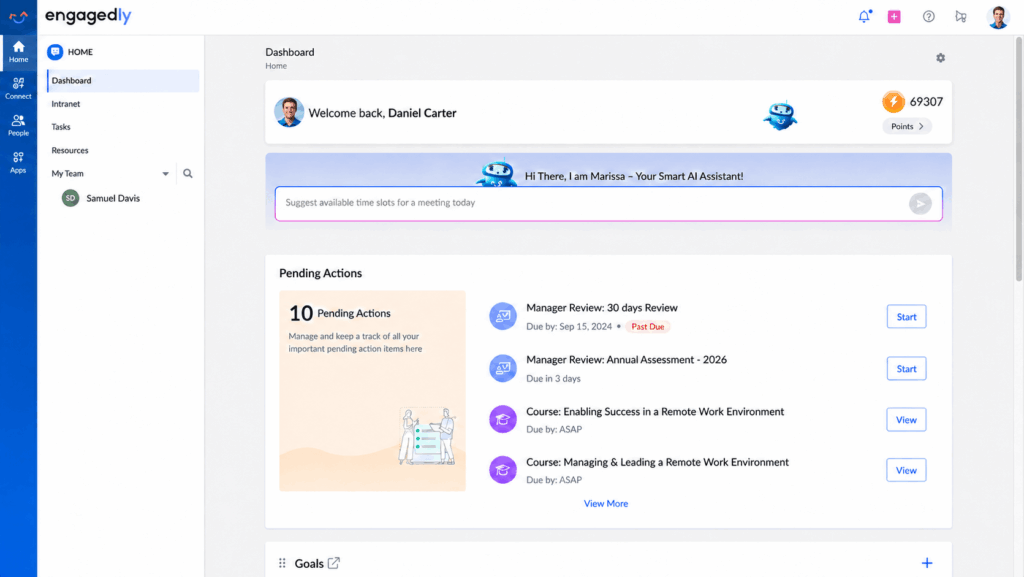
Engagedly combines Goals and OKRs with performance reviews, feedback, meetings, skills, learning, recognition, and talent development.
Its manufacturing relevance comes primarily from connecting employee goals with the wider performance process rather than treating OKRs as a standalone quarterly exercise.
Organizations can create company, business-unit, and department goals and connect them with contributing team and individual goals. Goals can include measurable key results, priorities, weights, discussions, feedback, and progress tracking.
Why It Fits Manufacturing
Manufacturers often manage very different employee populations – from corporate teams and engineers to plant managers, supervisors, and frontline workers.
Engagedly provides mobile access and positions its manufacturing offering around bringing goals, feedback, check-ins, learning, and performance processes closer to plant-floor employees.
Goals can also feed into performance reviews, making it easier to assess results against previously agreed expectations instead of reconstructing performance at year-end.
Key Features
- Company, business-unit, department, team, and individual goals
- Cascading and contributing goals
- Measurable key results and goal weighting
- Goal discussions, feedback, and recognition
- Mobile access
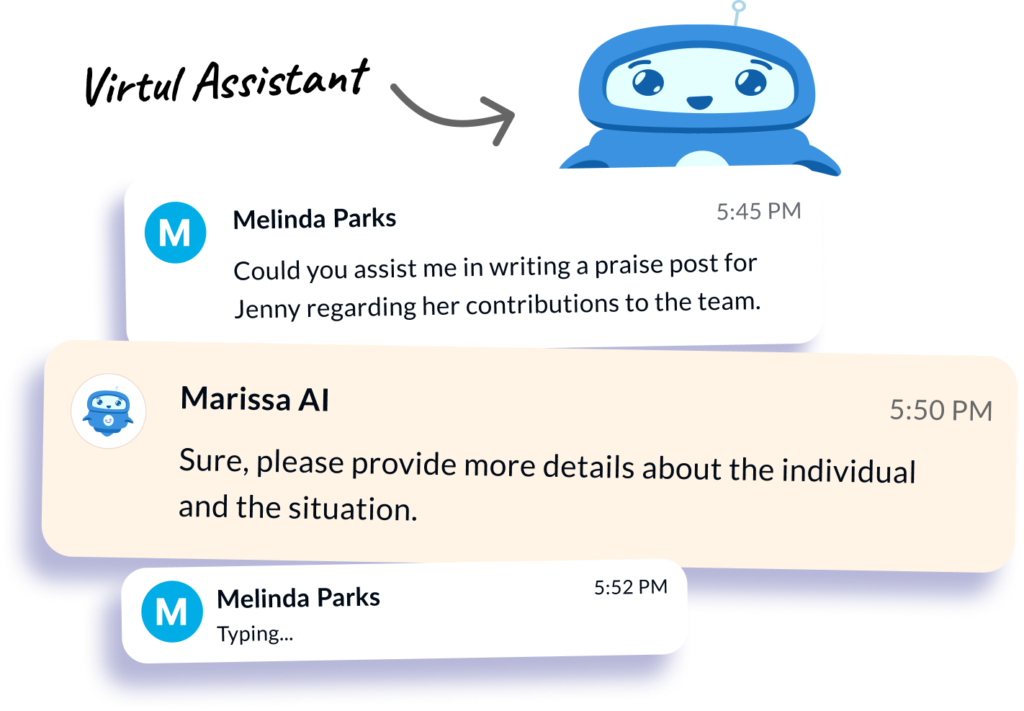
- Marissa AI-assisted goal creation
- Goal dashboards and reporting
- Supported integrations including Jira, Google Sheets, and Salesforce
Pros
- Connects OKRs directly with performance management
- Suitable for organizations with mixed desk and frontline workforces
- Goals can feed into reviews and development conversations
- Broader learning, skills, feedback, and recognition capabilities are available
Cons
- More platform than companies need if they only want OKR tracking
- Manufacturers needing complex MES or ERP data connections should validate their specific integration requirements
- Less specialized in enterprise strategy portfolio management than platforms such as WorkBoard
Pricing
Engagedly’s Performance Suite, which includes Goals and OKRs, is currently listed at $5–$8 per user per month when billed annually, with pricing varying by employee count and bundling. Engagedly lists a minimum annual price of $7,500.
Best for: Manufacturers that want goal management to connect with performance reviews, feedback, skills, learning, and employee development.
2. WorkBoard
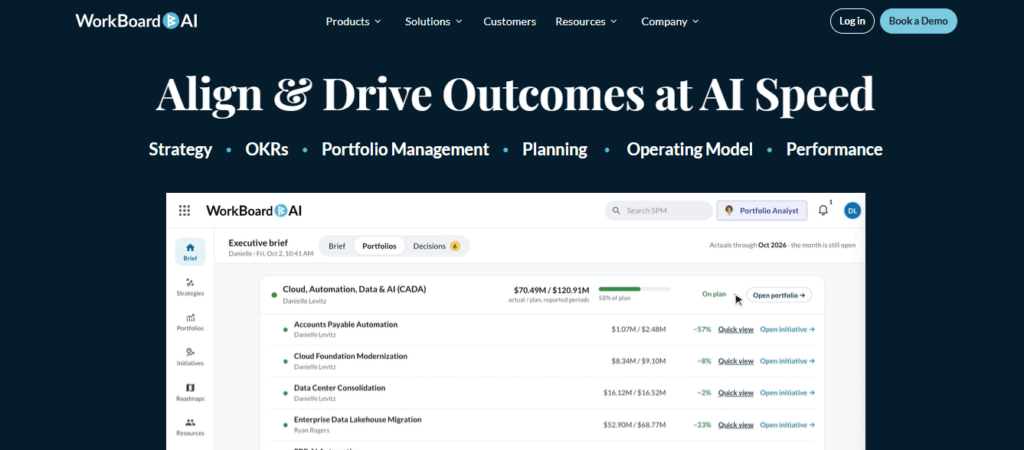
Best for: Large manufacturers managing strategy across plants, business units, and strategic portfolios.
WorkBoard is closer to an enterprise strategy-execution platform than a traditional employee goal tracker.
It connects long-term strategy with OKRs, strategic portfolios, initiatives, projects, resource allocation, performance, and leadership operating rhythms.
That makes it particularly relevant to large manufacturing organizations where the challenge is not simply creating goals but keeping several business units and facilities aligned with changing strategic priorities.
Why It Fits Manufacturing
A global manufacturer may have corporate objectives relating to capacity, supply-chain resilience, quality, automation, cost reduction, sustainability, or new-market expansion.
WorkBoard enables leadership to connect those priorities with outcomes and initiatives across the organization and review progress within a structured execution cadence.
Recent additions include strategic portfolio management and AI agents focused on areas such as portfolio analysis, OKR execution, and leadership support.
WorkBoard also acquired Quantive in May 2025, so Quantive should no longer be treated as an independent alternative in a current 2026 comparison.
Key Features
- Enterprise OKRs
- Strategy mapping and execution
- Strategic portfolio management
- KPI and performance visibility
- Business review cadence
- Cross-functional alignment
- AI-assisted OKR and execution workflows
- Integrations with enterprise business systems
Pros
- Strong for complex, multi-business-unit organizations
- Connects OKRs with broader strategic execution
- Designed for executive and leadership visibility
- Useful for large transformation programs
Cons
- More complex than most mid-market manufacturers require
- Requires executive sponsorship and process discipline
- Not primarily designed as a frontline employee goal application
- Pricing is not publicly listed
Pricing
Custom enterprise pricing.
Best for: Large manufacturing enterprises where the primary challenge is translating corporate strategy into coordinated execution across multiple plants and business units.
3. Betterworks
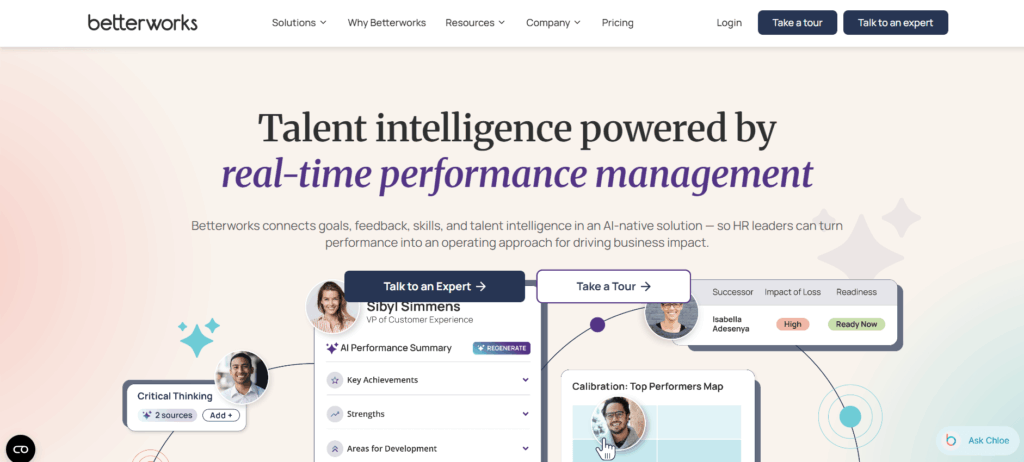
Best for: Manufacturers that want OKRs closely integrated with performance management.
Betterworks combines goals and OKRs with performance reviews, feedback, conversations, 1:1 meetings, and AI assistance.
The platform focuses heavily on connecting organizational priorities with employee goals and maintaining those conversations throughout the performance cycle.
That makes it a practical option when HR and business leaders want goals to play a meaningful role in employee performance rather than being maintained separately.
Why It Fits Manufacturing
Betterworks can be relevant for plant leadership, operations managers, engineering, quality, supply-chain, maintenance, and corporate teams where individual and team goals need to roll up toward larger company priorities.
Its strength is less about running plant operations and more about ensuring people understand what they are accountable for and bringing those goals into ongoing performance conversations.
Key Features
- Goals and OKRs
- Goal alignment
- Performance reviews
- Continuous feedback
- 1:1 meetings
- Performance conversations
- AI assistance
- SSO and enterprise support
Pros
- Strong combination of goals and employee performance
- Straightforward pricing compared with many enterprise platforms
- Suitable for large organizations
- Goals remain connected with manager conversations and reviews
Cons
- Not built specifically for plant-floor operations
- Manufacturers should validate how operational metrics would enter the system
- Frontline accessibility is not its primary differentiator
- Less focused on strategic portfolio management than WorkBoard
Pricing
Betterworks currently lists its Performance package at $8 per user per month. The package includes Goals & OKRs, Feedback, Conversations, 1:1 Meetings, AI assistance, SSO, and support.
Best for: Manufacturers that primarily want to connect organizational goals with employee performance management.
4. Profit.co

Best for: Manufacturers implementing a structured OKR or strategy-execution program.
Profit.co combines OKRs with broader strategy, performance, project, and employee-engagement capabilities.
Its strategy functionality includes OKRs, strategy roadmaps, Balanced Scorecards, and Hoshin Kanri, which may make it particularly interesting to organizations already using structured strategic planning methodologies.
Why It Fits Manufacturing
Many manufacturers already operate with formal planning frameworks and extensive operational KPIs.
Profit.co can support that environment by allowing companies to connect OKRs with other strategic planning approaches instead of forcing the entire organization into one methodology.
It also offers more than 300 prebuilt KPI templates and over 100 integrations, which can reduce some of the administrative work involved in maintaining progress data.
Key Features
- OKRs and goal cascading
- Strategy roadmaps
- Balanced Scorecards
- Hoshin Kanri
- KPI templates
- Project and portfolio management
- Performance management
- Athena AI
- Integrations with business applications
Pros
- Supports several strategy frameworks
- Useful for structured OKR implementation
- Broad feature coverage
- Strong KPI and strategy functionality
- Can expand into performance or project management
Cons
- Broad functionality can make implementation more involved
- May be excessive for companies wanting only a simple OKR tracker
- Successful use depends on good governance and configuration
- Pricing is no longer published as a simple per-user figure
Pricing
Profit.co currently uses custom pricing based on selected modules and user count. Its pricing page also offers a 30-day trial.
Best for: Manufacturers that want a structured strategy-execution platform rather than only employee goal tracking.
5. Perdoo
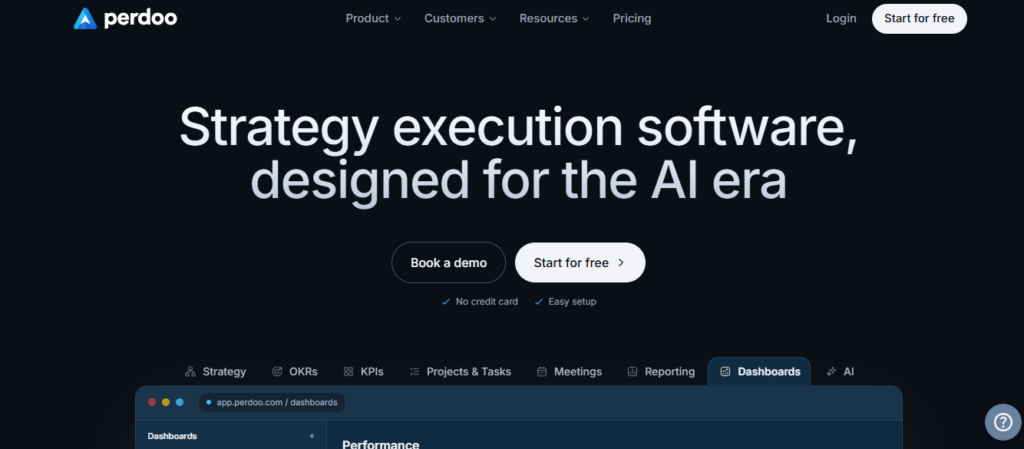
Best for: Manufacturers that need a clear distinction between OKRs and KPIs.
Perdoo has one particularly useful characteristic for manufacturing: it treats KPIs and OKRs as related but different parts of strategy execution.
That matches how a plant actually operates.
OEE, scrap rate, safety incidents, OTIF, throughput, and defect rates may need to be monitored continuously as KPIs. At the same time, management may create temporary OKRs intended to materially improve some of those numbers.
Perdoo allows companies to connect strategy, OKRs, KPIs, and initiatives rather than turning every measurement into an OKR.
Why It Fits Manufacturing
This approach can help manufacturers avoid building a second KPI system inside their OKR software.
Strategy Maps can also show teams how different goals and measurements connect with higher-level strategic priorities.
For manufacturers already overwhelmed by dashboards and operational metrics, that clarity can be valuable.
Key Features
- Company, team, and individual OKRs
- KPI tracking
- Strategy Maps
- Strategic pillars
- Initiatives and tasks
- Check-ins and reviews
- Dashboards
- AI Assistant and Coach
- Integrations and API access
Pros
- Strong separation between KPIs and OKRs
- Useful strategy visualization
- Transparent pricing
- Free plan available
- Supports broader organizational visibility
Cons
- Less focused on traditional HR performance reviews
- Operational integrations vary by plan
- Not specifically designed for manufacturing
- Advanced capabilities require higher tiers
Pricing
Perdoo is free for up to five users.
Its Premium plan starts at €6.40 per user/month, while Supreme starts at €8 per user/month. Supreme also offers view-only licences at €1.50 per month.
Best for: Manufacturers that want strategic OKRs without confusing them with the KPIs already used to operate the plant.
6. Mooncamp
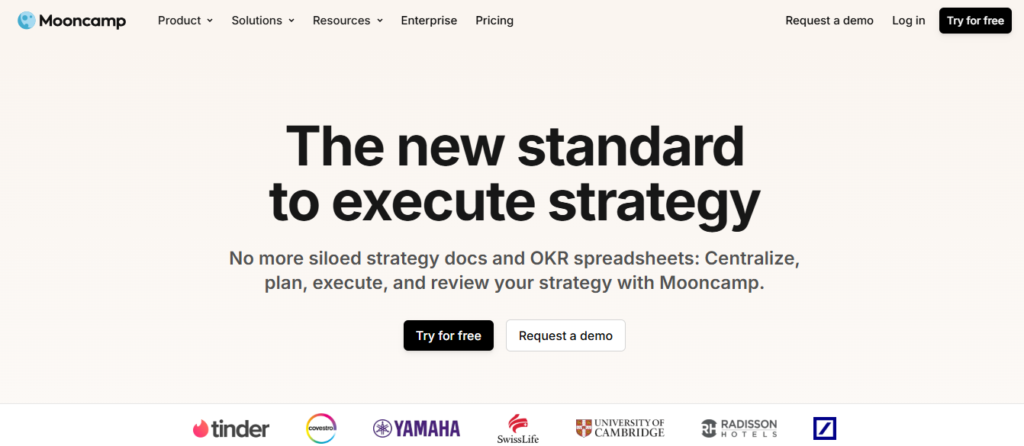
Best for: Manufacturers that want flexible, focused OKR software without a large HR suite.
Mooncamp is a strategy-execution and OKR platform focused on goal alignment, reporting, check-ins, integrations, and flexible goal structures.
Compared with broader talent-management platforms, its scope is narrower, which may appeal to companies that already have HR systems in place and primarily need a better way to manage strategic goals.
Why It Fits Manufacturing
Mooncamp allows organizations to build flexible goal hierarchies instead of forcing every goal to follow a rigid reporting structure.
That can be useful when manufacturing accountability crosses plants, functions, projects, and operational teams.
Data integrations including Jira, Excel, and Google Sheets can also help connect goal progress with existing systems, while Microsoft Teams integration can reduce the need for managers to repeatedly log into another platform.
Key Features
- Customizable goal systems
- Unlimited goals and hierarchy levels
- Goal tree
- Check-ins
- Reporting and analytics
- Custom dashboards
- Microsoft Teams integration
- Jira, Excel, and Google Sheets data integrations
- Enterprise SSO and SCIM
Pros
- Flexible goal structure
- Focused product compared with full HR platforms
- Transparent pricing
- Integrations available on the entry plan
- Relatively easy starting point for OKR programs
Cons
- Does not offer the same breadth of performance, learning, and talent features as HR platforms
- Enterprise administration requires the higher tier
- Direct manufacturing-system integration needs to be evaluated
- Not manufacturing-specific
Pricing
Mooncamp Essential starts at €7 per user/month, billed annually, while Professional costs €10 per user/month. Both have a five-user minimum. Enterprise pricing is custom with a 100-user minimum.
Best for: Manufacturers looking for straightforward, flexible OKR software rather than an all-in-one HR platform.
7. Peoplebox

Best for: Manufacturers that want goals connected to business reviews and performance management.
Peoplebox combines OKRs with performance reviews, 1:1 meetings, feedback, competencies, calibration, and business reviews.
Its OKR functionality supports company, department, team, and individual goals, along with OKRs, KRAs, and KPIs.
A particularly relevant feature is its ability to automatically update goal progress from tools such as Jira, Asana, and Google Sheets.
Why It Fits Manufacturing
Manual updates are one of the easiest ways for an OKR program to lose adoption.
While Peoplebox is not designed specifically for manufacturing systems such as MES platforms, its ability to sync progress from commonly used business tools can reduce the reporting burden for teams where data already lives in connected applications.
Its business-review functionality can also help leadership discuss blockers and progress alongside goals.
Key Features
- Cascading and aligned goals
- OKRs, KRAs, and KPIs
- Business reviews
- Jira, Asana, and Google Sheets integrations
- AI-assisted goal creation
- Performance reviews
- 1:1 meetings
- Continuous feedback
- Calibration and competencies
Pros
- Automated updates from supported work tools
- Combines goals with performance reviews
- Supports multiple goal frameworks
- Published pricing
- Business-review functionality adds execution context
Cons
- Not specifically designed for manufacturing operations
- Direct MES or ERP connectivity should be validated separately
- Frontline plant workers are not the platform’s primary audience
- Additional talent modules increase total cost
Pricing
Peoplebox lists Performance Management at $8 per employee/month, billed annually. It includes OKRs/Goals, business reviews, performance reviews, feedback, and 1:1 meetings.
Best for: Manufacturers that want OKR execution and employee performance management in the same platform.
8. Leapsome
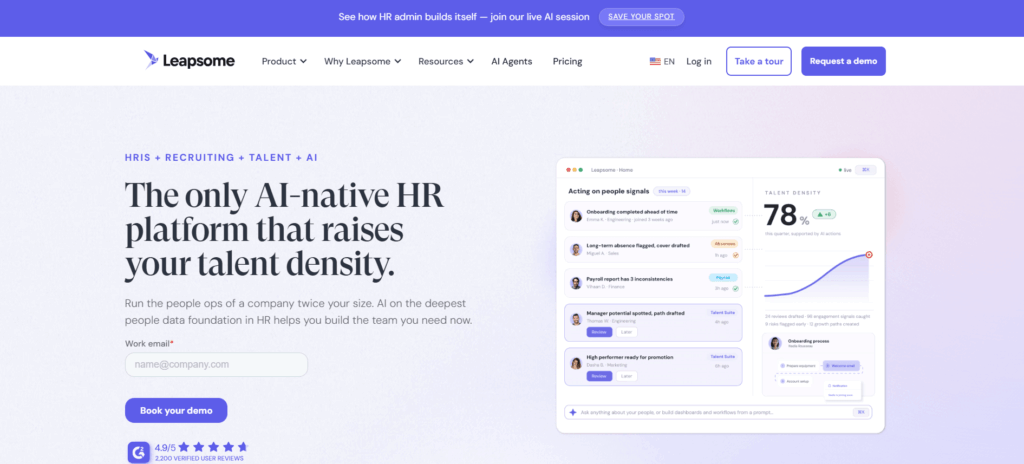
Best for: Manufacturers that want OKRs as part of a modular people platform.
Leapsome combines Goals and OKRs with performance reviews, competencies, HRIS functionality, learning, engagement, and other employee-management capabilities.
Its goal-management functionality supports company, team, and individual goals, goal trees, automated cycles, collaboration, AI assistance, analytics, and Jira integration.
Why It Fits Manufacturing
Leapsome can be a good fit when manufacturers are already looking to consolidate several HR and talent-management workflows.
Goals can connect with performance reviews and competencies rather than operating independently.
For engineering, quality, operations, supply-chain, HR, and corporate teams, this can provide clearer links between business objectives, individual responsibilities, and employee development.
The fit is less obvious when the primary requirement is plant-floor operational goal tracking.
Key Features
- Company, team, and individual goals
- OKRs and flexible goal frameworks
- Goal trees
- Automated goal cycles
- Goal analytics
- AI-supported goal creation
- Jira integration
- Performance reviews
- Competencies and learning integrations
Pros
- Broad people-management platform
- Goals integrate with reviews and competencies
- Flexible OKR framework
- Strong analytics and visualization
- Modular approach allows gradual expansion
Cons
- Not designed specifically around deskless manufacturing employees
- Total cost depends on the combination of platform and modules
- Manufacturers should validate operational data requirements
- Can be more platform than companies need for simple OKR tracking
Pricing
Leapsome uses modular per-employee pricing based on the platform foundation and selected talent modules. The company provides a pricing calculator and custom quote based on employee count, modules, and contract length.
Best for: Manufacturers that want goal management inside a broader, modular HR and talent platform.
9. 15Five
Best for: Manufacturers with a substantial manager and salaried workforce that want frequent check-ins alongside goals.
15Five approaches goal management through the broader lens of continuous performance and manager effectiveness.
Its Perform package includes OKRs and Goals alongside performance reviews, 360-degree feedback, talent management, career development, check-ins, and 1:1s.
Why It Fits Manufacturing
15Five is likely to be most relevant for plant managers, supervisors, engineers, quality teams, operations leaders, and corporate employees rather than production operators.
Its biggest strength is cadence.
Goals can remain part of regular manager conversations rather than being reviewed only at the end of a quarter.
However, manufacturers should consider whether a weekly check-in model is realistic for supervisors managing large production teams.
Key Features
- OKRs and goal management
- Weekly check-ins
- 1:1 agendas
- Performance reviews
- 360-degree feedback
- Talent matrix
- Career paths and plans
- Competencies and skills
- Mobile app
- AI-powered performance features
Pros
- Strong manager-employee cadence
- Goals are integrated with performance
- Transparent pricing
- Useful career and talent functionality
- Mobile access available
Cons
- More naturally suited to knowledge and salaried workers
- Weekly processes may require adaptation for plant environments
- Operational data integration is not its central strength
- Some advanced capabilities are sold separately
Pricing
15Five Perform costs $11 per user/month when billed annually and includes OKRs & Goals. Total Platform costs $16 per user/month.
Best for: Manufacturers focused primarily on manager effectiveness, employee performance, and keeping goals visible through regular conversations.
10. AchieveIt
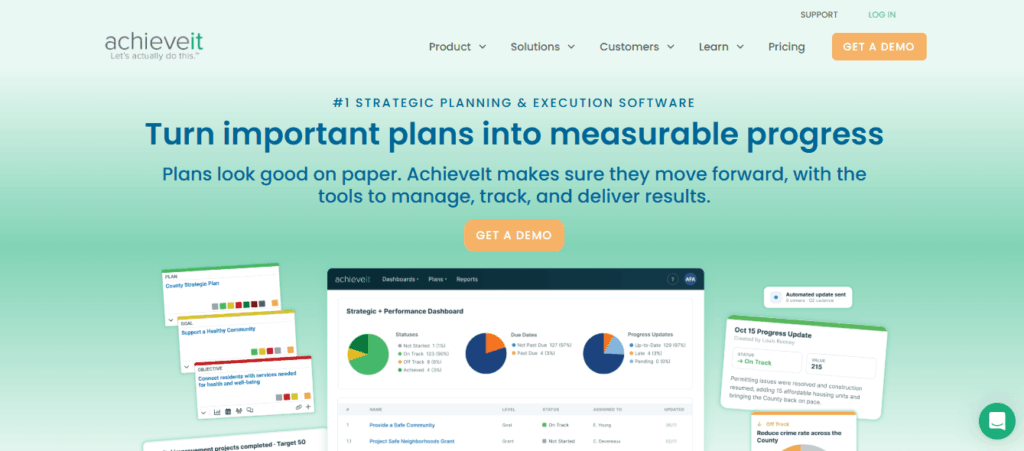
Best for: Manufacturers coordinating strategic plans and improvement initiatives across multiple locations.
AchieveIt is somewhat different from most of the platforms on this list.
Rather than centering primarily on individual employee OKRs, it focuses on strategic planning and execution across plans, initiatives, projects, objectives, KPIs, and milestones.
The platform supports multiple planning methodologies, including OKRs, Balanced Scorecards, and custom frameworks.
Why It Fits Manufacturing
AchieveIt has a dedicated manufacturing offering focused on aligning shop-floor operations with strategic goals, tracking KPIs, standardizing plan execution, automating updates, and improving visibility across facilities.
That can make it useful for organizations managing initiatives such as:
- Lean manufacturing programs
- Plant modernization
- Capacity expansion
- Quality improvement
- Supply-chain initiatives
- Safety programs
- Cost-reduction plans
- Digital transformation
Key Features
- Unlimited plans and projects
- Flexible strategy structures
- KPI and milestone tracking
- Automated update collection
- Executive dashboards
- Multi-plan reporting
- Data Integration API
- Manufacturing strategy workflows
- Historical plan tracking
Pros
- Dedicated manufacturing positioning
- Strong multi-plan and multi-site visibility
- Flexible planning methodology
- Reduces manual progress collection
- Implementation and ongoing support included
Cons
- Less suitable for individual employee OKRs
- Not a traditional performance-management system
- Integrations are limited to its highest plan
- Minimum user requirements may not suit smaller plants
Pricing
AchieveIt uses custom pricing across Core, Plus, and Pro packages. All plans currently have a 20-user minimum, and implementation and support are included.
Best for: Manufacturing groups that need to execute and monitor several strategic or operational improvement plans across plants.
How to Choose OKR Software for Manufacturing
The best platform is not necessarily the one with the longest feature list.
Start with the problem you’re trying to solve.
1. Where Does Your Operational Data Already Live?
If important key results are based on data already stored in an ERP, MES, quality platform, BI tool, Jira, or another system, ask exactly how that data will reach your OKR platform.
Do not accept an answer such as:
“We offer integrations.”
Ask the vendor to demonstrate something specific:
“Show us how scrap rate from our current reporting environment would update this key result.”
If nobody can automate the data, determine who will manually update it and how often.
If the answer is unclear, adoption is likely to fall.
2. Who Actually Needs to Use the Software?
There is a major difference between giving OKR software to:
- The executive team
- Plant managers
- Shift supervisors
- Engineers and support functions
- Every production employee
If OKRs only need to reach plant leadership, strategy platforms such as WorkBoard or AchieveIt may be enough.
If employee goals need to influence reviews and development, platforms such as Engagedly, Betterworks, Peoplebox, Leapsome, or 15Five become more relevant.
If you primarily need a focused goal-management system, Perdoo or Mooncamp may be better fits.
3. Don’t Give Every Operator an Individual OKR Just Because the Software Allows It
Not every manufacturing role needs individual OKRs.
For jobs with highly standardized responsibilities, line-, crew-, shift-, or team-level objectives may work better.
For example:
Objective: Improve Line 2 reliability during Q4.
Key Results:
- Reduce unplanned downtime from 11% to below 7%.
- Cut average changeover time from 42 minutes to 32 minutes.
- Complete preventive-maintenance actions on schedule at least 98% of the time.
Operators can contribute to these results without each employee maintaining an individual strategic objective.
4. Keep Your Existing KPI Boards
If your production board works, keep it.
Replacing a board that operators understand with an OKR dashboard that nobody checks is not digital transformation.
Your KPI system should answer:
How is the process performing?
Your OKR system should answer:
What are we deliberately trying to improve?
The two should complement each other.
5. Decide What Happens When a Goal Is Off Track
A red status indicator does not solve anything.
When a key result is behind target, what happens next?
Is the problem:
- Lack of training?
- Equipment reliability?
- Lack of staffing?
- Process design?
- Ownership?
- Cross-functional dependency?
- Poor goal definition?
This is where differences between platforms become important.
Performance platforms can connect goal problems with manager conversations and employee development.
Strategy-execution platforms can surface cross-functional dependencies and portfolio risks.
Dedicated OKR platforms may provide a simpler environment for reviewing and adjusting goals.
Choose based on what your organization needs to do after it identifies a problem.
Which OKR Software Is Best for Your Manufacturing Company?
Here is a simpler way to narrow the shortlist.
Choose Engagedly if…
You want goals connected to performance reviews, feedback, skills, learning, and employee development, particularly across a workforce that includes both office and frontline employees.
Choose WorkBoard if…
You are a large enterprise trying to coordinate corporate strategy, portfolios, initiatives, and OKRs across several businesses or manufacturing sites.
Choose Betterworks if…
Your main priority is connecting employee goals with continuous performance management.
Choose Profit.co if…
You want a structured strategy platform that supports OKRs alongside frameworks such as Balanced Scorecards or Hoshin Kanri.
Choose Perdoo if…
Your organization struggles to distinguish between operational KPIs and strategic OKRs.
Choose Mooncamp if…
You want a relatively simple, flexible OKR and strategy platform without buying a full talent-management suite.
Choose Peoplebox if…
You want OKRs connected with business reviews and performance management, with automated updates from tools such as Jira, Asana, or Google Sheets.
Choose Leapsome if…
You want OKRs inside a broader modular HR and people platform.
Choose 15Five if…
Your priority is manager effectiveness, regular check-ins, performance conversations, and goal visibility.
Choose AchieveIt if…
You are coordinating multiple strategic plans and improvement initiatives across manufacturing sites.
Final Thoughts
Manufacturers do not need another place to store numbers.
They already have plenty.
The real value of OKR software for manufacturing is creating a visible connection between what the company says is important and what plants, teams, and managers are actually trying to improve.
That means the right platform should do more than let someone create an objective and add three key results.
It should fit the way your organization works.
For some manufacturers, that means connecting goals with performance, feedback, learning, and employee development.
For others, it means giving executives clear visibility into strategy execution across ten plants.
And for others, the priority is simply preventing OKRs from becoming a second KPI system that managers stop updating after three months.
Before choosing a platform, ask three questions:
Where will the goal data come from?
Who realistically needs to use the system?
What action will we take when a goal falls behind?
The answers will usually tell you which category of OKR software you actually need.
Frequently Asked Questions About Manufacturing OKR Software
What is OKR software for manufacturing?
Depending on the platform, it may also connect goals with operational data, performance reviews, manager check-ins, strategic plans, projects, learning, or employee development.
What is the difference between manufacturing OKRs and KPIs?
For example, OEE is usually a KPI.
Increasing OEE on Line 4 from 76% to 85% by the end of Q4 is a measurable key result within an improvement objective.
KPIs tell you how the process is performing. OKRs tell you what you are intentionally trying to change.
What are some examples of manufacturing OKRs?
Objective: Improve production quality on Line 3.
Key results could include:
Reduce defect rate from 2.6% to below 1.5%.
Increase first-pass yield from 91% to 96%.
Reduce customer quality complaints by 25%.
Complete corrective actions within five working days for 95% of identified issues.
Good manufacturing OKRs use metrics the plant already understands.
Can OKR software integrate with MES and ERP systems?
Before purchasing, ask the vendor to demonstrate how a real metric from your environment would update a key result.
Do not assume that a generic “API available” statement means the integration will be simple.
Should plant-floor workers have individual OKRs?
Individual OKRs are most useful when employees have meaningful discretion over how they achieve an outcome.
For highly standardized production roles, team-, line-, shift-, or plant-level OKRs are often more practical.
Employees can still understand how their work contributes without every operator maintaining separate objectives.
How often should manufacturing OKRs be reviewed?
However, the underlying plant KPIs may still be reviewed daily or weekly.
The OKR cadence should reflect how quickly the strategic outcome can realistically change rather than copying the review frequency used for daily production metrics.
What features should manufacturing companies look for in OKR software?
Goal cascading and alignment
Integration with existing data sources
Mobile or frontline accessibility where required
Multi-site reporting
KPI and OKR separation
Simple progress updates
Dashboards and alerts
Performance-management integration where employee goals matter
API and data-integration capabilities
Flexible goal structures
The importance of each feature depends on who will use the platform.
How much does manufacturing OKR software cost?
Focused OKR platforms may start at around €6–€10 per user per month, while performance-management platforms commonly fall around $8–$16 per employee per month for relevant packages.
Enterprise strategy-execution platforms usually use custom pricing.
Implementation, integrations, minimum contract values, professional services, and additional modules can substantially affect total cost.
Can OKR software replace manufacturing KPI dashboards?
Plant-floor KPI dashboards are designed to show operational performance quickly and continuously.
OKR software serves a different purpose: showing which outcomes the organization wants to improve and how those improvements connect with strategy.
For most manufacturers, the best approach is to use OKRs alongside existing KPI and visual-management systems rather than replacing them.
Which OKR software is best for frontline manufacturing employees?
If frontline accessibility needs to sit alongside performance, learning, feedback, and development, Engagedly may be worth evaluating.
If frontline employees do not need to maintain goals themselves, manufacturers may instead prioritize enterprise strategy tools such as WorkBoard or AchieveIt, or focused OKR tools such as Perdoo and Mooncamp.
The deciding factor should be how much direct interaction plant employees actually need with the OKR system.