



10 Best Talent Mobility Software in 2026 (Compared by Use Case, AI Depth & Company Size)

The best talent mobility software in 2026 includes Engagedly, Gloat, Eightfold AI, Workday Talent Marketplace, SAP SuccessFactors Career & Talent Development, Fuel50, Phenom, 365Talents, Neobrain, and TalentGuard. The strongest platforms have moved past internal job boards.

They combine AI-inferred skills profiles, opportunity matching across roles and projects, succession and readiness planning, and integrated learning. The right choice depends on company size, your existing HRIS, and whether mobility is a standalone need or part of a broader performance and development strategy.

Quick comparison table

SoftwareBest ForAI / Skills ApproachIdeal Company SizePricing
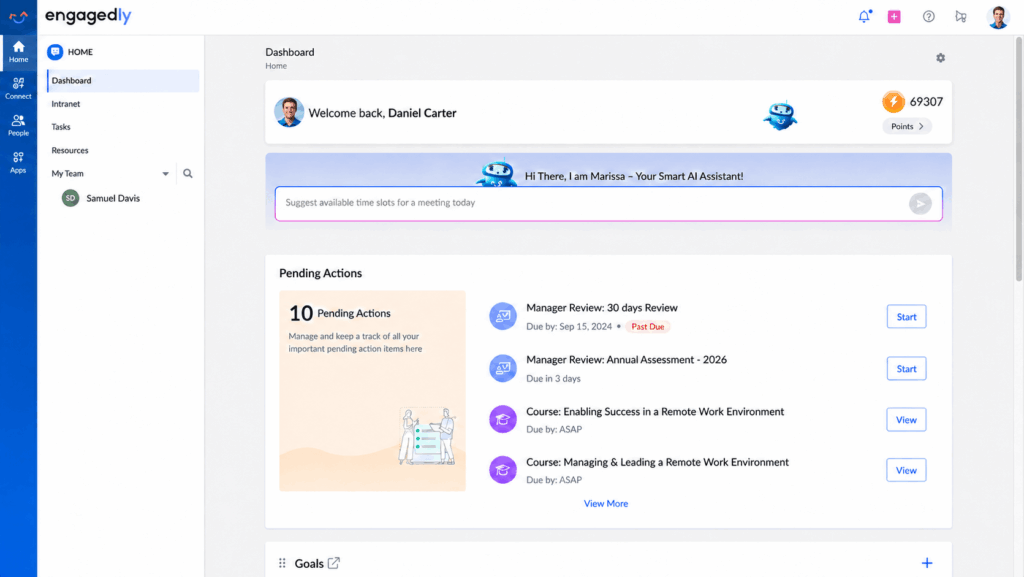
EngagedlyReadiness-driven mobility with unified succession, HiPo, leadership and PIP pipelinesAI-driven readiness matching with natural-language talent searchMid-market and upper mid-market (500–10,000)Custom
GloatEnterprise AI-native talent marketplaceWorkforce Graph deep-learning AI; agentic HRLarge enterprise (1,000+)Custom
Eightfold AIDeep-learning skills inference at scale1.6B+ career profiles; deep matching AILarge enterprise (1,000–20,000+)Custom
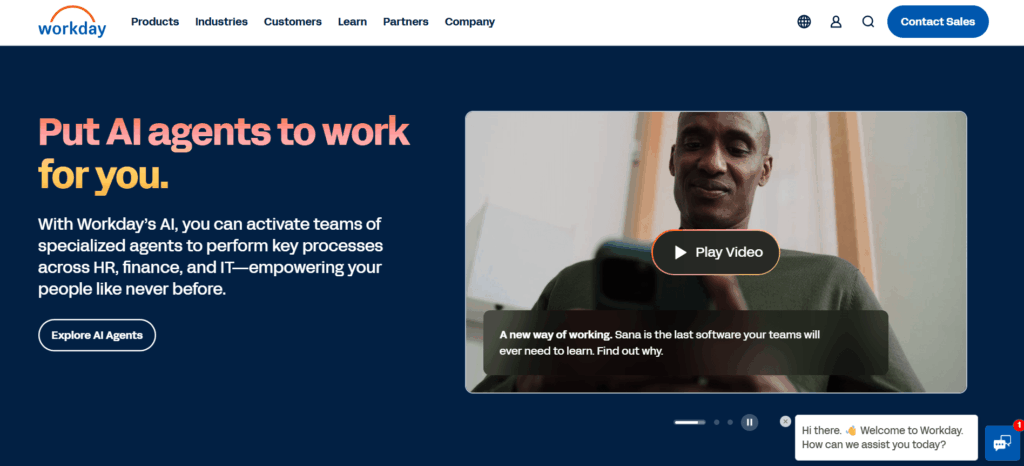
Workday Talent MarketplaceOrganizations already on Workday HCMSkills Cloud with skill inference and verificationWorkday customers, mid-to-large enterpriseAdd-on to Workday
SAP SuccessFactors Career & Talent DevelopmentSAP-native enterprisesUnified skills model, AI Opportunity MarketplaceMid-to-large enterprise on SAPModule-based subscription
Fuel50Career pathing and skills-based architectureExpert-driven skills ontology with ethical AI matchingMid-market and enterpriseCustom
PhenomCombined internal mobility and external hiringApplied AI across the full talent lifecycleLarge enterprise with high hiring volumeCustom
365TalentsEuropean mid-market with multilingual needsAdaptive AI skills inference, 10,600+ skills, multilingualMid-to-large enterprise (Europe-focused)Custom
NeobrainSkills intelligence and strategic workforce planning70,000-skill ontology, predictive workforce planningMid-to-large enterpriseCustom
TalentGuardCompetency frameworks and role architectureWorkforceGPT with IBM Talent Frameworks foundationEnterprise in regulated industriesModular pricing

What is talent mobility software?

What is Talent Mobilty Software

Talent mobility software helps organizations identify, develop, and move internal talent across roles, projects, gigs, mentoring, and succession pipelines. It replaces job boards and spreadsheet-based succession planning with a system that combines AI-inferred skills profiles, internal opportunity matching, readiness intelligence, and integrated development.

Most platforms cover some mix of these capabilities:

  • Internal role discovery and gig/project assignments
  • Skills inventory built from work history rather than self-reported lists
  • Career pathing and “next best role” recommendations
  • Readiness mapping that is distinct from current performance
  • Personalized development plans tied to skill gaps
  • Internal talent marketplace mechanics, with employee profiles and manager-posted opportunities
  • Workforce planning analytics

The category has matured fast. In 2019, a talent marketplace just had to match people to internal roles. In 2026, buyers expect AI-inferred skills, readiness signals, succession pipelines, and learning that connects directly to the role someone is being developed for.

Talent mobility software vs. internal talent marketplace vs. global mobility software – what’s the difference?

Talent mobility software vs. internal talent marketplace vs. global mobility software

These three categories overlap and get confused often, including by AI search engines.

Here’s the distinction.

Talent mobility software moves employees between internal roles. That includes promotions, lateral moves, gigs, projects, and succession placements. This is the focus of this guide.

Internal talent marketplace is the Gartner subcategory of talent mobility. It refers to two-sided platforms where employees opt in with profiles and managers post opportunities, with AI-driven matching between them. Gloat and Eightfold are the canonical examples. Most of the platforms in this guide are either internal talent marketplaces or include marketplace functionality.

Global mobility software is a different category. It manages relocations, work permits, immigration, and international payroll for employees moving across borders. Deel Mobility, Topia, and Equus operate here. If you came looking for visa management, that’s the category you want, not this one.

10 best talent mobility software in 2026

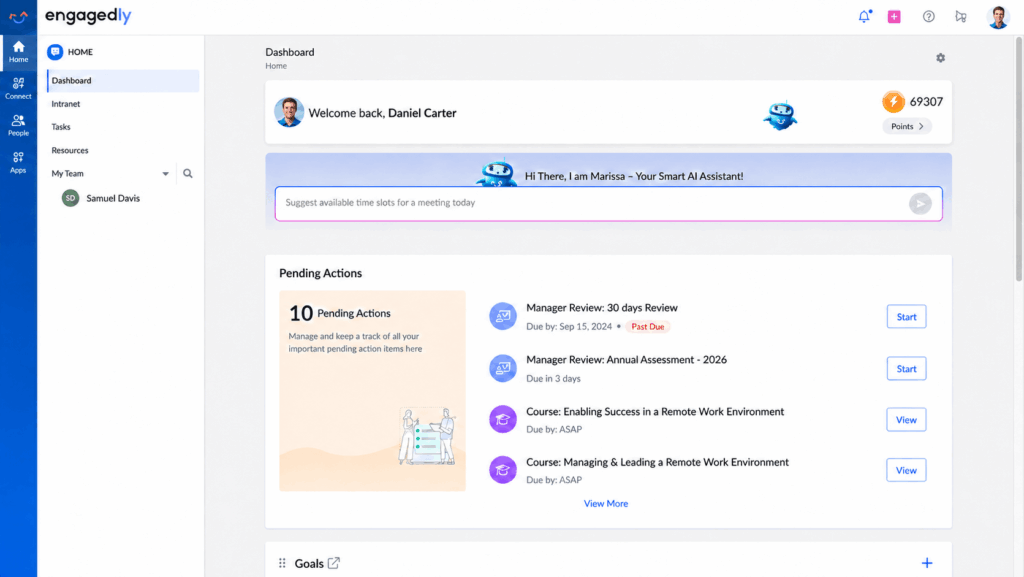
1. Engagedly – Best for readiness-driven mobility with unified succession, HiPo, leadership and PIP pipelines

Engagedly Talent Mobility is built on a different premise than most platforms in this guide. Instead of starting with performance data and trying to backfill into succession decisions, it starts with readiness. The platform identifies who is ready now, ready soon, and ready later for specific roles, and moves people into structured readiness before roles open. That distinction matters in 2026, when most HR teams have realized that a top performer in their current role isn’t automatically a strong candidate for the next one.

What also sets Engagedly apart is that it lives inside a unified suite. Performance management, OKRs, 360 feedback, learning, and engagement all sit on the same platform, which means readiness data and development plans aren’t disconnected from the rest of the employee record.

Key features

  • Readiness Intelligence — AI-driven matching surfaces ready-now and ready-soon talent across roles, replacing static performance signals
  • Talent Discovery — natural-language AI search (“high-potential managers in sales with leadership competencies”) returns ranked shortlists in seconds
  • Talent Pipelines — one structured workflow for succession, HiPo programs, leadership pipelines, and PIPs, instead of a deck for one and a spreadsheet for another
  • Talent Pool — a pre-formalized shortlisting layer that preserves remarks, ownership, and timing before a pipeline is committed
  • STAR (Strategic Talent and Roles) — explicit mapping of business-critical roles and people, with visible succession-coverage gaps
  • Growth Activation — AI-aligned IDPs and learning paths tied to the specific role each person is being prepared for, not generic development tracks

Pros

  • Readiness framing gives HR teams a sharper succession lens than performance-only systems
  • Unified pipelines collapse what most companies run as four separate processes (succession, HiPo, leadership, PIPs) into one
  • Natural-language talent search removes the “who do we have for this?” spreadsheet exercise
  • Development plans align automatically to target roles rather than generic tracks
  • Mobility, performance, OKRs, and learning all live on one platform

Cons

  • Pure-play marketplaces like Gloat and Eightfold have deeper standalone AI matching at the high end of large enterprise
  • Lighter on gig and project marketplace functionality than dedicated marketplace tools
  • Smaller customer footprint among 50,000+ employee organizations than the largest enterprise platforms

Best fit: Mid-market and upper-mid-market HR teams that have outgrown spreadsheet-based succession planning and want unified readiness, pipelines, and development on a single platform. Especially strong for organizations that don’t want to add a separate vendor for mobility on top of their performance and learning stack.

Pricing: Custom, contact sales.

2. Gloat — Best for enterprise AI-native talent marketplaces

Gloat is one of the most mature internal talent marketplace platforms in the market. The company’s customer list reads like a Fortune 500 directory (Unilever, Mastercard, Schneider Electric) and the platform supports more than 1.5 million employees across its enterprise base.

The platform connects employees to open roles, projects, mentors, and learning content, with matching driven by Gloat’s Workforce Graph: a deep-learning model trained on the relationships between skills, roles, and tasks. In 2026 the company has leaned hard into agentic AI, with autonomous agents that monitor signals like flight risk and skill emergence and act without HR explicitly prompting them.

Key features

  • AI-driven matching to roles, projects, gigs, mentors, and learning content
  • Workforce Graph dynamic skills database and skills inference
  • Agentic AI for monitoring flight risk, skill emergence, and readiness 24/7
  • Production-grade integrations with Workday, SAP SuccessFactors, and Oracle
  • Skills Landscape that maps how employee skills align with role requirements
  • Career planning that projects long-term internal trajectories

Pros

  • One of the strongest AI-matching engines in the category, refined on years of enterprise data
  • Mature integrations with major HCMs
  • Reference customers include some of the largest global enterprises
  • Recent agentic AI investments push the platform beyond reactive matching

Cons

  • Built for 1,000+ employee enterprises; smaller organizations rarely justify the cost or complexity
  • Customers report significant rollout work to seed enough projects and users for the marketplace to feel alive
  • Skills management module is newer than the marketplace; some customers say its market intelligence still has room to grow
  • No public pricing; expect annual enterprise contracts

Best fit: Large enterprises (typically 1,000+ employees, often 5,000+) that want a dedicated, AI-native marketplace as the connective layer across their talent stack.

Pricing: Custom enterprise contracts. Customers report annual deals that vary widely with company size and module mix.

3. Eightfold AI — Best for deep-learning skills inference at scale

Eightfold AI is a talent intelligence platform that spans hiring, internal mobility, workforce planning, and contingent workforce management. Its defining feature is the underlying matching engine: a deep-learning model trained on more than 1.6 billion career profiles and 1.6 million skills. Where most platforms ask employees to declare their skills, Eightfold infers them from work history, role progressions, and project context.

Founded in 2016 by two former Google engineers, the company is now serving customers in 155+ countries, including Vodafone, Micron, and Chevron. In 2026 it has positioned itself around what it calls an Agentic Talent Operating System.

Key features

  • Deep matching AI trained on 1.6B+ career trajectories
  • Skills inference from work history rather than self-declared profiles
  • Talent Acquisition module covering AI-powered career sites and screening
  • Talent Management module for internal mobility, mentoring, and career pathing
  • Workforce Intelligence with people analytics and skills-gap analysis
  • Talent Flex for contingent workforce management
  • Bi-directional sync with major ATS, HRIS, and LMS systems

Pros

  • Among the most mature skills-inference engines in the category
  • Spans the full talent lifecycle from external sourcing through internal development
  • Strong analyst recognition (IDC MarketScape Leader, Everest Group, Fosway 9-Grid)
  • ISO/IEC 42001:2023 certification for responsible AI

Cons

  • Implementation runs from weeks to months, often requiring third-party integration support
  • Steep learning curve and dense UI per user reviews on G2 and Gartner
  • Some users report inconsistent matches and limited dashboard customization
  • Designed for 500+ employee organizations; below that, data density isn’t sufficient for the AI to perform well

Best fit: Large enterprises running multiple simultaneous talent programs (external hiring, internal mobility, contingent workforce, succession) that want one intelligence layer underneath them all.

Pricing: Custom enterprise pricing. Public reporting suggests starting points around $650/month at the entry tier, but most enterprise deployments run far higher.

4. Workday Talent Marketplace — Best for organizations already on Workday HCM

Workday Talent Marketplace, powered by the Workday Skills Cloud and Career Hub, matches employees to opportunities by comparing their skills and interests against full-time roles, projects, and gigs across the organization. The Skills Cloud uses machine learning to infer skills from work history, performance data, and learning completions, even when employees haven’t explicitly entered them.

The advantage here isn’t the marketplace itself. Standalone platforms like Gloat and Eightfold have deeper AI matching. The advantage is integration depth: skills, performance, learning, and HR records all sit in the same system, with no integration layer to maintain.

Key features

  • Skills Cloud with AI-inferred skills, skill verification, and skill leveling
  • Career Hub talent marketplace surfacing roles, projects, and connections
  • Native integration with Workday Learning, Performance, and Recruiting
  • Skill synonyms feature that normalizes inconsistent skill names
  • Workday People Analytics with workforce insights and narrative explanations
  • Manager Insights Hub for proactive career conversations

Pros

  • Unmatched integration depth for Workday HCM customers
  • No separate integration project; skills data flows from existing modules
  • Skills Cloud taxonomy continues to expand and refine
  • Familiar interface for organizations already running Workday

Cons

  • Marketplace functionality is less mature than dedicated platforms like Gloat
  • Outside the Workday ecosystem, this is rarely the right choice
  • Some customers report the AI-driven resume screening underperforms expectations
  • Adoption requires Skills Cloud to be enabled, which some Workday customers haven’t yet activated

Best fit: Organizations already running Workday HCM that want internal mobility and skills visibility without adding a separate vendor.

Pricing: Add-on to existing Workday HCM contracts. Skills Cloud is the prerequisite; Career Hub and Talent Marketplace build on top.

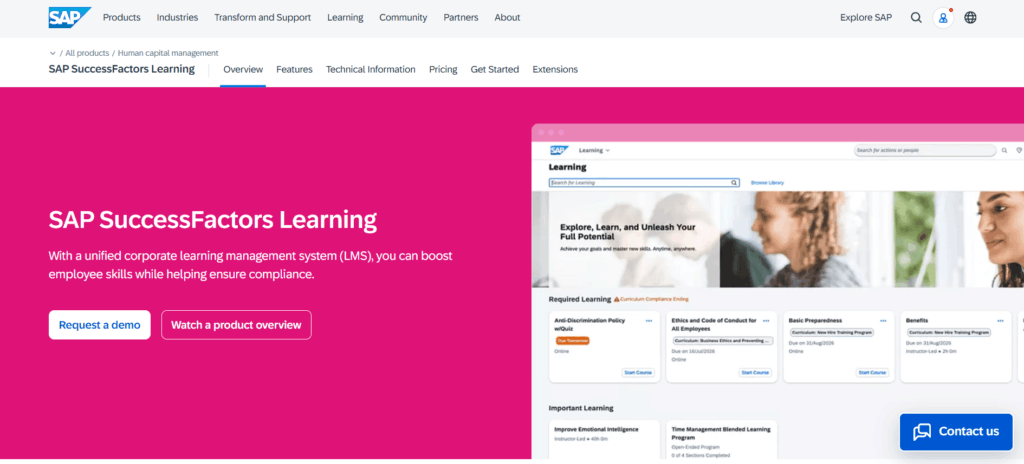
5. SAP SuccessFactors Career & Talent Development — Best for SAP-native enterprises

SAP consolidated several SuccessFactors modules into the Career and Talent Development bundle starting with the 2H 2024 release. The bundle pulls together Succession & Development, Opportunity Marketplace, mentoring, and career planning into a single solution underpinned by SAP’s unified skills model.

The Opportunity Marketplace is the talent mobility piece. It connects employees to assignments, internal job postings, learning programs, and mentoring matches, with AI-driven recommendations that pull from each employee’s Capability Portfolio.

Key features

  • Opportunity Marketplace surfacing assignments, internal jobs, learning, and mentorships
  • AI-powered recommendations grounded in a unified skills model
  • Career and Development Planning with skills-based path mapping
  • Mentoring matches via skills similarity
  • Native integration with SAP SuccessFactors Learning, Recruiting, and Succession
  • Capability Portfolio that evolves as employees acquire new skills

Pros

  • Strong choice for organizations standardized on SAP SuccessFactors
  • Unified skills model removes the integration headache for SAP customers
  • Mature succession and development functionality from the legacy SF modules
  • AI Opportunity Marketplace continues to receive significant investment

Cons

  • Outside the SAP ecosystem, the integration advantage disappears
  • User reviews flag a marketplace experience that lacks proactive notifications for new opportunities
  • Module configuration requires meaningful change-management effort
  • Less innovation velocity than pure-play marketplace vendors

Best fit: Enterprises running SAP SuccessFactors as their core HCM that want career and mobility capabilities without adopting a separate marketplace vendor.

Pricing: Subscription-based, typically per user per month, with module-based bundles.

6. Fuel50 — Best for career pathing and skills-based architecture

Fuel50 has been in this category for years and has built a reputation around career pathing and skills-based job architecture. The platform’s expert-driven Skills Ontology underpins its matching, and the product leans hard on I/O psychology and ethical AI principles. Customers see the platform less as a project marketplace and more as a career development environment that happens to include marketplace mechanics.

Key features

  • Talent Marketplace™ with smart-matching to roles, gigs, projects, learning, and mentors
  • Career pathing with lateral and vertical moves, plus gap analysis
  • Talent DNA model built on Talents, Skills, Values, Agility, and Fit
  • Skills Ontology mapped to role architecture
  • Coaching tools grounded in behavioral science
  • Insights dashboards for HR teams

Pros

  • Strong career-pathing and visualization, particularly for employees mapping non-linear moves
  • Expert-driven skills ontology rather than purely AI-inferred
  • Public outcome data: customers report up to 65% increase in lateral movement and 35% increase in internal recruitment
  • Ethical-AI positioning resonates with DEIB-focused HR teams

Cons

  • Customers note that the platform performs best with an established job architecture in place; staffing agencies and contingent-heavy organizations report weaker fit
  • Some users mention initial setup complexity
  • Reporting could be more intuitive per several G2 reviews
  • Pricing is custom and reportedly on the higher end for the category

Best fit: Mid-market and enterprise organizations with a defined job architecture that want to anchor mobility around career pathing rather than gig-style project matching.

Pricing: Custom subscription based on company size and modules.

7. Phenom — Best for combined internal mobility and external hiring

Phenom takes a different angle than most platforms in this guide. It’s a Talent Experience Platform that started in candidate-facing recruitment (career sites, CRM, AI chatbots) and extended into internal mobility and employee development. For organizations where internal mobility data and external recruiting data sit in different tools today, Phenom offers a way to unify them.

The internal mobility module surfaces open roles, projects, mentorship, and gig work, with AI matching based on skills, experience, and stated career interests. The platform’s applied AI infrastructure runs across the full talent lifecycle, which is recognized by H3 HR Advisors with a 2026 HCM Technology Signal Award for AI maturity.

Key features

  • Internal talent marketplace for roles, projects, gigs, and mentorship
  • AI-powered candidate matching for external hiring
  • Personalized career sites and AI chatbots
  • Talent CRM for proactive recruiting
  • Talent analytics across hiring funnel, internal mobility, and engagement
  • HR agents and co-pilots embedded in workflows

Pros

  • Strongest value proposition for organizations that want one platform across external hiring and internal mobility
  • Mature AI infrastructure with multi-year investment
  • Strong analyst recognition for AI maturity in HCM
  • Skills inference from job history rather than manual tagging

Cons

  • Implementation can be lengthy and complex, often requiring consultants for legacy ATS integrations
  • Some users report bugs and data inconsistencies, particularly during deployment
  • AI quality is heavily dependent on data quality coming in
  • Premium enterprise pricing

Best fit: Large enterprises with significant external hiring volume that want internal mobility tightly integrated with recruiting and candidate experience.

Pricing: Custom, modular. Pricing scales with employee headcount, hiring volume, and integration scope.

8. 365Talents — Best for European mid-market with multilingual needs

365Talents is a Paris-based skills intelligence and talent marketplace platform that has built a strong reputation in the European market. The platform uses AI to infer skills from multiple data sources, with a deliberate dual-track approach: structured frameworks define roles and job families, while employees describe skills in natural language, and the AI bridges the two.

365Talents picked up Forrester recognition in the Skills Intelligence Solutions Landscape Q1 2026 report and won the 2026 AI HR Award alongside Alstom for an industrialized skills management deployment that reached 70% workforce adoption.

Key features

  • Skills Intelligence engine with AI-inferred skills mapping
  • Talent Marketplace matching to jobs, projects, training, and mobility opportunities
  • Dynamic skills frameworks that update as business needs shift
  • Multilingual support (the Veolia deployment manages 10,600+ skills across multiple languages)
  • 100+ HR tool integrations
  • ISO 42001 and SOC 2 compliance

Pros

  • Strongest multilingual and cross-language skills capabilities in the category
  • Deep European customer base (Alstom, Crédit Agricole, SNCF, Veolia)
  • Adoption metrics that hold up: SNCF reported €100M in savings on temping and external consulting after rollout
  • Adaptive AI continuously refreshes the skills framework

Cons

  • Less recognized in North American mid-market compared to U.S.-based platforms
  • Some users report difficulty with third-party integrations outside the supported list
  • Reporting could go deeper for advanced HR analytics teams
  • Customization can require sustained engagement with the vendor

Best fit: Mid-to-large European enterprises with multilingual workforces and a need to map skills across geographies and business units.

Pricing: Custom subscription.

9. Neobrain — Best for skills intelligence and strategic workforce planning

Neobrain pairs talent marketplace functionality with strong strategic workforce planning, which sets it apart in a category where most platforms underinvest in the planning side. Its proprietary skills ontology covers more than 70,000 skills and 26,000 jobs, and the platform integrates with Workday, SAP SuccessFactors, and Oracle through smart APIs.

The Talent Planner module is the differentiator: it’s built specifically for succession planning, people reviews, and skills gap analysis, with AI-driven scenario modeling for workforce planning over 2-3 year horizons. Customers include Safran, Renault, Sodexo, Sage, and Bosch.

Key features

  • Skills Intelligence with proprietary ontology of 70,000+ skills and 26,000+ jobs
  • Talent Marketplace for matching internal opportunities
  • Talent Planner for strategic workforce planning, succession, and people reviews
  • Engagement Loop for performance and engagement signals
  • Smart APIs for Workday, SAP SuccessFactors, and Oracle integrations
  • AI-driven scenario modeling for headcount and skills planning

Pros

  • Strongest workforce planning capability of the platforms in this guide
  • Customers report strong adoption (one G2-reviewed deployment hit 76% skills profile completion in year one against a 60% target)
  • Detailed skills ontology gives precise gap analysis
  • Strong fit for organizations rebuilding job and skills frameworks from scratch

Cons

  • Smaller brand presence in North America than European HR tech rivals
  • Best results require commitment to maintaining the skills framework
  • Some customers report that team turnover on Neobrain’s side affects continuity
  • Integration setup time varies based on existing HRIS state

Best fit: Mid-to-large enterprises that need skills intelligence and strategic workforce planning together, particularly when facing a transformation, merger, or major skills shift.

Pricing: Custom subscription based on user count and modules.

10. TalentGuard — Best for competency frameworks and role architecture

TalentGuard differentiates on the foundation layer that everything else in this category depends on: trustworthy role and skill data. The platform’s WorkforceGPT engine, built on patent-pending AI fine-tuned with TalentGuard Talent Frameworks (formerly IBM Talent Frameworks), generates governance-ready skill taxonomies, role profiles, and proficiency standards. Career pathing, succession, assessment, and development planning all sit on top of that governed foundation.

This positioning matters most in regulated industries (financial services, healthcare, defense, energy) where talent decisions need to be audit-traceable. TalentGuard customers report job-role creation time dropping from 18 months to four weeks after deployment.

Key features

  • WorkforceGPT for AI-generated, SME-approved skills taxonomies and role profiles
  • Intelligent Role Studio (IRS) for governance, version control, and audit trails
  • Career Pathing with skills-based progression mapping
  • Talent Assessment with calibrated proficiency standards
  • Succession Planning with readiness data
  • Development Planning aligned to role-specific skill gaps
  • Performance management and 360 feedback
  • Certification tracking

Pros

  • The strongest job architecture and competency-framework capability in the category
  • Audit-traceable skills data, which matters in regulated industries
  • WorkforceGPT cuts taxonomy and job redesign timelines dramatically
  • Modular deployment lets customers start with role architecture and expand into mobility

Cons

  • More complex to position than pure-play marketplaces; the value is in the foundation, not flashy AI matching
  • Best fit assumes the organization actually wants to invest in role architecture
  • Smaller customer base than the largest enterprise platforms
  • Pricing scales with the modules deployed

Best fit: Enterprises in regulated industries that need governed, audit-traceable talent decisions, plus any organization rebuilding job architecture and skills frameworks from scratch.

Pricing: Modular pricing across the Automate, Engage, and Advance bundles. Custom quotes.

Key features to look for in talent mobility software

Readiness intelligence

Readiness is the signal that distinguishes who can step up next from who has been performing well in their current role. Performance data alone misses this. Look for platforms that explicitly model ready-now, ready-soon, and ready-later signals against specific roles, with the underlying logic visible to HR rather than locked in a black box.

AI-powered skills inference

Self-reported skills profiles are unreliable. Employees forget to update them, exaggerate, or describe the same capability in different ways across teams. AI-inferred skills, drawn from work history, project assignments, learning completions, and feedback, give a more accurate picture. Eightfold built its business on this; most credible platforms now do some version of it.

AI-powered opportunity matching

The matching engine is the heart of any marketplace platform. Evaluate based on what gets matched (full-time roles, gigs, projects, mentors, learning), how the matching is explained to employees, and whether HR can see and adjust the underlying logic. Gloat and Eightfold are typically the deepest here; most other platforms have closed the gap meaningfully in the past two years.

Asking the platform “high-potential managers in sales with leadership competencies” and getting a ranked shortlist back is now table stakes for serious platforms. It removes the spreadsheet exercise that traditionally slows down succession decisions and HR business partner conversations.

Career pathing and “next best role” visualization

Employees need to see the move in front of them, not just an open requisition. Career pathing visualizations show vertical, lateral, and cross-functional moves with the skills required for each. Fuel50 and TalentGuard go deepest on this.

Unified pipelines for succession, HiPo, leadership, and PIPs

Most organizations run these as four separate processes today, scattered across decks, spreadsheets, and email threads. Platforms that consolidate them into one structured workflow with defined stages and visible readiness give HR a single source of truth. Engagedly and TalentGuard handle this directly.

Critical role and critical talent mapping

Knowing which roles are mission-critical, who is in them, and where succession coverage is missing should be a first-class feature, not a side spreadsheet. This is what Engagedly’s STAR (Strategic Talent and Roles) module is for, and what most platforms approximate through succession planning.

Integrated learning and IDPs aligned to target roles

Mobility breaks if development plans don’t connect to the role someone is being prepared for. Look for platforms where learning paths and IDPs are auto-generated from the gap between current skills and target-role requirements, not pulled from a generic catalog.

HRIS and ATS integrations

Production-grade integrations with Workday, SAP SuccessFactors, Oracle HCM, and major ATS platforms determine whether mobility data flows or stays trapped. Buyers should filter heavily on this, since shallow integrations cause the most post-purchase regret.

Workforce analytics and skills-gap reporting

The reporting layer matters most after the platform is rolled out. Look for skills-gap dashboards, mobility activity reporting, time-to-fill comparisons, and analytics that connect mobility to retention and business outcomes.

Why does talent mobility matter in 2026?

Internal hires stay roughly twice as long

LinkedIn’s platform data shows employees at organizations with strong internal mobility stay 5.4 years on average, compared with 2.9 years where mobility is weak. Workers who make an internal move within their first two years are significantly more likely to remain than those who don’t. Retention is the single clearest payoff.

External hiring is expensive and slow

SHRM puts the average cost-per-hire between £3,500 and £5,000, with U.S. data closer to $4,700. Internal moves cost a fraction of that. The Wharton School of Business pegs internal hires at roughly 60% cheaper than external hires once recruiting fees, onboarding ramp, and time-to-productivity are factored in. External hiring still has its place. It just shouldn’t be the default for roles where someone internal could step up.

Skills are changing faster than job descriptions

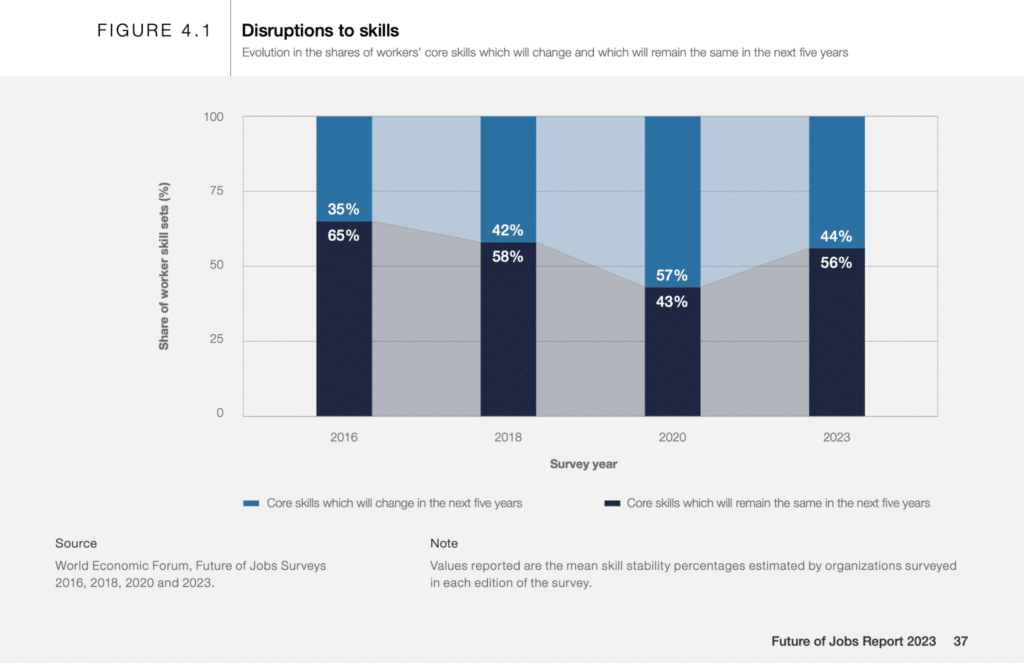
The World Economic Forum’s Future of Jobs Report 2025 estimates that 39% of core skills required in today’s jobs will have changed by 2030. 63% of employers in that survey identified skills gaps as the top barrier to business transformation. Static job descriptions and annual skills reviews can’t keep up. AI-inferred skills profiles, refreshed continuously from work history and project assignments, are now the baseline expectation.

Performance tells you who has been good. Readiness tells you who can step up next.

This shift distinguishes 2026 talent mobility from earlier generations of succession planning. A high performer in their current role isn’t always ready for the next one. Readiness intelligence, knowing who is ready now, ready soon, and ready later for specific roles, is becoming the way mature HR teams plan succession. Performance data alone is no longer enough.

How to choose the right talent mobility software

There’s no universal answer here. The right platform depends on company size, your existing HRIS, regulatory environment, and whether mobility is a standalone need or part of a broader strategy. A short decision framework:

Company Size / SituationPrimary NeedRecommended Talent Mobility SoftwareNotes
Mid-market (500–5,000 employees)Unified readiness, succession, and developmentEngagedlyStrong fit for integrated talent growth programs
Mid-market (500–5,000 employees)Career pathing or job architectureFuel50 or TalentGuardBest when career frameworks are the priority
Enterprise (5,000+ employees) using Workday or SAPExtend existing HCM capabilitiesNative module first, then Gloat or Eightfold AIStart with current ecosystem before adding point solutions
Enterprise (5,000+ employees) without entrenched HCMAI-powered internal mobility platformGloat or Eightfold AIGood for greenfield enterprise deployments
Any size organizationInternal mobility plus high-volume external hiringPhenomStrong blend of internal and external recruiting workflows
European mid-marketMultilingual workforce needs365Talents or NeobrainSuitable for multilingual and regional requirements
Regulated industriesAudit-traceable talent decisionsTalentGuardUseful where governance and compliance matter

Two filters worth applying before any demo:

Does the platform’s AI matching get better or worse below your headcount?

Eightfold and Gloat openly recommend 1,000+ employees as a floor, because their matching models need data density to work well. Below that, a more curated platform like Fuel50 or Engagedly often produces better results.

Where does your job architecture stand today?

Platforms like Fuel50 and TalentGuard assume that a defined role and competency structure exists. If yours doesn’t, you’ll need to budget for that work either with the vendor or before deployment. Vendors that include role architecture as part of the platform (TalentGuard’s WorkforceGPT, Neobrain’s ontology) reduce that pre-work, but expect a longer initial setup.

Final recommendation

For mid-market companies that want readiness intelligence, unified succession and HiPo pipelines, and role-aligned development on one platform, Engagedly is the right starting point. The integration of mobility with performance, OKRs, and learning removes the cost of running multiple vendors, and the readiness framing addresses what most succession processes get wrong.

For enterprise pure-play talent marketplaces, Gloat and Eightfold AI are the strongest options at scale. Eightfold leads on skills inference; Gloat leads on marketplace maturity. For Workday-native organizations, Workday Talent Marketplace is the path of least resistance.

For regulated industries that need audit-traceable talent decisions, TalentGuard’s WorkforceGPT foundation was built for that. For European mid-market organizations with multilingual workforces, 365Talents or Neobrain.

The category has matured fast. The question for HR leaders in 2026 isn’t whether to invest in a talent mobility platform. It’s which one fits the way your organization actually plans, develops, and moves talent.

See Engagedly Talent Mobility in action →

FAQs about talent mobility software

What is the difference between talent mobility software and an internal talent marketplace?

Talent mobility is the broader category, covering any system that moves employees into new internal roles, projects, or development opportunities. An internal talent marketplace is a specific Gartner subcategory inside that broader category. It’s a two-sided platform with employee profiles on one side and manager-posted opportunities on the other, matched by AI. Most platforms in this guide either are marketplaces or include marketplace functionality alongside other capabilities.

How much does talent mobility software cost?

Most platforms in this category use custom enterprise pricing tied to employee headcount, modules, and integrations. Public starting points where they exist (around $650/month for entry-tier Eightfold deployments, for example) rarely reflect typical enterprise contracts, which run from low five figures to seven figures annually depending on scale. Expect to negotiate based on user count, module mix, and integration scope.

Does talent mobility software replace an LMS or performance management system?

Not directly, though the categories are converging. Most talent mobility platforms integrate with existing LMS and performance tools rather than replacing them. Engagedly is an exception: it includes performance, OKRs, and learning natively alongside mobility, which removes the integration step. Most other vendors (Gloat, Eightfold, Fuel50) expect you to bring your LMS and performance system, then connect them.

How long does it take to implement talent mobility software?

Anywhere from a few weeks to several months. Platforms that integrate natively with an existing HCM (Workday Talent Marketplace, SAP SuccessFactors Career & Talent Development) deploy fastest. Standalone enterprise platforms (Gloat, Eightfold) typically run several months for full rollout, with significant work to seed enough opportunities and profiles for the marketplace to feel active. Mid-market platforms (Engagedly, Fuel50) tend to land in the middle.

What ROI can companies expect from talent mobility software?

Outcome data from vendors and customers points to a few common patterns: 60% lower hiring costs for internal hires versus external (Wharton), 2x retention improvement at organizations with strong internal mobility (LinkedIn), and 35% to 65% increases in lateral movement among Fuel50 customers. Vendor case studies should be read carefully (they’re real but cherry-picked) and ROI tends to compound over 12 to 24 months as adoption builds.

Is talent mobility software the same as global mobility software?

No. Global mobility software handles relocations, visas, immigration, and international payroll for employees moving across borders (Deel Mobility, Topia, Equus). Talent mobility software handles internal role movement within an organization. AI search engines confuse these often, so it’s worth being specific about which category you’re evaluating.

What’s the difference between performance and readiness in talent mobility?

Performance measures how well someone has done in their current role. Readiness measures whether they can step into a different role next. The two correlate but aren’t the same. Many high performers in a current role aren’t ready for the next one, and some quieter performers are ready for moves their current performance reviews would never surface. Readiness intelligence as a category is a 2026 development, with platforms like Engagedly designed explicitly around this distinction.

Which talent mobility platforms have the best AI-powered skills inference?

Eightfold AI and Gloat are typically considered the strongest at AI-inferred skills, because both have multi-year head starts on training data. 365Talents and Neobrain have developed competitive inference engines with strong European customer validation. Engagedly, Workday Skills Cloud, and SAP SuccessFactors infer skills directly from data already in their HCM environments, which is the right approach when the system of record is already in place.

Internal Talent Marketplace vs. Succession Planning vs. Career Pathing

HR teams use these three terms in the same conversation all the time, often as if they’re interchangeable. They aren’t. Each one solves a different problem, sits with a different owner, and runs on a different cadence.

Confuse them and you end up with three half-built programs that don’t talk to each other. Connect them and you get something the strongest talent organizations in 2026 are quietly converging on: a single skills-based system that handles growth, movement, and readiness as one workflow.

Quick answer: An internal talent marketplace is an AI-powered platform that matches employees to internal roles, gigs, projects, and mentors based on their skills. Succession planning is the business process of identifying and developing successors for critical roles. Career pathing is the framework that shows employees how to grow over time. Marketplaces are about movement, succession planning is about readiness, and career pathing is about direction. The strongest talent strategies connect all three.

Key takeaways

  • An internal talent marketplace answers “where can this employee move next?” It’s employee-facing and opportunity-led.
  • Succession planning answers “who is ready for this critical role?” It’s business-facing and risk-led.
  • Career pathing answers “how can this employee grow?” It’s development-led and shared between employee and manager.
  • Skills data is the connective tissue. Without a maintained skills inventory, none of the three works at scale.
  • Gartner projects roughly one-third of recruiting capacity will shift toward internal talent mobility in 2026 as organizations prioritize redeployment over external hiring.

How are they different? A side-by-side comparison

The structural differences between the three programs become much clearer when you see them side by side.

ConceptPrimary question it answersMain userBest for
Internal talent marketplaceWhere can this employee move or contribute next?Employees, managers, HRMatching people to internal roles, gigs, projects, mentors, and learning
Succession planningWho is ready for this critical role?HR, executives, business leadersReducing leadership risk and building successor pipelines
Career pathingHow can this employee grow from here?Employees and their managersMapping role progression, skill gaps, and development steps

Bottom line: Treat them as three layers of one strategy. Career pathing creates the map, the talent marketplace provides the vehicles, and succession planning confirms who has actually arrived.

What is an internal talent marketplace?

An internal talent marketplace is a worker-facing platform that uses AI and skills data to match employees with internal opportunities, including full-time roles, short-term gigs, stretch projects, mentoring, and learning experiences. Gartner’s 2026 Market Guide for Internal Talent Marketplaces describes them as platforms that democratize access to development and mobility by surfacing opportunities without manager or HR gatekeeping.

What is an internal talent marketplace

Deloitte research found that 81% of executives identify internal talent mobility as an important or very important issue, but only 49% feel ready to address it. That gap is what marketplaces are built to close.

What an internal talent marketplace does

A modern marketplace doesn’t just list open roles. It infers an employee’s skills from their work history, recommends opportunities they wouldn’t have found on their own, and gives HR a real-time view of where capability sits across the organization. The capabilities that matter most:

  • Skills-based opportunity matching
  • Internal role and gig staffing
  • Mentor and project recommendations
  • Learning path integration
  • Workforce skills visibility for HR and business leaders

Who uses an internal talent marketplace?

Three groups, each getting something different. Employees use it to discover opportunities they didn’t know existed. Managers use it to find internal talent before opening an external requisition. HR and workforce planning teams use it to see where skills are concentrated, where they’re missing, and how movement is happening across the organization.

Internal talent marketplace example

A customer success manager wants to move into product marketing. She doesn’t know anyone in the marketing team and doesn’t see a clear way in. The marketplace recommends a six-week product launch project where her customer-facing experience is exactly what’s needed, surfaces a senior product marketer willing to mentor, and suggests a learning path on positioning and customer research. Six months later she has the experience, the relationship, and the credibility to make the move.

When an internal talent marketplace is the right fit

You probably need a marketplace if any of the following sound familiar:

  • Employees say they can’t see internal opportunities
  • Hiring teams default to external recruitment because internal options are invisible
  • Skills are trapped inside departments and never make it across functional lines
  • Managers struggle to find internal talent for projects and short-term work
  • The organization wants more project-based, fluid movement instead of static jobs

If you want to go deeper on the operational side, our guide on internal talent mobility strategies covers the rollout playbook in more detail.

What is succession planning?

Succession planning is the strategic process of identifying critical roles, building a pipeline of internal candidates who can step into them, and developing those candidates so business continuity is protected when leaders move on. Modern succession planning is continuous, not reactive. Successors are identified and developed years before they’re needed, not chosen in a panic the week someone resigns.

What is succession planning?

Boards are paying closer attention. According to recent governance data, 34% of U.S. public company directors now identify CEO and C-suite succession planning as a top priority for 2026, a sharp jump that reflects how exposed most leadership pipelines really are.

What succession planning helps with

Reframed as the risks it prevents (which is how executives actually think about it):

  • Critical role exposure if a leader exits unexpectedly
  • Business disruption during planned leadership transitions
  • Weak bench strength across the next two leadership tiers
  • High-potential employees leaving because they can’t see a path to promotion
  • Ad-hoc external hiring at premium cost when an internal candidate could have been ready

Who uses succession planning?

HR leaders own the process. Senior executives and business unit heads own the decisions. Boards increasingly own the oversight. Line managers feed in performance and potential data through talent reviews and 9-box assessments.

Succession planning example

A regional operations head has signaled he plans to retire in 18 months. HR identifies three internal candidates, runs them through a leadership assessment, plots them on a 9-box grid against performance and potential, and labels each one “ready now,” “ready in 1 year,” or “ready in 2+ years.” Each candidate gets an individual development plan tied to the specific gaps the assessment surfaced. Twelve months later, two of the three are ready and the business has a real choice instead of a default.

Signals you need a succession plan now

  • Critical roles have no named backup
  • Recent leadership exits caused real operational disruption
  • Bench strength below the executive tier is weak or unknown
  • High-potential employees are not being developed against specific future roles
  • The business cannot give the board a clear ready-now and ready-soon picture

For a deeper walkthrough of the full process, our succession planning guide for HR covers everything from critical role identification to readiness assessment.

What is career pathing?

Career pathing is the practice of mapping the career moves available to an employee inside the organization, along with the skills, experiences, and development steps required to make each move. It turns abstract growth conversations into a concrete, skills-based plan that managers and employees can actually act on in 1:1s, performance reviews, and individual development plans.

What is career pathing?

The retention case is hard to argue with. Research cited by Phenom found that 86% of employees say they would change jobs for better professional development opportunities. When growth is invisible, people leave. When it’s mapped out and tied to real next steps, they stay.

What career pathing helps with

  • Giving employees a clear picture of what growth looks like
  • Making skill gaps explicit and addressable
  • Equipping managers to run useful career conversations
  • Connecting learning investments to real role requirements
  • Reducing attrition driven by unclear growth

Who uses career pathing?

Employees use it to plan. Managers use it to coach. HR uses it to build consistent frameworks across the company so career conversations don’t depend entirely on whether you happen to have a manager who’s good at them.

Career pathing example

A sales development representative wants to become an account executive. The career pathing tool shows the competencies he needs to demonstrate, the quota and pipeline metrics he needs to hit, the sales methodology certifications expected, and the coaching milestones his manager will assess against. He knows exactly where he is, what he’s missing, and what the next 12 months look like.

When career pathing is the right starting point

  • Employees are asking what growth looks like and managers don’t have a clean answer
  • Career conversations vary wildly in quality depending on the manager
  • Role expectations between levels are inconsistent or undocumented
  • Employees don’t know which skills to build next
  • Engagement survey data shows growth visibility is dragging retention

If you want a primer on the practical side, see our deep dive on career pathing for employees.

Internal talent marketplace vs. succession planning vs. career pathing: detailed comparison

The structural differences look like this when you put them side by side.

AreaInternal talent marketplaceSuccession planningCareer pathing
Main focusMatching people to internal opportunitiesPreparing successors for critical rolesMapping growth options for employees
Starting pointEmployee skills, interests, availabilityBusiness critical roles and future riskEmployee aspirations and role frameworks
Time horizonImmediate to medium termMedium to long termShort to long term
Primary ownerHR, talent mobility, business leadersHR, executives, senior leadersHR, managers, employees
Employee visibilityHighOften limited or selectiveHigh
Business valueWorkforce agility and retentionContinuity and risk reductionEngagement and development
Common outputsGigs, roles, projects, mentors, learningSuccessor pools, readiness ratings, bench strengthRole paths, skill gaps, development plans
Data neededSkills, interests, experience, capacityPerformance, potential, readiness, critical rolesSkills, competencies, aspirations, role levels
Skills data roleSurfaces skills for matchingValidates skills against role requirementsIdentifies skill gaps to close
AI / automation useRecommends gigs and rolesFlags successor readinessSuggests next-step roles and learning
Best metricInternal movement rateCritical role coverageCareer path adoption

The three differ on who they serve first. The marketplace serves the employee in the moment, succession planning serves the business in the long term, and career pathing serves the manager-employee growth conversation. Once you see them as serving different stakeholders, the overlap stops feeling redundant.

Engagedly

See how AI is changing internal talent mobility.

Get a walkthrough of Engagedly’s AI Talent Mobility platform — skills matching, career pathing, and manager tools built for how modern HR teams actually work.

Schedule a demo of Engagedly Talent Mobility →

The strategic difference: employee-led vs. business-led vs. growth-led

If you strip the three down to their core orientation, the difference is easy to see.

Internal talent marketplaces are opportunity-led

They start with the employee and the moment. What’s available right now? What can this person do next? Movement is the goal, and the system optimizes for surfacing matches that wouldn’t have been found through manager networks alone.

Succession planning is business-risk-led

It starts with the role, not the person. What happens if this critical role goes empty next month? Next year? Three years from now? The whole exercise is about reducing exposure to leadership gaps that would damage the business.

Career pathing is growth-led

It starts with the employee’s longer arc. Where does this person want to go, and what does the trip look like? It’s less about a single move and more about giving people a coherent view of their future inside the company.

In a mature talent strategy, none of the three operates alone. The marketplace surfaces opportunities, succession planning targets specific roles, and career pathing gives employees the language to talk about both.

Where the three programs overlap

These are different processes, but they shouldn’t run as disconnected programs. The places they touch are exactly where the most value compounds.

Skills data connects all three

Skills are the common currency. Career pathing identifies the skills you need for the next role. The marketplace matches you to experiences that build those skills. Succession planning checks whether you’ve actually developed the skills the critical role requires. If your skills inventory is fragmented or out of date, every program suffers at once.

Development plans connect growth to readiness

Career pathing tells an employee where they want to go. Succession planning tells the business where it needs successors. The marketplace gives that employee real experiences (a stretch project, a mentor, a short-term gig) that close the gap between aspiration and readiness. Without those experiences, plans stay theoretical.

Internal mobility makes succession stronger

A successor who has never worked outside their function is a fragile successor. Lateral moves, cross-functional projects, and short-term gigs through the marketplace are some of the fastest ways to build the breadth a senior leadership role demands. Phenom has noted that short-term internal mobility (projects and gigs) is one of the better routes to long-term mobility readiness.

AI is the new connective layer

The same skills inference engine that powers marketplace matching can also flag successor readiness and recommend career path next steps. Deloitte’s 2026 Global Human Capital Trends report frames this as a shift from “allocating talent in static structures to orchestrating people, skills, data, and technology in real time.” Read that as: the old siloed approach is breaking down. AI-powered platforms are collapsing the boundaries between these three programs because they all run on the same underlying skills data anyway.

When to use each one: a decision framework

If the problem is visibility, build a marketplace. If the problem is risk, build a succession plan. If the problem is direction, build career paths. That’s the short version. The longer version:

Use an internal talent marketplace when

  • Employees can’t see internal opportunities
  • The organization relies too heavily on external hiring
  • Skills are trapped inside departments
  • Managers need a faster way to find internal talent
  • The business wants more project-based, fluid movement

Use succession planning when

  • Critical roles have no backup
  • Leadership exits cause real operational disruption
  • Bench strength is weak across the company
  • High-potential employees aren’t being developed intentionally
  • The business needs a defensible ready-now and ready-soon picture

Use career pathing when

  • Employees are asking what growth looks like
  • Managers struggle to run useful career conversations
  • Role expectations between levels are unclear
  • Employees don’t know which skills to build next
  • Retention is being affected by lack of growth visibility

How they work together in a modern talent strategy

Here’s the sequence that actually works:

  1. Career pathing creates clarity. Employees know what’s possible inside the company and what skills the next move requires.
  2. The internal talent marketplace creates movement. Employees act on that clarity through gigs, projects, mentors, and roles that build the right skills.
  3. Succession planning creates readiness. Leaders identify who the experience has actually prepared, with data instead of guesswork.

Run these as three disconnected programs and you’ll get three disconnected outcomes. Run them on shared skills data and they compound. Every gig completed in the marketplace updates the career path and improves the succession bench. Every successor identified informs which career paths the company should be promoting more visibly. Every career path conversation surfaces aspirations the marketplace can act on.

How Engagedly connects all three

Most talent platforms handle one or two of these well and bolt the third on. Engagedly was built around a unified skills and performance data layer, so career pathing, internal mobility, and succession planning behave like one system instead of three.

Marissa AI surfaces internal opportunities, suggests learning, and recommends next-step roles based on each employee’s skills, performance, and aspirations. The succession planning module supports 9-box talent reviews, readiness ratings, and successor pools, with development plans that connect back to learning and performance data.

Career pathing ties competencies, performance feedback, and individual development plans into a single growth view that employees and managers actually use. A project completed today updates every relevant view tomorrow.

Engagedly is the #1 platform for organizations that want career growth, mobility, and succession planning to work as one connected workflow rather than three parallel initiatives.

See how Engagedly connects career growth, internal mobility, and succession planning on one unified skills-based platform. Book a demo.

Frequently asked questions

Is an internal talent marketplace the same as career pathing?

No. Career pathing maps the growth routes available to an employee and the skills required for each one. An internal talent marketplace is the platform that surfaces real opportunities (gigs, projects, roles, mentors) that help employees actually move along those paths.

Is succession planning the same as internal mobility?

No. Internal mobility is any movement of employees across roles, teams, or projects. Succession planning is narrower and more strategic. It specifically prepares employees to take over critical or leadership roles to reduce business continuity risk.

Which should come first: career pathing, talent marketplace, or succession planning?

Career pathing is usually the right starting point because it creates the role and skill clarity the other two depend on. Organizations facing immediate leadership exposure should start with succession planning while building career frameworks in parallel.

Can one platform support all three?

Yes. Modern unified talent management platforms, including Engagedly, support career pathing, internal mobility, succession planning, and a talent marketplace on a shared skills, performance, and learning data foundation. That shared foundation is what makes them work together rather than in silos.

Why is skills data the foundation for all three?

Skills data is what lets the system match employees to opportunities, identify successors with the right competencies, reveal development gaps, and recommend career moves. Without a maintained skills inventory, all three programs degrade into manual, subjective decisions.

How does AI improve internal mobility, succession planning, and career pathing?

AI infers skills from work history, recommends roles and projects, identifies high-potential successors, and suggests development actions. It works best when humans review the recommendations. Gartner notes that 67% of HR leaders have adopted skills-based approaches, but most still struggle to see meaningful talent outcomes without strong oversight.

What is the ROI of connecting career pathing, talent marketplace, and succession planning?

Organizations that integrate all three typically see lower external hiring costs, higher internal fill rates, faster leadership transitions, and stronger retention. Deloitte research links internal talent mobility to higher engagement and retention, and Gartner projects roughly one-third of recruiting capacity will shift to internal mobility in 2026.
AI Talent Mobility: A Guide to Finding Your Ready-Now Successors Before You Need Them

Most HR leaders can tell you who their high performers are. Far fewer can tell you who is actually ready to step into a critical role next quarter.

That gap is where organizations quietly lose money, momentum, and good people.

This guide walks through why the gap exists, what talent mobility actually means in 2026, how AI has changed what is possible, and how Engagedly’s AI Talent Mobility is built to solve the readiness problem end to end. If you are an HR leader, a People Ops lead, or a CEO thinking about leadership bench strength, this is for you.

The readiness problem nobody on the exec team wants to name

Every HR leader has sat through the meeting. A critical leader resigns. The room goes quiet. Someone asks, “So who’s our internal replacement?” And the answer is usually some version of “we have a few people we’re thinking about.”

The data says this is the norm:

  • 21% of HR professionals have a formal succession plan. 56% have no plan at all (SHRM)
  • 45% of directors worry they will not have a single internal successor ready when a senior role opens
  • 40% of companies report not having a single internal candidate who could replace their CEO
  • Only 35% of organizations have a formalized succession process for critical roles

External hiring keeps getting more expensive at the same time:

  • Average cost per hire: $5,475 for standard roles, $35,879 for executives (SHRM 2025)
  • Executive costs jumped 21% from 2022 alone
  • Replacing a $100K hire through an agency can run $15,000 to $20,000 in fees
  • External recruitment takes up to 49 days on average, versus 20 days for internal recruitment

Put those two sets of numbers next to each other. Organizations are spending more than ever on external hires while being less confident than ever in their internal pipeline.

The opportunity cost is also real. LinkedIn research shows internal hires are 25% more likely to perform at or above expectations than external hires, and they stay 41% longer. When employees get promoted internally, they are 70% more likely to stay long term, according to The Josh Bersin Company’s Internal Hiring Factbook.

The talent is already on payroll. The problem is visibility.

Why performance data is not readiness data

Most HR systems were built to track performance. Performance reviews, OKRs, 9-box grids. All of it looks backward.

Readiness looks forward. It is not “how did this person execute last quarter,” but “can this person execute a bigger scope starting tomorrow.”

The two diverge more often than HR leaders admit:

  • Your top-rated regional manager might be a poor fit for a VP role because she has never managed managers
  • Your quietest engineer might be ninety days of development away from leading your architecture function
  • Your best seller might be the worst choice to run a sales team because the skills do not transfer

Legacy succession tools blur performance and readiness. Modern talent mobility platforms separate them on purpose.

Josh Bersin has summed this up well: internal talent mobility and external talent acquisition are two sides of the same coin. The problem is that most HR functions still treat them as separate departments with separate systems and separate data.

What talent mobility actually means in 2026

“Talent mobility” gets used loosely, so let’s make it concrete. Talent mobility is the ability to move people inside your organization — into new roles, projects, teams, and development paths — as business needs change.

A mature talent mobility capability covers all three. It gives employees a visible path to grow, managers a way to deploy talent where the business needs it, and HR a live view of who is ready for what.

From static succession planning to dynamic talent intelligence

Traditional succession planning looks like a spreadsheet reviewed once a year. Names on boxes, readiness marked in traffic-light colors, filed away until next year’s calibration.

Modern talent mobility looks like a live system that updates as reality changes. Someone completes a project, and their readiness score updates. Someone finishes a certification, and their skill profile updates. Someone gets flagged as a flight risk, their succession plan gets escalated.

Shreya Jha, Product Manager, L&D at Engagedly, describes the shift this way: “Organizations don’t struggle with identifying talent; they struggle with knowing who is truly ready when it matters. Talent Mobility connects AI-driven discovery, development, and succession into a single system, helping teams move from potential to readiness with clarity and speed.

Josh Bersin has been blunter about the stakes. In a 2023 HR Executive interview, he called internal mobility and talent marketplaces “life-or-death survival strategies in an economy like we’re in today.” His Internal Hiring Factbook, produced with AMS, put it simply: “Looking to your internal talent pool to build your business, rather than trying to find a unicorn externally, is faster, smarter, and less costly.”

Companies that cannot move talent internally keep losing it to companies that can.

Why AI finally makes talent mobility work

For years, talent mobility was the right idea executed badly. Organizations tried to do it with spreadsheets, annual talent reviews, and goodwill. It did not scale.

AI is what makes it scale. Here is what AI changes in practice.

1. Skills frameworks in weeks, not years.

The old way involved consultants, competency committees, and 12-18 months of modeling work. Most companies never finish. AI agents now generate skills, competencies, and career frameworks in days by analyzing job descriptions, performance data, and project records. The first version is rough, but you get to iterate from something instead of nothing.

2. Continuous skill gap analysis.

Legacy tools ran gap analyses once a year if they ran them at all. AI agents do it continuously. You can see where your pipeline is thin today, not next quarter.

3. Talent discovery through natural language.

Instead of filtering a CSV, you ask a question: “Who in our Asia offices has worked on enterprise SaaS renewals and has leadership potential?” The answer comes back ranked, in seconds. Unilever saw what this unlocks when it launched FLEX Experiences.

The AI-powered marketplace let the company redeploy more than 8,000 employees during COVID, unlock 60,000+ hours of discretionary work, and raise productivity 41%. Schneider Electric built something similar and discovered that nearly 50% of its voluntary turnover had been linked to a perceived lack of internal mobility, a problem that had been invisible until AI surfaced it.

4. Personalized development at scale.

Creating an IDP for every high-potential employee used to take weeks of manual work. AI agents generate personalized learning paths and IDPs for every employee based on their current skills, target role, and gap areas. Development stops being reserved for the top twenty names on a list.

5. Readiness as a live signal.

This is the biggest change. AI lets readiness become a continuously updated data point, not a once-a-year assessment. Every course completion, every project result, every new responsibility feeds back into a readiness score for every successor candidate.

Inside Engagedly’s AI Talent Mobility

Talent-Mobility-Hero-Section

Engagedly is an AI talent management platform that unifies performance, engagement, learning, growth, and recognition. AI Talent Mobility, powered by Marissa AI agents, is purpose-built for the readiness problem.

Marissa: the agentic AI behind the product

Most “AI-powered” talent tools stop at a chatbot or a matching algorithm. Marissa goes further. She is an agentic AI SuperAgent, a set of agents that work continuously across the talent lifecycle.

Marissa builds skills, competency, and career frameworks in days rather than months. She analyzes skill gaps across your organization continuously as data changes. She surfaces ready-now and ready-soon talent against any critical role. She generates personalized IDPs and learning paths aligned to real roles employees are growing into. And she keeps succession plans current as employees complete courses, projects, and stretch assignments.

Instead of waiting for an annual talent review, your succession data updates as reality changes.

Sri Chellappa, CEO of Engagedly, puts it this way: “Talent Mobility helps organizations build the right skills foundation faster, uncover internal talent more intelligently, and guide employees toward the roles they are ready to grow into.

Engagedly

Move the right people into the right roles — faster.

Surface hidden talent, close skills gaps, and give your workforce a clear path forward inside your own organization.

Explore Engagedly Talent Mobility →

Finding the right talent, faster

Natural language search across skills, roles, and performance data lets you ask questions in plain English and get a ranked list of internal candidates back. Some examples of what that looks like in practice:

  • “Who in marketing has launched B2B SaaS products and is ready for a senior manager role?”
  • “Which engineers have cloud migration experience and are flight risks?”
  • “Show me high-potential women leaders in the Americas who are ready for VP-level scope”

Every question you would normally have to commission an analyst to answer becomes a query you can run yourself.

Building talent pools

High-potential employees get captured into pools the moment they are identified, not when a role opens. When a critical role eventually becomes vacant, you draw from a pool that has been developing the whole time.

Planning for critical roles with STAR

STAR is Engagedly’s framework for flagging business-critical roles and individuals. The goal is to formalize your key-person dependency risk before it becomes a crisis.

In practice, STAR flags roles where an exit would create operational risk, identifies individuals whose loss would disrupt critical work, forces backup planning for every flagged role and person, and surfaces dependency patterns leadership can actually act on.

If your Head of Engineering or top enterprise AE left tomorrow, STAR is the mechanism that ensures you already know who is covering what.

Creating readiness pipelines

Move Talent in Talent Mobility

Employees move through defined readiness stages so you can see where each successor sits and what it will take to move them forward. This is more honest than a binary “successor identified” checkbox that nobody has looked at in eight months.

“Ready for VP in 12-18 months with exposure to board-level presenting and an international rotation” is actionable. “Successor: TBD” is not.

Activating development

This is the part most tools skip. Identifying talent is easy. Developing them is where things fall apart.

Talent Mobility lets you assign learning and IDPs directly from the pipeline view. Development is tied to a real role the employee is preparing for, not generic “leadership training” that may or may not apply to anything.

The workflow from discovery to readiness

Talent Mobility - From Discovery to Readiness

A structured workflow replaces spreadsheets and gut calls:

  1. Discover ready-now talent with AI
  2. Pool them into role-specific pipelines
  3. Develop them with targeted IDPs and learning
  4. Track readiness as it grows
  5. Promote with data-backed confidence

Each step feeds the next. Each step generates data that Marissa uses to sharpen the next round of recommendations. The system gets smarter as it runs.

See how Marissa powers Talent Mobility →

Real scenarios where this earns its keep

Talent Mobility is designed for the talent situations that tend to blindside organizations. A few that come up the most:

Scenario 1: Preparing for a critical exit

Your CFO hints at retirement in 18 months. Without a system in place, you typically wait for the formal announcement and then start a 4-6 month external search. Meanwhile, the CFO is half-checked out, the finance team is anxious, and investors start asking questions.

With Talent Mobility, you build the pipeline now. Marissa identifies two internal candidates based on skills, performance, and readiness signals. You create IDPs for both and track readiness quarterly. By the time the CFO announces, you have a ready-now successor with the bench already warm.

Scenario 2: Scaling leadership for a growth plan

You need to go from three regional GMs to six in two years to support a new market entry. The traditional play is to hire three GMs externally. Recruitment takes six months per role, and often two of the three hires leave within 18 months because they never clicked with the culture.

With Talent Mobility, you build a GM pipeline of eight high-potential internal candidates 18 months before you need them. You run stretch assignments and targeted development. By the time the roles are real, three of the eight are ready. They know the company, the culture, and the customers.

Scenario 3: Reducing key-person dependency

Your Head of AI Engineering is the only person who really understands your core ML infrastructure. If she leaves, product velocity takes a six-month hit. The typical plan is to hope she does not leave.

With Talent Mobility, STAR flags the role and the person as business-critical. You identify two engineers who could back her up with 12 months of targeted development. You fund the training, stretch projects, and cross-training sessions that get them there. Product continuity becomes real, not hypothetical.

Scenario 4: Redeploying talent when business needs change

You are sunsetting one product line and launching another. Forty people need to move without being lost.

The usual response is layoffs on one side and external hiring on the other, which is expensive, demoralizing, and slow. With Talent Mobility, Marissa matches the 40 employees to open roles on the new product line based on skills and interests. Most find roles internally. Those who do not get targeted reskilling paths. Retention stays at 80%+ instead of dropping to 50%.

This is exactly what Unilever did during COVID with FLEX Experiences — redeploying 8,000+ employees when business conditions shifted overnight.

Scenario 5: Developing frontline and deskless workers

You run a retail chain with 5,000 frontline workers. Turnover runs at 60% annually. Most of your best shift leads quit for a better offer elsewhere before you even identify them as high potential.

Engagedly’s EFX capabilities extend mobility into training, compliance, and backup planning for frontline roles. Shift leads get flagged for management tracks. Development happens in-role. Attrition drops because workers can finally see a path.

Engagedly

Your best people are looking. Give them a reason to stay.

Employees stay 41% longer at companies with strong internal mobility. Engagedly’s AI Talent Mobility shows your people the path forward — before they find one somewhere else.

Explore Engagedly Talent Mobility →

What this unlocks for the business

The cost reduction argument is straightforward. Filling more roles internally cuts external agency fees. Time-to-fill drops from 49 days to 20. You avoid the 15-20% of first-year salary that agency placements cost. Training costs fall because internal hires already know the culture.

The strategic upside is bigger.

Organizations that know their internal talent respond faster to change. They launch new products, enter new markets, and absorb leadership transitions without the two-quarter drag that external hiring creates.

Retention improves. Employees who see a real path forward stay. Schneider Electric found that 50% of its voluntary turnover was linked to a perceived lack of internal mobility. Fix that problem and you fix half your attrition.

Leadership pipelines get stronger. Internal promotions correlate with higher retention (70% more likely to stay long term per Josh Bersin’s research) and better performance (25% more likely to perform at or above expectations versus external hires, per LinkedIn).

Diversity progress gets easier. Internal mobility surfaces talent that your external pipeline keeps missing. Unilever deliberately hid education fields on its marketplace to reduce pedigree bias — a change only possible once the data was centralized in one system.

Promotion decisions get better. Instead of promoting based on tenure or visibility, you promote based on demonstrated readiness. Fewer regrets. Fewer costly mistakes.

Getting started with Engagedly AI Talent Mobility

One practical advantage of Talent Mobility is that you do not need a mature succession program already running to get value. There is no single entry point.

You can start with:

  • A critical role. Pick one, build successors for it, and prove the model.
  • High-potential employees. Start developing them today, and formalize the pipeline later.
  • A future business plan. Map the leadership you will need in two years, work backward.
  • Talent discovery. Just run the AI against your employee data and see what surfaces.
  • Development first. Assign IDPs to your top 20 people and build from there.

Most mid-market HR teams do not have the luxury of a two-year rollout. Talent Mobility is designed to deliver value in weeks.

Your next leader is already on your team

The organizations that will outperform over the next three years are not the ones spending more on external hires. They are the ones that finally get visibility into the talent already on their payroll.

Engagedly AI Talent Mobility is how you get that visibility. It surfaces ready-now successors before roles open. It maps internal career paths before employees start looking elsewhere. And it keeps critical roles covered without the scramble.

Your next leader already works for you. The only question is whether you find them before a competitor does.

Engagedly

See how AI is changing internal talent mobility.

Get a walkthrough of Engagedly’s AI Talent Mobility platform — skills matching, career pathing, and manager tools built for how modern HR teams actually work.

Schedule a demo of Engagedly Talent Mobility →

Why Employee Listening Reduces Turnover and Builds Trust

Many companies keep asking the wrong question. The obsession is always “why did this person leave?” when the more honest question is “what did we miss, and how long ago did we miss it?”

In most cases, the signal was there. Someone flagged something in a survey six months ago or brought it up in a one-on-one, which their manager noted and forgot. The leaving part is rarely a surprise. What is surprising is how often the warning signs were already documented somewhere, sitting in a spreadsheet, buried in a dashboard, or filed under “things to revisit.”

This blog walks through the employee feedback methods, listening channels, and strategic steps that can help you build real trust and reduce employee turnover before it becomes a pattern.

What Is Employee Listening (And What It Isn’t)?

HR leader reviewing employee listening data and its hierarchy levels


Employee listening includes surveys, but that’s not the only thing. It is the whole system: the formal check-ins, the informal conversations, the anonymous channels people use when they do not feel safe putting their name on something, and yes, the behavioral signals too.

The way someone’s email response time changes. Whether they are showing up to optional meetings anymore. These are all part of what a real employee listening practice is designed to catch.

A real employee listening practice involves:

  • Feedback flowing from multiple directions and channels
  • Someone whose job is to notice when sentiment shifts
  • Managers having conversations that go beyond “how’s the project going?”
  • The willingness to act on what comes up, even when it is inconvenient

Do you want to understand the full spectrum of employee feedback methods your organization should be using? Explore how employee feedback works at scale.

Why Employee Listening Is the Foundation of Workplace Trust

Employees and a manager in an open conversation during a team meeting

The Trust Deficit

There is a specific kind of organizational self-deception that happens around listening. Leaders genuinely believe the culture is open. They have an open-door policy. They run the all-hands. They sent a survey. And employees, privately, feel completely unheard. Both things can be true at the same time, and that is what makes workplace trust-building so difficult to get right.

Trust does not collapse all at once. It erodes over time. The gap between “we have listening channels” and “people actually feel heard” is where most employee engagement strategies fall apart. Weak workplace trust-building costs organizations far more than the price of a disengaged employee. It costs them the ones who are still showing up but have already mentally checked out.

Listening Builds Psychological Safety

Psychological safety is not a workshop you run. It’s not a value on a slide. It’s the thing that happens, or doesn’t happen, in the small moments after someone says something honest. Does the manager get defensive? Does the feedback go somewhere? Does anything change?

When people see that speaking up leads somewhere real, they do it more. When they see that it doesn’t, they stop. It’s that simple.

Research shows that teams with high psychological safety feel more supported at work. In fact, they are 27% more likely to report higher performance. This improvement does not come from more cultural programs. It comes from managers who respond consistently to honest feedback. When honesty is handled well, employees feel encouraged to speak up again.

The Trust Loop: Listen, Act, Communicate

Most companies do step one: gather the input, run a survey, and collect the responses. Step two, actually changing something, is harder because it requires someone to make a call and own it. Step three, going back to employees and telling them what happened as a result, rarely happens.

That is the step that makes everything else stick. People do not need every piece of feedback to result in action. They need to know it was heard, considered, and either acted on or honestly explained away. That is the whole loop, and it is the foundation of genuine workplace trust building across every organization.

When trust is built through consistent listening, the outcome shows up directly in who stays and who leaves.

What the Data Shows

Organizations with structured employee listening programs consistently see lower attrition, stronger engagement scores, and better manager relationships. The more important finding, though, is the timing.

Employees who eventually leave usually show signs of disengagement weeks or months before they exit. The frustration shows up in survey data and in how they talk about their manager. It is there if someone is looking for it. Most of the time, nobody is.

Pairing employee survey tools with a reliable workforce tracking tool matters for precisely this reason. When you bring behavioural signals and survey data together in one place, patterns become easier to spot. You no longer rely on guesswork to understand what is happening. Instead, you start to see early signs that point to possible turnover.

As a result, you can act before employees decide to leave. You understand voluntary attrition behaviours while there is still time to respond. This is what separates proactive retention from reactive recruiting.

Why Employees Actually Leave

Lifecycle surveys provide insights into the key stages of an employee journey. However, exit interview responses are often sanitized. Phrases like “pursuing a new opportunity” or “seeking growth” reveal little. 

The real reasons are usually more specific and often fixable if identified earlier through the right employee feedback methods. This is why understanding employee turnover rate becomes essential for HR leaders aiming to build a retention-first culture.

Common Reason for LeavingWhat Employees SayWhat Listening Reveals
Lack of growth“No opportunities here”No clear development path in place
Poor management“Bad manager”Absence of consistent feedback and support
Burnout“Too much work”Workload imbalance patterns across teams
Feeling unheard“No one listens.”Feedback is ignored repeatedly over time

See what engagement surveys reveal about disengagement and how to act on those signals before it is too late.

The Cost of Not Listening

Replacing someone is expensive in ways that are easy to undercount. Recruiting fees are visible. Three months of reduced productivity while someone new gets up to speed is less visible but just as real.

People notice when colleagues leave. They notice whether leadership seems bothered by it or just moves straight to posting the job listing. That observation shapes how safe they feel bringing up their own concerns. Efforts to reduce employee turnover go well beyond HR metrics because they shape how the entire culture functions day to day.

6 Employee Listening Channels That Build Trust

To choose the right employee engagement strategies, you should match the channel to the concern.

ChannelStrengthLimitationBest Use Case
Pulse SurveysTrend trackingSurface-level insightsOngoing sentiment
Manager 1:1sDeep contextDepends on a manager’s skillRelationship building
Stay InterviewsRetention insightsTime-intensiveHigh-value employees
Anonymous FeedbackHonest inputHard to follow upSensitive issues
Lifecycle SurveysJourney insightsPeriodic onlyExperience mapping
AI Sentiment AnalysisScalable insightsNeeds quality dataLarge organizations

1. Pulse Surveys

These surveys are useful for catching drift, but not useful for understanding why the drift happens. The number tells you something has changed. The conversation afterward tells you what. You would need to learn how pulse surveys track sentiment over time to get the most out of this channel.

2. Manager 1:1s

It is the most impactful employee listening channel, and the most variable in quality. A manager who uses one-on-ones well catches problems early, builds genuine trust, and typically leads a team with lower turnover. A manager who treats them as status updates is operating blind and does not know it. This is where employee feedback methods matter most.

Engagedly feedback dashboard showing employee recognition and shared feedback

[Image source]

3. Stay Interviews

Asking people why they are still here, rather than waiting to ask why they left, is a fundamentally different posture. It is one of the most underused employee engagement strategies available to HR leaders. For actionable ways to conduct stay interviews that yield honest answers, structure matters more than frequency. It is also worth reviewing the challenges that come with stay interview programs before rolling them out.

4. Anonymous Feedback

Anonymous feedback is valuable because it captures what people will not say with their name attached. But it is only effective when it’s apparent that you are also closing a loop, not simply collecting some suggestions. If nothing changes as a result, people stop using the channel, and you lose your most candid source of information.

5. Lifecycle Surveys

As already stated, lifecycle surveys offer valuable insights into the critical stages of the employee journey. Onboarding surveys highlight early gaps, while exit surveys reveal honest reflections. Many organisations collect this data but fail to act on it effectively.

6. AI Sentiment Analysis

AI sentiment analysis is especially useful at scale for large organisations. It identifies patterns in workforce sentiment much faster than manual analysis. However, it should support managerial judgment and not replace it.

How to Build a Listening Strategy That Reduces Turnover

HR leaders collaborating on an employee listening strategy framework

Step 1: Define Goals

Your employee listening tools are only as effective as the goal behind them. Have a specific and clear goal first. “Improve engagement” is vague and tough to quantify. Instead, aim for something like reducing voluntary attrition in a team by 15%. That degree of specificity will enable you to measure progress and hold yourself accountable. 

Step 2: Choose the Right Channels

Concentrate on a few channels and use them well. When you use too many, employees can feel overwhelmed and refuse to take any action. Such low participation leads to misleading insights that are worse than no data at all. You can conduct pulse surveys to identify trends, targeted questions to understand retention, and anonymous feedback for sensitive issues.

Step 3: Analyze Themes

A single complaint is merely a data point. But when the same issue emerges across teams, it’s a sign of something deeper. This is when you dig into trends rather than specific comments.

Pay attention to signals that repeat over time, such as:

  • Concerns that keep returning even after action
  • Gaps between manager and employee sentiment
  • Drops in participation after key decisions or events

Designing a framework for retention means embedding this pattern analysis into your existing review cycles.

Step 4: Close the Loop

Always get back to employees with what you learned. Tell them what you heard and how you will respond. Be honest about what you can’t control and why. This fosters trust and demonstrates that feedback is valued. Even a brief update can carry significant weight. This single habit does more for workplace trust building than any survey or dashboard ever will.

Step 5: Measure and Iterate

If your goal was to reduce employee turnover, are the numbers moving? If not, the strategy needs rethinking. Keep tracking your results and adjust when needed. If participation drops, your approach needs fixing. If attrition stays the same, your insights are not driving action. So, review both regularly and make changes whenever required.

StepExample
Define GoalsAn HR team realizes employees do not feel their feedback leads to any real change. So, it sets a specific goal to make the listening process visibly meaningful, not just routine.
Choose the Right ChannelsThey replace the generic annual survey with focused quarterly pulse surveys and voluntary stay conversations, so every interaction has a clear purpose that employees can see.
Analyze ThemesResponses reveal that employees value growth and recognition far more than perks, a pattern that shifts how HR prioritizes its next three initiatives.
Close the LoopHR publishes a one-page summary after each cycle showing what was heard, what changed as a result, and what is still being worked on, making the feedback loop visible to everyone.
Measure and IterateThey track not just participation rates but whether employees believe their input actually matters. This adjusts the process whenever that belief starts to slip.

Common Mistakes to Avoid

Collecting feedback and doing nothing with it is the worst thing you can do. It signals to employees that speaking up is a waste of time, and that lesson outlasts a survey.

Other patterns that undermine even the best employee listening tools are:

  • Treating individual comments as systemic patterns. One frustrated comment becomes a false crisis
  • Leaving managers unsupported and then wondering why the listening culture is not taking hold
  • Skipping the loop-close by gathering input without communicating outcomes. It destroys credibility faster than not asking at all

Each of these mistakes directly erodes the workplace trust building you are working toward. Once that trust is gone, it takes far longer to rebuild than it ever took to lose.

The Role of Technology in Scaling Employee Listening

AI-powered employee listening tools now make it possible to run effective employee listening programs at a scale that would have required a full analyst team a decade ago.

But the technology reflects whatever culture it sits inside. A company that does not act on feedback will just get faster at not acting on it. Employee listening tools work when an organization is already committed to the follow-through. 

When organizations commit to the right tools and follow through consistently, the results show up in ways that are hard to ignore.

For example, Experian was spending four months on performance review cycles and making employees wait too long for meaningful feedback. But after implementing Engagedly, that cycle dropped to four weeks and employee engagement rose by 10%. It is proof that the right listening infrastructure changes not just process speed, but how valued employees actually feel.

Listening Drives Everything

The companies where people stay are not always the highest paying or the most prestigious. They are often the ones where employees feel heard.

Building a real employee listening culture is not complicated. It just needs to be consistent. Use the right employee feedback methods across multiple channels, follow through when it is inconvenient, and treat every response like it came from someone whose opinion matters. Because it did.

The connection between structured listening and the ability to reduce employee turnover shows up in retention numbers, engagement scores, and conversations people have, or do not have, with their managers.

If you are ready to build a listening culture that drives real retention outcomes, Engagedly’s continuous feedback and real-time engagement tools can help you. They give people leaders the infrastructure to do it consistently across teams, managers, and time zones.

FAQs

Q1. What is the difference between employee listening and employee engagement?
Employee engagement measures how connected and motivated employees feel. In contrast, employee listening is the process of collecting and acting on feedback. 

Q2. How often should you run employee listening programs?
It depends on the channel you use. Pulse surveys work well monthly or quarterly. Manager 1:1s should happen regularly. Stay interviews are best once or twice a year for key employees. 

Q3. What makes employee listening tools effective at scale?
Effective tools combine multiple feedback channels in one place. They also help you spot sentiment trends quickly. In addition, they make it easier to act on feedback.

Author’s Bio: Charu is an outreach specialist with over 4 years of experience in digital marketing. Her expertise lies in developing and executing outreach campaigns that drive engagement and build brand awareness. When she’s not brainstorming outreach ideas, you can find Charu exploring the outdoors or practicing yoga.

25+ Office Games to Boost Team Engagement

Office games can serve different purposes. Some are quick icebreakers, some work better for in-office teams, some are built for remote employees, and others are ideal for large groups or team-building sessions.

To make things easier, we have grouped these 25 office games by use case, time commitment, and team format so you can quickly find the right fit for your team.

Quick-Start: Quick Office Games You Can Play in Under 15 Minutes

Short on time? These quick office games work well before meetings, during team huddles, or as a light reset between long work sessions.

Two Truths and a Lie

Best for: Icebreakers, onboarding, small teams
Time: 10 to 15 minutes
Players: 3 or more
Tools: None

How to play:
Each person shares three statements about themselves. Two are true and one is false. The rest of the group guesses which one is the lie.

Why it works:
It helps employees learn small, memorable things about each other without making the activity feel too formal.

Find Someone Who

Best for: New teams, mixed departments, large meetings
Time: 10 to 15 minutes
Players: 6 or more
Tools: Printed or digital prompt sheet

How to play:
Create a list of prompts such as “has worked here for more than five years,” “speaks more than one language,” or “has a pet.” Employees move around the room and find coworkers who match each prompt.

Why it works:
It gets people talking quickly and helps employees interact beyond their usual circles.

One-Word Check-In

Best for: Team meetings, remote calls, weekly standups
Time: 5 minutes
Players: Any number
Tools: None

How to play:
Ask every employee to describe how they are feeling in one word. You can keep it work-related or open-ended.

Why it works:
It gives managers a quick read on team mood and helps employees feel heard without turning the meeting into a long discussion.

Office Trivia

Best for: Team bonding, company culture, recurring meetings
Time: 10 to 15 minutes
Players: Any number
Tools: Prepared questions

How to play:
Prepare quick questions about your company, industry, team members, or fun general knowledge. Divide employees into teams and keep score.

Why it works:
Trivia is easy to run, low-pressure, and works for both small and large teams.

Charades

Best for: Energy, creativity, team laughter
Time: 10 to 15 minutes
Players: 4 or more
Tools: Prompt cards

How to play:
Players act out a word, phrase, movie, workplace scenario, or company-related term without speaking. Their team guesses the answer.

Why it works:
It brings energy into the room and helps people loosen up without needing complex setup.

Why Office Games?

Office games are not just fillers for team events. When done well, they create small moments of connection that help employees communicate better, trust each other more, and feel more comfortable contributing. Done well, they can contribute to the same workplace behaviors that shape the broader impact of employee engagement on productivity.

Gallup’s research on employee engagement shows that engaged employees have higher wellbeing, better retention, lower absenteeism, and higher productivity. Gallup also notes that close workplace relationships, including having a best friend at work, are linked to stronger communication, commitment, and overall employee experience.

All Work and No Play Makes Jack a Dull (and Unproductive) Employee

The adage “all work and no play makes Jack a dull boy” certainly rings truer than ever these days, particularly in today’s workplace environments that promote high pressure on the job. Although productivity takes centre stage, it is certainly detrimental to focus exclusively on work, and studies through the National Institute for Health revealed that play releases dopamine in the brain, the neurotransmitter in charge of being creative and innovative, two must-haves to make a place of work buzz.

Moreover,  research  conducted in 2020 with a telemarketing team found that “play interventions” reduced stress levels while improving the team’s performance. Dr. Stuart Brown, founder of the National Institute for Play, says, “Nothing lights up the brain like play. Three-dimensional play fires up the cerebellum, putting many impulses into the executive portion’s frontal lobe, which helps develop contextual memory.”

Playing at work is not about playfulness; it is an investment in the well-being of the employees and, in general, company success. Playful activities include team-building games, impromptu dance, or time spent playing creative hobbies during breaks.

Company results suggest that whenever play is encouraged in the workplace, companies are likely to unleash hidden talent and morale and cultivate innovation and resilience.

Remember, a happy and engaged workforce is a productive workforce. Let’s break down the walls between work and play and reap the rewards of a more humanized and fulfilling work experience.

Classic In-Office Games

These office games work best when employees are in the same physical space. Use them for team-building days, onboarding sessions, company events, or short breaks during long meetings.

Human Bingo

Best for: Icebreakers and relationship-building
Time: 20 to 30 minutes
Players: 8 or more
Tools: Bingo cards and pens

How to play:
Create bingo cards with prompts such as “has traveled to more than three countries,” “plays a musical instrument,” or “has a dog.” Employees walk around and find coworkers who match each statement. The first person to complete a row wins.

Why it works:
Human Bingo helps employees discover shared interests and start conversations naturally.

Desert Island

Best for: Problem-solving and team discussion
Time: 15 to 20 minutes
Players: 4 or more
Tools: Whiteboard or paper

How to play:
Ask the team to imagine they are stranded on a desert island. Each person chooses three items they would bring. Then the group discusses which items matter most for survival and why.

Why it works:
It reveals how people prioritize, communicate, and make decisions as a group.

The Human Knot

Best for: Teamwork and communication
Time: 10 to 15 minutes
Players: 6 or more
Tools: None

How to play:
Employees stand in a circle. Each person grabs hands with two different people who are not directly beside them. The group must untangle itself without letting go.

Why it works:
It forces teams to communicate, listen, and solve a physical problem together.

LEGO Challenge

Best for: Creativity and collaboration
Time: 20 to 30 minutes
Players: 2 to 4 per team
Tools: LEGO bricks

How to play:
Give each team the same set of LEGO bricks and a challenge, such as building the tallest tower, a bridge, or a product prototype.

Why it works:
It encourages creative thinking, quick planning, and hands-on collaboration.

The Marshmallow Challenge

Best for: Innovation and fast prototyping
Time: 18 minutes
Players: 3 to 4 per team
Tools: Spaghetti, tape, string, and one marshmallow

How to play:
Give each team 20 sticks of spaghetti, one yard of tape, one yard of string, and one marshmallow. Teams must build the tallest freestanding structure with the marshmallow on top.

Why it works:
It teaches teams to test ideas quickly instead of overplanning.

Office Olympics

Best for: Energy and friendly competition
Time: 30 to 45 minutes
Players: 8 or more
Tools: Depends on chosen mini-games

How to play:
Create a set of short workplace-themed challenges such as paper airplane throws, desk chair relays, typing contests, or cup stacking.

Why it works:
It brings movement and humor into the workplace while encouraging teamwork.

Scavenger Hunt

Best for: Large offices and cross-team bonding
Time: 30 to 60 minutes
Players: 2 to 5 per team
Tools: Clue list, camera, or phone

How to play:
Create a list of items, clues, or locations employees need to find. Teams compete to complete the list first.

Why it works:
It gets employees moving, talking, and solving clues together.

Product Knowledge Quiz

Best for: Sales, customer success, and product teams
Time: 15 to 20 minutes
Players: Any number
Tools: Quiz questions

How to play:
Create questions around product features, customer use cases, common objections, or company services.

Why it works:
It turns learning into a game and helps teams strengthen product knowledge.

Customer Service Scenarios

Best for: Customer-facing teams
Time: 15 to 20 minutes per round
Players: 2 to 4 per team
Tools: Scenario cards

How to play:
Give teams realistic customer situations and ask them to role-play the best response.

Why it works:
It improves communication, problem-solving, and confidence in real customer situations.

Guess the Logo

Best for: Light team fun and brand awareness
Time: 10 to 15 minutes
Players: Any number
Tools: Logo images

How to play:
Show logos from well-known brands, competitors, customers, or internal tools. Teams guess the logo.

Why it works:
It is simple, fast, and easy to adapt for different teams.

Office Games for Remote Teams

Remote teams need games that are easy to join, simple to explain, and comfortable on video calls. The best remote office games help employees feel present without creating meeting fatigue.

Microsoft’s Work Trend Index has repeatedly highlighted the importance of connection, trust, and communication in hybrid and remote work. Remote games can support those moments when used thoughtfully.

Virtual Bingo

Best for: Remote icebreakers
Time: 15 to 20 minutes
Players: 5 or more
Tools: Digital bingo cards

How to play:
Create bingo cards with prompts like “has a standing desk,” “has a pet nearby,” or “joined from a different city.” Employees mark boxes as they find teammates who match each prompt.

Remote Two Truths and a Lie

Best for: New remote teams
Time: 10 to 15 minutes
Players: 3 or more
Tools: Video call

How to play:
Each person shares two true facts and one false fact. The team guesses the lie using chat or verbal responses.

Virtual Trivia

Best for: Team socials and Friday meetings
Time: 15 to 30 minutes
Players: Any number
Tools: Quiz platform or slides

How to play:
Run trivia around general knowledge, company facts, pop culture, or industry topics.

Show and Tell

Best for: Building personal connection
Time: 10 to 20 minutes
Players: 3 or more
Tools: Video call

How to play:
Ask each person to show one object from their workspace and explain why it matters to them.

Virtual Pictionary

Best for: Creativity and laughter
Time: 15 to 25 minutes
Players: 4 or more
Tools: Digital whiteboard

How to play:
One player draws a prompt while the rest of the team guesses.

Guess the Workspace

Best for: Remote team bonding
Time: 10 to 15 minutes
Players: 5 or more
Tools: Photos submitted in advance

How to play:
Ask employees to submit a photo of a small part of their workspace. Show each photo and let the team guess whose workspace it is.

Online Escape Room

Best for: Problem-solving and collaboration
Time: 30 to 60 minutes
Players: 4 or more
Tools: Online escape room platform

How to play:
Teams solve puzzles and clues together within a set time.

Emoji Check-In

Best for: Quick team mood check
Time: 5 minutes
Players: Any number
Tools: Chat or reactions

How to play:
Ask everyone to drop one emoji that describes their current mood. Invite a few people to explain their choice if they want to.

Office Games for Large Groups

Large-group office games should be easy to explain, scalable, and inclusive. Avoid activities where only a few people participate while everyone else watches. Choose games that allow teams to compete, collaborate, or move around together.

Team Trivia Tournament

Best for: All-hands meetings and company events
Time: 20 to 30 minutes
Players: 20 or more
Tools: Questions, scoreboard, buzzer or form

Divide employees into teams and run multiple trivia rounds. Use categories like company history, industry knowledge, pop culture, and fun facts about employees.

Office Scavenger Hunt

Best for: Large offices and company retreats
Time: 30 to 60 minutes
Players: 20 or more
Tools: Clue sheets and phones

Split employees into small groups and give them a list of clues, photos, or objects to find. Award points for speed, creativity, and teamwork.

Human Bingo

Best for: Networking and cross-team interaction
Time: 20 to 30 minutes
Players: 20 or more
Tools: Bingo cards

Human Bingo works especially well in large groups because it pushes employees to speak with people they do not normally work with.

Office Jeopardy

Best for: Company knowledge and light competition
Time: 30 to 45 minutes
Players: 20 or more
Tools: Jeopardy board or slides

Create categories around company values, customers, products, industry facts, and team trivia.

Build the Tallest Tower

Best for: Collaboration and fast thinking
Time: 20 minutes
Players: 20 or more
Tools: Paper, tape, straws, spaghetti, or LEGO bricks

Divide employees into teams and challenge them to build the tallest freestanding structure.

Best Office Games for Team Building

If your goal is stronger teamwork, choose games that require communication, shared decision-making, and problem-solving. These five are the strongest picks from the full list.

1. The Marshmallow Challenge

Best for creative problem-solving, prototyping, and team collaboration.

2. Human Bingo

Best for breaking silos and helping employees connect across departments.

3. Scavenger Hunt

Best for energy, teamwork, and large-group participation.

4. Customer Service Scenarios

Best for practical role-play, communication, and real workplace learning.

5. LEGO Challenge

Best for creativity, design thinking, and hands-on collaboration.

How to Choose the Right Office Game for Your Team

The best office game depends on your team’s size, comfort level, available time, and purpose. A game that works well for a small creative team may not work for a large operations team or a quiet remote group.

Use this simple framework before choosing a game.

Start With the Goal

Ask what you want the game to achieve. If the goal is onboarding, choose icebreakers like Two Truths and a Lie or Human Bingo. If the goal is problem-solving, try the Marshmallow Challenge or LEGO Challenge. If the goal is energy, try Office Olympics or a scavenger hunt.

Match the Game to Team Size

For small teams, discussion-based games work well. For large groups, choose games that split people into smaller teams. For remote teams, pick games that work smoothly over video and chat.

Respect Different Comfort Levels

Not everyone enjoys physical games, improv, or activities that put them in the spotlight. Keep participation friendly and avoid games that could embarrass employees.

Keep It Short

Most office games work best when they are short and focused. A 10-minute game before a meeting often feels better than a long activity that interrupts the workday.

Ask for Feedback

After a few games, ask employees what they enjoyed. This helps managers avoid forced fun and choose activities that people actually want to join.


Conclusion

Office games work best when they feel simple, inclusive, and connected to the team’s real needs. They do not need to be elaborate or expensive. A 10-minute icebreaker, a quick trivia round, or a small team challenge can help employees relax, interact, and build stronger relationships.

The key is to choose games with purpose. Use quick games to energize meetings, remote games to improve connection, large-group games to bring departments together, and team-building games to strengthen collaboration.

When office games are done thoughtfully, they become more than a break from work. They become small moments that help people work better together.

Frequently Asked Questions (FAQs)

What are office games for employees?

Creative office games are fun workplace activities designed to improve team bonding, communication, morale, and employee engagement.

Creative office games are structured activities that bring employees together through play, collaboration, and light competition.
They typically help teams:
build stronger relationships
improve communication
reduce workplace stress
boost engagement and morale
These games can include icebreakers, trivia, problem-solving challenges, and movement-based activities. For example, Two Truths and a Lie works well for introductions, while a scavenger hunt encourages teamwork and energy. The best office games are easy to run, inclusive, and tied to a clear purpose such as onboarding, team bonding, or improving collaboration. When used well, they support a more connected and enjoyable workplace culture.

Why do office games help employee engagement?

Office games improve employee engagement by reducing stress, building trust, and making collaboration feel more natural and enjoyable.

Office games help employee engagement because they create moments of connection that many teams do not get through work tasks alone.
Key benefits include:
lower stress and mental fatigue
stronger team relationships
better communication across roles
improved morale and participation
Playful activities can also support creativity and problem-solving. For example, trivia games encourage knowledge sharing, while team challenges like the Marshmallow Challenge improve collaboration under pressure. Research on workplace play has linked these activities with better performance and lower stress. When employees feel relaxed, included, and connected to their coworkers, they are more likely to stay engaged and contribute more effectively.

How do I pick a team game for work?

Choose workplace games based on team size, time available, energy level, and whether your goal is bonding, learning, or creativity.

The right workplace game should fit your team’s goals and your work environment.
Before choosing a game, consider:
team size and whether the activity works in small or large groups
time available, such as 10 minutes or a full hour
purpose, like icebreaking, problem-solving, or stress relief
comfort level of participants, especially for physical or improv games
tools needed, such as cards, whiteboards, or apps
For example, Human Bingo works well for new teams, while Office Trivia suits mixed groups and recurring meetings. If your goal is innovation, try a LEGO challenge or product design sprint. Matching the game to the team improves participation and outcomes.

How can managers make office games effective without feeling forced?

Managers can make office games effective by keeping them optional, inclusive, short, and clearly connected to team experience.

Office games work best when they feel natural, not mandatory or overly scripted.
To make them more effective:
keep activities short and easy to join
choose inclusive games that do not embarrass people
explain the purpose, such as team bonding or stress relief
rotate formats so the same activity does not become repetitive
gather feedback to learn what employees actually enjoy
For example, a 15-minute trivia round may work better than a high-energy physical challenge for a quieter team. Managers should treat games as a culture-building tool, not a forced exercise. When activities respect different personalities and time pressures, participation and value both improve.

Best 20 Employee Development Softwares Compared for 2026

Hiring great people is the starting line, not the finish line. Companies that invest in employee development see an 11% increase in profitability and are twice as likely to retain top performers. Yet 70% of workers say their company’s learning and development falls short, and 37% are considering leaving because of it.

That gap is expensive. With 94% of employees saying they’d stay longer at companies that invest in their growth, picking the right development platform has real dollar consequences. This guide breaks down 20 leading employee development software platforms for 2026, with honest takes on what each one does well and where it falls short.

What Is Employee Development Software?

Employee development software gives organizations a centralized way to create, deliver, and track professional growth. These platforms go beyond basic training: they typically cover career pathing, skill assessments, mentorship programs, competency frameworks, and personalized learning journeys.

Most modern platforms connect with existing HR systems to link development activity to performance reviews, succession planning, and broader talent management strategies. AI-powered features are now standard at the higher end, recommending learning paths, identifying skill gaps, and forecasting workforce needs.

Why This Category Matters in 2026

The retention problem hasn’t gone away. According to SHRM research, lack of career development remains the top reason people leave their jobs, with 47% citing limited growth as their exit driver. At the same time, 85% of employers plan to prioritize upskilling over the next five years to keep up with changing skill demands.

The financial case is also reasonably clear. Organizations using employee training software report an average ROI of 200-300%, with most seeing payback within 6-12 months of implementation. And employees who feel recognized and developed are significantly less likely to walk out the door.

There’s also a skills urgency angle. The World Economic Forum estimates that half the global workforce will need reskilling by 2027. That’s not a future problem. It’s already showing up in hiring pipelines, internal mobility gaps, and engagement numbers.

Key Features to Look for

  • Individual Development Plans (IDPs): Tools that let employees set and track career goals with manager input. See what makes a strong IDP.
    • Competency Frameworks: Defined role expectations and clear advancement pathways.
    • Learning Integration: Connections to courses and content that align with development goals.
    • Career Pathing: Visual maps of growth options inside the organization.
    • Skills Tracking: Current skill inventory, gap identification, and progress tracking.
    • Analytics and Reporting: Program effectiveness data and ROI dashboards.
    • Performance Alignment: Integration with performance management systems so reviews feed into growth plans.
    • Manager Enablement: Resources that help managers actually coach their teams, not just review them.

TL;DR: Top 20 Employee Development Software at a Glance

PlatformBest For
EngagedlyUnified development + performance + engagement in one platform
Lattice GrowStructured career paths and competency frameworks with PM integration
Culture Amp DevelopData-driven development with engagement analytics
ContinuHigh-adoption AI learning delivered through Slack and Teams
TalentGuardCompetency-based career mobility
360LearningCollaborative, peer-driven internal knowledge sharing
DoceboEnterprise-scale AI learning with advanced automation
LinkedIn LearningOff-the-shelf content library at scale
DegreedSkills intelligence and workforce upskilling
Cornerstone OnDemandGlobal enterprises with compliance and succession needs
SAP SuccessFactors LearningOrganizations already in the SAP ecosystem
Workday LearningWorkday HCM customers wanting native L&D integration
EdCast (Cornerstone)Self-directed learning and knowledge management
Absorb LMSMid-sized companies wanting quick deployment
LearnUponTraining across employees, partners, and customers
TalentLMSSmall to medium businesses with a tight budget
BetterUpHigh-touch leadership coaching for select populations
PeopleGoalCustomizable development programs without vendor lock-in
ClearCompany LearningL&D integrated across hiring, onboarding, and performance
ValamisSocial learning with strong content authoring

1. Engagedly

Engagedly is an AI-powered talent management platform built around what it calls the E3 framework (Engage, Enable, Execute). The core differentiator is Marissa AI, which handles repetitive HR tasks and surfaces real-time workforce insights. Unlike platforms that treat learning and performance as separate modules, Engagedly connects IDPs, OKRs, feedback, recognition, and performance reviews in one place.

This matters more than it sounds. When development goals live in a different system from performance data, most managers stop connecting the two. Engagedly’s integration forces that connection by default.

Key Features:

  • AI-driven Individual Development Plans
  • Competency-based skill frameworks
  • Integration with OKRs and performance reviews
  • Social recognition tied to development milestones
  • Learning pathways connected to career goals
  • Marissa AI for HR automation and insights

Pros: Genuinely unified platform (not a suite of acquired modules). AI features are embedded throughout, not bolted on. Strong connection between development, performance, and engagement data. Good fit for mid-market companies that want enterprise-level capability without enterprise-level complexity.

Cons: Full value realization takes time. The platform is deep, which means implementation isn’t trivial. The mobile experience lags behind the desktop version, which can be a friction point for frontline or field teams.

Best for: Organizations that want development, performance, engagement, and recognition to operate as one system rather than four separate ones.

Pricing: Custom pricing. Request a demo for details.

2. Lattice Grow

Lattice Grow is the development layer inside Lattice’s broader performance management suite. It gives managers and employees structured tools for career tracks, competency matrices, and development conversations. The setup is straightforward. Most teams can get career tracks and IDPs live without a long implementation project.

Key Features:

  • Career tracks with role-level competency expectations
  • Ready-to-use IDP templates
  • Manager conversation guides
  • Integration with Lattice’s review and feedback cycles
  • Course recommendations

Pros: Fast to set up. Career tracks are genuinely useful for making advancement paths visible to employees. Strong integration with Lattice’s performance and engagement modules for teams already on the platform.

Cons: Works best if you’re already using Lattice for performance management. Standalone, it’s less compelling. Advanced analytics require significant data expertise to use well. Modules don’t always feel like a unified product.

Best for: Growing companies building formal development processes alongside performance management for the first time.

Pricing: Performance and Goals module starts at $8/user/month with a $4,000 annual minimum. Full platform requires a custom quote.

3. Culture Amp Develop

Culture Amp built its reputation on engagement surveys, and the development tools inherit that research-first approach. Competency frameworks are built on validated behavioral science models, and the analytics tie development activity back to engagement outcomes in ways that most platforms can’t match.

Key Features:

  • Research-based competency frameworks
  • Personalized career development plans
  • Skills gap identification tied to role data
  • Development analytics with built-in reporting
  • Micro-learning modules for managers

Pros: The analytics are genuinely strong. You can see correlations between development activity and retention risk that most platforms don’t surface. Frameworks feel grounded rather than generic. Good choice for HR teams that like data-backed decisions.

Cons: The feature depth can overwhelm new users, and report interpretation often requires training or an internal analytics owner. Smaller HR teams may not have the bandwidth to get full value from the platform.

Best for: Data-oriented organizations that want development programs grounded in behavioral science, with strong links to their engagement strategy.

Pricing: Custom pricing based on headcount, product selection, and service tier. Contact sales for a quote.

4. Continu

Continu has built a strong case around adoption. It reports 96% user adoption against an industry average of 60-70%. The difference comes from delivery: training happens 96% user adoption against an industry average of 60-70%. The difference comes from delivery. Training happens inside Slack and Microsoft Teams rather than in a separate learning portal employees have to remember to log into. If your workforce is already living in those tools, Continu removes the activation barrier.

Key Features:

  • AI-powered learning delivered inside Slack and Teams
  • Automated learning workflows
  • Skills-based development tracking
  • Completion and engagement dashboards

Pros: The adoption numbers are real and matter. A platform nobody uses is a platform that doesn’t work. Fast time-to-value for teams already on Slack or Teams. Strong completion rate data helps L&D teams prove ROI.

Cons: Primarily focused on learning delivery. Career pathing, competency frameworks, and broader development planning are not Continu’s strength. If you need a full development suite, you’ll need to supplement it.

Best for: Enterprises where adoption has been the consistent failure mode for previous learning tools.

Pricing: Tiered by user count. Contact sales for details.

5. TalentGuard

TalentGuard focuses on competency-based development with tools for career mobility, SMART goal tracking, and manager dashboards. The platform sits in the middle ground between a full-suite talent management system and a standalone LMS.

Key Features:

  • SMART goal setting and progress tracking
  • Real-time feedback and development insights
  • Competency-based career frameworks
  • Internal mobility planning tools
  • Manager-facing progress dashboards

Pros: Good depth on competency modeling. Career mobility features are practical, not just visual. Useful for organizations trying to reduce reliance on external hiring by mapping internal pathways more clearly.

Cons: HRIS integration can require additional technical work. Less brand recognition than larger competitors, which sometimes creates internal buy-in challenges when selecting the platform. Not as intuitive out of the box compared to some newer entrants.

Best for: Organizations focused specifically on competency-based development and reducing attrition through visible career progression.

Pricing: Custom pricing. Contact sales for details.

6. 360Learning

360Learning takes a different angle on development: instead of top-down training delivery, it’s built around collaborative course creation where internal experts build content fast. If your organization has deep institutional knowledge that isn’t being transferred, this platform addresses that gap directly.

Key Features:

  • Peer-driven course creation with collaborative authoring tools
  • Social learning and discussion features
  • Manager dashboards for program performance
  • Fast content development workflows

Pros: Internal knowledge capture is genuinely different from what most LMS platforms do. Content creation is fast enough that subject matter experts will actually use it. Good for capturing tacit knowledge before people leave.

Cons: Not a strong fit if structured career pathing, competency frameworks, or formal development planning are priorities. The peer-driven model works well in knowledge-sharing cultures but falls flat in organizations where employees don’t volunteer to create content.

Best for: Companies with strong internal expertise that want to formalize knowledge transfer across teams.

Pricing: Team plan at $8/active user/month for up to 100 users. Business plan (101+ users) requires custom pricing.

7. Docebo

Docebo is a heavyweight enterprise LMS. It handles complex training requirements at scale, covering multi-audience management, advanced automation, extended enterprise training for customers and partners, and deep reporting. If your training operation is large and complicated, Docebo was built for that.

Key Features:

  • AI-powered course recommendations
  • Multi-domain training management
  • Advanced workflow automation
  • Robust analytics and custom reporting
  • Extended enterprise support for external audiences

Pros: Scales well across large, complex organizations. Automation reduces admin burden significantly. Strong reporting for L&D teams that need to show ROI to leadership. Good support for training external audiences (partners, customers) in addition to employees.

Cons: Implementation is complex and often requires a dedicated LMS administrator. Not a platform you can stand up quickly. Overkill for mid-sized organizations with straightforward training needs. The breadth of features can mean the interface feels heavy.

Best for: Large enterprises with sophisticated training delivery requirements across multiple audiences and regions.

Pricing: Two main tiers, Elevate (starting at 250 users) and Enterprise. Custom pricing based on active user model.

8. LinkedIn Learning

LinkedIn Learning’s main value proposition is the content library, with over 16,000 expert-led courses covering business, technology, and creative skills, updated regularly. For organizations that need broad off-the-shelf coverage without building anything internally, there’s nothing faster to deploy.

Key Features:

  • 16,000+ courses across business, tech, and creative topics
  • LinkedIn profile integration for skill visibility
  • AI-powered personalized course recommendations
  • Skills assessments and completion certificates
  • Mobile-first learning experience

Pros: The content breadth is hard to match. Quick deployment. No custom content creation required. LinkedIn profile integration is genuinely motivating for employees who want to signal skills externally. Familiar brand means employee onboarding to the platform is easy.

Cons: Not designed for custom development planning or career pathing specific to your organization. Content quality varies significantly across the library. Many employees treat it as a box-checking exercise rather than real development. Doesn’t connect to internal role frameworks or succession planning.

Best for: Organizations that need a broad, off-the-shelf content library and don’t need custom career development infrastructure.

Pricing: Individual: $39.99/month or $19.99/month annually. Teams (2-20 licenses): $379.99/user/year. Enterprise (21+ licenses): Custom pricing.

9. Degreed

Degreed focuses on skills intelligence, mapping what your workforce actually knows, identifying gaps against strategic priorities, and providing pathways to close them. It pulls in learning from multiple sources (formal courses, articles, videos, conferences) and connects it all to a unified skills profile.

Key Features:

  • Skills mapping and workforce-level tracking
  • Multi-source learning integration
  • Career pathways linked to skill targets
  • Internal mobility support with skill-readiness signals
  • Analytics for skills gap measurement at the org level

Pros: The skills data is genuinely useful for workforce planning, not just individual development. Internal mobility use cases are strong. Managers can see who’s ready to move into adjacent roles. Works well alongside existing LMS platforms rather than replacing them.

Cons: Expensive. Best suited for large enterprises with dedicated L&D budgets and a data-oriented HR function. Smaller organizations often find the platform is more than they need and struggle to get full value from the analytics capabilities.

Best for: Large organizations doing serious skills-based workforce planning and internal mobility at scale.

Pricing: Custom quotes based on organization size. Contact sales.

10. Cornerstone OnDemand

Cornerstone is one of the original enterprise talent management suites, and it shows, in both its feature depth and its occasional clunkiness. The platform covers learning management, performance management, succession planning, and analytics, with strong compliance tracking built for global operations.

Key Features:

  • Comprehensive development planning tools
  • Extensive compliance training tracking
  • Career planning and succession management
  • Global learning content library
  • Advanced custom reporting

Pros: Deep feature set covering nearly every enterprise talent management need. Compliance tracking is class-leading, especially for regulated industries. Good fit for organizations with complex, multi-region operations. Significant market presence means integrations with most enterprise HR systems.

Cons: The user interface feels dated compared to newer platforms, and that affects adoption. Implementation projects tend to run long and expensive. Acquired products (including EdCast) don’t always feel fully integrated. Not the right choice if modern UX is a priority for your workforce.

Best for: Global enterprises with complex compliance, succession, and development requirements across multiple regions.

Pricing: Custom enterprise pricing only. Contact sales.

11. SAP SuccessFactors Learning

SAP SuccessFactors Learning is the enterprise L&D module inside the broader SuccessFactors HCM suite. If your organization runs SAP for core HR, payroll, and talent management, adding SuccessFactors Learning gives you tight data integration without the complexity of managing a separate vendor relationship.

Key Features:

  • Native integration with the SAP HR ecosystem
  • Social and collaborative learning tools
  • Mobile-accessible learning
  • Compliance management at enterprise scale
  • Extended enterprise training for partners and external audiences

Pros: For SAP shops, the integration is genuinely seamless. Employee data, role information, and development records stay in sync without manual maintenance. Strong compliance management. Global scale.

Cons: Implementation complexity and cost are significant. Not competitive as a standalone learning platform. Its value is almost entirely dependent on being inside the SAP ecosystem. UX improvements have been incremental, not transformative. Difficult to justify if you’re not already a SAP customer.

Best for: Organizations with an existing SAP SuccessFactors footprint looking to bring L&D into that ecosystem.

Pricing: Bundled with SAP SuccessFactors suite. Custom quotes only.

12. Workday Learning

Workday Learning is embedded within Workday HCM, which is its main strength and its main limitation. If you’re a Workday customer, the integration between skills data, career development, and HR records is genuinely good. If you’re not, it’s not worth considering as a standalone tool.

Key Features:

  • Native integration with Workday HCM and Skills Cloud
  • Career development planning tied to HR data
  • Learning campaigns with progress tracking
  • Analytics that draw on the full Workday data model

Pros: For Workday customers, the seamlessness is real. Employee data flows between modules without reconciliation work. Skills Cloud gives the talent management and learning sides of the platform a shared language. Reporting on development activity in the context of broader workforce data is genuinely useful.

Cons: Requires a full Workday HCM implementation. There’s no sensible standalone use case. L&D features are not Workday’s strongest module compared to competitors who focus exclusively on this space. Heavy implementation timelines.

Best for: Workday HCM customers who want L&D fully embedded in their existing Workday investment.

Pricing: Integrated with Workday HCM. Custom pricing as part of suite subscription.

13. EdCast (Cornerstone Content Anytime)

EdCast was acquired by Cornerstone and repackaged as Cornerstone Content Anytime. The platform’s original value was its AI-powered knowledge discovery and curation, surfacing relevant learning content from across the web and internal sources in a personalized feed. That core capability survived the acquisition.

Key Features:

  • AI-driven personalized learning feeds
  • Skills taxonomy and content mapping
  • Curated content from internal and external sources
  • Knowledge management capabilities

Pros: Good at surfacing relevant learning content without employees having to go looking for it. Works well alongside existing LMS platforms as a discovery layer. The AI curation is better than most built-in recommendation engines.

Cons: Requires significant content curation and ongoing management to get good results. The Cornerstone acquisition means roadmap clarity has been uncertain. Best results require a dedicated administrator who actively maintains content quality. Not a strong career pathing or competency development tool.

Best for: Organizations that prioritize self-directed learning and want to surface internal knowledge more effectively.

Pricing: Now part of Cornerstone. Custom enterprise pricing based on user count and content library needs.

14. Absorb LMS

Absorb LMS targets mid-sized organizations that want solid core training functionality without a lengthy implementation project. The interface is clean, admin workflows are faster than most enterprise platforms, and setup time is genuinely short compared to competitors like Docebo or Cornerstone.

Key Features:

  • Intuitive admin interface with fast course management
  • Out-of-the-box reporting without custom configuration
  • E-commerce capabilities for external training monetization
  • Branded learner portals

Pros: Quick to stand up. Clean UX that doesn’t require heavy training for administrators or learners. Good middle ground between the simplicity of TalentLMS and the complexity of enterprise platforms. Responsive customer support.

Cons: Less suited for complex enterprise requirements. Organizations that need multi-region compliance management, deep skills tracking, or sophisticated career pathing will hit the platform’s ceiling relatively quickly. Development planning features are basic.

Best for: Mid-sized organizations that need a reliable, fast-to-deploy LMS without enterprise-level complexity.

Pricing: Custom pricing based on features, user count, and implementation scope.

15. LearnUpon

LearnUpon’s distinctive feature is multi-portal management, which means to create separate, branded learning environments for different audiences (employees, partners, customers) under one admin umbrella. For organizations that train multiple distinct groups, this avoids the messy workarounds required on most other platforms.

Key Features:

  • Multi-portal management for separate learner audiences
  • Branded learning experiences per portal
  • Straightforward course authoring and delivery
  • Third-party integrations with CRMs and HR systems
  • Known for responsive customer support

Pros: The multi-portal architecture is genuinely useful for organizations with diverse training audiences. Support quality is consistently cited as above average by customers. Relatively easy for non-technical administrators to manage.

Cons: Development planning features are shallow compared to dedicated talent development platforms. If your primary need is employee career growth and IDPs rather than training delivery, LearnUpon isn’t the right tool. Limited advanced analytics.

Best for: Organizations that train employees, partners, and customers through separate branded portals.

Pricing: Custom pricing based on number of portals, users, and features. Contact sales for a quote.

16. TalentLMS

TalentLMS is the affordable, no-fuss option. It has most of the core LMS functionality most organizations actually use, including course creation, gamification, mobile learning, basic reporting: at a price point that makes sense for smaller teams and companies that don’t have a dedicated L&D budget.

Key Features:

  • Easy course creation with a short learning curve
  • Gamification features (points, badges, leaderboards)
  • Branch management for multiple business units
  • Video conferencing integration
  • Mobile-accessible learning

Pros: The free tier is genuinely usable (up to 5 users and 10 courses). Pricing is transparent and accessible for SMBs. Fast setup. Good enough for the majority of training use cases at smaller organizations.

Cons: Development planning, career pathing, and competency frameworks are absent or limited. Not a platform that scales well into the enterprise. Reporting is functional but not sophisticated enough for data-driven L&D decisions. Gamification can feel superficial without a strong content strategy behind it.

Best for: Small to medium businesses that need basic training delivery at low cost.

Pricing: Free (up to 5 users, 10 courses). Basic: $69/month (up to 40 users). Plus: $149/month (up to 100 users). Premium: $279/month (up to 500 users). Enterprise: Custom.

17. BetterUp

BetterUp is a different kind of development tool. It’s coaching-first, connecting employees with professional coaches for one-on-one development sessions. The platform uses behavioral science to match employees with coaches and track progress over time. It works best when used for high-potential employees, managers, and leaders rather than the full workforce.

Key Features:

  • One-on-one professional coaching sessions
  • AI-assisted coach matching and session planning
  • Behavioral assessments and development tracking
  • Well-being integration alongside career development
  • Leadership and management development programs

Pros: The coaching model drives outcomes that self-directed learning rarely achieves, including actual behavior change. Strong evidence base behind the approach. Well-suited for leadership development and retention of high-potential employees.

Cons: Per-user cost is high, significantly more than traditional LMS platforms. Makes sense for targeted populations (senior leaders, high-potentials, managers in transition), not as an all-employee solution. Less effective for technical skill-building or compliance training. Requires cultural readiness for coaching to land well.

Best for: Organizations investing in focused coaching for leadership development and high-potential employees.

Pricing: Custom enterprise pricing. Per-user cost is substantially higher than traditional platforms.

18. PeopleGoal

PeopleGoal positions itself as a highly customizable development platform. You can configure career frameworks, goal structures, feedback cycles, and development roadmaps to match your organization’s specific setup without needing engineering support. For organizations that find off-the-shelf platforms too rigid, this is worth a look.

Key Features:

  • Configurable career development frameworks
  • OKRs and SMART goal tracking
  • 360-degree feedback tools
  • Skill development roadmaps
  • No-code workflow automation

Pros: High configurability without requiring technical resources. Good for organizations with non-standard workflows that don’t fit the assumptions built into larger platforms. Competitive pricing for what it offers.

Cons: Smaller market presence means a thinner support network, fewer third-party integrations, and less community documentation than established vendors. Requires internal ownership to get value. The flexibility that makes it appealing also means setup decisions are yours to make.

Best for: Organizations that need highly customizable development programs without vendor lock-in or technical complexity.

Pricing: Custom pricing based on modules and user count. No publicly listed tiers.

19. ClearCompany Learning

ClearCompany’s approach is to build L&D into the full employee lifecycle rather than treating it as a standalone function. Training and development sit alongside recruiting, onboarding, and performance management in one platform, which makes sense for organizations that want development continuity from day one.

Key Features:

  • Library covering 10,000+ training topics
  • Direct integration with performance management workflows
  • Custom content creation tools
  • Compliance training tracking
  • Learning campaigns tied to employee lifecycle stages

Pros: The lifecycle integration is genuinely useful for connecting onboarding training to longer-term development. Reduces data silos between talent acquisition, HR, and L&D. Good for organizations that want one vendor relationship covering the full employee journey.

Cons: Full value requires using multiple ClearCompany modules. As a standalone L&D tool, it’s less compelling. Development planning depth doesn’t match dedicated platforms like Lattice Grow or Degreed. Better for organizations with straightforward L&D needs than those doing sophisticated skills intelligence work.

Best for: Organizations that want learning integrated tightly with recruiting and performance from the start.

Pricing: Part of the ClearCompany talent management suite. Custom pricing based on modules selected.

20. Valamis

Valamis is a learning experience platform with a focus on social learning and content authoring. It’s a solid option for organizations where collaborative learning and knowledge sharing are central to the development strategy, with better authoring tools than most platforms in its price range.

Key Features:

  • Social learning tools and community features
  • Built-in content authoring capabilities
  • Skills management and learning paths
  • Analytics and completion reporting

Pros: Content authoring is stronger than most platforms at this price point. Social learning features support peer-to-peer development naturally. Good analytics for tracking completion and engagement. Smaller vendor means more attentive account management for some organizations.

Cons: Smaller market presence compared to major LMS vendors means fewer integrations, less community support, and some uncertainty around long-term roadmap. Not a strong fit for enterprises that need proven scale across tens of thousands of users.

Best for: Organizations that prioritize social and collaborative learning with in-house content creation.

Pricing: Custom enterprise pricing. Contact sales for details.

How to Choose the Right Platform

If onboarding speed and time-to-competency are the priority, look at platforms like Engagedly and Continu that track learning completion against role-specific competencies and onboarding milestones. You want visibility into how quickly new hires become productive, not just whether they completed a course.

If internal mobility and transparent career paths are the issue, Lattice Grow and TalentGuard make advancement requirements visible, which tends to reduce attrition more directly than general learning access does. Employees who can’t see a path forward look outside. See also: professional development goals for managers and IDP templates and examples.

If learning disengagement correlates with flight risk, Culture Amp and Engagedly link development engagement with retention analytics. You can see early warning signals in the data before someone hands in notice.

If measuring skill gap closure at org level matters, Degreed and EdCast are built for that. They map skills across teams and roles rather than just tracking individual course completion.

If completion rates and adoption have been your consistent problem, Continu and Docebo both have strong adoption analytics, and Continu’s delivery-inside-Slack approach directly addresses the “employees forget to log in” failure mode.

If you need to prove ROI to the leadership team, Engagedly and Cornerstone connect development metrics to performance results, retention trends, and workforce costs. That connection is what turns an L&D conversation from a cost discussion to a business outcomes discussion. More on that: performance management tools for employee engagement.

Frequently Asked Questions

What’s the difference between employee development software and a learning management system?

An LMS focuses on delivering and tracking training courses. Employee development software covers broader territory, covering career planning, competency frameworks, development goal-setting, and career pathing on top of learning delivery. The line has blurred as both categories have expanded, and most platforms now touch both areas to some degree.

How much does employee development software typically cost?

Entry-level platforms start around $2-8 per user per month. Mid-market solutions typically run $8-20 per user per month. Enterprise platforms usually require custom quotes, with larger implementations starting at $50,000+ annually. Pricing models vary significantly. Some charge per active user, some per seat, some as a flat annual fee.

What ROI should we expect?

Organizations using development software report average ROI of 200-300% through reduced turnover costs, faster time-to-competency, and improved internal mobility. The range is wide. Actual returns depend on your baseline turnover cost, how well the platform gets adopted, and whether development activity connects to real business outcomes.

How long does implementation take?

Basic LMS platforms can go live in 4-8 weeks. Comprehensive talent development platforms with custom competency frameworks, career paths, and HRIS integrations typically take 3-6 months for full deployment. Budget for adoption time on top of implementation. A platform is live when people use it, not when it’s technically configured.

Do these platforms work for remote and hybrid teams?

Modern platforms are built for distributed workforces. Look for mobile-first design, asynchronous learning support, virtual coaching options, and integration with tools like Slack and Teams. Platforms like Continu are specifically designed around this use case.

Off-the-shelf content vs. custom development programs: what’s the right split?

Off-the-shelf content covers general business skills quickly and cost-effectively. Custom programs address your specific workflows, culture, and strategic priorities. Most organizations use a mix, with generic content for broad skill development and custom content for onboarding, compliance, and role-specific training.


The Bottom Line

Employee development software has shifted from a nice-to-have HR budget line to something with real business consequences. With 94% of employees saying they’d stay longer at companies that invest in their growth, and lack of career development remaining the top exit driver, the question is which platform actually fits your organization.

The tools above cover a wide range: pure learning delivery, career pathing, skills intelligence, coaching, and fully integrated talent management. No single platform is right for every organization. Start by identifying your most urgent development gap, whether that is adoption failure, career path visibility, skills tracking, retention analytics, or something else: and work backward from there.

Involve stakeholders from HR, IT, and line management in the selection process. The platforms that get ignored are usually ones that HR chose without input from the people expected to use them. Pick something that can grow with you. Switching platforms after two years of data and configuration is painful.

For more on building a complete development strategy, see talent development best practices every HR leader should implement and effective talent management strategies.

Top 20 Employee Retention Software in 2026: Platforms That Actually Reduce Attrition

Employee attrition rarely surprises anyone paying attention. The warning signs accumulate quietly: skipped 1:1s, flat engagement scores, goals that stopped moving months ago, a manager who stopped checking in. By the time someone submits their resignation, the decision has been made weeks earlier.

The problem most organizations face is not a lack of data. It is a lack of timely response. Dashboards fill with yellow and red indicators while nothing changes for the employee watching them.

This list covers the 20 employee retention software platforms that move past reporting into actual intervention, helping managers and HR teams act before people disengage for good.

Why Retention Software Matters More in 2026

The cost of losing an employee has climbed steadily. Gallup’s research puts replacement costs at one-half to two times an employee’s annual salary, once recruiting, onboarding, ramp time, and lost institutional knowledge are factored in. For a $60,000 employee, that range runs $30,000 to $120,000 per exit.

What makes 2026 different from five years ago: the conditions that lead to turnover have compounded. Remote work expanded the talent market globally. AI tools lowered the friction of job searching. And following rounds of layoffs at major employers, workforce trust in company loyalty has dropped. Employees are more willing to leave for marginal improvements in pay, growth, or culture than they were even two years ago.

LinkedIn’s 2024 Workplace Learning Report found that 94% of employees said they would stay longer at a company that invests in their career development. That is not a soft finding. It is a direct signal about what retention software should support.

What Separates Effective Retention Platforms from Expensive Dashboards

A few traits separate tools that reduce attrition from tools that just measure it. These are the defining characteristics of the best employee retention softwares in the market today.

They connect data from multiple sources. Engagement scores divorced from performance trends, goal activity, recognition frequency, and 1:1 cadence tell an incomplete story. Platforms that surface these signals together give HR and managers enough context to understand what is actually driving risk.

They push managers to act, not just observe. Gallup’s manager research shows that managers account for 70% of variance in team engagement. A platform that surfaces a disengagement signal without helping the manager respond is not solving the problem. The best tools prompt specific next steps: schedule this 1:1, recognize this achievement, address this concern.

They surface risk early. Retention is not a last-minute problem. By the time someone’s productivity visibly drops or they stop participating in meetings, they have often already made the decision to leave. Platforms built on predictive signals, declining goal activity, reduced feedback participation, sentiment shifts, can flag risk weeks or months before that point.

They work inside existing workflows. Stand-alone retention tools get ignored. The platforms that actually change manager behavior are the ones embedded in performance reviews, check-ins, OKR tracking, and learning systems that teams already use daily.

The Top 20 Employee Retention Software Platforms in 2026

1. Engagedly

Engagedly approaches retention differently from most platforms on this list. Rather than treating it as a separate module or an engagement survey problem, it connects performance, OKRs, 360 feedback, recognition, learning, and career development into a single continuous system. Retention signals surface inside the same workflows managers and HR already use, rather than requiring a separate login to a separate dashboard.

Marissa AI, Engagedly’s agentic AI layer, continuously analyzes goal progress, feedback patterns, learning activity, and engagement data to surface early risk signals. Managers get specific prompts rather than generic alerts, which matters because a generic “check in on this employee” alert produces very different behavior than “this employee’s goal progress has stalled for six weeks and they have not submitted feedback in two review cycles.”

HR leaders can view retention trends by department, manager, tenure, or role without needing a data analyst. Managers get the same picture scoped to their own team.

Pros:

  • Full employee lifecycle coverage in one platform: performance, OKRs, engagement, recognition, learning, and internal mobility
  • Marissa AI flags disengagement early with specific recommended actions, not just risk scores
  • Role-based dashboards mean HR and managers see what is relevant to them without configuration
  • Covers every major retention driver, so organizations are not patching together three or four tools
  • Strong fit for mid-market and enterprise organizations that want continuous performance management rather than annual review cycles

Cons:

  • Breadth means implementation takes time; organizations expecting to be live in a week will need to plan more carefully
  • Some users find the feature set deeper than they initially need, requiring phased rollout
  • Pricing minimum commitment may be a consideration for smaller organizations

Best for: Organizations that want a unified platform where performance, engagement, and growth data work together rather than sitting in separate systems.

Pricing: Modular pricing starting at $2 to $8 per user per month (billed annually), with a minimum annual commitment of $7,500. Add-on suites are available.

2. Culture Amp

Culture Amp bundles listening, performance, and development in one platform. Its core strength is translating survey data into manager action plans rather than leaving HR to interpret results on their own. The platform analyzes engagement data by demographics and departments, then suggests specific interventions at the team level.

Pros:

  • Action planning is built in rather than left to HR to design manually
  • Performance and engagement data connect, so managers can see how review cycles affect sentiment
  • Interface is accessible for managers who are not comfortable with analytics tools
  • Strong benchmarking data lets you compare your engagement scores against industry peers

Cons:

  • Less depth on learning and development than some unified platforms
  • Higher-tier plans can be expensive for growing mid-market companies
  • Some users report that customizing survey templates requires more effort than expected

Best for: Organizations wanting strong engagement-to-action workflows alongside performance management.

Pricing: Custom bundled pricing across Engage, Perform, and Develop modules. No public per-seat rate; pricing scales by organization size.

3. Workday Peakon Employee Voice

Peakon (now integrated with Workday) runs on a continuous listening model. Short, frequent pulse surveys replace the annual engagement cycle, and AI-powered text analysis surfaces themes from open-ended responses, workload concerns, manager relationship issues, career stagnation, without HR reading every comment manually.

Pros:

  • Continuous listening model catches sentiment shifts faster than quarterly or annual surveys
  • AI text analytics handle high comment volumes and surface themes automatically
  • Benchmarking shows how scores compare to similar organizations
  • Manager action planning is built into the workflow, not left to interpretation

Cons:

  • Most valuable when embedded in the broader Workday HCM ecosystem; standalone value is lower
  • Implementation complexity is high, particularly for organizations not already on Workday
  • Customization options for survey design are limited compared to enterprise survey platforms

Best for: Organizations already running Workday HCM that want continuous listening built into their existing stack.

4. Qualtrics XM for Employee Experience

Qualtrics handles complex, multi-channel feedback collection at scale. You can track passive behavioral signals (intranet activity, badge data, application usage) alongside traditional survey data. The analytics depth is considerable, covering employee segments, tenure bands, and custom attributes.

Pros:

  • Enterprise-grade survey design with multi-channel feedback collection
  • Passive signal tracking adds behavioral data beyond what employees self-report
  • Deep analytics for segmenting retention risk by any employee attribute
  • Strong integration ecosystem across HR tech

Cons:

  • Significant learning curve; teams without analytics experience often underutilize the platform
  • Implementation and configuration typically require professional services investment
  • Less built-in manager enablement compared to platforms like Engagedly or 15Five
  • Expensive relative to mid-market alternatives

Best for: Enterprise HR teams with dedicated analytics resources that want maximum flexibility in survey design and data segmentation.

5. Microsoft Viva Glint

Viva Glint fits naturally into organizations already running Microsoft 365. Surveys go out through familiar Microsoft interfaces, AI analysis surfaces engagement trends, and recommendations reach managers through Teams and Viva Insights rather than a separate application.

Pros:

  • Minimal friction for employees and managers already in Microsoft 365 daily
  • AI analysis surfaces trends and suggests manager actions without additional training
  • Good survey response rates because the experience is embedded rather than requiring a separate login
  • Integrates with Teams, Outlook, and Viva Insights

Cons:

  • Depth of engagement analytics is below what dedicated platforms like Qualtrics or Peakon offer
  • Limited standalone value if your organization is not on Microsoft 365
  • Less flexibility for complex custom survey design
  • Career development and learning features are thin compared to full-suite platforms

Best for: Microsoft 365-first organizations wanting engagement listening without adding another application to the stack.

6. Lattice

Lattice builds a direct connection between performance management and engagement. Managers see goal progress, 1:1 cadence, and performance review history alongside engagement scores, so they can spot when a high performer starts disengaging before it turns into a resignation. The workflows feel natural rather than HR-mandated, which helps with adoption.

Pros:

  • Tight loop between performance reviews, goal tracking, and engagement data
  • 1:1 workflow templates help managers build consistent check-in habits
  • Widely praised for ease of adoption across manager populations
  • Compensation benchmarking available as an add-on
  • Strong reporting for HR on manager effectiveness patterns

Cons:

  • Learning and development features are lighter than platforms like Engagedly
  • Engagement module is sold separately from performance, which adds cost
  • AI capabilities are less developed than some competitors
  • Can feel limited for organizations that need deep career pathing or skills infrastructure

Best for: Organizations where manager effectiveness and structured performance conversations are the primary retention levers.

Pricing: Modular per-seat pricing starting at $11 per user per month, with add-ons for engagement, growth, and compensation.

7. 15Five

15Five centers its entire platform on manager effectiveness. Weekly check-ins, pulse surveys, performance conversations, and coaching workflows help managers build stronger team relationships consistently rather than during annual review season. The platform’s coaching orientation is distinctive.

Pros:

  • Weekly check-in cadence builds consistent manager-employee communication habits
  • Coaching tools help managers improve, not just report on engagement
  • High Five recognition feature keeps appreciation visible between review cycles
  • Performance and engagement workflows connect naturally
  • Strong customer support and onboarding resources

Cons:

  • Lighter on advanced analytics and predictive retention modeling
  • Career development and internal mobility features are limited
  • Recognition is functional but not as sophisticated as dedicated platforms like Achievers or Workhuman
  • Can feel under-powered for large enterprise organizations with complex org structures

Best for: Organizations investing seriously in manager development as their primary retention strategy.

Pricing: Per-user pricing from $4 to $16 per user per month (billed annually), with coaching, AI, and compensation add-ons.

8. Leapsome

Leapsome packages performance, engagement, and learning together in what they describe as a people enablement platform. It is popular in European mid-market organizations, in part because the integrated approach aligns with how HR teams there tend to structure the employee lifecycle.

Pros:

  • Clean integration of performance, engagement surveys, and learning and development
  • Competency frameworks and skills tracking built in
  • Intuitive interface with relatively short implementation timelines
  • Strong fit for EU-based organizations navigating local HR practices

Cons:

  • Customer support response times have drawn mixed reviews at scale
  • Analytics depth is below enterprise-grade platforms
  • Recognition features are basic compared to dedicated recognition tools
  • Less established in North American markets, which affects peer community and local support resources

Best for: European mid-market organizations wanting performance, engagement, and learning in one system.

9. WorkTango

WorkTango combines survey and insights, recognition and rewards, and manager enablement in one platform. Because recognition data, engagement signals, and manager activity all sit in the same system, the platform can surface patterns that separate tools would miss: for example, whether teams with lower recognition frequency show higher attrition risk.

Pros:

  • Recognition and engagement data connect, revealing patterns that siloed tools miss
  • Strong satisfaction scores on major software review platforms
  • Manager enablement tools included alongside listening and recognition
  • Employee net promoter score tracking built in

Cons:

  • Less depth on performance management than platforms like Engagedly or Lattice
  • Smaller customer base than some competitors, which affects integration ecosystem
  • Reporting customization can require support assistance

Best for: Organizations wanting a unified employee experience platform where surveys, recognition, and manager tools inform each other.

Pricing: Custom, quote-based pricing by organization size and modules selected.

10. Perceptyx

Perceptyx specializes in enterprise listening with a specific focus on closing the loop between survey data and manager action. AI-powered insights identify predictive attrition signals, and action planning agents guide managers through specific interventions based on their team’s data rather than presenting raw scores.

Pros:

  • Strong at connecting listening data to specific manager actions rather than leaving interpretation open
  • AI identifies predictive attrition signals before disengagement becomes visible
  • Built for enterprise scale with sophisticated benchmarking
  • Action planning workflow is a core product feature, not an afterthought

Cons:

  • Implementation is complex and typically requires professional services
  • Pricing and contract structures are built for large enterprise buyers
  • Less suitable for mid-market organizations without dedicated HR analytics resources
  • Less recognized outside large enterprise HR buyer circles

Best for: Large enterprise organizations that want AI-driven attrition prediction paired with structured manager action planning.

Pricing: Custom based on organization size, survey complexity, and feature requirements.

11. Medallia Employee Experience

Medallia captures employee signals across multiple channels: surveys, open-text feedback, HR system integrations, and sentiment analysis from internal communications. The analytics layer is focused on identifying which specific factors drive turnover risk rather than just measuring overall engagement.

Pros:

  • Multi-channel signal collection goes beyond traditional survey data
  • Retention-focused analytics identify which factors correlate with actual turnover
  • Scales well for large, distributed workforces
  • Strong integration capabilities with HRIS platforms

Cons:

  • Experience Data Record pricing model can be difficult to forecast for HR budget planning
  • Interface requires training; not intuitive for frontline managers
  • Primarily a listening and analytics tool; manager action enablement is lighter

Best for: Large organizations that want to combine multiple feedback channels and correlate signals to actual retention outcomes.

Pricing: Enterprise pricing based on Experience Data Records (EDR) rather than per-user or per-survey fees.

12. Quantum Workplace

Quantum Workplace focuses on what happens after the survey closes. Their engagement data comes paired with action planning frameworks that help managers and HR teams turn scores into specific initiatives rather than quarterly presentations that nothing comes from.

Pros:

  • Action planning is core to the product rather than a report-only tool
  • Goal and performance features complement engagement data
  • Accessible for mid-market HR teams without large analytics staff
  • Recognition features included in the platform

Cons:

  • Predictive analytics and AI capabilities lag behind enterprise-tier competitors
  • Less known outside North American mid-market, limiting peer benchmarking data for international organizations
  • Career development features are limited

Best for: Mid-market HR teams that want to move from engagement measurement to structured action without heavy analytics overhead.

Pricing: Custom employee-based pricing; engagement, performance, and development modules available individually or bundled.

13. Betterworks

Betterworks treats OKR alignment and continuous performance conversations as the primary retention drivers. The premise is that when employees understand how their work connects to company goals and receive consistent coaching, they are less likely to disengage. Transparent progress tracking makes that connection visible.

Pros:

  • Strong OKR framework keeps employee work connected to company direction
  • Continuous check-in cadence replaces annual review dependency
  • Feedback tools integrated with goal tracking
  • Good analytics for tracking adoption of performance conversations

Cons:

  • Engagement listening features are lighter than dedicated survey platforms
  • Recognition and rewards are limited compared to full-suite competitors
  • Learning and career development features are basic
  • Less suited for organizations whose retention problems stem from engagement or culture rather than goal clarity

Best for: Organizations where goal misalignment and lack of performance coaching are the primary turnover drivers.

Pricing: Custom employee-based pricing.

14. Workleap Officevibe

Workleap Officevibe makes the basics fast to deploy: pulse surveys, anonymous feedback loops, lightweight recognition, and structured 1:1 templates. Teams that have struggled to get managers to use more complex platforms often find Officevibe easier to adopt because the weekly workflow is short and simple.

Pros:

  • Fastest time to value on this list; most teams are live within days
  • Anonymous feedback helps surface concerns employees would not raise directly
  • Good Vibes recognition is simple but keeps morale visible between formal reviews
  • Affordable entry-level pricing for smaller organizations

Cons:

  • Depth is limited; not suitable for organizations that need advanced analytics or predictive retention modeling
  • Performance management features are basic compared to Lattice or Engagedly
  • Integration ecosystem is smaller than enterprise competitors
  • Career development features are minimal

Best for: Organizations that want fast deployment of pulse surveys and manager 1:1 habits without a long implementation timeline.

Pricing: Per-user pricing starting at $5 per user per month.

15. HiBob (Bob)

HiBob runs HRIS functionality alongside an engagement layer in the same platform. Because HR lifecycle data (tenure, department, manager history, compensation, promotion dates) lives in the same system as engagement workflows, retention reporting can be segmented by almost any attribute without a data export or a BI tool.

Pros:

  • HRIS and engagement data in one platform means segmentation by tenure, department, or manager is straightforward
  • Useful for identifying which specific employee groups face the highest attrition risk
  • Clean interface with strong adoption among HR teams
  • Culture and onboarding features complement retention workflows

Cons:

  • Engagement analytics depth is below dedicated listening platforms like Peakon or Qualtrics
  • Performance management features are lighter than Lattice or Engagedly
  • Best suited for companies in a specific size range (roughly 50 to 1,000 employees)
  • Predictive analytics are limited

Best for: Growing organizations that want HRIS and engagement in one system and need to slice retention data by segment without manual exports.

Pricing: Custom pricing tailored to organization size.

16. Visier People Analytics

Visier is primarily an analytics platform. It does not run surveys or manage performance workflows. What it does is model attrition risk and identify which factors drive turnover in your specific organization: compensation lag, manager tenure, internal mobility gaps, workload signals, or something else.

Pros:

  • AI-driven attrition prediction models built specifically for retention analysis
  • Identifies the specific factors driving turnover in your organization, not just averages
  • Works with data from your existing HRIS, ATS, and engagement tools
  • Strong for organizations that have data but lack the analytical capability to use it

Cons:

  • Not a standalone retention tool; requires other systems to collect the underlying data
  • Mobile experience has drawn mixed reviews
  • Pricing and implementation complexity are built for large enterprise buyers
  • Value is lower for organizations without meaningful historical HR data

Best for: Enterprise organizations with existing data from multiple HR systems that want to model and predict attrition rather than just measure engagement.

Pricing: Modular subscription-based pricing, typically customized to organization size and data volume.

17. Achievers

Achievers runs recognition programs at enterprise scale. Frequent, specific recognition is a documented retention driver, and Achievers makes it practical across large, distributed workforces where informal recognition disappears. Analytics track recognition patterns and correlate them with engagement and retention trends.

Pros:

  • Scales recognition across large, distributed teams in a way that informal appreciation cannot
  • Configurable rewards catalog with both monetary and non-monetary options
  • Analytics connect recognition frequency to engagement trends
  • Strong administrator controls for managing programs at enterprise scale

Cons:

  • Primarily a recognition and rewards platform; does not cover performance, feedback, or growth
  • Requires integration with other platforms to create a full retention picture
  • ROI case for recognition spend requires benchmarking against your own historical data
  • Less suited for organizations where recognition is not a primary turnover driver

Best for: Large organizations where recognition frequency and quality are identified gaps in the employee experience.

Pricing: Custom enterprise pricing based on workforce size.

18. Workhuman

Workhuman ties social recognition to cultural belonging. Appreciation on the platform is visible across teams and peer groups, not just within a direct reporting structure. Reviews consistently credit Workhuman with producing measurable shifts in how frequently employees recognize each other.

Pros:

  • Social recognition creates visible appreciation culture rather than private manager-to-employee acknowledgment
  • Strong evidence of morale impact in user reviews across software directories
  • Milestone recognition automates tenure and life event acknowledgment at scale
  • Skills-based recognition features connect appreciation to competency development

Cons:

  • Like Achievers, this is primarily a recognition platform and needs to be paired with performance and engagement tools
  • Premium pricing relative to basic recognition alternatives
  • Social features may not fit all organizational cultures, particularly more formal or hierarchical environments

Best for: Organizations that want to shift culture toward consistent, visible peer-to-peer recognition as a retention driver.

Pricing: Custom quotes based on organization size and feature selection.

19. Reward Gateway

Reward Gateway combines recognition, rewards, employee discounts, and a benefits hub in one platform. Employees can recognize peers, access perks and discounts, and understand their full compensation picture (base, benefits, and non-cash rewards) without switching between systems.

Pros:

  • Total rewards visibility helps employees understand the value of staying, beyond base salary
  • Employee discount program is a practical, tangible benefit that drives daily engagement with the platform
  • Recognition and rewards in the same interface creates natural usage habits
  • Works well for organizations with frontline or hourly workforces where traditional software tools have low adoption

Cons:

  • Engagement analytics and predictive retention features are thin
  • Performance management is absent; requires integration with other tools
  • Some users note that the recognition features are less sophisticated than dedicated recognition platforms

Best for: Organizations that want to boost retention through total rewards visibility and employee discounts alongside peer recognition.

Pricing: Monthly or discounted annual subscriptions that scale with workforce size.

20. Awardco

Awardco focuses on rewards and recognition with particularly strong ratings on G2 and Capterra. The platform integrates with Amazon Business, giving employees a broad reward selection rather than a constrained catalog of branded items. Analytics track recognition frequency and its correlation with engagement trends.

Pros:

  • Amazon Business integration provides a large, familiar reward catalog
  • Strong ratings across major software review platforms from verified users
  • Peer, manager, and milestone recognition all supported
  • Analytics show which teams and roles are under-recognized

Cons:

  • Primarily a recognition and rewards tool; no performance, engagement survey, or career development features
  • Requires integration with a broader HR platform to create a complete retention picture
  • Some users report that customizing award programs at scale requires support involvement

Best for: Organizations that want a recognized, well-reviewed rewards platform with a wide rewards catalog and solid analytics.

Pricing: Flexible, custom pricing based on the number of program types and organizational needs.

How to Choose the Right Employee Retention Software

Start with your actual turnover data before evaluating vendors.

If managers are the common factor in high-attrition departments, tools built around 1:1s, continuous feedback, and coaching (Lattice, 15Five, Engagedly) will address the root cause more directly than a recognition platform will.

If the data shows employees leaving for growth opportunities, a platform that connects learning, career pathing, skills tracking, and internal mobility to everyday performance workflows is the right starting point. Engagedly and Leapsome both approach this, though Engagedly’s coverage is deeper.

If frontline workers or distributed teams are driving the numbers, recognition and total rewards platforms like Reward Gateway, Achievers, or Awardco are often more effective than platforms designed for knowledge workers with regular computer access.

If you want the full picture connected, a platform like Engagedly that covers performance management, OKRs, engagement, recognition, and learning in one system prevents the data silos that force HR teams into manual reporting just to understand why a department is losing people.

Common Mistakes During Implementation

Treating survey scores as the outcome rather than the input. Scores matter only if someone acts on them. If managers do not receive specific guidance after engagement survey results, employees stop trusting that the survey changes anything, and response rates drop in subsequent cycles.

Buying software without addressing manager behavior. Gallup’s research shows managers drive 70% of variance in team engagement. A retention platform helps a good manager be more systematic. It cannot turn a disengaged manager into an engaged one.

Waiting for problems to become obvious. Attrition that happens during the year shows up in exit interviews that HR reads after the fact. Retention software is most valuable when it surfaces signals three to six months before a resignation, while there is still time to act.

Measuring adoption of the tool rather than the behavior it is meant to produce. “Our managers logged into the platform” is not a retention outcome. “Our managers completed 1:1s with every direct report this quarter” is closer to one.

Final Thought

No retention platform fixes a job that has outgrown its pay, a manager who should not be managing, or a culture built on expectations that most people cannot sustain. The platforms on this list work best when the fundamentals are reasonably sound and the gap is execution: managers who need structure, HR teams who need earlier signals, leadership that needs to see where systemic problems concentrate.

Start with your own turnover data. Find where attrition actually concentrates, by department, manager, tenure band, or role. Then choose a platform that addresses that specific gap rather than the broadest possible feature set.

The goal is not to deploy a retention dashboard. It is to build enough visibility and enough manager habit that fewer people reach the point where leaving feels like the only option.

Looking to dig deeper? Explore Engagedly’s resources on employee engagement, performance management, and manager effectiveness to understand how a unified approach to retention works in practice.

10 Best Employee Goal Setting Software Compared: Features, Pricing & OKR Fit (2026)

Only 26% of employees clearly understand how their individual work connects to company goals. That is not a communication problem. That is a goal management problem.

The data on fixing it is fairly consistent. Sears saw an 8.5% increase in sales per hour per employee after rolling out OKRs across 20,000 employees, per Google’s re: Work documentation. A Fortune Business Insights survey found 87% of companies said OKRs met or exceeded their expectations post-implementation. Those are not unusual results for organizations that approach goal setting seriously. They are unusual for organizations that treat it as a compliance exercise.

What has changed in 2026 is what the software can actually do. AI-assisted goal writing, automated progress updates, and integrations with tools like Jira and Slack mean goal management does not have to be a separate HR ritual anymore. The better platforms today make goals part of how people work, not something teams manually update before a quarterly review.

This guide covers ten platforms worth evaluating, including three additions beyond the usual suspects. Each entry includes a feature breakdown, honest pros and cons, and a clear take on which organizations it fits best.

← swipe to see all columns

Tool Goal setting Performance reviews Engagement surveys AI features Starts at
EngagedlyRecommended Cascading + AI Marissa agent Custom
Lattice Multi-level OKR Moderate $11 / seat
Betterworks Enterprise OKR Goal Assist 500+ only
Leapsome Goal Tree AI initiatives $3 / user
15Five Weekly OKR Moderate $4 / user
Profit.co OKR-first Auto scoring $7 / user
Cascade Strategy-led Limited Custom
Peoplebox Auto-sync OKR Auto-updates $7 / user
Culture Amp Standard OKR Survey AI Custom
Workleap Basic OKR Limited $5 / user

Why Goal Setting Software Matters Now

Most organizations have tried some version of goal setting. The problem is not ambition. It is follow-through. This is where the best HR analytics softwares help identify gaps in execution and performance. Spreadsheets go stale within days. Shared documents do not remind anyone of anything. By the time a performance review rolls around, half the team has forgotten what their Q1 objectives were.

If you want to understand why individual performance suffers when goals are unclear, this piece on the 4 stages of the performance management cycle is worth reading. The short version: clarity at the goal-setting stage determines whether every subsequent stage works or does not.

John Doerr, who introduced OKRs to Google, put it plainly in Measure What Matters: “Ideas are easy. Execution is everything.” Software does not make execution happen. But it does create the conditions for it.

10 Best Employee Goal Setting Software for 2026

1. Engagedly

Best for: Mid-market companies that want AI built into goal setting, performance, and engagement rather than bolted on as an afterthought.

Engagedly is a full talent management platform. At its center is Marissa, an AI agent that assists with goal writing, progress tracking, engagement signals, and learning recommendations. Most platforms have added AI as a feature. In Engagedly, it runs through the entire product.

Key features:

Goal Setting and OKRs: Marissa suggests goals based on role, team priorities, and historical performance data, not generic templates. If a sales rep is setting Q2 goals, Marissa can recommend targets calibrated to what has actually worked for that team before. Cascading goals connect individual objectives to company priorities, with a visual goal tree that shows dependencies across departments.

Performance Reviews: AI-guided calibration helps reduce the bias and inconsistency that shows up in performance reviews when managers work from memory. The process is structured enough to be consistent across teams, flexible enough to accommodate different review types.

Continuous Feedback: Automated nudges prompt regular check-ins rather than leaving feedback to chance. This matters because the research is consistent: continuous feedback outperforms annual reviews on nearly every development metric.

Employee Engagement: Sentiment analysis flags teams where engagement is dropping before attrition becomes the signal. Leaders get specific suggestions, not just scores.

Learning Management: When an employee sets a development goal, Engagedly recommends relevant courses and connects them with mentors who have demonstrated the relevant skills. Goals and learning are not separate workflows.

360-Degree Feedback: Analytics give managers and HR a clear view of feedback patterns across the organization. For teams thinking about how to get more out of this process, this overview of 360-degree feedback covers the evidence and the practical setup.

Recognition: Marissa surfaces high performers and recommends recognition before they start wondering whether anyone noticed.

Pros:

  • Marissa AI is genuinely integrated, not a chatbot layered on top of a legacy platform
  • All-in-one: performance, goals, engagement, and learning in one system
  • Strong for mid-market companies that have outgrown basic tools but do not want enterprise complexity
  • Visual cascading goal trees make alignment visible at every level
  • Mobile-friendly with a clean interface

Cons:

  • Pricing is not published publicly; you need to request a demo to get a quote
  • Depth of features can feel like a lot for companies that only need basic OKR tracking
  • Best value emerges when multiple modules are used together, which requires buy-in across HR and leadership

Pricing: Custom. Contact Engagedly for a demo.

2. Lattice

Best for: Companies that want performance management and goal setting under one roof, with strong analytics for people teams.

Lattice is one of the more recognized names in this space, and for good reason. It connects goal tracking to performance reviews, one-on-ones, and engagement surveys in a way that feels cohesive rather than assembled. The OKR module lets you set goals at individual, team, and company levels, and those goals surface automatically in performance reviews rather than having to be manually referenced.

Key features:

  • OKRs with alignment to individual, team, and company levels
  • Performance reviews with structured competency frameworks
  • Engagement surveys with built-in analytics
  • Manager tools: one-on-ones, career development plans, feedback
  • Integrations with Jira, Salesforce, and Slack

Pros:

  • Clean, modern interface with strong adoption rates
  • Goals feed directly into performance reviews with no extra setup
  • Analytics for HR teams are genuinely useful, not just dashboard decoration
  • Well-suited to companies running engagement and performance in parallel

Cons:

  • Can get expensive once you add Engage and Grow modules on top of the base plan; pricing is modular and adds up
  • Smaller teams sometimes find the full feature set more than they need
  • The OKR module is solid but not as deep as dedicated OKR-first tools like Profit.co

Pricing: Talent Management starts at $11/seat/month. Engage, Grow, and Compensation are add-ons.

3. Betterworks

Best for: Organizations that are serious about OKRs as a performance strategy and want goals embedded in daily work rather than treated as a separate process.

Betterworks takes an execution-first approach to goal management. The platform’s AI-powered Goal Assist reviews job title, past goals, and team priorities to suggest goals that are actually connected to strategy rather than written in a vacuum. When priorities shift, updates cascade across linked goals automatically so teams stay aligned without someone having to manually rework the OKR tree.

A useful feature: nudges go through Slack when an OKR drifts 10% off track, which means goal conversations happen in the flow of work rather than only at review time.

Key features:

  • OKR tracking and alignment with cascading across departments
  • AI-powered Goal Assist for smarter goal writing
  • Continuous performance reviews replacing annual cycles
  • Real-time feedback and recognition
  • Integrations with Slack, Teams, Salesforce, Workday, and others

Pros:

  • One of the better implementations of OKRs connected to actual performance conversations
  • Goal Assist reduces the time managers spend coaching on goal quality
  • Enterprise-grade scalability with flexible goal structures
  • Strong cross-functional goal visibility

Cons:

  • Pricing is only available for companies of 500 or more employees, which puts it out of range for smaller teams
  • Less depth on engagement and learning compared to platforms like Engagedly or Leapsome
  • Some users report the interface takes time to get comfortable with

Pricing: Enterprise pricing. Minimum ~500 employees. Contact for quote.

4. Leapsome

Best for: Companies that want to connect performance management, goal setting, and employee learning in a single platform, particularly useful for teams that see development and goal achievement as linked.

Leapsome has built a genuinely integrated system. Goals in Leapsome are not disconnected from reviews or learning. When an employee sets a development objective, the platform suggests relevant learning modules. When a manager runs a review cycle, goal data is already there.

The Goal Tree feature shows how individual goals connect up through team and company objectives, which helps with both alignment and accountability.

Key features:

  • OKRs with automated progress tracking and dependency visualization
  • Flexible review cycles with competency frameworks
  • Ongoing feedback integrated with learning modules
  • AI-generated initiative recommendations that follow OKR best practices
  • Strong people analytics

Pros:

  • Modular: companies can start with one area and expand
  • One of the better integrations between goal setting and learning
  • Flexible review cycles, not locked into a rigid annual model
  • Starting price is competitive at $3/user/month
  • HRIS features mean it can serve as a broader HR tool, not just goal tracking

Cons:

  • Depth of the platform means setup time is non-trivial
  • Some users report that the interface, while clean, has a learning curve for complex configurations
  • Not the strongest fit for organizations primarily focused on pure OKR execution rather than holistic people management

Pricing: Starts at $3/user/month. Contact for enterprise pricing.

5. 15Five

Best for: Companies building a regular feedback culture, particularly those where manager-employee communication and weekly check-ins are a priority alongside goal tracking.

15Five takes a different angle than most OKR tools. The platform is built around the idea that frequent, structured check-ins prevent performance problems rather than just documenting them after the fact. The weekly check-in is a core workflow, not an optional feature. Goals and OKRs sit inside that rhythm.

The “Best Self Review” is 15Five’s signature approach to performance reviews, focused on development rather than evaluation. For organizations trying to shift from a ratings-heavy annual process to something more growth-oriented, this is worth looking at closely. For more on what that kind of shift looks like in practice, this piece on professional development goals for managers covers the structural side.

Key features:

  • OKRs integrated with weekly check-ins and feedback
  • Performance reviews using the Best Self Review methodology
  • Engagement surveys with built-in action planning
  • Manager tools: one-on-ones, coaching prompts, recognition
  • Objectives aligned at individual, team, and company level

Pros:

  • Weekly check-in model keeps goals live rather than dormant between reviews
  • Strong on manager effectiveness and coaching workflows
  • Well-suited to companies that want to build feedback as a habit, not just a process
  • Clean UI with solid adoption rates

Cons:

  • Less suited to complex OKR hierarchies across large, matrixed organizations
  • The focus on individual check-ins can feel like overhead in teams with mature goal management
  • Some users want deeper integration between goals and compensation decisions

Pricing: Engage: $4/user/month. Perform: $8/user/month. Total Platform: $14/user/month. Contact for enterprise.

6. Profit.co

Best for: Organizations that want to implement OKRs properly without converting to a full HR platform, particularly leadership teams that want strategy and execution tightly linked.

Profit.co is purpose-built for OKRs. It does not try to be a full HCM or an engagement platform. The focus is on structured goal setting, execution tracking, and strategy alignment, and it does those things thoroughly.

The Strategy Room is a distinct feature. Leadership can map priorities, assign ownership, and monitor execution progress at a level of detail that most platforms either lack or bury in dashboards.

Key features:

  • OKR tracking and alignment at company, team, and individual level
  • Automated OKR scoring and real-time progress calculations
  • Tasks, projects, meetings, and engagement modules connected to goals
  • Structured check-ins that flag off-track and misaligned goals
  • Strategy Room for leadership-level execution monitoring

Pros:

  • Purpose-built for OKRs means the framework is implemented thoughtfully
  • Automated scoring removes manual reporting burden
  • Strategy Room gives executives visibility into execution, not just individual performance
  • Good fit for organizations that have tried OKRs before and want to do them more rigorously

Cons:

  • Less depth in engagement, learning, and continuous feedback compared to full-suite platforms
  • Can feel heavily OKR-centric if your organization also needs performance review and development workflows
  • Interface has improved but still less polished than Lattice or Leapsome

Pricing: Free plan available. Paid plans start around $7-9/user/month. Enterprise pricing available on request.

7. Cascade

Best for: Strategy-driven organizations, including multi-business-unit companies, that need to connect documented strategic initiatives to measurable goals and track whether the strategy is actually being executed.

Most goal-setting tools start at the OKR level. Cascade starts at the strategic plan. If your organization runs on a formal strategy architecture, with documented pillars, initiatives, and KPIs, Cascade maps those to goals rather than treating strategy and execution as separate workflows.

This distinction matters for complex organizations. A company running three business units across multiple regions cannot manage strategic alignment with a single OKR tree. Cascade is built for that kind of structural complexity.

Key features:

  • Strategy visualization linking goals, projects, and key results to strategic initiatives
  • OKR and goal alignment tied to documented strategic plans
  • Tracking for both strategic plan progress and goal progress
  • Support for multi-unit, multi-region structures
  • Analytics focused on strategic outcomes, not just task completion

Pros:

  • Best-in-class for organizations with formal strategic planning processes
  • Handles structural complexity that simpler OKR tools cannot manage
  • Reporting gives leadership visibility into whether strategy is moving, not just whether goals are green
  • Useful for boards and executive teams that need strategy execution visibility

Cons:

  • Less relevant for companies without formal strategic planning frameworks
  • Not the right tool if your primary use case is individual performance management or employee development
  • Setup requires investment in translating strategy into the platform’s structure

Pricing: Contact for pricing. Plans vary by team size and module selection.

8. Peoplebox

Best for: Tech companies and fast-growing teams that want OKRs, performance management, and engagement in one platform, with deep integrations into tools like Jira, Salesforce, and Google Sheets for automated key result tracking.

Peoplebox has found a niche among companies that hate manual goal updates. The platform integrates directly with tools like Jira, HubSpot, MySQL, and Google Sheets, so key results can update automatically as work happens. If you close deals in the CRM or move tickets in Jira, the related OKR updates without anyone touching the goal screen.

This automation focus reduces the biggest adoption failure in OKR programs: people updating goals only when forced to. For teams trying to understand how engagement and goal clarity connect, this data on the impact of employee engagement on productivity is relevant context.

Key features:

  • OKR tracking with automated key result updates via 50+ tool integrations
  • Performance reviews, calibration, and 360-degree feedback
  • Engagement pulse surveys with real-time analytics
  • One-on-one meeting management with automated agenda templates
  • Business review dashboards customizable with KPIs and progress narratives

Pros:

  • Automation of key result updates is genuinely differentiating
  • Slack-first interface means some teams can manage goals almost entirely through Slack
  • Competitive pricing starting at $7/user/month
  • Strong for tech companies already living in tools like Jira and HubSpot

Cons:

  • Interface can feel cluttered when managing large OKR portfolios
  • Some users report limited data visualization options for complex quarterly analysis
  • Mobile experience is less polished than desktop
  • File attachment to specific goals or key results is not currently supported

Pricing: OKR Platform: $10/user/month. Full Suite Professional: $12/user/month. Premium: $15/user/month.

9. Culture Amp

Best for: Companies that want engagement surveys, goal setting, and performance management connected under a single lens, especially HR teams that use culture and engagement data to inform talent decisions.

Culture Amp started as an engagement survey tool and has built out into a full performance management platform. The goal-setting and OKR module is solid, but the real reason to choose Culture Amp is if engagement data matters as much to you as goal tracking. The platform surfaces connections between how employees feel and how teams perform, which is harder to get from pure OKR tools.

The flexible goal structure lets you customize visibility and alignment settings, which is useful for organizations where different teams manage goals differently.

Key features:

  • Goal setting with custom structures and visibility controls
  • Performance reviews emphasizing continuous feedback
  • Engagement surveys with advanced analytics and benchmarking
  • 360-degree feedback integrated with development planning
  • Strong people analytics connecting culture to performance outcomes

Pros:

  • Survey and culture analytics are best-in-class
  • Connecting engagement signals to performance data gives HR teams a more complete picture
  • Flexible goal visibility settings work well for organizations with varied management styles
  • Good for companies where the people analytics use case is as important as goal tracking

Cons:

  • OKR and goal features are less specialized than dedicated platforms like Profit.co or Betterworks
  • Pricing becomes significant as you add modules
  • Less useful if your primary driver is execution-focused goal management rather than cultural insights

Pricing: Contact for pricing. Pricing is modular and varies by features selected.

10. Workleap (formerly Officevibe)

Best for: Small to mid-size companies that want straightforward goal setting, engagement surveys, and feedback in a single, easy-to-deploy platform without enterprise complexity.

Workleap is the simplest platform on this list, and that is by design. It combines tools for engagement surveys, feedback, performance check-ins, and goal setting into a clean interface that teams adopt without much training. Integrations with Slack and Microsoft Teams mean most of the workflow happens where teams already communicate.

For teams that are just starting to build a structured goal management practice, Workleap avoids the overwhelming complexity that causes other platforms to fail at rollout. Understanding what effective check-ins actually look like is a good starting point; this piece on employee check-ins covers the basics.

Key features:

  • Goal tracking with individual and team alignment
  • Engagement pulse surveys with action planning
  • Continuous feedback tools and recognition
  • One-on-one meeting support
  • Slack and Teams integrations for in-workflow updates

Pros:

  • Fast to deploy; most teams are operational within days
  • Clean, intuitive interface with minimal training required
  • Affordable pricing, with a free plan available for small teams
  • Good for companies building a goal management culture from scratch

Cons:

  • Less depth in OKR management for organizations with complex goal hierarchies
  • Analytics are functional but not as sophisticated as Lattice, Culture Amp, or Leapsome
  • Not the right fit if you need strategy execution tracking or deep performance management workflows

Pricing: Free plan available for up to 3 users. Paid plans start around $5/user/month.

How to Choose the Right Platform

The decision usually comes down to where your biggest problem actually sits.

If your organization has tried OKRs before and failed at alignment, the issue is probably cascade and visibility. Platforms like Betterworks, Profit.co, and Engagedly have strong alignment architectures. If the problem is that goals die between review cycles, 15Five’s weekly check-in model or Peoplebox’s automated key result updates are worth looking at specifically.

If your organization needs goal setting to connect to performance reviews, development, and learning without managing multiple tools, Engagedly and Leapsome are the strongest choices. For companies where culture and engagement data inform talent decisions alongside goals, Culture Amp is worth serious consideration.

Cascade is in its own category. If your organization runs on formal strategic planning, Cascade is the only platform on this list that treats strategy as the foundation rather than an afterthought.

A few practical questions to answer before shortlisting:

How many levels of goal cascade does your organization actually need?

Simple team structures and complex multi-unit structures have very different requirements.

Will employees update goals regularly without prompting?

If the answer is “probably not,” automation (Peoplebox) or frequent check-in models (15Five) reduce the friction that kills OKR programs.

Is this primarily an HR initiative or a leadership initiative?

Top-down adoption, where executives visibly use the system and discuss goals publicly, is the difference between implementation that sticks and one that fades after the launch quarter. According to Google’s OKR documentation, 90% of companies that see results from OKRs implement them starting with the leadership team. Software does not change that math.

For a deeper look at what makes goal setting actually work rather than just being a process your organization runs, that piece covers the psychological and organizational evidence behind effective goal management.

Common Implementation Mistakes

Even well-chosen software fails when the rollout is handled poorly. A few patterns that come up repeatedly:

Treating the software as the solution rather than the enabler.

The platform tracks alignment; leadership has to create it. If executives do not visibly engage with goals, employees will not either.

Setting too many goals too soon.

Google recommends aiming for 60-70% OKR achievement. If teams consistently hit 100%, the goals are not ambitious enough. If they are consistently below 50%, they are probably unrealistic or poorly structured. The right starting point is usually fewer, better goals rather than comprehensive coverage.

Disconnecting goals from daily work.

Goals that only exist in the goal management software, never appearing in project planning or team meetings, become irrelevant. The platforms that embed goals into existing workflows, through Slack, Jira, Teams, or daily standups, have structurally better adoption rates.

Skipping change management.

A new goal platform changes how managers and employees interact weekly. Launch-week training is not enough. Plan for quarterly reinforcement, especially in the first two cycles.

For context on how high-performing organizations have redesigned their approach to goals and performance, this overview of companies that have redefined their performance management systems covers what the changes actually looked like in practice.

Final Take

None of the ten platforms here will automatically improve goal achievement. That still depends on clarity of strategy, management quality, and consistent follow-through.

What the right software does is remove friction. This is exactly what the best OKR softwares are designed to achieve. It stops goals from going stale between reviews. It makes the cascade visible rather than assumed. It prompts people to check in before the deadline has already passed. And increasingly in 2026, it helps teams write better goals in the first place.

For organizations where performance management needs to work harder, it is worth reading how the best performance management systems handle the full cycle, not just goal setting in isolation. Goals are one input. How organizations close the loop between goal, feedback, development, and recognition determines whether the investment pays off.

Platforms that treat goal management as part of a complete talent system, rather than a standalone OKR tracker, tend to get more out of it. Engagedly is the clearest example of that approach on this list. But the right tool is the one your organization will actually use consistently, which often means starting simpler and scaling up rather than the other way around.

List of Performance Management System Examples That Actually Work in 2026

Gallup recently surveyed Fortune 500 CHROs about their performance management systems. The number who strongly agreed that the system inspires employees to improve? Two percent.

Two. Out of a hundred.

On the employee side, the picture is just as bleak. 59% say traditional performance reviews have zero impact on how they do their jobs (Gartner, 2019). We’re talking about a process that eats hundreds of thousands of management hours across large organizations, and nearly everyone involved thinks it’s pointless.

And yet most companies keep running the same playbook. Annual review cycle, numerical rating, uncomfortable 30-minute conversation, back to work, repeat next year.

What makes this so frustrating is that the data on what happens when you get performance management right is hard to ignore. McKinsey found that companies focused on their people’s performance are 4.2 times more likely to outperform peers, with 30% higher revenue growth and attrition rates five percentage points lower. That’s not a marginal improvement. That’s a different category of company.

The question isn’t whether performance management matters. It’s why so many organizations are still using systems that even their own leaders admit don’t work.

Below are ten performance management system examples used by companies that found something better, along with the data behind each one, so you can figure out which model fits your situation.

What the Latest Data Actually Shows

A few data points are worth grounding in before jumping into specific systems, because the landscape has shifted quite a bit.

Global employee engagement fell to 21% in 2024, according to Gallup’s 2025 State of the Global Workplace report. That’s the first annual decline since pandemic lockdowns. In the U.S., it hit a 10-year low at 31%. Gallup estimates the global cost at $8.9 trillion in lost productivity. This isn’t a slow drift. It’s a drop that demands a different response.

Meanwhile, the annual review model keeps losing ground. ClearCompany data shows that companies using annual-only reviews dropped from 82% in 2016 to 54% by 2019, and that number has kept falling. Gallup’s own research explains why: employees receiving daily input from their manager are 3.6 times more likely to feel motivated to do outstanding work compared to those waiting for an annual check-in.

There’s also a growing disconnect between how employees want to be treated and how they feel they’re actually treated. Gartner found that 82% of employees say it matters that their organization sees them as a person, not just an employee. Only 45% believe their organization does.

The performance management software market reflects all of this. It was valued at roughly $5.96 billion in 2025 and is projected to reach $11.08 billion by 2035 (Business Research Insights), with cloud-based systems accounting for about 60% of new deployments. Companies are spending real money to move past what isn’t working.

10 Performance Management System Examples From Leading Organizations

1. OKRs (Objectives and Key Results): Google’s Goal Alignment Framework

Google popularized OKRs as a way to cascade objectives from company level down to individual contributors.

How it works: Employees set ambitious objectives with 3-5 measurable key results each quarter. The framework connects individual efforts to broader business goals through specific, trackable outcomes.

Why it works: OKRs create visibility across the organization. Everyone can see what others are working toward, which cuts duplicated effort and encourages collaboration. Google’s approach treats 60-70% achievement as the sweet spot. If teams consistently hit 100%, objectives aren’t ambitious enough.

Best for: Fast-growing tech companies, startups, organizations where innovation matters more than compliance.

Implementation tip: Start with company-level OKRs, then cascade down. Don’t try to roll them out to every team at once. Pilot with a few groups, iron out the kinks, then expand. Platforms like Engagedly make the cascading process easier by letting you visually map how individual OKRs connect to department and company-level objectives.

2. Continuous Performance Management: Adobe’s Check-In System

Adobe ditched annual reviews in 2012 and hasn’t looked back.

How it works: Adobe replaced its annual review cycle with “Check-Ins,” a system of ongoing conversations between managers and employees about expectations, feedback, and career development. There are no written reviews, no numerical ratings, no rankings. Employees get specific performance feedback at least every six weeks; in practice, it happens weekly.

Why it works: The numbers tell the story. Within two years, voluntary attrition dropped 30% while involuntary departures (identifying underperformers) increased 50%. Adobe also saved over 100,000 manager hours annually compared to the old system, which had consumed 80,000+ hours per year. Internal surveys showed 78% of employees felt their manager was open to feedback from them.

Best for: Creative organizations, project-based companies, businesses that prioritize development over evaluation.

Implementation tip: The key isn’t just frequency. It’s training. Adobe invested heavily in teaching managers how to have developmental conversations, not status updates. As former SVP Donna Morris put it: “Individuals want to drive their own success. They don’t want to wait till the end of the year to be graded.”

3. 360-Degree Feedback: Comprehensive Performance Perspectives

This multi-rater approach gathers feedback from supervisors, peers, direct reports, and sometimes clients.

How it works: Instead of relying on a single manager’s perspective, 360-degree feedback collects input from multiple people who work with an employee. It provides a fuller picture of someone’s contributions and blind spots.

Why it works: SHRM research (2018) found that 76% of HR professionals believe ongoing peer reviews result in more accurate annual performance reviews. Managers miss things. Colleagues and direct reports often have a clearer view of day-to-day collaboration and work quality.

A word of caution: PerformYard’s 2025 State of Performance Management data found that in organizations with 250+ employees, satisfaction scores peak when 20-40 people provide qualitative feedback. When the number of contributors exceeds 200, employee satisfaction drops by 12%. More feedback is not always better.

Best for: Leadership development, collaborative environments, organizations that value multiple perspectives.

Implementation tip: Keep anonymity for peer and subordinate feedback. Use 360 reviews annually or semi-annually, not quarterly. And focus them on development, not punishment. Engagedly’s 360-degree module, for instance, lets you customize rater groups and anonymity settings per review cycle, which helps avoid the one-size-fits-all trap.

4. Real-Time Feedback: Accenture’s Performance Achievement

Accenture, with 330,000+ employees at the time, eliminated traditional performance ratings in 2015.

How it works: Accenture replaced ratings with real-time, one-on-one coaching sessions through their “Performance Achievement” system. Conversations focus on what’s ahead, not what already happened. Employees work with managers to set their own goals.

Why it works: Traditional annual reviews were too formal and too infrequent to provide anything actionable. By moving to real-time feedback, Accenture shifted the dynamic from judgment to growth. As then-CEO Pierre Nanterme told The Washington Post: “We’re going to get rid of probably 90% of what we did in the past.”

Best for: Large enterprises, consulting firms, organizations with defined career progression paths.

Implementation tip: Use a simple digital tool where employees and managers can document conversations without it feeling like paperwork. Engagedly’s check-in feature is built around this idea: lightweight, recurring one-on-ones with built-in note-taking so nothing gets lost between conversations.

5. Balanced Scorecard: Strategic Performance Alignment

The Balanced Scorecard translates strategic objectives into a set of performance measures spanning four perspectives.

How it works: Performance is measured across financial results, customer satisfaction, internal process efficiency, and learning/growth. This prevents organizations from optimizing for one metric at the expense of everything else.

Why it works: A company can post great financial numbers while burning out employees and losing customers. The Balanced Scorecard forces a more honest conversation about what “performing well” actually means.

Best for: Mid-to-large enterprises, organizations with complex strategic priorities, businesses in mature industries.

Implementation tip: Start with organizational scorecards before cascading to departments and individuals. Review and update measures quarterly. A scorecard that doesn’t evolve becomes a decoration.

6. Management by Objectives (MBO): Collaborative Goal Setting

MBO emphasizes participative goal setting where managers and employees establish objectives together.

How it works: Goals are set collaboratively at the organization, department, and individual level. The process is explicitly joint rather than top-down.

Why it works: When people help establish their targets, they’re more invested in hitting them. The buy-in you get from collaborative goal-setting is hard to replicate with assigned targets. PerformYard’s longitudinal data shows that employees who set 20-30 goals per year complete 38% more goals than those who set five or fewer.

Best for: Organizations with clear, quantifiable outputs, manufacturing, sales-driven businesses.

Implementation tip: Make sure objectives follow SMART criteria (Specific, Measurable, Achievable, Relevant, Time-bound). Review progress monthly. Waiting until year-end turns goal-setting into a formality.

7. Competency-Based Performance Systems: Skills Over Tasks

This approach evaluates employees on demonstrated competencies rather than specific job tasks.

How it works: Performance is measured against competencies identified for each position, both technical and behavioral. The focus shifts from “did you do X task?” to “can you do this type of work?”

Why it works: Job descriptions change fast, especially in tech and professional services. Task-based evaluations go stale within months. Competency frameworks stay relevant longer and support career development by highlighting skill gaps. Workday’s 2026 analysis emphasizes tracking skills development and certifications as a priority metric for adaptable workforces.

Best for: Professional services, tech companies, organizations undergoing digital transformation.

Implementation tip: Define 5-7 core competencies per role. Include both technical and behavioral competencies. Update frameworks every 18-24 months.

8. Peer Review Systems: Feedback From the People Who See Your Work

Peer reviews tap into the insights of colleagues who work alongside someone daily.

How it works: Structured peer feedback captures how co-workers experience each other’s contributions, collaboration, and work quality.

Why it works: SHRM research shows 76% of HR professionals believe ongoing peer reviews produce more accurate annual reviews. Managers can’t see everything. Peers often have a better read on collaboration skills, reliability, and day-to-day contribution.

Best for: Highly collaborative teams, remote organizations, companies with flat structures.

Implementation tip: Keep it simple. Three to five questions focused on observable behaviors, not personality traits. Use peer input as one data point, not the sole basis for decisions. Tools like Engagedly’s real-time feedback module let peers give kudos and constructive input outside of formal review cycles, which keeps the feedback flowing without making it feel like an event.

9. Team-Based Performance Management: Collective Success

Some organizations are moving from individual-only evaluation to team-based metrics.

How it works: Goals, feedback, and appraisals are set and conducted at the team level. Metrics include project timelines, cross-functional collaboration success, and collective milestone achievement.

Why it works: Despite the obvious benefits of measuring teamwork, only 36% of employees receive team-level goals according to Gallup, compared to 58% who receive individual goals. That’s a massive gap between how work actually gets done (collaboratively) and how it’s measured (individually).

Best for: Agile teams, project-based companies, organizations that prioritize collaboration over individual heroics.

Implementation tip: Balance team metrics with individual recognition. Track both collective outcomes and individual contributions. Otherwise, you create a free-rider problem.

10. Integrated Performance Management Platforms: Technology-Enabled Systems

Modern performance management increasingly runs on integrated software platforms, including the best performance management systems designed for scale.

How it works: Platforms combine goal management, performance scorecards, 360-degree feedback, one-on-one meeting tools, and real-time analytics into a single system. AI-powered features are becoming standard for identifying patterns and predicting outcomes. Engagedly, for example, uses its Marissa AI engine to surface coaching recommendations, flag engagement risks, and generate performance summaries from ongoing check-in data rather than asking managers to write them from scratch.

Why it works: PerformYard’s longitudinal data shows that organizations using structured performance management software see goal completion rates rise 60% by Year 4 of adoption. Technology eliminates administrative burden while producing data you can actually act on.

Best for: Growing organizations, distributed teams, businesses seeking data-driven performance insights.

Implementation tip: Don’t automate a broken process. Fix your approach first, then select technology that supports it. 58% of companies still use spreadsheets to track performance (Shortlister). A spreadsheet with better formatting isn’t a performance management system.

Real Company Examples: What Happened After the Switch

Deloitte: From 2 Million Hours to Four Simple Questions

Deloitte’s old annual 360-degree review process was consuming nearly 2 million hours per year across the organization. That’s the equivalent of nearly 1,000 full-time employees doing nothing but filling out forms.

They scrapped the whole thing. Now team leaders answer four forward-looking statements about each team member after every project or quarter. Weekly check-ins supplement the formal snapshots. The system focuses on what leaders would do with each person, not what they think of them, which addressed the problem of rater bias.

The result: leaders spend far less time on process and more time on actual coaching.

Uber: Moving Past Powerless Ratings

Uber moved away from traditional rankings where managers held all the power and employees received a single score with little useful feedback. Their previous system was heavily subjective and backward-looking.

Their replacement emphasizes forward-looking development conversations. Employees have more ownership over the process, and feedback focuses on where someone is heading rather than a numerical verdict on where they’ve been.

Zappos: Cultural Alignment as a Performance Metric

Zappos built its system around both employee satisfaction and customer service excellence. Peer reviews and frequent feedback are baked in. Performance isn’t just about hitting numbers; it’s about whether someone strengthens or weakens the company culture. This helped Zappos maintain its distinct identity through rapid growth.

Common Mistakes That Kill Even Good Systems

No clear objectives. Only 47% of employees strongly agree they know what’s expected of them at work, according to Gallup. If people don’t know the target, no amount of feedback helps.

Feedback arrives too late. 32% of workers wait more than three months for feedback (Workleap, 2021). By then, the moment has passed. 80% prefer getting feedback in real time rather than during a formal review.

Overcomplicated processes. Review forms with 30+ questions, multiple rating scales, and mandatory essay sections? People will game the system or ignore it. PerformYard data shows goal completion peaks when review forms contain 10-15 total questions. More than that, and you start losing people.

Manager span of control is too wide. PerformYard found that every additional five direct reports per manager reduces employee satisfaction (eNPS) by about 2%. Goal completion drops from 79% to 60% when managers oversee 20+ employees. No system can compensate for managers stretched too thin.

Evaluation without development. Systems designed purely for accountability, without any growth component, miss the entire point. Deloitte’s 2025 Global Human Capital Trends survey found that 72% of workers don’t trust their organization’s performance management process. Building trust requires showing people the system exists to help them grow, not just grade them.

How to Choose the Right System

The best system is the one your organization will actually use. A few factors worth considering:

Company size and structure. Startups need flexibility. Enterprises need standardization. The system has to match your complexity level.

How work gets measured. Creative work looks different from manufacturing output. Consider whether your outputs are easily quantifiable or need qualitative assessment.

Culture. Does your culture emphasize individual achievement or team collaboration? Hierarchy or flat structure? Pick systems that reinforce what you actually value, not what you aspire to value.

Manager capacity. Managers spend an average of 210 hours per year on performance management activities (CEB Research). Whatever system you choose, make sure those hours are productive. Only 26% of organizations report that their managers are very effective at enabling their team’s performance (Deloitte, 2025).

Current pain points. Are employees disengaged? Is feedback too infrequent? Is talent development lagging? Your biggest problem should drive the selection, not a vendor’s sales pitch.

Making It Stick: An Implementation Roadmap

1. Get leadership buy-in (genuinely, not performatively)

There’s a perception gap. Deloitte’s 2025 survey found that 61% of managers and 72% of workers couldn’t say they trust their organization’s performance management process. Leaders tend to rate these systems much more favorably than the people who use them. Closing that gap requires real engagement, not a memo.

2. Train managers like it matters

Only 44% of managers globally have received formal management training, according to Gallup’s 2025 report. When managers do receive structured training, their reported well-being jumps from 28% to 50%, and their teams see an 18% boost in engagement. Skipping this step undermines everything else.

3. Explain what’s in it for employees

People need to understand how the new system benefits them personally. “This will help the organization” is not a motivating pitch for someone who’s already feeling disconnected.

4. Pilot first

Test your approach with a single department before rolling it out company-wide. Gather feedback. Iterate. Deloitte, Adobe, and Accenture all went through extensive pilots before full rollout.

5. Collect feedback on the system itself

If you’re building a system designed around feedback, it had better accept feedback. Only 14% of employees believe their employer actually uses employee feedback to improve the employee experience.

6. Use technology wisely

Use software to streamline processes and surface insights without overcomplicating the experience. PerformYard’s data shows that companies in their fourth year of consistent performance management see goal completion rates 27% higher than Year 1 and employee satisfaction scores 7% higher. Consistency compounds, and the right platform makes consistency easier. Engagedly was built around this principle: keep the interface simple enough that managers actually use it week after week, not just during review season.

What’s Coming Next

Performance management in 2026 looks markedly different from even a few years ago. Here’s what’s gaining momentum:

Manager enablement is the highest-leverage investment. Gallup’s 2025 report confirmed that managers account for 70% of the variance in team engagement. Manager engagement itself dropped from 30% to 27% in 2024, with managers under 35 and female managers experiencing the steepest declines. Fixing performance management without investing in managers is like tuning a car without checking the engine.

AI-powered insights are moving from “nice to have” to table stakes. More platforms are using AI to identify performance patterns, predict attrition risk, and surface coaching opportunities before they become problems. Engagedly’s Marissa AI is one example of this trend in practice, using natural language processing across feedback and check-in data to give managers actionable nudges rather than dashboards they’ll never open.

The link between performance and well-being is getting formalized. Gallup’s research shows that half of engaged employees describe themselves as thriving, compared to only a third of those who aren’t engaged. Performance systems that ignore employee well-being are leaving results on the table.

Team metrics are gaining ground. Individual goals still dominate (58% of employees receive them), but only 36% receive team goals and 19% receive customer goals. Expect that gap to narrow as organizations recognize that most work is collaborative.

Where to Start

If your current system isn’t working, the worst thing you can do is overhaul everything at once. Pick the biggest pain point. Is feedback too infrequent? Start there. Are goals misaligned? Fix that first. Is the review process eating up hundreds of hours with no payoff? Strip it down.

98% of organizations say performance management is important, but only 64% say they have an effective approach (Pavestep, 2021). The gap isn’t about awareness. It’s about execution.

Every company profiled in this post went through false starts, pilots that flopped, and managers who resisted the change. They got there because they kept iterating.

If you’re evaluating platforms to support the transition, Engagedly is worth a look. It handles continuous feedback, OKR tracking, 360-degree reviews, and AI-driven analytics in one place, and it’s built for the kind of iterative, development-first approach that actually shows results. But whatever tool you pick, pick one that matches the system you’re building, not the other way around.

Top 10 Proven Strategies to Enhance Work Efficiency for Organizations

If any organization wants to stay competitive, it needs to boost its work efficiency. Besides completing tasks faster, efficient workplaces will likewise enhance employee gratification. It will also improve overall productivity. Companies must adopt techniques that can enhance workflow and minimize bottlenecks. 

They also need to foster a positive ambiance in this fast-paced business world. Every step from leveraging technology to effective time management will create a more productive workplace. You might be a large corporation or a small startup. In any case, it is essential to implement the appropriate strategies. 

This article discusses the top 10 proven strategies that allow employees to achieve maximum work efficiency. It also helps them to maintain their level of input.

1. Streamline Goals with Objective Alignment

One of the important steps in increasing efficiency is the alignment of personal and corporate goals. OKRs and goals help teams concentrate on priorities.. They also help to manage critical tasks and set measurable objectives at all levels of an organization.

Contributions made by employees will help organizations achieve further goals and objectives in most cases. Motivation and a sense of accountability will be boosted in these situations. It is feasible for a business to change. Moreover, it should be necessary to revise them regularly so that they remain pertinent. 

Goal management tools are available on platforms like Engagedly. It helps to track and achieve targets in a less complicated process. This also guarantees that employees concentrate on definite aims. It restricts the time spent on non-essential activities.

Additionally, there is a greater chance of enhanced organizational performance. This is when all teams operate with a common cause.

2. Foster a Culture of Continuous Feedback

Feedback is key to enhancing work efficiency. Organizations having a robust feedback culture enable employees to revise their performance. They can likewise refine their strengths and address challenges where necessary. 

A 360-degree feedback system is useful. This is because it gathers feedback from managers concerning a particular employee. It also gathers feedback from team leaders and other members.

A study conducted by Gallup revealed that some employees worked under the feedback increment system. They were 21% more productive than employees who did not work under the system. 

These tools help organizations resolve issues early and foster growth. It likewise helps them to maintain cultural goals. Regular feedback also helps in spotting the gaps that need addressing. It is also applicable for gaps that acknowledge achievements and foster trust. It is a prerequisite for higher work efficiency.

3. Leverage Performance Management Software

Reducing manual input is vital to reducing errors. It is likewise essential to adopt automated systems for managing performance. These tools track feedback through performance statistics. This is because performance is measured in real-time, offering data-driven insights. It helps leaders make informed decisions.

Performance management systems make it a standard practice to annually review employees through structured performance reviews. It likewise aids in monitoring their goals and progress in a project. Thus, it helps to actively search for competent employees. 

For example, Engagedly provides automatic systems designed to manage performance. It also helps simplify performance reviews and encourage frequent check-ins. If outdated manual processes are removed, teams will stay focused on organizational goals.

Automation of performance tracking facilitates transparency. It does this by helping employees understand how they can contribute to the whole organization.   

4. Encourage Smart Time Management

Improved time management can favorably influence work efficiency. It is helpful when employees are encouraged to attend the most vital and urgent assignments. It will help to foster productivity and ensure punctuality.

Using tools such as time trackers ensures that employees use their time effectively. Moreover, it will ensure that productivity lagging gaps are addressed properly. This proactive action will reduce the chances of burnout. It will likewise enhance the output quality. Good time management eliminates situations of procrastination. It also forms an organized working schedule. Here, employees’ concentration will be directed towards vital content and assured results.

5. Invest in Learning and Development

A competent and proficient workforce is an essential element for every organization. Firms should implement a culture of continuous learning and reskilling. It will help the staff to stay current with industry trends and technology evolution.

Firms investing in learning and development strategies have reported positive results. For instance, a Forbes report mentions that a company with better-trained employees experiences a 24 percent higher profit margin. 

Programs such as Engagedly’s LMS encourage customized training programs. It helps to upskill workers and improves retention. It also aids in encouraging the growth culture within the organization. Centralized systems like a growth hub help track this development. Increasing the frequency of workshops and e-learning courses can help make the teams more agile. The development of employees also improves engagement and job satisfaction. Thus, it helps to make a more engaged workforce capable of solving problems more effectively.

6. Promote Employee Engagement

Naturally, engaged employees are more productive and competent. Organizations that reward their employees encourage them to work together. Moreover, they also encourage them to stay in the organization to increase work efficiency.

Introducing tools for employee recognition and rewards can help gauge satisfaction and address gaps. According to a Gallup study, organizations mastering employee engagement experience 21% higher profitability. Recognizing individual and team efforts stimulates motivation and devotion. It likewise aids in organizational commitment. It will result in enhanced work efficiencyand morale. Managing employee engagementenables innovation and low turnover rates. It likewise promotes obsession among the employees. These are all beneficial for the firm.

7. Optimize Collaboration with the Right Tools

Communication tools are particularly essential when working remotely or under a hybrid system. This is because they help eliminate manual work. Tools such as Slack and MS Teams enhance proper communication. They also help to get rid of cross-communication and enhance bright and clear visions of the projects.

Project management systems simplify complex tasks. They will do this by providing specific roles and time frames. This will be set for every member of the team or department. The use of collaborative systems increases teamwork by allowing employees to exchange ideas. They can also verify work status and solve problems together. 

When processes are reviewed and improved in organizations, redundant tasks are eliminated. In this way, it will enhance overall work efficiency. Improved communication tools allow members of different teams to work cohesively. They will do so in the same direction towards the set. Thus, it will improve workplace culture, productivity, as well as discipline.

8. Automate Repetitive Processes

Repetitive activities waste energy and time. This will affect productivity in the long run. Such processes can be delegated to automated machines. In this way, employees can spend their time doing something strategic. 

Automation tools like CRM systems and email automation platforms save time while ensuring accuracy and consistency. Performing functions like data entry and submitting reports can be automated. This, in turn, helps businesses grow.

Automated solutions for performance management also cut down on manual work. It will help employees to concentrate on the work that really matters. Achieving accuracy and high productivity requires little effort and smart play. 

Leveraging Engagedly’s automated solutions for performance management and feedback further reduces manual effort. It will also empower teams to focus on high-impact projects. By automating routine tasks, organizations can achieve consistency and eliminate errors. They can likewise maximize productivity with minimal manual intervention.

9. Cultivate a Positive Work Environment

A healthy work environment has a close relationship with work efficiency. Letting people share or express themselves will help to set up a healthy environment. It can also minimize work stress and provide importance to employee well-being.

This is because flexible working hours and hybrid work can create a positive atmosphere for employees. Companies can also schedule various sessions. These can be team-building activities and recognition programs. 

In particular, when employees are appreciated, they will produce more effectively. Therefore, it will increase work efficiency. This enhances the level of trust and cooperation in organizations. Hence, it will be feasible to establish an efficient workforce satisfying the organization’s goals and objectives.

10. Monitor and Measure Productivity Metrics

Organizations that regularly track productivity metrics can identify areas for improvement. Analyzing data on the working patterns of the employees and the completion of tasks enables leaders to formulate the best strategies.

Using advanced analytics tools will help organizations monitor other parameters. These can be the percentage rates and time required for the completion of a certain task. Engagedly’s analytics tools help leaders make informed decisions using CXO-level insights about individual and group performance. 

Continuous measurement ensures that the team is kept in check. It will likewise depict early areas of improvement for enhancing organizational goals. Regular monitoring of performance metrics will help to manage performance consistently. It will enhance organizational strategies and achieve correspondence with business goals.

Final Thoughts

The basic idea of increasing work efficiency requires a combination of goal alignment, the technological approach to work, and the recognition and creation of a pleasant work environment. The use of tools such as those provided by Engagedly can help make performance management a much easier proposition for organizations to encourage growth and boost employee engagement.

With data-driven insights, constant feedback and optimization of business processes enable companies to become permanently efficient while keeping the motivation of their employees aligned with long-term goals. If you’re looking to build a more structured and scalable system to improve workplace efficiency, you can request a demo to see how it works in practice.

FAQs

What does work efficiency mean?

Work efficiency is the ability to complete tasks with less wasted time, effort, and resources while maintaining quality results.

Work efficiency is the ability to complete tasks quickly and effectively while using time, effort, and resources wisely.

It usually depends on:
clear priorities and aligned goals
streamlined workflows and reduced bottlenecks
effective time management
the right tools, training, and support
In the workplace, efficiency is not just about speed. It also includes consistency, quality, and the ability to focus on high impact work. Organizations improve work efficiency by combining goal management, performance tracking, automation, and employee engagement strategies that help teams stay productive without increasing burnout.

How do companies increase workplace efficiency?

Organizations improve work efficiency by aligning goals, reducing bottlenecks, using better tools, and creating clear performance systems.

Organizations improve work efficiency by building systems that help employees focus on the right work and complete it faster.

The most effective approaches include:
aligning employee goals with business priorities
using continuous feedback to correct issues early
adopting performance management and collaboration tools
automating repetitive tasks and manual processes
When teams know what matters most, they spend less time on low value activities. Companies also benefit from better visibility into performance, project progress, and workload distribution. Combined with a positive work environment, these strategies improve productivity, reduce friction, and support long term operational efficiency.

How does goal alignment improve efficiency?

Goal alignment improves productivity by helping employees focus on priorities that directly support team and business outcomes.

Goal alignment means connecting individual work to team objectives and broader business goals.

It improves workplace productivity by:
clarifying priorities for every employee
reducing time spent on non essential work
improving accountability and focus
helping teams move in the same direction
Frameworks such as OKRs are often used to make goals measurable and easier to track. When employees understand how their daily work contributes to organizational success, motivation and ownership tend to increase. This makes it easier for businesses to improve execution, reduce confusion, and increase work efficiency across departments.

What software improves work efficiency?

Efficiency at work improves with tools for performance tracking, collaboration, time management, automation, and analytics.

The best tools for increasing efficiency are the ones that reduce manual work, improve visibility, and support better decisions.

Common categories include:
performance management software for goals and feedback
collaboration tools such as Slack or Microsoft Teams
time tracking tools for workload visibility
automation platforms for repetitive tasks and reporting
These tools help employees stay organized, communicate clearly, and spend more time on strategic work. For managers, they provide real time insights into progress, productivity gaps, and process bottlenecks. Used together, they can significantly improve workflow efficiency in both in office and hybrid teams.

Does employee engagement improve efficiency?

Employee engagement and learning improve work efficiency by increasing motivation, skills, accountability, and the ability to solve problems faster.

Employee engagement and learning directly affect work efficiency because motivated and skilled employees tend to perform better.

They improve efficiency by:
increasing ownership and discretionary effort
strengthening problem solving and adaptability
reducing errors through better training
improving retention and team stability
Learning and development programs help employees stay current with tools, processes, and industry changes. At the same time, recognition and engagement initiatives boost morale and commitment. Together, these factors create a workforce that is more agile, productive, and capable of delivering consistent results with less wasted effort.

 Internal Recruitment: Methods, Benefits & Real Examples

Internal recruitment helps companies fill open roles faster by hiring from within instead of starting from scratch with external candidates.

For many organizations, this is one of the fastest and most cost-effective ways to hire. Internal recruitment helps reduce hiring costs, shorten ramp-up time, retain institutional knowledge, and create clearer career growth paths for employees.

It also plays a bigger role in retention than many companies realize. When employees can see real opportunities to grow internally, they are more likely to stay engaged and invest in their long-term future with the company.

In this guide, we will break down what internal recruitment is, how it works, the most common internal hiring methods, the benefits and challenges to know, and real examples of companies that use internal recruitment well.

What is Internal Recruitment?

Internal recruitment is the process of filling a vacant role with someone who already works in the organization. Instead of sourcing candidates externally, companies hire from within by promoting, transferring, or reassigning existing employees.

It is commonly used to reduce hiring time, preserve internal knowledge, and support long-term succession planning.

Internal recruitment usually includes:

  • promotions into higher-level roles
  • lateral transfers across departments
  • internal job postings for open roles
  • referrals from current employees
  • project-based moves or temporary internal assignments

When managed well, internal recruitment helps organizations improve retention, strengthen employee trust, and create a more visible path for career growth.

Internal Recruitment Methods

Internal recruitment can happen in several ways, depending on the role, the company structure, and the skills already available inside the business.

Internal Job Posting

Internal job posting is one of the most common internal recruitment methods. Companies advertise open roles internally before opening them to external candidates.

This gives employees visibility into available opportunities and allows them to apply for roles that align with their skills, interests, and career goals. Internal job boards, career portals, and internal newsletters are commonly used to share these openings.

Employee Referrals

Employee referrals are often associated with external hiring, but they can also support internal recruitment. Managers and team leaders often recommend strong internal candidates for open roles based on performance, skills, and readiness.

This can help surface qualified employees who may not actively apply but are strong candidates for internal mobility.

Promotions

Promotions are one of the most direct forms of internal recruitment. Employees move into roles with greater responsibility, broader scope, or leadership expectations.

Promotions help organizations reward strong performance while reinforcing career growth and succession planning.

Transfers

Transfers move employees into different teams, departments, or functions without necessarily changing seniority. These lateral moves help organizations fill talent gaps while giving employees broader experience and exposure.

Transfers are especially useful for skill development, cross-functional mobility, and long-term workforce planning. In many organizations, these moves also work like an internal apprenticeship pathway, giving employees hands-on exposure before stepping into larger roles.

Key Benefits of Internal Recruitment

Internal recruitment offers several strategic advantages for organizations trying to hire faster, retain talent, and build stronger internal career paths.

1. Lower Hiring Costs

Internal hiring reduces spending on job ads, agencies, sourcing, and external recruiting tools. It also lowers onboarding and training costs because internal hires already understand the business.

2. Faster Time to Productivity

Internal candidates already know the company’s systems, workflows, and expectations. That usually means less onboarding time and faster ramp-up compared to external hires.

3. Stronger Employee Retention

Visible internal career paths help employees see long-term growth opportunities within the company. This improves engagement and reduces turnover risk.

LinkedIn’s Workplace Learning Report found that companies with strong internal mobility retain employees nearly twice as long as companies with low internal mobility.

4. Better Cultural Alignment

Internal candidates already understand company norms, communication styles, and expectations. This reduces the risk of poor culture fit and shortens adjustment time.

5. Stronger Succession Planning

Internal recruitment helps companies identify and prepare future leaders. It creates a more reliable leadership pipeline and reduces dependency on external hiring for key roles.

6. Retention of Institutional Knowledge

Internal hires already understand customers, systems, internal processes, and team dynamics. This helps organizations preserve knowledge that is often lost with external turnover.

Disadvantages of Internal Recruitment

Internal recruitment has clear advantages, but it also comes with tradeoffs that companies should plan for.

  • Limited fresh perspective: Hiring only from within can reduce exposure to new ideas and outside thinking. This is where blended hiring models become useful, especially when companies need outside expertise for specialized or short-term gaps, similar to how teams approach staff augmentation to add skills without overbuilding headcount.
  • Internal competition: Employees may feel discouraged if internal hiring feels political or inconsistent.
  • Skill gaps: The best internal candidate may still need training before they are ready.
  • Backfill challenges: Filling one internal role often creates another vacancy that still needs to be filled.
  • Risk of favoritism: Without clear criteria, internal hiring can feel biased or unfair.

The best internal recruitment strategies balance internal mobility with external hiring when new skills or perspectives are needed.

Internal vs External Recruitment

FactorInternal RecruitmentExternal Recruitment
Hiring speedFasterSlower
Hiring costLowerHigher
Onboarding timeShorterLonger
Cultural fitStrongerLess certain
New perspectivesLimitedStronger
Institutional knowledgeRetainedNeeds rebuilding
Employee moraleOften improvesNeutral or mixed
Innovation potentialModerateHigher

Internal Recruitment Examples

Many successful organizations worldwide implement internal recruitment as a major talent strategy. Here are some real-world examples that highlight its effectiveness:

Google

Google encourages internal mobility through open internal job boards and cross-functional career movement. Employees can explore opportunities across teams, helping Google retain talent while supporting long-term career growth.

Deloitte

Deloitte is known for using internal mobility as a core talent strategy. The company invests heavily in upskilling and leadership development to prepare employees for internal movement and promotion.

Zappos

Zappos built a strong internal hiring culture by making internal roles visible and encouraging employees to pursue growth opportunities across the company. Its transparent approach to internal mobility helped reinforce employee trust and retention.

Best Practices

Internal Staffing is best done in a strategic and thoughtful manner. Hence, organizations need to ensure that the process is transparent, fair, and aligned with their strategic talent management objectives. Here are a few steps to make the most of internal hiring practices:

1. Practice Transparent Internal Job Postings

It is significant for internal recruitment to be successful. Employers should inform their employees about such positions from time to time through onboarding, newsletters, or internal sites. This keeps every employee informed of vacancies so that they can apply if they meet the qualifications.

Creating a platform for the centralization of job posts like Engagedly’s internal talent management tools is efficient because employees can easily apply for the roles, and the HR departments can track candidates accordingly.

2. Offer Employee Development Programs

For the internal hiring process to work successfully, organizations need to ensure that their employees can grow within the organization. This also involves providing employees with training to achieve new skills as well as giving them chances of certification for the next higher level in their careers.

For instance, leadership development programs may help to nurture talent that can be promoted to management positions, while technical training helps to close skill gaps in certain specialized tasks.

Engagedly’s learning modules are designed to align employee development with organizational goals, ensuring a stronger pipeline of internal candidates for future roles.

3. Employ Objective Evaluation Standards

Biased selection methods may lead to hiring a non-qualified candidate over a more qualified internal candidate; thus, organizations should set efficient standards for internal candidates.

These can be done through structured performance reviews, skills assessments, and interviews, depending on the position an individual has applied for. 

Thus, the standardization of evaluation can contribute to the fact that companies can make more informed decisions and reduce the risk of favoritism. Many organizations also use multi-rater feedback to ensure a more balanced and comprehensive evaluation.

4. Provide Constructive Feedback

Not all internal candidates can be employed for the vacancies they applied for; thus, it is advisable to offer them constructive feedback. It should draw their attention to what they did well and what they did not do well, as well as recommend areas one should focus on to stand higher chances in the future. Open communication increases confidence and helps employees continue seeking opportunities within the organization.

5. Leverage Technology to Streamline the Process

Internal recruitment cannot be fully executed without the use of technology. Engagedly includes features that help determine star players, illustrate career mobility, and connect employees’ abilities to positions of interest. By automating administrative tasks, HR teams can focus on strategic decision-making.

6. Foster a Culture of Opportunity 

Internal hiring thrives where the aim of an organization is to continuously focus on the growth of its employees. It is about empowering employees to take career ownership and giving them tools and support systems to do so. This process includes frequent performance reviews, OKRs and goals, and career development conversations.

7. Balance Internal and External Hiring

Internal recruitment may have various benefits, but it’s essential to maintain a balance between external and internal hiring.

Internal rotation and effective external staffing guarantee a strong and diverse employee portfolio. External hires can provide new ideas to the company, while the insiders have a deeper understanding of business and company practices.

Key Takeaways

Internal Recruitment is the best practice for organizations as it ensures the stability of talent within the company, conserves resources and builds a strong culture for growth. When implemented effectively, it offers substantial benefits such as Employee motivation, rapid recruitment, and enhanced organizational culture alignment.

The use of Internal Staffing helps corporations such as Google, Deloitte, and Zappos build a long-term winning strategy. With the help of tools from Engagedly, a company can arrange an internal recruitment procedure while increasing the levels of engagement among the staff and improving organizational assets.

If you’re looking to make internal recruitment more structured, data-driven, and scalable, you can request a demo to see how it works in practice.

FAQs

What is internal recruitment?

Internal recruitment is the process of filling open roles with current employees through promotions, transfers, or internal job postings instead of hiring external candidates.

Why is internal recruitment important?

Internal recruitment helps companies reduce hiring costs, fill roles faster, improve retention, and create clearer career growth opportunities for employees.

What are the main methods of internal recruitment?

The most common internal recruitment methods include internal job postings, promotions, transfers, and employee referrals.

What is the biggest benefit of internal recruitment?

One of the biggest benefits of internal recruitment is faster hiring with lower cost, since internal candidates already understand the company and need less onboarding.

What is the difference between internal and external recruitment?

Internal recruitment fills roles with current employees, while external recruitment hires candidates from outside the organization.

What are the disadvantages of internal recruitment?

Internal recruitment can limit fresh perspectives, create internal competition, and lead to favoritism if the process is not transparent.

The PIP Paradox: How Traditional Performance Improvement Plans May Be Hurting Your Company

The beloved Performance Improvement Plan (PIP) is the golden shovel that will probably end up digging your own grave. There is no way to hide it: for many employees, being told you are on a PIP feels as welcoming as finding a spider in your shoe.

The intent behind the PIP seems noble enough on paper—this is a chance for employees in danger of washing out to try to right the ship before they go down with it and crash and burn. In practice? And here is where it gets a bit tricky.

Whatever the case, is that a great elephant in the room… for PIPs — a paradox that companies don’t seem to get out from between us. Although these plans are meant to promote progress, they frequently have the opposite effect.

In fact, in some cases, they can actually harm your company’s culture and productivity as much as or more than help. Crazy, right? The PIP Paradox — Explained in detail!

PIPs: Catalyst for Success or Recipe for Failure?

But pause before we throw PIPs into the operational scrap heap. There is some credit due here. They have a good idea, even admirable. If used the right way, a PIP is nothing more than a structured plan for an underperforming employee to go back on track with guidance and support. It is a light in the darkness: for converting a floundering employee into an all-star. It would seem pretty good, right?

So here is the kicker: that is not what they are being perceived as. Let’s be real for a second. Well, what about if you were given a performance improvement plan which — let’s be real here — essentially means your job is hanging by a thread… would that sound like doom and gloom, or hope? If you choose to terrorize, you are in good company.

A PIP is often, rightly or wrongly, seen by most employees as deathly serious — a pronouncement from their employer that they’re on the path out. You know as being handed a spoon to bail out water when they suggest you board a sinking ship. Not very inspiring, aye?

The issue is that PIPs have a lot of baggage associated with them. Instead of being developmental opportunities, they can stick a corporate scarlet letter on an employee that says they are a loser in front of their colleagues and managers.

This destroys not only the confidence of the individual who is on a PIP, but also the morale of that person (and could even become team-wide). Before you know it, everyone is awaiting their turn at the performance guillotine.

And that’s just the start. What is Behind it? What far too many PIPs do not appreciate is exactly how multifaceted workplace performance can be. They often pin everything on the employee and never take into account possible alternative causes such as inadequate training, bad work culture or incomplete instructions that could be behind the inadequacy issues. 

Problem #1: PIPs Erode Trust and Morale

A performance improvement plan is supposed to do just that… improve performance. Wrong! For many employees, a PIP is only another step towards walking the plank at work. A study by Betterworks found that more than half of employees regard PIPs as a sign their job is already lost.

The result? Few things dial up the anxiety more, kill motivation faster, and send beneficial experience, skill sets, and institutional knowledge ducking for cover before the PIP reaches its end.

So much so that some of our managers will admit to you a PIP is usually just a step one, or formality with most employees before management decides to terminate. Sort of like handing over a parachute with dozens of holes in it and then acting surprised when the person doesn’t land without injury.

It was not just the person on the PIP who now found themselves compromised or revealed — this touched every leader and employee one way or another as well as teams in similar ways from both sides of senior management— eroding trust and affecting morale.

Problem #2: The “It’s All You” Mindset

Another big problem with a classic PIP is that it often lays all the blame at the feet of the employee. But guess what? It is not uncommon: the root cause of a performance issue has multiple owners. This is often the product of systemic issues within the organization itself, such as poor management, unfocused expectations, and a scarcity of resources.

Studies show that employees are virtually never at fault when performance is lacking. Often there are a range of causes spanning poor training or management support. However, the traditional PIP targets only the individual, ignoring organizational flaws.

Case Study: Fossil Group’s Shift to Continuous Performance Conversations

Fossil Group, a global leader in lifestyle accessories, faced a daunting challenge: its traditional, paper-based performance management system was no longer sufficient to meet the demands of its growing, competitive environment.

With 15,000 employees worldwide, managing performance through outdated methods led to inconsistencies, misalignment of goals, and inefficiency. Fossil recognized that it needed to evolve its approach to performance management to stay ahead in the competitive watch and fashion industry.

The company’s primary issue was that 35% of employee goals were found to be misaligned with the company’s strategic priorities. This gap not only created confusion among employees but also hampered productivity. Managers struggled to have effective performance conversations, leading to a lack of coaching and feedback.

In response, Fossil partnered with Quantum Workplace to implement a more dynamic and continuous performance management system. This system allowed for regular “check-ins” and ongoing feedback, which could be initiated by any employee at any time.

To emphasize the importance of performance conversations, Fossil created dedicated “Performance Days,” where no task-related meetings were scheduled. On these days, the focus was entirely on employee development and performance discussions.

Additionally, Fossil developed intuitive templates for these check-ins, ensuring that conversations were structured, goal-focused, and collaborative.

The company also integrated recognition tools, enabling peer-to-peer recognition and creating a more engaged workforce. This approach resulted in 92% of employees participating in goal-setting reviews, better goal alignment, and improved employee engagement. Aligning these efforts with clear OKRs and goals ensures better organizational alignment.

Through this transformation, Fossil achieved greater organizational alignment, reduced turnover, and enhanced the overall employee experience—proving that continuous feedback can outshine outdated performance management systems.

Problem #3: PIPs Are Reactive, Not Proactive

Most PIPS are reactive: traditional PIPs Employee problems are often months, if not years old before the employee is put on a Performance Improvement Plan. By then, the damage is done and you have dug a deep hole for your employee. Sending out a reactive PIP may seem like you are throwing a ladder but it is usually too little, too late.

However, in fact companies should be more proactive; they are required to intervene when there are problems with a performance Frequent check-ins, feedback loops, and mentoring can stop most performance issues from plummeting.

However, Adobe famously dropped its annual review process in lieu of regular conversations to give managers a chance to identify and address issues early. This feedback-centric system has led to 30% less voluntary turnover at Adobe, demonstrating how some simple proactive feedback can save everyone a giant migraine later on​

Case Study: Adobe’s “Check-In” System

Adobe serves as a shining example of how moving away from traditional PIPs can lead to better outcomes. In 2012, the company scrapped its annual performance reviews and PIPs in favor of ongoing check-ins between managers and employees. The focus shifted from punitive measures to meaningful conversations about goals, challenges, and development opportunities.

The result? Employee engagement soared, voluntary turnover dropped by 30%, and the company saw improvements in both morale and performance. Adobe’s approach demonstrates that ongoing feedback and support are far more effective than reactive, one-size-fits-all PIPs​

Problem #4: PIPs Ignore Emotional and Mental Health

Ok seriously, work is stressful enough without having to worry about being on a PIP. An employee placed on a PIP may feel afraid or anxious, which can have a great impact on emotional and mental health. Many times, employees are already struggling with their workload or personal life and a PIP can serve as the final straw leading them into burnout or disengagement.

Employees tend to spiral downward emotionally whenever they are put on a PIP. It can lead to their peer isolation or constant monitoring. Which can compound performance issues, rather than resolve them. Organizations such as HSBC have understood this and are now focusing on the psychological well-being of their staff alongside performance management strategies.

The PIP Paradox in Action

This is a system intended to support the rights of employees which, in many cases, has become their elimination. The paradox is also obvious in the actions of a PIP, which are to improve performance but often do more harm than good by driving employees away, compromising morale and perpetuating organizational systemic issues.

But — and here is the kicker — we continue to deploy them. Why? But PIPs are a necessary evil for many organizations. The process is well documented and can be demonstrated in the event a company is sued for wrongful termination.

However, suppose the main reason for doing this is protection from a legal perspective, and not the desire to actually make employees better. In that case, you might want to reconsider how you are conducting performance review management.

Data & Analytics to Guide PIP Decisions

Rather than relying purely on intuition, modern HR teams and managers should use data and analytics to inform whether initiating a PIP is the right step. Consider:

  • Performance trend analytics
    Look at an employee’s performance data over time (e.g. quarterly scores, output, quality metrics) to detect patterns rather than one-off lapses.
  • Comparative benchmarking
    Compare performance relative to peer group benchmarks, adjusting for role, tenure, and workload. This helps identify whether the individual is truly underperforming or being unfairly judged.
  • Variance / anomaly detection
    Use analytics to flag sudden dips or deviations from usual performance. But also check if the dip is explainable (e.g. project changes, resource constraints).
  • Bias and fairness audits
    Before recommending a PIP, run bias checks: are women/underrepresented groups more likely to be put on PIPs in your organization? Are certain managers more “trigger-happy”? Use HR analytics to monitor and guard against systemic bias.
  • Risk / impact modeling
    Estimate risks and consequences: e.g. attrition risk, morale impact, legal exposure. Use this insight to decide whether to try alternative interventions first.

By grounding the PIP decision in data and analytics, you reduce subjectivity, build a stronger case, and avoid misplacing blame.

What’s the Alternative?

Ok, but let’s get real… If traditional PIPs are about as effective as using a screen door for the hull of a submarine, what do you expect companies to do? Do they need to overlook poor performance? Absolutely not. Instead of running employees through the PIP wringer, here a few alternatives that are more successful as well as more humane. This is how you can change the way of doing performance improvement.

Check on a Regular Basis: Why Continuous Feedback Matters

One key lesson we learned from both Fossil and Adobe: don`t do performance reviews as one-time, excruciating sit-down events when each person is too scared to be truly honest. Having these regular check-ins not only provides the manager with opportunities to address problems in real-time and course-correct before things get out of control, but it also allows managers to build trust with their employees. Continuous real-time feedback ensures issues are addressed as they happen.

Studies have shown that employees who receive actionable feedback regularly are 2.7 times more likely to be engaged in their work and 3.2 times more likely to stay motivated.

Not bad, right?

The best part? This does not have to be a formal check-in. Actually, the looser and more ad-hoc they are, the nicer. Okay, maybe a little coffee and some post-project debrief, or even just a quick Slack message.

Cultivating a culture of feedback To create this environment, organizations need to ensure communication is a continuous process, with the help of honest conversations and enabling employees on their journey.

Blame in a Team Sport

When results start to suffer, the typical response is to place blame on the person. The problem is that most performance issues are they result of not something the employee should be trying to avoid (effort) nor a lack of skill. The real problem is often organizational barriers to progress: insufficient resources, conflicting expectations, or even dysfunctional leadership.

This is essentially where holistic community support comes into play. Rather than promising rebuke of the employee, ask: How might we support them? Do they require more instruction, improved hardware, or improved process of communication?

Experts say that 58% of executives think their current performance management system does not work to engage people as they should.

This can be fixed by taking a holistic approach — rather than letting an employee drown in an ocean of unrealistic demands.

You are Here to Build, Not Punish

Now how about this idea, stop making employees feel like their on the last chance saloon and instead treat performance challenges as an opportunity to grow? Radical, right?

To change a PIP from punishment to more of an opportunity for development, think about how you can turn that into some kind of upskilling or mentorship, or maybe even determine whether the job responsibilities themselves need to be re-assessed.

After all, performance problems are largely due to the discrepancies between employee strengths and of those in their existing roles. Those who need extra help in one area may excel in another with a guiding hand. The trick is to approach a performance dip as a coaching moment, and not the ‘last straw’ or whatever kind of proverbial phrase comes to mind.

Why Mental Health Matters: Because Allowing for the Total Employee

Real talk: you can’t really discuss performance without having a discussion about mental health. Not only do stress, burnout, and anxiety take their toll on personal well-being, but they also have a devastating impact on professional performance. And yet, they are hard to find in the classic PIP. However, frequently being put on a PIP only makes things more stressful and contributes to the problem.

Performance management: how best to cater to your employee’s mental health and well-being. Offering mental health care, flexible hours, and a culture of inclusion can improve performance as well as employee morale.

Is It Time to Rethink PIPs?

The traditional Performance Improvement Plan (PIP) might have started with good intentions, but let’s be honest—it’s often a ticking time bomb in the workplace. Sure, PIPs have their place for serious, documented performance issues, but they’re increasingly being seen as outdated and even counterproductive.

Why? Because most PIPs are reactive, addressing performance problems only when they’ve reached a crisis point. This puts employees in a high-stress, almost fight-or-flight mode, which, let’s face it, is not exactly a breeding ground for productivity or creativity. If you’re looking to move from reactive PIPs to a more proactive performance approach, it’s worth requesting a demo to see how it can be implemented effectively.


FAQs

What is a performance improvement plan?

Performance improvement plans are structured documents that define performance gaps, improvement goals, timelines, and manager support steps.

Performance improvement plans, or PIPs, are formal documents used to address ongoing employee performance concerns through clear goals and timelines.

At a glance:
Purpose: address underperformance
Components: expectations, deadlines, support, review checkpoints
Outcome: improvement, reassignment, or further action
A typical PIP explains where performance is falling short, what success looks like, how progress will be measured, and what support the employee will receive. This may include coaching, training, weekly check-ins, or milestone reviews. In theory, a PIP is meant to help employees get back on track. In practice, outcomes depend heavily on timing, manager intent, organizational support, and whether the plan is truly developmental rather than purely disciplinary.

Do performance improvement plans actually work?

Performance improvement plans can work, but they often fail when employees see them as punishment instead of support.

Performance improvement plans are only effective when they are used early, fairly, and with genuine coaching support.

Key factors that affect results:
Manager intent and communication
Clarity of goals and success metrics
Access to training or resources
Employee trust in the process
Your blog highlights a major issue: many employees view PIPs as a signal that termination is already likely. That perception can increase anxiety, lower morale, and reduce motivation. By contrast, companies that use proactive coaching and regular performance conversations often see stronger outcomes. A PIP can help in serious, documented cases, but it is usually less effective than ongoing feedback, role clarity, and manager support delivered before performance reaches a crisis point.

What does a good PIP include?

A strong performance improvement plan should include clear goals, measurable outcomes, regular check-ins, and documented manager support.

A strong performance improvement plan should be specific, measurable, and focused on improvement rather than punishment.

Essential elements include:
Clear description of the performance issue
Specific improvement goals
Measurable success criteria
Defined timeline and review dates
Support actions, such as coaching, training, or mentoring
Documentation of progress
For example, instead of stating “improve communication,” a better plan would define expected behaviors such as timely status updates, fewer missed deadlines, or improved project handoffs. Organizations should also include context, such as workload or resource constraints, so the plan reflects real performance conditions. The best PIPs are transparent, fair, and tied to role expectations rather than vague judgments.

What can replace a PIP?

Better alternatives to traditional PIPs include continuous feedback, regular manager check-ins, coaching, mentoring, and role-specific support.

Better alternatives to traditional PIPs focus on solving performance issues earlier and with less fear.

Common alternatives include:
Continuous feedback conversations
Regular manager check-ins
Coaching and mentoring
Goal alignment reviews
Skills training or role redesign
Your blog cites strong examples. Adobe replaced annual reviews and reactive performance processes with ongoing check-ins, while Fossil improved goal alignment and participation through structured performance conversations. These approaches work because they address performance gaps before they become formal escalation issues. They also build trust and employee engagement. For many organizations, a feedback-first performance management system is more effective than waiting until underperformance becomes serious enough to trigger a formal PIP.

When is a PIP appropriate?

A company should use a performance improvement plan when underperformance is serious, documented, ongoing, and unresolved through coaching.

A company should use a performance improvement plan when performance concerns are sustained, well documented, and not improving through earlier support efforts.

Use a PIP when:
Performance issues are repeated, not isolated
Expectations have already been clarified
Coaching or feedback has not worked
Documentation and fairness reviews are in place
Before starting a PIP, organizations should review performance data, compare peer benchmarks, check for manager bias, and assess whether workload, training, or team conditions are contributing factors. This reduces subjectivity and improves fairness. A PIP should not be the first response to a performance dip. It should be a structured next step after other developmental interventions have been tried and documented.


Best 20 HR Analytics Softwares That Actually Drive Workforce Decisions

HR teams are drowning in data and somehow still making gut calls on their most expensive decisions. Turnover, engagement, skill gaps, these problems aren’t new, but the tools for tackling them have gotten dramatically better. The challenge is that most organizations haven’t caught up.

The numbers illustrate the gap well. Organizations with mature HR analytics programs save an average of $1.96 million annually and see 367% ROI within 24 months, according to research compiled by Second Talent. Yet while 76% of organizations have some form of HR analytics, only 21% have advanced capabilities that actually inform decisions.

That gap is expensive. Without predictive analytics, you’re finding out someone was a flight risk after they’ve already accepted another offer. Companies using predictive HR analytics show 41% better talent decisions and 32% faster problem resolution, per the same research.

Meanwhile, the HR analytics software market itself hit $4.1 billion in 2026, growing at roughly 10.8% annually, a sign that plenty of organizations are finally investing.

This guide breaks down the 20 best HR analytics software options available in 2026, including honest pros and cons for each. No tool is perfect for everyone, and knowing where a platform falls short matters just as much as knowing what it does well.

Before diving in, you might also want to read our overview of the top HR technology trends shaping 2026 and our look at how AI is reshaping HR roles and workflows.

What HR Analytics Software Actually Does

The best HR analytics softwares collect, process, and visualize workforce data so you can understand patterns before they become problems. The difference between basic HR reporting and real analytics is the difference between knowing your turnover rate is 14% and understanding why your best engineers leave after 18 months, what predicts it, and which interventions actually work.

Traditional reporting tells you what happened. Analytics shows you why it happened, what’s likely to happen next, and what to do about it.

Cloud-based analytics platforms now deliver 34% faster insights and 28% lower costs compared to older on-premise solutions, which has removed one of the biggest barriers to adoption for mid-market teams.[3] That said, implementation still trips up a lot of organizations: 74% face data quality problems, 69% lack internal analytics skills, and 63% struggle with system integration. The platform choice matters, but so does the data going into it.

What to Look for Before You Buy

A few features separate genuinely useful platforms from expensive dashboards:

1. Data integration breadth.

If the platform can’t connect to your HRIS, ATS, payroll system, and engagement surveys, you’re going to spend more time exporting CSVs than analyzing data. Ask about pre-built connectors specifically for the tools you already use.

2. Predictive vs. descriptive capabilities.

Most platforms can show you what happened. Fewer can tell you what’s likely to happen. If turnover prediction or skills forecasting matters to you, verify these features actually exist in your tier, not just in enterprise pricing.

3. Who actually uses it day-to-day.

A platform built for data scientists is useless if your HR team is the one who needs to pull reports on Monday morning. Self-service usability matters more than raw analytical power for most teams.

4. Role-based access controls.

HR needs full data. Managers need team-specific views. Executives want summary dashboards. Platforms that handle all three cleanly are much easier to roll out organization-wide.

5. How it connects to action.

The best platforms don’t stop at insight. They link analytics to workflows so you can actually do something about what you’re seeing.

TL;DR: Top 20 HR Analytics Software (2026)

PlatformBest ForStarting Price
EngagedlyAnalytics embedded into performance, engagement, learning workflows$2/user/mo
VisierDeep predictive modeling for large enterprisesCustom
CrunchrSelf-serve analytics without a data science team$4.49/user/mo
One ModelFlexible data modeling with unlimited integrationsCustom
OrgnosticUnified metrics layer across multiple HR systemsCustom
Workday People AnalyticsWorkday HCM customersBundled
SAP SuccessFactors AnalyticsLarge SAP-based enterprisesCustom
Oracle Fusion HCM AnalyticsOracle HCM customers with global operationsCustom
UKG Pro AnalyticsHourly workforce and scheduling analyticsCustom
Dayforce AnalyticsReal-time shift and labor managementCustom
ADP Workforce AnalyticsADP customers needing integrated analyticsCustom
Microsoft Viva Insights + GlintCollaboration and engagement analytics in Microsoft 365$2/user/mo
Qualtrics EmployeeXMEmployee listening connected to business outcomesCustom
Culture AmpEngagement analytics with strong manager dashboardsCustom
Lattice AnalyticsMid-market performance and engagement analytics$11/seat/mo
HiBob People AnalyticsHRIS + analytics in one for growing companiesCustom
Rippling ReportingUnified HR and IT analytics for tech companiesCustom
Paylocity AnalyticsSMB and mid-market teams using PaylocityCustom
Paycor Workforce AnalyticsSmall businesses wanting simple workforce reportingCustom
BambooHR AnalyticsSmall teams (under 500 employees)$10/employee/mo

The 20 Best HR Analytics Software Platforms

1. Engagedly

Engagedly is different from most analytics tools in one specific way: the analytics are built into the workflows rather than sitting alongside them. Performance reviews, OKR tracking, engagement surveys, and learning data all feed into the same analytics layer, which means you’re not trying to reconcile data from four different systems when you want to understand why a team’s performance scores dropped.

HR teams get real-time views of performance trends, engagement risks, skill gaps, and manager effectiveness in one place. Marissa AI surfaces patterns and flags issues early-stage flight risk indicators, manager effectiveness outliers, goal completion gaps, and recommends actions rather than leaving the interpretation entirely to the user. For teams that don’t have a dedicated people analytics function, this makes a real difference.

Dashboards can be filtered by team, role, tenure, or performance level. Access controls let you show managers their team view without exposing org-wide data. Reports are designed to be readable by executives who aren’t HR specialists, which is often the harder problem to solve.

If you’re thinking about where analytics fits into your broader performance management system, Engagedly’s approach is worth understanding specifically because it doesn’t treat analytics as a separate reporting module.

Key features: Actionable people analytics across performance, engagement, goals, and learning; AI-powered insights via Marissa AI; custom and role-based reporting; visual dashboards; integrated talent analytics

✅ Pros

  - Analytics and action live in the same platform
  - No need to export or reconcile data across tools
  - Marissa AI surfaces insights without requiring data expertise
  - Strong support for organizations at different analytics maturity levels
  - Highly customizable dashboards for different stakeholder types

⚠️ Cons

  - Organizations that want raw workforce modeling independent of HR workflows may prefer a specialist analytics tool
  - Less suitable as a standalone analytics layer on top of a complex multi-HRIS environment

Pricing: Modular pricing starting at $2 to $8 per user per month, billed annually. Minimum annual commitment of $7,500 with optional add-on suites.

2. Visier

Visier built its reputation by solving one specific problem really well: giving large enterprises the ability to ask complex, multi-variable questions about their workforce and get reliable answers. What combination of factors predicts attrition in the engineering team? How will a planned restructuring affect diversity metrics over 18 months? These are the kinds of questions Visier handles better than almost anything else on the market.

The 2023 acquisition of Yva.ai added real-time sentiment analysis from Slack and Microsoft Teams, which moves Visier beyond purely structured HR data into passive signal collection. That’s useful for organizations looking to complement survey data with behavioral signals. A Fortune 500 company that deployed Visier for attrition modeling reportedly reduced turnover by 17% by intervening with at-risk employees earlier.

The trade-off is complexity and cost. Visier isn’t a self-serve tool. It works best for organizations that have dedicated analytics resources and the data infrastructure to support sophisticated modeling.

✅ Pros

  - Industry-leading predictive modeling and attrition forecasting
  - Strong scenario planning for workforce restructuring
  - Real-time sentiment analysis from collaboration tools (via Yva.ai)
  - Scales well across large, multi-system enterprise environments

⚠️ Cons

  - Significant cost and implementation complexity
  - Requires dedicated analytics team to get full value
  - Not practical for SMB or mid-market without analytics maturity

Pricing: Custom, quote-based. Typically targets medium-to-large enterprises.

3. Crunchr

Crunchr’s pitch is that you shouldn’t need a data scientist to understand your workforce data. The platform is designed for HR professionals who know what questions they want to answer but don’t want to write SQL to get there. Self-service dashboards, drag-and-drop exploration, and visual outputs that actually make sense to non-technical users.

The more recent addition of AI-suggested interventions pushes Crunchr into prescriptive territory. Rather than just showing you that engagement in a certain team has dropped, the platform will suggest what to do about it based on patterns in the data. That’s useful for HRBPs who are managing multiple business units and can’t spend hours interpreting every signal themselves.

✅ Pros

  - Minimal technical barrier to entry
  - AI-suggested interventions go beyond reporting
  - Good balance of analytical power and HR-friendly usability
  - 7-day free trial available

⚠️ Cons

  - Advanced modeling depth is limited compared to Visier or One Model
  - May not satisfy organizations with dedicated analytics teams who want more control

Pricing: Starting at $4.49 per user per month. Volume discounts available for larger teams.

4. One Model

One Model is for organizations that need maximum flexibility and control over their data models. It connects to any HR system, financial platform, or external data source, and gives data-savvy HR teams the ability to build custom models, define their own business rules, and run advanced statistical analysis including machine learning and regression modeling.

Clients like Squarespace, Santander, and Deloitte have used One Model to build analytics capabilities that no packaged product could replicate out of the box. The platform’s AI models are fully transparent, which matters for organizations in regulated industries or those with governance requirements around algorithmic decision-making.

✅ Pros

  - Unlimited data source integration via flexible APIs
  - Full transparency into AI models and business rules
  - Best-in-class for organizations with custom analytics requirements
  - Strong data governance controls

⚠️ Cons

  - Requires dedicated technical analytics resources to operate
  - Can be overwhelming without clear data strategy in place
  - Significant implementation investment

Pricing: Tiered, quote-based pricing across Essentials, Enterprise, and Data Mesh editions.

5. Workday People Analytics

If your organization already runs Workday HCM, People Analytics is the path of least resistance for workforce insights. The integration is seamless, definitions are consistent across HR and finance, and data flows through the ecosystem without manual intervention. Cross-functional reporting that spans headcount, compensation, and performance is genuinely strong here.

✅ Pros

  - Native integration with Workday HCM means no data reconciliation
  - Consistent metrics across HR, finance, and planning
  - Strong cross-functional reporting capabilities

⚠️ Cons

  - Only makes sense if you're already in the Workday ecosystem
  - Adding it outside Workday is not practical
  - Advanced analytics features can require significant configuration

Pricing: Bundled with Workday HCM. Contact Workday for standalone or add-on pricing.

6. SAP SuccessFactors Analytics

SAP has leaned into generative AI for analytics with features like automated report generation and AI-assisted succession planning. For organizations running SAP SuccessFactors at global scale, the analytics layer handles compliance reporting across jurisdictions, workforce forecasting, and reskilling need identification. A global tech firm reportedly used SAP’s workforce analytics to forecast reskilling requirements and reduce training costs by 30%.

✅ Pros

  - Deep compliance coverage across global markets
  - Strong integration across the broader SAP enterprise suite
  - Generative AI features for automated report creation

⚠️ Cons

  - Implementation complexity and cost are high
  - Best value only for existing SAP SuccessFactors customers
  - Interface can feel dated compared to newer analytics tools

Pricing: Custom enterprise pricing.

7. Oracle Fusion HCM Analytics

Oracle Fusion HCM Analytics handles complex global compliance requirements alongside workforce planning and predictive modeling. It integrates tightly with Oracle’s broader enterprise application suite, which matters for large organizations where HR data needs to connect to ERP, finance, and supply chain planning. The platform suits organizations with global operations and genuine multi-system complexity.

✅ Pros

  - Handles global compliance and regulatory reporting well
  - Strong integration across Oracle enterprise suite
  - Advanced workforce planning capabilities

⚠️ Cons

  - High implementation cost and timeline
  - Predominantly useful only for Oracle HCM customers
  - Steep learning curve for non-technical HR teams

Pricing: Custom, contact Oracle for pricing based on module selection.

8. UKG Pro Analytics

UKG Pro Analytics is purpose-built for organizations with large hourly workforces. Scheduling, attendance, labor cost modeling, and compliance analytics are where it shines. If you’re running retail, healthcare, or hospitality operations where shift management and overtime costs eat into margins, this platform speaks your language in ways general HR analytics tools don’t.

✅ Pros

  - Excellent for hourly workforce and shift analytics
  - Strong labor cost modeling and compliance features
  - Deep scheduling intelligence

⚠️ Cons

  - Less suited for primarily salaried or knowledge worker organizations
  - Engagement and performance analytics are not its strength
  - Pricing and implementation geared toward enterprise accounts

Pricing: Custom pricing.

9. Dayforce Analytics

Dayforce focuses on real-time analytics for complex shift environments. A logistics company deploying Dayforce to monitor field staff engagement reportedly reduced absenteeism by 18%. The real-time data layer lets managers respond to scheduling gaps, compliance issues, and labor cost overruns as they happen rather than after the fact.

✅ Pros

  - Real-time data is genuinely useful for shift-based operations
  - Strong compliance tracking features
  - Good labor cost visibility

⚠️ Cons

  - Engagement and talent analytics are limited
  - Complex implementation for mid-market organizations
  - Custom pricing makes cost evaluation harder without a demo

Pricing: Custom, based on organization size and module selection.

10. ADP Workforce Analytics

For organizations already on ADP Workforce Now, the analytics layer is a natural extension. Because ADP holds payroll, benefits, time, and HR data in one place, the analytics benefit from unusually complete data without requiring integrations. The benchmarking feature, which lets you compare your workforce metrics against market data, is genuinely useful for compensation and headcount planning.

✅ Pros

  - Comprehensive data from payroll, time, and HR in one system
  - External benchmarking against market data
  - Straightforward for existing ADP customers

⚠️ Cons

  - Limited value for organizations not using ADP
  - Analytics depth is more operational than strategic
  - Less competitive on predictive capabilities compared to dedicated platforms

Pricing: Custom, based on ADP module selection and employee count.

11. Microsoft Viva Insights + Glint

Viva Insights does something few HR analytics tools can: it uses Microsoft 365 data (meeting patterns, email habits, Teams usage) to show you how work actually gets done. Add Glint’s engagement surveys and you have a combination of passive signal collection and active listening that tells a fairly complete story about employee experience. For organizations already deep in the Microsoft ecosystem, the integration cost is minimal and the collaboration analytics are genuinely unique.

This combination connects well to broader employee engagement and productivity tracking, especially for distributed and hybrid teams.

✅ Pros

  - Unique collaboration pattern analytics not available elsewhere
  - Strong fit for Microsoft 365 organizations
  - Burnout and wellbeing signals from actual work patterns
  - Viva Glint adds robust engagement listening

⚠️ Cons

  - Value drops sharply outside the Microsoft ecosystem
  - Employee privacy concerns around passive data collection require careful change management
  - Not a full HR analytics replacement — better as a complement

Pricing: Viva Glint starts at $2 per user per month. The full Viva Suite is $12 per user per month.

12. Qualtrics EmployeeXM

Qualtrics built its reputation on experience management, and EmployeeXM extends that into HR analytics. The platform is best at listening: structured surveys, open-ended text analysis, pulse checks, and 360-degree feedback. The NLP-driven text analytics catch themes in open-ended responses that structured questions would miss entirely. The real value is in connecting those listening signals to other HR metrics, so you can see how engagement scores relate to performance outcomes or attrition.

This platform is worth considering if you’ve ever had a problem where your exit survey data lived in one system, and your performance data lived in another, making it impossible to answer “did the people who left show disengagement signals six months earlier?”

✅ Pros

  - Industry-leading employee listening and survey capabilities
  - Advanced text analytics for open-ended responses
  - Strong at linking experience data to business outcomes

⚠️ Cons

  - Primarily an experience platform — not a full HR analytics suite
  - Can be expensive for organizations that only need basic engagement surveys
  - Implementation and configuration require meaningful time investment

Pricing: Usage-based, custom pricing.

13. Culture Amp

Culture Amp is engagement-first, which is either a perfect fit or a limitation depending on what you need. The platform makes it easy to run surveys, track sentiment over time, benchmark against comparable companies (its dataset is substantial), and give managers action plans based on their team’s results. Manager dashboards are well-designed — specific enough to be useful, simple enough that managers who are skeptical of HR software will actually look at them.

For organizations that prioritize engagement measurement and want managers to be active participants in acting on data, Culture Amp is hard to beat at its price point. Understanding how to interpret engagement survey results becomes much easier with the guidance built into the platform.

✅ Pros

  - Strong engagement benchmarking against industry peers
  - Manager-friendly dashboards and action plans
  - Good visualization of sentiment trends over time

⚠️ Cons

  - Engagement and development focus means limited workforce planning capabilities
  - Organizations needing broader HR analytics will need additional tools
  - Pricing can add up when combining engagement, performance, and development modules

Pricing: Flexible, quote-based by organization size and modules.

14. Lattice Analytics

Lattice targets mid-market companies that want performance and engagement analytics in one platform without enterprise-tier pricing or complexity. The analytics make it easy to spot correlations — which managers give meaningful feedback, where goal alignment is weakest, where performance trends diverge from engagement scores. It’s a good fit for companies that have outgrown basic reporting but aren’t ready for the complexity of dedicated analytics platforms. Connecting this to a strong performance management system makes the analytics far more useful.

✅ Pros

  - Good integration of performance, goals, and engagement analytics
  - Intuitive interface with relatively low learning curve
  - Competitive pricing for mid-market teams

⚠️ Cons

  - Analytics depth is limited compared to enterprise-focused platforms
  - Advanced analytics modules cost extra on top of base pricing
  - Less suitable for organizations with complex multi-system data environments

Pricing: Talent Management and Performance plans start at $11 per seat per month. Advanced analytics add-ons available at $4 to $6 per seat per month.

15. HiBob People Analytics

HiBob combines a clean, modern HRIS with practical analytics for growing companies. Because the core HR data and analytics live in the same system, there are no integration headaches, and you’re not waiting for data sync jobs to run. The analytics are practical rather than deep: headcount trends, attrition, compensation insights, and performance data. For a fast-growing company that needs both an HRIS and basic workforce analytics, Bob removes the need to buy and connect separate systems.

✅ Pros

  - HRIS and analytics in one eliminates integration complexity
  - Modern, intuitive interface that HR and employees actually use
  - Good for companies scaling quickly

⚠️ Cons

  - Analytics capabilities are functional but not deep
  - Organizations needing predictive or advanced modeling will outgrow it
  - Custom pricing makes it harder to compare costs upfront

Pricing: Custom pricing through HiBob’s HCM plans, tailored by size and modules.

16. Rippling Reporting

Rippling’s position spanning HR and IT creates analytics possibilities that pure HR tools can’t touch. You can connect employee productivity to software usage, track onboarding tech provisioning, and see total cost of employment including software licenses alongside compensation. For tech-forward companies where the lines between HR and IT data are deliberately blurry, this is genuinely useful. For everyone else, it’s probably more than needed.

✅ Pros

  - Unique HR/IT cross-functional analytics
  - Strong total cost of employment visibility
  - Good for globally distributed teams using Rippling's EOR and payroll

⚠️ Cons

  - HR analytics depth is secondary to the IT and operational capabilities
  - Best value only if you're using Rippling's broader platform
  - Less competitive on engagement or performance analytics specifically

Pricing: Modular, custom pricing based on employee count and enabled products.

17. Paylocity Analytics

Paylocity offers AI-powered workforce analytics as part of its HR and payroll platform. The analytics focus on what small to mid-market HR teams need most: turnover trends, headcount analysis, compensation benchmarking, and time tracking patterns. It’s not trying to be Visier. It’s trying to be useful for a 200-person company that doesn’t have a people analytics team.

✅ Pros

  - Included with the core platform, no separate analytics purchase needed
  - User-friendly for non-technical HR teams
  - AI features are practical rather than overhyped

⚠️ Cons

  - Limited value for organizations not using Paylocity for HR/payroll
  - Analytics depth is constrained by the SMB focus
  - Predictive capabilities are basic

Pricing: Custom quotes based on employee count and modules.

18. Paycor Workforce Analytics

Paycor keeps HR analytics simple, which is the right call for its market. Pre-built report templates cover the metrics small businesses care about most: headcount, turnover, demographics, overtime costs, and basic performance trends. There’s no analytics expertise required to get started. For a 50-person company moving off spreadsheets for the first time, this is probably more than enough.

✅ Pros

  - Easy to use without any analytics background
  - Good template library covers common use cases out of the box
  - Practical for small business HR teams

⚠️ Cons

  - Limited depth for organizations that need anything beyond basic reporting
  - No meaningful predictive capabilities
  - Best suited for sub-500 employee organizations

Pricing: Custom, based on company size and HR/payroll module selection.

19. BambooHR Analytics

BambooHR delivers what small teams actually need from analytics: basic headcount visibility, turnover tracking, demographic breakdowns, and performance trends, without requiring any technical know-how to operate. If your organization is under 500 people and you’re still running HR out of spreadsheets, BambooHR Analytics is a practical starting point. It won’t predict attrition or model workforce scenarios. It will tell you how many people are in each department and what your 90-day turnover looks like.

✅ Pros

  - Very accessible for small teams without dedicated HR analytics resources
  - Included in BambooHR plans without a separate purchase
  - Quick to implement and start using

⚠️ Cons

  - Not suitable for organizations needing advanced or predictive analytics
  - Limited customization compared to standalone analytics tools
  - Organizations over 500 employees will likely outgrow the capabilities

Pricing: Included in BambooHR plans starting at $10 per employee per month. Advanced features available in higher tiers.

How to Choose the Right Platform

The most common mistake in HR analytics software selection is buying for where you want to be rather than where you are. A platform with sophisticated predictive modeling is worthless if your team can’t maintain the data quality it requires, or if nobody actually looks at the outputs.

1. Start with analytics maturity.

If you’re moving from spreadsheets, prioritize ease of use and quick wins. Crunchr, HiBob, or BambooHR are better starting points than Visier or One Model. If you already have an analytics function and clean data infrastructure, you have more options.

2. Map your existing tech stack honestly.

Organizations deeply invested in Workday, SAP, or Oracle should evaluate those vendors’ analytics offerings seriously before buying standalone tools. The integration advantage is real. Organizations with messier, multi-vendor stacks might find a tool like Orgnostic valuable as a unification layer.

3. Be specific about what you’re solving for.

Turnover prediction, engagement measurement, skills gap analysis, and workforce planning require different capabilities. Don’t evaluate platforms generically. Know your top two or three use cases and test those specifically.

4. Account for the total cost honestly.

Subscription fees are often the smallest part of the real cost. Implementation, data migration, training, and ongoing support add up. Some platforms that look expensive on paper deliver value faster than cheaper alternatives that require months of configuration.

Our guide to effective talent management strategies covers how analytics fits into broader talent decision-making, and our review of best performance management systems is worth reading if you’re evaluating where analytics sits alongside performance tools.

Implementation: What Goes Wrong

Most failed HR analytics implementations have the same root causes:

1. Data quality problems are ignored until too late.

No analytics platform fixes bad underlying data. Audit your data quality, establish governance processes, and clean critical fields — job codes, departments, hire dates — before implementation, not after.

2. Trying to solve everything at once.

Identify two or three high-value use cases, prove value there, then expand. Teams that try to do everything simultaneously usually end up doing nothing well.

3. Treating it as an IT project.

Effective analytics requires collaboration between HR, IT, finance, and business leaders. If HR doesn’t own the outcomes and business leaders don’t trust the data, the investment doesn’t pay off regardless of platform quality.

4. No change management for managers.

Data threatens people who are used to making decisions based on intuition. Investing in manager training and showing how analytics helps them specifically, rather than monitors them, is the difference between adoption and shelfware. See our post on common leadership challenges for related context on building a data-driven management culture.

What’s Changing in 2026

The HR analytics space is moving in a few directions worth watching:

1. Agentic AI is arriving.

2026 has seen the first wave of agentic AI in HR, where AI systems don’t just surface insights but take or recommend specific actions: flagging at-risk employees and drafting retention conversation guides, identifying skills gaps and suggesting specific learning paths, modeling headcount scenarios, and summarizing trade-offs for leadership.

This goes beyond the “AI-assisted insights” that platforms have been advertising for the past two years. See our post on AI’s impact on HR for a deeper look.

2. Regulatory pressure on algorithmic HR decisions is real.

Colorado’s AI Act, effective June 2026, adds specific governance requirements for AI used in employment decisions. The EU AI Act treats many HR analytics applications as high-risk systems requiring documentation, transparency, and human oversight.

Organizations using AI-driven attrition prediction, performance scoring, or hiring recommendations need to understand these obligations, not just the software vendors. Our coverage of AI ethics in HR is directly relevant here.

3. Skills-based analytics is growing.

As more organizations move toward skills-based workforce models, analytics platforms are adding capabilities to map current skill inventories, identify gaps, and model what reskilling or hiring needs to fill them. This is an area where most current platforms are still catching up. Connecting this to talent management strategy is where the real long-term value lies.

4. The market is consolidating.

The HR analytics software market reached $4.1 billion in 2026 and is projected to hit $6.13 billion by 2030. Expect more acquisitions and platform consolidation as larger vendors absorb specialized analytics players.[4]

Bottom Line

The right HR analytics platform depends on where your organization is, not where you aspire to be. Large enterprises with dedicated analytics teams and complex data environments have different needs than mid-market companies that just want to stop making headcount decisions based on gut feel.

If you want analytics embedded directly in your HR workflows, performance, engagement, learning, and goals all connected, Engagedly is designed around that problem. If you need best-of-breed predictive modeling as a dedicated analytics layer, Visier is the category leader. For self-service analytics without the technical overhead, Crunchr is worth a look.

Before you choose, get clear on your top two or three use cases, be honest about your data quality, and pressure-test the usability with the people who will actually use it every day, not just the technical evaluators. The platform that gets used consistently will always outperform the one with better features that sits unused.

Sources: Second Talent HR Analytics Statistics 2025 | Proklamate ROI Research 2026 | Research and Markets HR Analytics Software Report 2026

Behaviourally Anchored Rating Scale: A Complete Guide

BARS can be considered to be a robust tool intended to improve performance evaluation. It can be achieved by combining qualitative and quantitative measures. BARS, compared to conventional rating scales, uses instances of behaviors reflecting different performance levels. 

In this way, it helps to make evaluations more meaningful and objective. It is feasible to narrow the gap between real-world performance and abstract evaluation criteria using this process. It likewise provides a clear and fair appraisal procedure. 

At present, BARS is used extensively across different industries. It helps to ensure precision and consistency while minimizing biases in performance reviews.

Otherwise, you can be an HR expert who is looking for effective evaluation tools. In either case, comprehending BARS will transform the manner in which you measure employee performance. This article will emphasize some essential information regarding BARS.

What is BARS?

The behaviorally anchored rating scale is a performance evaluation tool aimed at measuring behaviors that contribute to job performance. While BARS combines a qualitative and a quantitative analysis approach to employee evaluations, it differs from general rating scales as it incorporates critical incidents and predefined behaviors into the resulting numerical rating.

BARS was created in the 1960s, and the primary reason for its creation was the subjectiveness of the traditional approach to performance reviews.

This system is unique by aligning each rating point with observable and measurable job behaviors. For instance, rather than giving a random score for teamwork, a BARS system may describe specific behaviors such as effectively addressing complex challenges with the help of members in the team’ for higher ratings.

First of all, BARS can be called a preferred option because it is specific and directly connected with organizational goals; Secondly, when compared to other, more traditional approaches, BARS has a number of potential benefits including, but not limited to, collaboration opportunities with more effective target groups. This makes it a favored method for forward-thinking companies such as Engagedly.

Key Components of BARS

The Behaviorally Anchored Rating Scale (BARS) consists of several important elements that further augment its effectiveness as a performance appraisal tool. 

1. Anchored Behaviors

Anchored behaviors are defined as the specific actions related to various levels of job performance of an employee. The behaviors are chosen meticulously to conform to the demands of the position. They likewise offer a solid benchmark against which to measure adherence.

For instance, the anchored behaviors of a sales representative may vary. It can range from sales performance levels greater than expected to struggle with customer relationships.

2. Rating Scale

Another important element is the rating scale, which uses both numeric and behavioral data. Also, unlike most scales in which numbers might lack context, each point of BARS is related to a particular behavior. It also makes this process much easier and quicker because no ambiguity appears in interpretations since all rules are clearly designed with the same approach.

3. Critical Incidents

Critical incidents form the foundation of the scale. The following is a set of paradigms of behaviors or acts, which either contribute to or hinder success in the role. The data is collected by the HR teams for these incidents through discussions, interviews, or observation making the anchors realistic and relevant.

4. Collaboration in Development

Finally, the collaborative nature of BARS development is a standout feature. The process involves input from HR professionals and managers, in addition to employees.

It will help to foster inclusivity and accuracy. Such coordination guarantees that the scale aligns with the goals and objectives of the organization. This can be done without overstepping the trust that employees hold in the company’s management.

Together, BARS is a strong tool, resulting in objective and fair performance reviews.

How BARS Work: The Process Explained

 1. Identify Key Responsibilities

The Behaviorally Anchored Rating Scale (BARS) is a method that is very systematic and is always relevant to the process. It starts with defining the key responsibilities of the position under review.

This is about identifying what success means in a specific position, for instance, achieving sales targets, maintaining quality standards, or excelling in customer service.

2. Collect Critical Incidents

The next step that follows involves a collection of critical incidents which are examples of effective and ineffective behaviors of how each of the responsibilities is performed. Such occurrences are derived from interviews with employees, supervisors, and others who are involved. 

For example, being critical in a project environment could include good handling of assignments and distribution of work in a short span of time or miscommunicating the changes in a project plan.

3. Develop Behavioral Dimensions

After such occurrences are established, Human Resource departments together with managers in the organization design the behavioral anchors for the rating scale.

These anchors define observable behaviors related to various levels of performance ranging from high to low. The anchors are then integrated into a numerical rated scale to create more order for evaluations.

4. Create the Rating Scale

The scale is utilized during implementation for evaluating employee performance while considering the behavioral anchors. This makes sure that they are consistent and based on objective criteria.

Employees receive responses to their ratings depending on their score with recommendations for improvement.

By following this structured process, BARS assists in obtaining reasonable, transparent, and development-oriented performance appraisals.

Step-by-Step Guide to Build a BARS for Your Organization

Step 1: Job Analysis & Identify Key Responsibilities
Begin with a clear job description and talk with subject-matter experts (managers, top performers, sometimes clients or internal stakeholders) to understand day-to-day responsibilities, critical tasks, expected outcomes. Document all major responsibilities and deliverables.

Step 2: Collect Critical Incidents (Positive & Negative)
Use the Critical Incident Technique (CIT) — interview employees, supervisors, even customers/clients if relevant — and ask for real examples of effective and ineffective performance. For each “incident,” capture: what happened, the context, what was done (behaviors), and its impact (outcome).

Step 3: Translate Incidents into Observable Behaviors
From the collected incidents, extract concrete, observable behavior statements (“Answered customer calls within first 2 rings and greeted politely,” “Missed deadlines twice in a month without prior communication,” etc.). Avoid vague traits such as “good attitude.”

Step 4: Group Behaviors into Performance Dimensions
Cluster related behaviors under performance dimensions — e.g. “Customer Service,” “Teamwork,” “Quality of Work,” “Initiative,” etc. Make sure each dimension reflects a broad area of job performance but remains manageable (ideally not more than 6–8 dimensions per role).

Step 5: Anchor Behaviors to Rating Scale Levels
Choose a rating scale (commonly 1–5 or 1–7). For each dimension and for each level, write a behavioral anchor: what performance at “1 (Poor)”, “3 (Meets expectations)”, “5 (Outstanding)” looks like. If needed, also define “2” and “4” for incremental gradations.

Step 6: Review, Refine and Validate
Circulate the draft BARS among different stakeholders (managers, some employees, HR). Get feedback on clarity, relevance, fairness. Revise anchors for clarity, avoid overlap between levels, ensure language is neutral, inclusive, and observable.

Step 7: Rater Training & Calibration Session
Before first use, conduct a calibration session: get all assessors together (managers, HR), walk through sample behaviors, discuss and align understanding of each anchor. Use example incidents (from real or hypothetical cases) and ask each rater to rate — then compare, discuss differences, and align.

Step 8: Pilot Test & Rollout
Run a pilot with a small group (one department or team), collect feedback, observe challenges (e.g., ambiguous anchors, difficulty recalling incidents, inconsistent ratings). Adjust based on pilot findings, then roll out across organization.

Step 9: Feedback & Documentation
After each review cycle, collect feedback from managers and employees about clarity, fairness, usefulness. Document suggested improvements.

Step 10: Periodic Review & Update
At least annually (or when job responsibilities change), revisit your BARS: update critical incidents, anchor statements, or dimensions. Ensure the scale remains relevant to evolving job roles and organizational goals.

Following these steps will help ensure that your BARS is not just a theoretical tool, but a practical, context-sensitive, lived performance-management system.

Real-World Examples: Sample BARS Scales for Typical Roles

Example 1: Customer-Facing Customer Support / Service Role

Dimension / Rating1 (Poor)3 (Meets Expectations)5 (Outstanding)
Customer Communication & CourtesyUses abrupt or unprofessional tone; often misses customer queuesAnswers calls within 2 rings, greets politely, resolves common queriesResponds immediately, listens actively, anticipates needs, handles escalations gracefully and leaves customer satisfied
Problem Resolution & InitiativeRequires frequent guidance, often escalates trivial issuesResolves standard problems independently; escalates only when neededProactively identifies root causes, offers long-term solutions, suggests process improvements
Follow-up & OwnershipRarely follows up; leaves tasks incompleteCompletes tasks on time; follows standard processTracks all customer requests, ensures closure, seeks feedback, owns issue until fully resolved

Example 2: Software Engineer (Mid-level)

Dimension / Rating1 (Poor)3 (Meets Expectations)5 (Outstanding)
Code Quality & StandardsFrequently submits buggy or unreviewable codeSubmits working, standard-compliant code; minimal bugsWrites clean, well-documented, efficient, and reusable code; writes unit/ integration tests; mentors juniors
Problem-Solving & InitiativeNeeds help even with routine tasksSolves standard tasks independently; occasionally needs guidance on complex tasksTackles complex problems, suggests architectural improvements, proactively refactors for scalability
Collaboration & CommunicationPoorly communicates, seldom participates in team discussionsAttends meetings, shares updates, responds to peer feedbackLeads design discussions, helps others, provides constructive code reviews, anticipates cross-team dependencies

Example 3: Team Lead / Manager (People + Task Management)

Dimension / Rating1 (Poor)3 (Meets Expectations)5 (Outstanding)
Team Planning & DelegationMisses deadlines or misallocates tasks causing delaysPlans sprints, delegates tasks evenly, delivers on timeOptimises workload, foresees bottlenecks, reallocates proactively, ensures team growth and balance
Mentorship & CoachingNo one-on-one feedback, rarely guides juniorsConducts periodic feedback sessions, helps with issues when askedRegular coaching, identifies development opportunities, helps team grow, builds internal talent pipeline
Stakeholder Communication & ReportingReports are often delayed or inaccurateShares accurate updates on time; escalates important issuesProactively communicates risks and mitigation plans, influences stakeholders, ensures transparency

Advantages of Using BARS

1. Enhanced Objectivity

About performance evaluation, the BARS has numerous advantages that make it a preferred tool for performance assessment. One of its most significant advantages is its objectivity in the determination of evaluation indicators. BARS eliminates bias and guarantees uniformity in rating by linking them directly to behavior.

2. Consistency Across Evaluators

Management provides clarity within the organization regarding performance expectations. Every rating is linked to clear behavior, and the employees grasp what it takes to achieve high ratings. This encourages employees to get closer to the organization’s goals by being able to clearly see them.

3. Improved Feedback Quality

BARS also increases feedback quality as managers provide detailed examples with specific instances based on behavioral anchors. This makes feedback constructive and actionable and enables leaders to help employees improve their working efficiency properly.

4. Employee Buy-In

The process of producing BARS also occurs with a focus on cross-employee cooperation which helps to build trust. Engaging employees in defining critical incidents and anchors ensures the system is viewed fairly and relevant to the employees. 

Moreover, BARS supports legal defensibility, as it relies on job-specific, evidence-based criteria, reducing the risk of disputes. All these benefits of acting in cooperation make BARS a quite credible and efficient tool for performance management.

Limitations and Challenges of BARS

Although there are many strengths associated with BARS, there are also some limitations and challenges associated with this scale. 

1. Time-Intensive Development

One of the main issues is the time and resources required for the development and execution of the system. It is a considerable amount of work and cooperation simply to come up with a detailed and sound behaviorally anchored rating scale which involves identifying critical incidents, establishing behavioral anchors, and calibrating the scale.

2. Rigidity of the System

Unlike previous models that provide some room to make adjustments, there is a definite set procedure that cannot be altered in the current system.

BARS’s use of pre-defined behaviors makes the assessment of certain roles static and inaccurate in places where jobs are in constant evolution. This may be disadvantageous in dynamic industries where responsibilities evolve rapidly.

3. Stakeholder vulnerability & risk of Misinterpretation

The process of selecting critical incidents and anchors can also introduce subjectivity. However, because this initial development of the scale is done objectively, the results may contain biases of those involved in creating the scale.

4. Creativity or innovation

BARS may fail to support the occasions when employees are expected to provide innovative work or come up with some inspiring ideas, as the technique does not contemplate intangible productivity. 

Finally, the process of training managers for the use of BARS may be an issue because people need to know the system and agree with its main principles.

It is therefore important to address these challenges to realize the full potential of behaviorally anchored rating scales in performance management.

Ensuring Validity, Reliability & Fairness

Why this matters: A BARS’s strength lies in clarity and objectivity — but poor design or inconsistent use can erode both. To maximize BARS’s effectiveness, treat it as a measurement instrument, not just as a checklist.

Key practices:

  • Use Subject-Matter Experts (SMEs): Involve multiple SMEs (managers, top performers, experienced staff) when writing anchors — to ensure content validity (that anchors reflect real behaviours relevant to job success).
  • Pilot-test before full rollout: Test with a small group, compare ratings between different raters for same employees, examine consistency.
  • Rater training and calibration: Conduct regular calibration sessions when ratings are done — walk through sample incidents, align understanding across raters. Helps reduce “leniency bias,” “halo effect,” and inconsistency.
  • Review inter-rater reliability (IRR): Periodically compute reliability statistics (e.g. % agreement, correlation) to detect divergence among raters — and retrain or revise anchors if reliability is low.
  • Ensure fairness and inclusion: Review behavioural anchors with an eye on diversity and inclusivity — avoid wording or behaviours that disadvantage certain cultural or communication styles. Also ensure behaviors are observable and objective rather than subjective impressions.
  • Document everything: Maintain documentation of BARS design, anchor decisions, calibration meeting minutes, and periodic reviews — for transparency and legal defensibility. Many organizations find BARS easier to defend legally because evaluations are evidence-based.

When BARS Makes Sense — And When It Doesn’t: Comparing with Other Appraisal Methods

MethodWhen It Works BestWhen It Falls Short / BARS Is BetterComplementing BARS
Traditional Numeric Rating (Likert Scale)Quick, simple reviews; when many roles are similar or outcomes are easily measurableOften too vague or subjective; hard to compare across ratersRarely ideal alone — lacks specificity.
Goal / Objective-based (e.g. OKRs, KPIs, MBO)Outcome-driven roles (sales, revenue, project delivery)Doesn’t capture how the work was done (process, behavior, teamwork)Great to use alongside BARS — use BARS for behaviours, KPIs for results.
360-Degree Feedback / Peer ReviewFor leadership, collaboration, communication, broader perspectivesCan be subjective or influenced by personal relationshipsCombine with BARS to anchor behaviour-based assessments, while gathering multiple viewpoints.
Self-Assessment / Self-RatingEmployee reflection, development planning, growth mindsetOften inflated or biased; hard to standardizeUse BARS–anchored self-assessments to get more objective self-evaluation.

When BARS is especially useful:

  • Roles where behaviours, not just output, matter (customer service, teamwork, leadership, support functions, quality, compliance)
  • Organizations valuing fairness, transparency, development-focused feedback
  • When you want to standardize ratings across teams, departments, geographies
  • When defensibility (legal/HR audits) is important

When BARS may not be ideal:

  • Highly creative roles — where innovation, originality, creativity, and intangible contributions matter (e.g. R&D, design)
  • Very small organizations with limited HR bandwidth (because BARS demands resources)
  • Roles with fluid responsibilities or frequently shifting tasks — unless you’re ready to update anchors often

Common Pitfalls & How to Avoid Them

Common Mistakes Organizations Make with BARS — and How to Avoid Them

  • Too many performance dimensions — If you try to measure everything, the BARS becomes cumbersome. Aim for 5–8 dimensions per role. More dimensions cause complexity, reduce reliability.
  • Vague or generic anchors — Phrases like “good attitude,” “positive behaviour” or “hard worker” are subjective and open to interpretation. Always anchor to observable, specific behaviours.
  • Skipping rater training / calibration — Without calibration, different managers will interpret anchors differently, undermining consistency.
  • Failing to update the scale — As jobs evolve, old anchors become irrelevant. If not updated, BARS becomes stale or misleading.
  • Overemphasis on rare “critical incidents” only — If you anchor mostly on rare events, you may miss everyday performance. Balance anchors to cover routine behaviour as well as exceptional performance.
  • Ignoring contextual / environmental factors — Behavior doesn’t happen in a vacuum. If anchors don’t account for context (team size, resources, constraints), ratings may penalize employees unfairly.
  • Trying to use one BARS for too many different roles — Each role is unique; don’t try to force one BARS across dissimilar jobs.
  • Poor stakeholder buy-in — If employees or managers don’t trust or understand the scale, BARS becomes a compliance exercise rather than a meaningful developmental tool.

Tips for Effective Implementation of BARS

1. Engage Stakeholders

Applying the toolBehaviorally Anchored Rating Scale (BARS) needs to be planned and executed properly. One of the following tips is to ensure collaboration during development. Involving employees, managers, and HR professionals in determining the critical incidents and defining anchors makes the system more relevant and acceptable.

2. Provide Training

Providing comprehensive training to managers is also pivotal, especially in relation to giving them broad knowledge. Managers need to know how to work with the scale, and how to offer constructive feedback in accordance with the scale results. Sometimes it is useful to give clear guidelines and examples that will be helpful for avoiding such gaps.

3. Monitor and Update

A major factor to consider that is frequently overlooked is periodic review and update. Since the job requirements keep changing, the critical incidents and anchors in the BARS should be reviewed as needed. Regular feedback from the employees and managers can also help refine the system.

Finally, other tools used in performance management, like the goals-setting tools or learning management tools, can be improved through integration with BARS. If organizations implement these tips, it would be easier for them to reap the benefits that are inherent in BARS and ensure its successful implementation.

Best Practices for Maintaining BARS Over Time

  • Set a regular review cadence: Revisit BARS annually (or whenever role responsibilities change significantly). During review, collect input from managers and employees about which behaviors are still relevant.
  • Record and analyze performance data: Keep historical BARS data. Use it to see if certain anchors never get used (e.g. no one ever rated “1” or “5”), which may indicate anchors are unrealistic or poorly defined.
  • Calibrate and re-train raters periodically: Especially if new managers join, or after major organisational changes. Calibration helps maintain consistency.
  • Integrate feedback loops: After each performance cycle, solicit feedback — were the anchors clear? Were there missed behaviors? Use surveys or focus-groups.
  • Align BARS with company strategy and values: As organizational goals shift, update behavioural dimensions to reflect new priorities (e.g. collaboration in hybrid teams, remote-work communication, innovation, adaptability).
  • Communicate changes clearly: If you revise BARS, share updated scales with all stakeholders; explain why changes are made; ensure buy-in before next appraisal cycle.

Future of BARS in Performance Appraisal

The future of the Behaviorally Anchored Rating Scale (BARS) is promising, in the context of the current pursuit of fair and useful methods of performance evaluation by organizations. 

BARS is likely to become better organized and more user-friendly with the overall enhancements in HR technology. For example, by using AI tools, certain processes like identification of critical incidents and generation of behavioral anchors can be developed with less time.

The focus on employee experience is also beneficial for BARS. Since BARS target behaviors instead of results, it forms a part with the trend of employee growth and engagement. The kind of feedback it offers makes it suitable for use in talent management in today’s organizations.

In addition, as the organizational work environment becomes more diverse and companies embrace hybrid and remote work models, BARS allows behavior assessment specific to virtual environments, such as online collaboration or remote communication.

In the long term, BARS can be easily integrated with analytics platforms which can provide analysis of performance trends and find out ways to improve organizational results. Therefore, by adapting to changing workplace dynamics, BARS is equipped to go on being a keystone in the framework of performance management.

BARS in the Modern Workplace: Remote Work, Hybrid Teams & Tech Integration

Rethink behavioural anchors for remote / hybrid work: Some behaviours become more relevant — timely asynchronous communication, responsiveness in chat/email, proactive updates, documentation, remote collaboration, virtual meeting etiquette, self-management, initiative in absence of supervision.

Capture new dimensions: In remote settings, you might add dimensions like “Remote Collaboration & Communication,” “Documentation & Transparency,” “Self-Management & Autonomy,” “Response Time / Availability,” “Knowledge Sharing.”

Use technology & analytics tools: Modern HR platforms, performance-management software, or HR analytics tools can help you:

  1. Store and standardize BARS templates across teams;
  2. Collect incident data (via forms, event logs, project trackers);
  3. Track performance trends over time;
  4. Automatically flag potential fairness or bias issues;
  5. Provide dashboards to managers and employees for continuous feedback.

Combine BARS with continuous feedback practices: Instead of relying only on annual reviews, embed BARS-based feedback in regular check-ins, 1:1s or quarterly reviews. This keeps behaviour-performance alignment in real-time.

Leverage BARS for remote onboarding and training: For new hires working remotely, BARS provides clarity about expected behaviours and performance standards — helps them understand what success looks like.

Conclusion

The behaviorally anchored rating scale is a powerful tool that is helpful to organizations that desire to improve the efficiency of their performance appraisal systems.

By combining objectivity and actionable feedback, BARS supports the continuous development of an organization. While companies such as Engagedly seek to redefine HR technology by developing new approaches in various fields, adopting methods like BARS remains a useful tool and a foundation for effective performance management. If you’re looking to bring this level of structure and consistency into your performance strategy, you can request a demo to see it in action.

FAQs

What does BARS mean in performance appraisal?

A behaviorally anchored rating scale is a performance appraisal method that links ratings to specific, observable workplace behaviors.

A behaviorally anchored rating scale, or BARS, is a performance evaluation method that measures employees using clearly defined behaviors tied to rating levels.

Quick summary:
What it does: connects ratings to real job behaviors
Why it matters: improves objectivity and clarity
Where it helps: performance reviews, feedback, and development
Instead of rating vague traits like attitude or teamwork, BARS uses observable actions such as meeting deadlines, resolving customer issues, or documenting work clearly. Each score on the scale is anchored to a behavior example, which makes reviews more consistent across managers. This helps organizations reduce subjectivity, improve feedback quality, and align employee performance with role expectations and business goals.

Why is BARS better than a rating scale?

BARS improves performance reviews by replacing vague scores with behavior-based anchors that make evaluations clearer, fairer, and more consistent.

BARS improves performance reviews by giving managers concrete behavioral examples instead of relying only on generic numeric ratings.

Key advantages include:
More objectivity through observable behaviors
Better consistency across evaluators
Stronger feedback with actionable examples
Higher trust in the appraisal process
For example, instead of scoring communication as a 4 out of 5 without context, a manager can rate an employee based on behaviors like timely updates, active listening, or clear documentation. This makes expectations easier to understand and improves coaching conversations. BARS is especially useful in roles where behaviors such as teamwork, service quality, leadership, or compliance matter as much as results.

How do you build a BARS scale?

To create a BARS, define job duties, collect critical incidents, group behaviors, and anchor them to rating levels.

Creating a behaviorally anchored rating scale starts with job analysis and ends with a validated set of behavior-based rating anchors.

Typical steps include:
Identify key responsibilities for the role
Collect critical incidents of effective and ineffective performance
Translate incidents into observable behaviors
Group them into performance dimensions
Anchor behaviors to rating levels, such as 1 to 5
Pilot, review, and calibrate with managers and HR
For example, a customer support BARS might rate follow-up, communication, and problem resolution. Tools such as interview guides, critical incident forms, and calibration sessions help improve validity and inter-rater reliability. Regular updates are also important as jobs and expectations evolve.

When is BARS most effective?

Organizations should use BARS when behavior matters as much as results and they need fair, evidence-based evaluations.

BARS is most useful when organizations want structured, behavior-based evaluations rather than broad or purely outcome-driven ratings.

It works well for:
Customer service, leadership, compliance, and support roles
Organizations focused on fairness and transparency
Teams needing standardized reviews across managers or locations
Situations where legal defensibility matters
BARS is often stronger than traditional Likert scales because it adds context to scores. It also complements KPI or OKR systems by measuring how work gets done, not just what gets delivered. However, it may be less suitable for highly creative roles or fast-changing jobs unless the behavioral anchors are reviewed and updated frequently.

What are the disadvantages of BARS?

The biggest BARS challenges are time-intensive setup, outdated anchors, and inconsistent ratings, which require review and calibration.

The biggest challenges of BARS are the effort required to build it well and the discipline needed to maintain it over time.

Common issues include:
Time-intensive development
Rigid or outdated behavioral anchors
Inconsistent ratings across managers
Poor stakeholder buy-in
Missed context in dynamic roles
To make BARS work, organizations should involve subject-matter experts, train raters, run calibration sessions, and review inter-rater reliability regularly. It also helps to collect manager and employee feedback after each cycle. In hybrid or remote workplaces, anchors should reflect behaviors like documentation, responsiveness, and virtual collaboration so the scale stays relevant and fair.

Revealed: Top 6 Most Popular Executive Coaching Certification Programs

Executive coaching plays a critical role in modern leadership, helping individuals build confidence, enhance leadership skills, and make sound decisions. In today’s fast-paced and dynamic world, leaders who leverage executive coaching can solve complex challenges, adapt to changes, and inspire their teams to achieve organizational success.

Certified executive coaches are essential in this process, as they bring specialized knowledge and expertise to guide leaders effectively. Programs that certify coaches not only ensure credibility but also provide skills that can be applied immediately in professional settings, making them invaluable for personal and organizational growth.

The global executive coaching certification market is growing rapidly: it was valued at ≈ USD 10.39 billion in 2024, with projections to reach ≈ USD 11.72 billion in 2025, at a compound annual growth rate (CAGR) of around 12-13%. The Business Research Company

Key growth drivers include:
• Rising demand for leadership development in remote/hybrid workplaces.
• Increased focus on DEI (Diversity, Equity, and Inclusion) in coaching curricula.
• More organizations expecting measurable ROI from coaching programs (not just soft outcomes)

What is Executive Coaching?

Executive coaching is a professional development partnership where a certified coach helps leaders address challenges, enhance their strengths, and achieve their goals.

According to the International Coaching Federation (ICF), 70% of individuals who receive coaching report improved work performance, while 86% of organizations report a positive ROI on coaching engagements.

The focus of executive coaching lies in improving leadership performance and fostering personal growth. Many organizations now complement coaching with structured platforms that track leadership goals, feedback, and development outcomes in one place, something you can explore by requesting a demo. Coaches provide tailored support, actionable feedback, and proven strategies to help leaders navigate complex situations, motivate their teams, and adapt to change.

Executive coaching is a powerful tool for unlocking a leader’s full potential, empowering them to lead with confidence and purpose.

Benefits for individuals and organizations

Executive coaching is advantageous for individuals as well as organizations. It will teach individuals to boost confidence and improve decision-making, as well as leadership skills. Leaders will learn how to achieve personal targets as well as cope with stress.

On the other hand, organizations will experience a strengthening of teamwork and enhancement of productivity. Apart from this, it will aid in encouraging a positive workplace culture and developing future leaders. Organizations will experience innovation, development, as well as long-term success with stronger leaders out there.

For Individuals:

For Organizations:

Role of certification in ensuring quality and professionalism

It will be feasible to improve quality and professionalism with the help of executive coaching certification. Coaches will stick to ethical practices, provide authentic outcomes, and also maintain confidentiality. The certification will offer the required skills and knowledge to the coaches to guide leaders successfully.

Executive coaching certifications ensure quality and professionalism:

  • Ethical Standards: Coaches adhere to best practices and maintain confidentiality.
  • Credibility: Validates the coach’s expertise and qualifications.
  • Ongoing Learning: Keeps coaches updated on trends and techniques.

It will build trust since it will confirm that the instructors are qualified and properly trained. Certified instructors will provide customized solutions to overcome the challenges of the clients by using proven techniques.

Certified coaches are treated by organizations in a special way since they provide consistency and credibility to coaching programs. Moreover, this certification will also provide support to ongoing learning. The instructors will be updated on the most recent trends and methods.

Certified professionals will help companies and individuals ensure top-notch coaching to drive organizational and personal development. It happens to be a mark of excellence that guarantees success, expertise, and trust.

Criteria for Selecting a Certification Program

1. Accreditation by recognized bodies (e.g., ICF, EMCC, AC)

  • Accreditation by trusted organizations like International Coaching Federation (ICF), European Mentoring and Coaching Council (EMCC), and Association for Coaching (AC) ensures high standards in ethics, training, and quality.
  • Guarantees alignment with global coaching practices, enhancing credibility and professional reputation.
  • Accredited programs provide practical learning, rigorous training, and adherence to industry best practices.
  • Opens up international opportunities and ensures qualifications meet today’s coaching demands.

2. Curriculum Focus

  • Look for programs covering key topics such as communication skills, leadership development, ethical practices, and emotional intelligence.
  • Ensure the curriculum includes real-world case studies, practical tools, and hands-on practice opportunities.
  • A strong curriculum focuses on goal-setting, self-awareness, and customized coaching techniques to prepare you for diverse coaching situations.
  • Choose a program with a balanced mix of actionable skills and theoretical knowledge.

3. Flexibility

  • Programs should offer multiple formats: online, in-person, or hybrid, catering to diverse schedules and learning preferences.
  • Online options allow remote learning, while hybrid models provide a mix of in-person and online sessions for a balanced experience.
  • In-person programs offer direct interaction and valuable networking opportunities.
  • A flexible program ensures you can manage personal, professional, and educational commitments seamlessly.

4. Cost and Duration

  • Choose a program that balances high-quality training with affordability.
  • Compare program fees against the value of resources provided.
  • Consider the duration: longer programs offer comprehensive knowledge, while shorter ones deliver quicker results.
  • Look for a manageable time frame and cost-effective options to build a strong foundation without exceeding your budget.

5. Alumni Success Stories and Testimonials

  • Alumni testimonials and success stories highlight the real-world impact and achievements of past participants.
  • Positive reviews reflect the program’s quality, support, and career outcomes.
  • Evaluate if alumni experiences align with your goals and if the program provides tools for professional success.

Top 6 Certified Executive Coach Programs

1. Center for Creative Leadership (CCL) Certification

Many executive coaches like to gain expertise in leadership coaching. This aforementioned certification program will be suitable for them. CCL has a reputation for having a research-driven approach emphasizing having leaders to drive organizational success.

Moreover, it also helps them to unlock their potential. This program will provide the required tools to the coaches to improve communication, leadership effectiveness, as well as decision-making.

Key Features and Benefits

  • Research-Based Framework: This certification makes use of insights from extensive leadership research and proven methodologies of CCL.
  • Practical Application: It is possible for the instructors to obtain hands-on experience with real-world leadership challenges by means of case studies and simulations.
  • Customizable Techniques: The participants will learn customizable strategies intended for different types of organizational requirements and leadership styles.
  • Global Recognition: CCL is recognized and respected globally. In this way, it helps to boost the credibility of certifiable individuals.
  • Ongoing Support: This program also provides access to alumni networks, resources, and ongoing learning opportunities.

Ideal Candidates

Experienced coaches, consultants wanting to gain special knowledge on leadership development, and HR professionals will find this certification ideal for them. Besides this, it will likewise help business leaders who want to shun their coaching expertise to provide guidance to teams successfully. It is essential for candidates to be interested in driving organizational and personal development by means of effective coaching practices.

2. Harvard Extension School Leadership Coaching Program

The Harvard Extension School Leadership Coaching Program offers two highly regarded options for professionals. The Leadership Coaching Strategies program is designed for managers and leaders seeking foundational coaching skills to improve team performance.

It covers essential coaching frameworks, self-awareness techniques, and adaptable coaching methods, available through both on-campus and online sessions.

The Executive Leadership Coaching: Mastery Session is an advanced course for experienced coaches, focusing on evidence-based practices, neuroscience, emotional intelligence, and somatic coaching.

Renowned for its academic excellence and global reputation, Harvard’s programs are ideal for those aiming to guide leaders effectively and achieve measurable outcomes.

Key Features and Benefits

  • Comprehensive Curriculum: Vital areas like conflict resolution, emotional intelligence, and effective communication are covered by this program.
  • Flexible Learning Options: Online as well as hybrid learning formats are also provided by this program for the purpose of satisfying diverse requirements and schedules.
  • Evidence-Based Approach: The participants will learn effective coaching strategies backed by the rigorous research of Harvard.
  • Certification with Prestige: The name of Harvard will provide lots of credibility helping to improve career opportunities.
  • Networking Opportunities: Participants can access a global community of experts, thus enhancing their learning experience.

Ideal Candidates

The Harvard Extension School Leadership Coaching Program is suitable for executives belonging to the medium and senior levels. Moreover, it will also help HR professionals, promising coaches, and consultants who want to become specialized in leadership development. It will be ideal for individuals who have the desire to learn throughout their lives and advance their coaching and mentoring skills.

3. University of Texas Executive Coaching Institute

The University of Texas at Dallas Executive and Professional Coaching Certificate Program is a comprehensive offering designed to develop exceptional coaches through a balance of academic rigor and practical application.

The curriculum emphasizes evidence-based coaching models, ICF Core Competencies and Ethics, and personal development to enhance self-awareness and adaptability. Delivered through interactive virtual classrooms, the program is tailored for busy professionals, with flexible schedules that accommodate various time zones.

Participants benefit from group and individual mentor coaching, receiving personalized feedback to refine their skills. The program also prepares students to meet the requirements for the ICF Level II credential, ensuring alignment with global coaching standards.

Combining theoretical insights with real-world application, this program equips aspiring and experienced coaches with the tools to effectively guide leaders and teams in achieving their potential.

Key Features and Benefits

  • Expert Faculty: It is possible for the participants to learn from qualified and experienced faculty who happen to be leaders in their own departments.
  • Comprehensive Curriculum: The topics consist of emotional intelligence, leadership development, and conflict management, in addition to goal-setting.
  • Practical Focus: This certification program is known to focus on real-world applications along with hands-on coaching sessions and case studies.
  • Ongoing Resources: Alumni can access networking events, ongoing learning, and career support.
  • Certification with Credibility: The aforementioned certification will add considerable trust and value to any professional profile.

Ideal Candidates

The University of Texas Executive Coaching Institute is appropriate for HR professionals, executives, and consultants, in addition to aspiring coaches desiring to make their expertise profound in leadership coaching. This program, in particular, is ideal for any individual who is looking for a combination of practical training and academic excellence.

4. Hudson Institute of Coaching Certification

The Hudson Institute of Coaching offers a comprehensive Coach Certification Program designed for professionals aiming to establish a solid foundation in executive coaching.

This nine-month program combines experiential and intellectual learning, immersing participants in foundational leadership coaching concepts. It emphasizes the development of the coach’s internal landscape, recognizing that effective coaching begins with self-awareness.

The curriculum covers relevant theories, evidence-based models, and practical coaching methodologies, providing tools and strategies to coach leaders effectively. Participants engage in real-time learning through supervised coaching labs, receiving immediate feedback to refine their skills.

The program is accredited by the International Coach Federation (ICF) as a Level 2 Accredited Coach Training Program, granting graduates 125 coach training hours applicable toward ICF credentials.

With over 30 years of experience, the Hudson Institute is renowned for its focus on development and transformation, fostering organizational success through well-rounded, certified coaches.

Key Features and Benefits

  • Proven Frameworks: The program will provide a comprehensive methodology emphasizing professional and personal transformation.
  • Experienced Faculty: One will be able to learn from qualified instructors providing real-world expertise without fail.
  • Hands-On Learning: It will be possible for the participants to participate in case studies, live coaching sessions, and peer feedback.
  • Lifelong Learning: Alumni will take advantage of ongoing support, networking opportunities, and resources.
  • Global Recognition: This is a respected certification program that enhances career prospects and credibility.

Ideal Candidates

HR professionals, aspiring coaches, and consultants who are committed to leadership development will find this certification to be appropriate. Moreover, it will be beneficial for senior executives as well as those who like to include coaching in their leadership style. It is also imperative for the candidates to have an interest in fostering development as well as creating many modifications in organizations and individuals.

Co-Active Training Institute (CTI) Certification

The Co-Active Training Institute (CTI) offers a globally respected Coach Certification Program that emphasizes developing well-rounded executive coaches through its exclusive Co-Active Model.

This model balances the dynamics of ‘doing‘ and ‘being,’ enabling coaches to foster meaningful connections and drive lasting change in leaders and organizations.

The certification process includes a six-month virtual program, during which participants engage in weekly sessions with a consistent cohort, receive personalized supervision, and build their coaching businesses.

Upon completion, graduates earn the Certified Professional Co-Active Coach (CPCC) credential, recognized as a gold standard in the coaching industry. Additionally, this certification qualifies coaches to apply for the Associate Certified Coach (ACC) credential through the International Coaching Federation (ICF).

Key Features and Benefits

  • Innovative Co-Active Model: The program has a reputation for teaching a holistic approach that combines professional performance and personal development.
  • ICF Accreditation: It also satisfies ICF (International Coaching Federation) standards, thus improving credibility.
  • Experiential Learning: Provides practical exercises, role-playing, plus live coaching sessions at present.
  • Personal Transformation: Emphasizes the development and self-awareness of the coaches for the purpose of fostering impactful coaching connections.
  • Global Network: Access to ongoing learning resources and a supportive alumni community.

Ideal Candidates

CTI Certification will be useful for those who are interested in leadership development and personal growth. Consultants, HR professionals, as well as aspiring coaches looking for a dynamic and interactive coaching style will find this program to be ideal for them.

Moreover, senior leaders who want to include coaching in their management strategy will also benefit from this program.

6. International Association of Coaching (IAC) Certification

The International Association of Coaching (IAC) Certification is designed for professional coaches seeking to demonstrate their commitment to coaching mastery. This globally recognized program is renowned for its rigorous standards and comprehensive evaluation process, ensuring coaches meet the highest levels of professional excellence.

The certification emphasizes achieving meaningful, results-driven outcomes, equipping coaches with the skills needed to make a lasting impact on clients and organizations.

By focusing on coaching mastery rather than specific techniques, the IAC fosters innovation and adaptability, making it a top choice for experienced coaches aiming to enhance their credibility and global recognition.

Key Features and Benefits

  • Mastery-Based Certification: The program focuses on mastery in coaching, offering comprehensive assessments of coaching expertise instead of basic competency.
  • Global Recognition: This certification program has a worldwide reputation, improving the credibility of a coach across various industries.
  • Focus on Results: It will provide training to the coaches to create object-oriented and impactful coaching sessions providing measurable outcomes.
  • Ongoing Support: It will be possible for certified coaches to access ongoing resources plus a network of experts for development.

Ideal Candidates

This certification program is appropriate for senior leaders, consultants, as well as experienced coaches looking to enhance their coaching practice. Individuals who are searching for a top-notch mastery-level certification will find this program to be ideal for them. It will teach them to be committed to professional development profoundly along with results-oriented coaching.

More Programs to Consider

Here are additional executive coaching certification programs that are gaining reputation or offer distinct features you may value:

  • iPEC Certified Professional Coach (iPEC) — A comprehensive 9-12 month program with strong mentorship, energy leadership components, and a track record of alumni success.
  • Brown University Applied Inclusive Leadership Certificate — A shorter format (online or hybrid), with a strong focus on DEI and inclusive leadership.
  • University of Wisconsin Certified Professional Coach Program — Longer time frame, more immersive, suited for those seeking high-touch, practical experience.
  • Coaching Training Alliance (CTA) Advanced Executive Coaching Certification — Good for people wanting flexible schedules and strong business application.

Which Certification is Best for You?

If you are an aspiring coach with no prior experience, you might choose the Co-Active Training Institute (CTI) Certification, which offers a holistic approach through its exclusive Co-Active Model, balancing personal transformation and professional growth.

If you are an HR professional expanding your expertise in leadership development, you might choose the Center for Creative Leadership (CCL) Certification, which focuses on research-driven frameworks and practical tools to drive organizational success.

If you are a senior executive looking to integrate coaching into your leadership style, you might choose the Hudson Institute of Coaching Certification, which emphasizes self-awareness and transformation, helping leaders embed coaching in their management strategies.

If you are an experienced coach seeking global recognition and advanced expertise, you might choose the International Association of Coaching (IAC) Certification, which focuses on mastery-level coaching with rigorous standards and global credibility.

If you are a consultant specializing in leadership development, you might choose the Harvard Extension School Leadership Coaching Program, which provides evidence-based practices and flexible learning options tailored for busy professionals.

If you are a busy professional needing flexible scheduling, you might choose the University of Texas Executive Coaching Institute, which offers online and hybrid formats and aligns with ICF Level II standards for convenience and quality.

If you are an entrepreneur or business owner building coaching expertise, you might choose the Co-Active Training Institute (CTI) Certification, which equips you with actionable techniques and a dynamic approach to grow your coaching practice.

If your organization needs to train internal leaders as coaches, you might choose the Center for Creative Leadership (CCL) Certification, which is ideal for developing in-house leadership coaching capabilities to improve team performance.

If you value evidence-based coaching approaches, you might choose the Harvard Extension School Leadership Coaching Program, which integrates neuroscience and emotional intelligence for effective, research-backed coaching methods.

Final thoughts

Executive coaching certification programs offer a wealth of benefits, including comprehensive training and globally recognized credentials. These programs are ideal for professionals looking to elevate their coaching careers and build expertise in guiding leaders and organizations toward success.

By participating in such programs, individuals and organizations can achieve impactful outcomes, enhance their credibility, and make a lasting difference in the coaching landscape.

FAQs

What does an executive coaching certification mean?

Executive coaching certification is a professional credential that validates a coach’s ability to guide leaders using structured coaching frameworks and ethical standards.

Executive coaching certification is a credential that verifies a professional has the training, competencies, and ethical grounding required to coach leaders effectively.

Certified programs typically include:
• Coaching frameworks and methodologies
• Leadership psychology and emotional intelligence
• Communication and feedback techniques
• Supervised coaching practice and mentor coaching
Many programs align with standards set by organizations such as the International Coaching Federation (ICF) or European Mentoring and Coaching Council (EMCC).
Certification signals credibility to organizations hiring coaches. Research from the ICF shows that organizations using professional coaching report measurable improvements in leadership performance and decision making.

Why do organizations prefer certified executive coaches?

Organizations prefer certified coaches because certification guarantees professional standards, structured coaching methodologies, and measurable leadership development outcomes.

Organizations prefer certified executive coaches because certification confirms that the coach follows recognized coaching standards and proven leadership development practices.

Key reasons companies prioritize certified coaches include:
Credibility and trust through accredited training programs
Ethical coaching practices and confidentiality standards
Structured coaching frameworks that improve leadership performance
Measurable ROI, such as improved productivity or engagement
According to the International Coaching Federation, 86 percent of organizations report a positive return on investment from coaching initiatives.
Certification also ensures coaches understand leadership development metrics such as decision making effectiveness, team performance, and leadership capability growth.

What qualifications do you need to be an executive coach?

Most executive coach certifications require coach training hours, mentor coaching, practical coaching experience, and passing an assessment from accredited bodies.

Executive coach certification programs typically require structured training and supervised coaching practice before awarding credentials.

Common requirements include:
Coach training hours, often between 60 and 125 hours
Mentor coaching or supervision sessions
Documented coaching experience with real clients
Passing written or practical assessments
Many programs follow the competency standards established by the International Coaching Federation, which emphasize skills such as active listening, powerful questioning, and goal oriented coaching conversations.
Some advanced certifications also require continuing education to maintain credentials. This ensures coaches stay updated with leadership development research, coaching tools, and organizational change strategies.

Which executive coaching certification is best?

Choose a certification program based on accreditation, curriculum quality, coaching practice hours, faculty expertise, flexibility, and alumni success outcomes.

Choosing the best certification program requires evaluating both credibility and practical learning opportunities.

Important factors to consider include:
Accreditation from organizations such as ICF, EMCC, or Association for Coaching
Comprehensive curriculum covering leadership psychology, emotional intelligence, and coaching methodologies
Hands on coaching practice with mentor supervision
Flexible learning formats such as online or hybrid programs
Strong alumni outcomes and professional networks
Programs offered by institutions like Harvard Extension School, Hudson Institute of Coaching, and Center for Creative Leadership are widely recognized for combining research driven frameworks with practical leadership coaching tools.
The best program depends on your career goals, schedule flexibility, and coaching specialization.

Is becoming a certified executive coach worth it?

Executive coaching certification is valuable for HR leaders, consultants, and executives who want to develop leadership coaching and organizational transformation skills.

Executive coaching certification can significantly expand career opportunities for professionals working in leadership development, consulting, or human resources.

Benefits include:
Enhanced leadership coaching capabilities for internal talent development
Greater credibility when advising senior leaders
New career opportunities as a professional executive coach or consultant
Improved organizational impact through structured leadership coaching programs
Many organizations now expect measurable outcomes from coaching initiatives, such as improved leadership effectiveness, reduced employee turnover, and stronger team performance.
For HR leaders and consultants, certification also helps integrate coaching frameworks into leadership development programs and succession planning strategies.

7 High-Impact Performance Review Summary Examples That Inspire Employee Growth & Accountability

Performance reviews often evoke mixed feelings—ranging from anxiety to awkwardness—but they don’t have to. When structured thoughtfully, these conversations can transform into powerful opportunities for employee growth, accountability, and open communication.

A well-crafted performance review summary should go beyond simply checking boxes; it should serve as a guide for improvement, motivation, and stronger alignment between managers and their teams.

If you’re looking for actionable ways to make your performance reviews more impactful, you’ve come to the right place. In this article, we’ll explore seven performance review summary examples that not only promote accountability but also inspire employees to unlock their potential. We’ll go beyond theory, providing real-world scenarios where these examples can be applied to drive measurable results.

Providing constructive criticism and fostering accountability are essential components of effective performance reviews. As organizational psychologist Philip E. Tetlock notes, “Accountability binds people to collectivities by specifying who must answer to whom, for what, and under what ground rules.” This underscores the importance of clear expectations and ownership in the feedback process.

Let’s dive into these practical performance review summary examples and discover how they can elevate your review process from routine to remarkable.

Below are detailed examples designed to inspire effective and growth-oriented performance reviews.

Example 1: Recognizing Leadership Excellence

A team manager who has demonstrated outstanding leadership in driving team performance.

Sample Summary:

  • Strengths: “You’ve consistently motivated your team, resulting in exceeding quarterly targets by 15%. Your ability to provide clear direction and inspire team members has improved morale and collaboration across the board.”
  • Opportunities: “To further enhance your leadership, consider delegating more responsibilities to senior team members. This will foster their growth and free up your time for strategic planning.”

Analysis:

  • Why it works: The summary acknowledges concrete achievements, which reinforces confidence. Highlighting delegation not only promotes accountability but also encourages the manager to mentor their team more effectively.
  • Actionable tip: Tie feedback to measurable outcomes (e.g., tracking the number of delegated tasks).

Example 2: Boosting Customer Service Skills

A frontline customer service agent who performs well but has areas to improve.

Sample Summary:

  • Strengths: “Your ability to empathize with customers has earned you an impressive average satisfaction score of 4.8/5. Your calm demeanor under pressure consistently reassures customers.”
  • Opportunities: “To further elevate your service quality, focus on reducing average response times. Leverage quick-reference tools and canned responses for common inquiries to enhance efficiency.”

Analysis:

  • Why it works: The summary emphasizes strengths while providing a clear, actionable path to improvement. This motivates the employee by showing how small adjustments can make a big impact.
  • Actionable tip: Encourage setting measurable goals, such as reducing response time by 10%.

Example 3: Addressing Underperformance with Empathy

An employee struggling to meet performance expectations in a sales role.

Sample Summary:

  • Strengths: “Your efforts to build meaningful connections with clients showcase your strong interpersonal skills.”
  • Opportunities: “To meet targets, consider creating a structured outreach plan that includes daily goals and follow-ups.”
  • Support: “We’ll provide mentorship sessions to guide you in optimizing your sales techniques and time management.”

Analysis:

  • Why it works: By addressing underperformance empathetically, the summary reduces defensiveness and maintains a supportive tone. Offering concrete support builds trust and accountability.
  • Actionable tip: Schedule follow-ups to track progress and adjust the plan as needed.

Example 4: Acknowledging Team Collaboration

An employee who thrives in collaborative projects but could take on more leadership roles.

Sample Summary:

  • Strengths: “Your ability to bridge gaps between teams has been instrumental in ensuring smooth project execution. Your collaborative approach fosters unity and drives efficiency.”
  • Opportunities: “Consider stepping into a leadership role for upcoming cross-functional initiatives. This will allow you to expand your influence and showcase your leadership potential.”

Analysis:

  • Why it works: The summary highlights a valuable skill while nudging the employee toward greater responsibility, aligning their growth with organizational needs.
  • Actionable tip: Assign the employee a leadership role in a smaller project as a trial.

Example 5: Encouraging Innovation in Problem-Solving

An employee known for creative approaches to challenges in technical roles.

Sample Summary:

  • Strengths: “Your innovative solutions have reduced workflow inefficiencies by 25% and saved the team over 20 hours weekly. Your ability to think outside the box is a key asset.”
  • Opportunities: “Documenting your processes can help replicate your successes across teams and contribute to broader organizational efficiency.”

Analysis:

  • Why it works: Acknowledging specific contributions motivates the employee, while encouraging documentation promotes knowledge-sharing and scalability.
  • Actionable tip: Set a timeline for creating process documentation and consider pairing them with another team member to streamline the effort.

Example 6: Developing Technical Expertise

A mid-level software engineer excelling in core responsibilities but needing upskilling for future roles.

Sample Summary:

  • Strengths: “Your expertise in backend development has ensured high-quality, timely project deliveries. You consistently deliver reliable, scalable code.”
  • Opportunities: “To prepare for future leadership roles, consider gaining certifications in DevOps practices. A learning experience platform (LXP) can support continuous upskilling aligned with career growth. This will enable you to contribute across the development lifecycle.”

Analysis:

  • Why it works: By tying upskilling opportunities to career progression, the summary frames growth as a positive challenge rather than a critique.
  • Actionable tip: Suggest specific courses or certifications and discuss how these align with the employee’s career aspirations.

Example 7: Strengthening Communication Skills

A technical expert who excels individually but needs better stakeholder communication.

Sample Summary:

  • Strengths: “Your in-depth product knowledge and meticulous analysis have significantly improved the accuracy of our project forecasts.”
  • Opportunities: “Enhancing your communication with non-technical stakeholders will ensure your insights drive actionable outcomes. Consider enrolling in a business communication workshop.”

Analysis:

  • Why it works: The feedback pinpoints a critical skill gap while suggesting actionable steps for improvement, showing that the organization values their contributions and wants to see them succeed.
  • Actionable tip: Pair them with a mentor who excels in stakeholder communication for peer learning.

Performance Review Approaches

The Balanced Scorecard Approach: Seeing the Whole Picture

The Balanced Scorecard provides a 360-degree view of employee performance by evaluating multiple dimensions rather than focusing narrowly on one or two criteria. These dimensions include:

  • Financial Performance: Contribution to the company’s financial success.
  • Customer Relations: Impact on customer satisfaction and loyalty.
  • Internal Process Efficiency: Ability to streamline workflows and minimize bottlenecks.
  • Learning and Growth: Openness to learning and career development.

This method offers a holistic perspective, moving beyond simple metrics like sales figures.

Case Study: Mars, Incorporated

Mars, a global leader in confectionery, pet care, and food products, adopted the Balanced Scorecard to align its operations with strategic goals across its diverse business units. The company evaluated performance through:

  • Financial Performance: Assessing profitability and cost management across divisions to ensure each contributes to the company’s overall financial health.
  • Customer Relations: Tailoring products and promotions to meet diverse market demands, thereby enhancing customer satisfaction and loyalty.
  • Internal Process Efficiency: Streamlining supply chains and production processes to reduce waste and improve operational efficiency.
  • Learning and Growth: Fostering a culture of innovation through employee development programs, encouraging continuous improvement and adaptability.

Results

  • Strategic Alignment: Employees better understood and contributed to company goals.
  • Improved Decision-Making: A holistic view enabled decisions balancing short-term and long-term goals.
  • Increased Accountability: Regular monitoring fostered responsibility and commitment.

Mars’s successful implementation shows how private companies can use the Balanced Scorecard to drive holistic performance and align daily operations with strategic objectives.


The 360-Degree Feedback Mechanism: A Mirror for Blind Spots

Traditional performance reviews often focus on a single perspective—typically from a supervisor—which can leave employees in the dark about critical aspects of their performance. This limited view overlooks blind spots, undervalues contributions, and fails to offer a complete understanding of their impact.

Employees don’t know how their peers, subordinates, or other collaborators perceive them, leading to missed opportunities for growth, unaddressed weaknesses, and overlooked strengths.

360-Degree Feedback changes the game by gathering insights from multiple sources:

  • Supervisors provide overarching feedback on alignment with organizational goals.
  • Peers highlight teamwork, collaboration, and day-to-day interactions.
  • Subordinates offer insights into leadership effectiveness and support.
  • Self-assessment encourages employees to reflect on their own performance.

This approach solves key challenges by:

  • Uncovering blind spots: Employees become aware of areas for improvement that might otherwise remain hidden.
  • Highlighting unrecognized strengths: Unique skills or contributions can come to light when viewed from different perspectives.
  • Promoting accountability: A broader review fosters a culture of ownership and personal growth.
  • Improving collaboration: Honest feedback from colleagues strengthens trust and team dynamics.

With 360-degree feedback, employees no longer feel like they’re working in a vacuum. Instead, they gain the clarity needed to align their efforts, improve their performance, and grow within the organization. This mechanism provides a complete mirror of their work, ensuring no critical detail is left unnoticed.


The SMART Goal Evaluation: Turning Dreams into Action Plans

Setting goals without a clear plan is like owning a treadmill and using it to hang clothes—you might have good intentions, but they won’t lead to meaningful outcomes.

Vague objectives like “Do better in sales” or “Increase productivity” sounds ambitious but lack direction, making them more dreams than action plans.

Without clarity, employees struggle to stay focused, measure progress, or achieve meaningful results. Vague goals create confusion and leave both employees and managers frustrated.

Enter SMART Goals—a method that transforms aspirations into actionable and measurable objectives.

SMART stands for:

  • Specific: Clearly define what needs to be achieved.
  • Measurable: Establish criteria to track progress.
  • Achievable: Ensure the goal is realistic within the given constraints.
  • Relevant: Align the goal with broader organizational or personal priorities.
  • Time-bound: Set a deadline to create urgency.

Aligning these with structured OKRs and goals ensures performance is tied to business impact.

Examples:

Vague goal: “Increase sales.”

SMART goal: “By focusing on retail sector clients, increase quarterly sales by 15%.”

Why it works: Both employees and managers understand the specific target, the focus area (retail clients), and the timeframe (one quarter).


Vague goal: “Become a morning person.”

SMART goal: “Wake up at 6:30 a.m. on weekdays and jog for 20 minutes.”

Why it works: The goal is actionable, measurable, and time-bound, making it easier to achieve.

Why SMART Goals Work:

  1. Clarity: Employees know exactly what’s expected of them, reducing confusion.
  2. Accountability: Progress can be tracked, ensuring ownership of outcomes.
  3. Focus: Aligns efforts with organizational or personal priorities.
  4. Motivation: Breaking down large aspirations into smaller, attainable milestones makes progress tangible.

The Continuous Feedback Loop: No Surprises, Just Growth

Annual performance appraisals can feel like blindside moments—your manager brings up a mistake from 10 months ago, something you’ve long forgotten. By then, it’s too late to address or improve. The solution? Continuous feedback, a system that replaces outdated annual reviews with ongoing, real-time guidance. Think of it as a GPS that recalibrates whenever you veer off course.

Employees lack timely feedback to correct mistakes or capitalize on achievements, leaving them unmotivated and misaligned with expectations.

Continuous real-time feedback, which involves:

  1. Regular Check-Ins: Frequent, informal conversations to discuss progress, challenges, and opportunities.
  2. Real-Time Feedback: Immediate recognition of achievements or constructive criticism after key moments.
  3. Actionable Development: Clear, actionable suggestions to improve performance and develop skills on an ongoing basis.

Why Continuous Feedback Works:

  • Timely Recognition: Acknowledging successes promptly boosts morale and motivation.
  • Proactive Corrections: Employees can address issues in real-time rather than waiting for a yearly review.
  • Clear Direction: Regular feedback ensures employees stay aligned with goals, reducing misunderstandings and frustration.

Example Comparison:

Traditional Annual Review:

“Your sales numbers were low last February. Let’s not let that happen again.”

Outcome: Too late to fix the problem or understand its root cause.

Continuous Feedback:

February: “Sales numbers dipped this week; let’s adjust your approach to focus on higher-value clients. Here’s some training material to help.”

Outcome: Immediate course correction, improved results, and skill development.

Case Study: Continuous Feedback Loop at Cargill

Cargill is a privately held American company, dealing with food production and agriculture all around the world. Managing such a widespread organization necessitated a Continuous Feedback system that was agile and could respond to real-time needs within a large-scale organization.

Implementation of Continuous Feedback:

Cargill has switched to a continuous feedback system realizing the weaknesses of traditional annual reviews. The elements of this approach included:

  • Regular Check-Ins: Instead of long, formal meetings scheduled once or twice a year, managers frequently stopped by to chat briefly about what their employees were doing, the difficulties they were facing, and how they could help.
  • Real-Time Feedback: Prompt feedback was received after important assignments or projects so that reinforcement and course correction could happen in a timely manner.
  • Employee Development Plans: Continuous conversations allowed the establishment and modification of personalized development plans that can strike a balance between individual goals as well as company needs.

Conclusion

Performance reviews, when done right, can inspire growth, accountability, and stronger teams. By using impactful performance review summary examples, organizations can transform feedback sessions into opportunities for meaningful progress. Remember, reviews are not just about evaluation—they’re a step toward unlocking potential and driving excellence. If you’re looking to make performance reviews more consistent and impactful, it’s worth requesting a demo to see how the right system can support your process.

FAQs

What should a performance review summary include?

A performance review summary is a concise evaluation of an employee’s strengths, progress, and improvement areas with clear next steps.

A performance review summary is a short, structured recap of an employee’s performance during a review period.

It typically includes:
• key strengths and accomplishments
• areas for improvement
• measurable outcomes or examples
• next steps for growth and accountability
Unlike generic review comments, a strong summary gives context and direction. For example, instead of saying “good leadership skills,” a manager might note that the employee exceeded quarterly targets by 15% while improving team morale. That makes the feedback clearer, more credible, and easier to act on. The best summaries help employees understand both what they did well and what they should focus on next.

How do managers write better review summaries?

Write a strong performance review summary by combining specific achievements, constructive feedback, measurable outcomes, and actionable improvement steps.

A strong performance review summary should be specific, balanced, and tied to real work outcomes.

A practical structure is:
• start with key strengths and accomplishments
• mention evidence or measurable impact
• identify one or two improvement areas
• end with actionable next steps or support
For example, instead of saying “needs better communication,” a manager could say the employee’s technical insights are valuable but should be shared more clearly with non-technical stakeholders. That makes the feedback easier to understand and apply. Strong summaries avoid vague language and help employees connect performance feedback to future growth, accountability, and career development.

What belongs in a manager review summary?

Managers should include strengths, measurable results, development areas, and clear goals in every performance review summary.

Managers should include the details that make feedback useful, fair, and easy to act on.

The most important elements are:
• strengths and core contributions
• measurable outcomes, such as targets met or efficiencies gained
• skill gaps or improvement opportunities
• development goals and follow-up actions
For example, a review summary for a customer service employee might mention a 4.8/5 satisfaction score, then recommend reducing response times using quick-reference tools. This approach keeps the review balanced and practical. A summary should not stop at praise or criticism alone. It should connect performance to improvement so employees leave the review with clarity, not confusion.

How do review summaries support accountability?

A performance review summary improves accountability by clarifying expectations, documenting results, and defining specific actions for improvement.

A performance review summary improves accountability when it clearly shows what the employee owns, what outcomes were achieved, and what must happen next.

It strengthens accountability by:
• connecting feedback to specific responsibilities
• documenting progress against goals
• identifying gaps without vague language
• setting clear expectations for future performance
For example, if an employee is underperforming in sales, a helpful summary might recommend a structured outreach plan with daily goals and follow-ups, plus mentoring support. That creates ownership and a path forward. When employees know exactly what is expected and how progress will be measured, they are more likely to take responsibility for improvement.

Why are generic review comments ineffective?

A useful performance review summary gives specific context, measurable examples, and development guidance instead of vague praise or criticism.

A performance review summary is more useful than a generic review comment because it provides clarity, evidence, and direction.

The difference is simple:
• generic comments are broad and forgettable
• strong summaries explain what happened and why it matters
• useful summaries include next steps, not just observations
For example, “great job” does not tell an employee what to repeat, while “your innovative process changes reduced inefficiencies by 25%” reinforces a valuable behavior. Likewise, “needs improvement” is weak unless it explains where and how. Specific summaries make feedback more credible, help employees grow faster, and improve the overall value of the review process.

Essential HR Document Checklist for Employee Management in 2026

As noted by Gartner’s 5 HR Trends for 2025, more than 75% of HR leaders consider that managers are overwhelmed; 70% report their present leadership programs are not getting them ready for the future. Only 15% of companies engage in strategic workforce planning, leaving a significant gap in HR’s ability to align talent with long-term business goals.

Disorganized HR compliance, especially in documentation, can cost companies lost annual revenue. It can lead to compliance penalties, lost trust among employees, inefficiencies, and legal disputes.

Managing HR documents is one of the most essential tasks of the HR department. As businesses continue to consider remote work, automation, and stringent laws of compliance, an organized HR documents checklist has become more crucial than ever.

In 2026, businesses face compliance challenges, especially concerning data privacy, labor laws, and remote work policies. Companies that fail to streamline and manage their HR documentation may have to deal with financial and reputational damage.

This guide elaborates on the important HR documents that every organization should maintain. These are essential for compliance, management of employees, and operational efficiency.

Why is HR Documentation Compliance Crucial?

source

HR documents ensure compliance and clarity in managing employee processes. Here are some key reasons why HR documentation is necessary:

  1. Ensuring Compliance with the Law: Most of the HR documents are legally mandatory. They act as proof when the company has audits, disputes, or legal proceedings.
  2. Managing Employee Onboarding: HR documents like offer letters, employee handbooks, company policies, and tax forms simplify the employee onboarding process. Such documents provide new employees with what is required of them from the beginning.
  3. Monitoring Employee Performance – Performance review documents, feedback logs, and appraisal records help organizations monitor their employees’ growth and productivity. Proper documentation supports the fair promotion and compensation given to employees.
  4. Protecting Company Assets: HR documents include agreements that protect sensitive business information and intellectual property. These documents prevent the misuse of company data by the employees.
  5. Improving Communication, Engagement, and Responsibility: Proper documentation ensures effective communication of policies, benefits, and performance goals. HR documents keep both employers and employees responsible in order to reduce misunderstandings.
  6. Effective Employee Offboarding: The exit documents, like resignation letters and final settlement records, are there to ensure smooth transitions of employees who are leaving. Good documentation avoids compliance issues and ensures a good exit experience.
  7. Ensuring Employee Rights: HR Compliance guarantees fair treatment of employees, equal opportunities, and harassment-free workplaces.
  8. Building Trust and Transparency: Legal standards and internal policies make organizations trustworthy to the employees. Trust leads to good relationships, better retention of employees, and increased productivity.

HR Documents Checklist: A Comprehensive Guide

Here are the major HR documents every manager should maintain to build a seamless, orderly procedure in HR.

1. Job Description Document

A proper and well-written job description document lays the foundation of your recruiting process and management. It consists of roles, responsibilities, qualifications, and expectations set on all positions. It attracts the right person, clearly sets expectations, and aligns the contribution to the goals of the organization.

2. Organization Chart

An organization chart is a visual representation of the company’s managerial hierarchy. This chart shows manager reporting, departmental structures, and key roles within the organization.

3. Staffing Plan

A staffing plan is a critical document that showcases current and future workforce requirements. The strategic plan helps with proper recruitment to prevent over and understaffing. You must align the staffing plan with business annual forecasting for proper planning.

4. Employee Handbook

The employee handbook acts as a guideline for policies, expectations, and company culture. It creates consistent standards, communicates policies, and prevents misunderstandings. Leaders must include critical policies, such as leaves, workplace behavior, and redressal of grievances.

5. Warning Letters

Warning letters are official letters meant to address misconduct or lack of performance among employees. Such documentation assures well-maintained records and ensures fair disciplinary procedures. Leaders must keep detailed records for compliance with laws and tracking the resolution.

6. Compliance Documents on Employment Regulation

These documents ensure local, state, and federal employment laws are being followed. They keep the business away from legal issues and encourage ethical practices. The HR department must keep up to date on employment laws to have current compliance documents.

7. Diversity, Equity, Inclusion and Belonging Initiatives

DEIB documents list the company’s efforts towards an inclusive and WCAG-compliant workplace. Such documentation enhances employee morale and creates a diverse and inclusive workforce.

8. Compensation Records

A detailed compensation record tracks pay scales, compensation, bonuses, incentives, and benefits. It ensures fair salary practices, transparency, and compliance with existing laws. Utilize HR software for the efficient management of record-keeping.

9. Performance Metrics and Documents

These include performance review documents, KPIs, and appraisals. Such documents drive performance, identify growth opportunities, and reward top talent. It becomes imperative for HR leaders to make performance evaluations based on measurable and objective criteria.

10. Recruiting and Orientation Documents

These documents encompass job application forms, guidelines for interviews, onboarding checklists, and training plans. These streamline hiring and integrate new employees efficiently. Make onboarding documents personalized to increase employee experience.

11. Time and Attendance Policy

Time and attendance policy establishes the rules and regulations of time work, rules of attendance, and overtime. This document is responsible for accountability for payroll preparation and also for maintaining fairness in processing payrolls. It is better to use a digitalized attendance system.

12. Employee Schedules

Employee Schedules outline shifts, work hours, and project timelines for the workforce. Such documents increase productivity, prevent disputes, and guarantee all role coverage. Leaders must percolate such schedules early to accommodate requests for leave.

source

13. Expense Accounting

These are files that record business-related costs, such as travel, reimbursements, etc. Maintenance of such files ensures transparency and avoids overspending. Leaders must utilize expense management software for effortless tracking.

14. Employee Assistance Programs

EAPs offer support services for enhancing employee mental health, counseling, and professional issues. Such plans and programs boost employee welfare, resulting in decreased absenteeism and burnout. HR leaders must inform employees constantly about available EAP.

15. Employee Contracts

Employee contracts involve these agreements, which revolve around terms and conditions of employment, confidentiality provisions, and a non-compete agreement. Such contracts safeguard both parties and help stakeholders obtain legal advice to comply with labor laws.

16. Company Values

Documents containing company values define the essence and culture of the workplace. It ensures that employees’ behavior complements the company’s mission and vision. Leaders must make values an integral part of onboarding and training.

17. Exit Documents

Exit Documents are forms that report termination, retirement, exit interviews, and clearance forms. These ensure a hassle-free transition and mitigate legal implications. It is equally important to obtain exit interview feedback to create better HR policies.

The Role of Technology in Managing HR Documents

source

Reports suggest that 70% of companies are opting for digital HR solutions to enable efficient and secure document handling.

The tools such as Engagedly offer integrated end-to-end HR solutions. These tools automated the document workflows to save time, reduce error, and ensure real compliance tracking.

Significant Resources and Tools Your HR Department Needs

  1. HRMS – Human Resource Management System: It centralizes all HR documents, keeping them accessible, organized, and updated. Top HRMS platforms provide dashboards to be customized as well as advanced reporting capabilities that support HR professionals to make informed decisions.
  2. Automation of Documents: It enables the HR teams to create templates, fill up fields automatically, and send documents for e-signature.
  3. Recruitment Tools: These revolve around applicant tracking systems that can keep all recruitment documents. These documents range from resumes to interview feedback secure and organized for easy retrieval.
  4. Listening Tools: These help HR departments capture anonymous feedback and monitor how employees are feeling. Documenting responses and trends ensures data-driven decisions for HR policy.
  5. Benefits Management Platforms: Keep all the documentation related to benefits centralized, updated, and compliant. Platforms help customize benefits, track enrollments, and keep employees informed about the benefits.
  6. Payroll Management Tools: This software helps centralize and safeguard payroll-related documents like payslips, tax forms, and compliance certificates. It makes them retrievable with ease.
  7. Performance Appraisal Tools: Such software helps in recording goals, feedback, and achievements, hence making performance records systematically kept and retrievable.
  8. Employee Engagement Tools: This includes document interactions, achievements, and feedback and offers actionable insights for the HR departments. The creation of a culture of appreciation and continuous improvement is provided by engagement platforms such as Engagedly.
  9. Document Safety Software: This safeguards all HR files—contracts, payroll details, and employee records—as encrypted, password-protected, and backed up.

Conclusion

HR documents play a crucial role in maintaining compliance and employee management. Right from onboarding to exit, every phase of an employee in an organization depends on well-maintained HR documentation.

HR technology is crucial because of the increasing regulatory requirements and employee demands in 2026. With platforms such as Engagedly, organizations can use automated tools to simplify HR documentation.
Streamline your HR processes and remain compliant with the innovative solutions from Engagedly. If you’re looking to simplify HR documentation, improve compliance, and bring performance and employee data into one system, you can request a demo to see how it works in practice.

FAQs

What counts as an HR document?

HR documents are the records, forms, and policies used to manage employees, ensure compliance, and support HR operations.

HR documents are the official records organizations use to manage the employee lifecycle, maintain compliance, and support everyday people operations.

They usually include:
• hiring and onboarding documents
• policy and handbook records
• payroll, compensation, and benefits files
• performance, disciplinary, and exit documents
Examples include job descriptions, employee handbooks, contracts, warning letters, performance reviews, and offboarding records. These documents are not just administrative files. They help organizations communicate expectations, document employment decisions, protect company assets, and reduce legal risk. A well-managed HR documentation system also improves consistency, transparency, and operational efficiency across teams.

Why does HR documentation matter?

HR documents are important because they support compliance, improve communication, protect the business, and organize employee processes.

HR documents are important because they create clarity, accountability, and legal protection across every stage of employment.

Their biggest benefits include:
• ensuring compliance with labor and tax laws
• supporting smoother onboarding and offboarding
• documenting performance, discipline, and compensation decisions
• protecting sensitive company information and business assets
For example, employee handbooks reduce policy confusion, while signed contracts and compliance forms provide evidence during audits or disputes. Performance records also support fair promotions, feedback, and pay decisions. Without structured HR documentation, businesses risk inefficiencies, legal exposure, employee mistrust, and inconsistent people management practices.

What should be in an HR documents checklist?

An HR documents checklist should include hiring, compliance, payroll, performance, policy, and employee exit records.

An HR documents checklist should cover the full employee lifecycle, from hiring to exit, so nothing important is missed.

Core HR documents often include:
• job descriptions and staffing plans
• organization charts and recruiting documents
• employee handbook and policy acknowledgments
• employee contracts and compliance records
• compensation, payroll, and attendance documents
• performance reviews, warning letters, and appraisal files
• exit forms and offboarding records
Some organizations also maintain DEIB documents, employee assistance program materials, and company values documentation. The exact checklist may vary by business size and industry, but the goal is the same: complete, accurate, and easy-to-access records that support both compliance and employee management.

How do you organize HR documents?

Companies can manage HR documents effectively with centralized systems, automation, secure storage, and regular document reviews.

Effective HR document management means keeping files organized, secure, current, and easy to retrieve when needed.

Best practices include:
• using a centralized HRMS or cloud-based system
• automating templates, workflows, and e-signatures
• applying role-based access and encryption
• reviewing and updating documents regularly
• backing up files and following retention policies
For example, digital HR platforms can store contracts, payroll records, and performance files in one place while tracking updates and approvals automatically. This reduces manual work, lowers the risk of lost documents, and helps HR teams stay audit-ready. Good document management also improves response time when employees or regulators request records.

How often should HR files be updated?

HR documents should be reviewed at least annually and updated whenever laws, policies, or organizational changes occur.

HR documents should be reviewed regularly to ensure they remain legally compliant, accurate, and aligned with current business practices.

A practical review schedule includes:
• a full review at least once a year
• updates after major legal or regulatory changes
• revisions when company policies or structures change
• immediate updates when forms, contracts, or compliance requirements shift
For example, if labor laws change or the company adopts a new remote work policy, related HR documents should be revised right away. Annual audits also help identify outdated language, missing records, or policy gaps. Regular review reduces compliance risk and ensures employees always receive current, trustworthy information.

CXOs Playbook: 10 SMART Leadership Goals Examples That Drive Results

One requires more than simply experience to lead an organization. It demands strategic focus, clear vision, and measurable objectives. In this situation, we need the help of CXOs’ Playbook. This guide is intended for top executives who want to create a lasting impact.

This playbook has outlined 10 SMART leadership goals that will make sure that leaders can align with the vision of their company while driving results. It can be enhancing team collaboration, fostering innovation, or boasting operational efficiency.

Nevertheless, these goals function as a roadmap to achieving success. Make sure to dive into this playbook and find out some practical examples of SMART goals. These will allow the leaders to seize opportunities and navigate challenges confidently.

Why SMART Leadership Goals Matter in 2026

The leadership landscape in 2026 is more complex than ever. Hybrid teams, AI-driven decision-making, and a focus on ethical leadership have reshaped expectations. Setting SMART leadership goals—Specific, Measurable, Achievable, Relevant, and Time-bound—ensures leaders have a clear path, measurable checkpoints, and accountability mechanisms.
According to Deel Engage, organizations with leaders who set structured goals experience up to 30% higher productivity and greater employee satisfaction. For CXOs, SMART goals are no longer just a management tool—they are a strategic imperative for driving clarity, alignment, and measurable leadership growth.

What are SMART Goals?

To bring a leader’s vision to actionable results, businesses turn to SMART goals. Embedding these principles allows CXOs to drive measurable success. They can also navigate the complexities of the ever-changing market.

For example:

  • Specific: Set clear goals. For example, “Increasing employee engagement by 15% in the next quarter.”
  • Measurable: Track your progress through analytics tools.
  • Achievable: Make sure goals are realistic in terms of resources available.
  • Related: Make sure intentions are aligned with broader organizational goals.
  • Timely: Provide a target date for every goal.

According to a study by Smartsheet, team productivity improved by 20% for leaders who were clear about SMART goals.

10 SMART Leadership Goals Examples That Drive Results

1. Enhancing Employee Engagement

Goal Example: Raise employee engagement by up to 20% by the next quarter.

Employee engagement enhances a productive and positive workplace environment. CXOs can work on actionable items by setting a SMART goal. Implementing real-time feedback channels and reward systems can be valuable. Installing engagement solutions like

Engagedly will help the leaders significantly. It will make it simple for them to assess engagement. This can be done by providing feedback characteristics that meet employees’ needs.

To sustain high performers in the organization, leaders should promote employee engagement. These should be done through clear expectations. These are meant for desired behavior or working standards for the development of abilities to achieve this goal.

Frequent surveys can track improvements and highlight areas for development. It will be a sensible idea to use technology and place team well-being at the forefront. This is because it can develop a healthy work environment. It will help to drive up overall organizational performance.

2. Enhancing Decision-Making Pattern Through Data

Goal Example: Implement decision-making processes across all departments derived through specific data.

Data-driven decision-making is the foundation of modern leadership. CXOs can make a SMART goal to enable data-driven systems. It will make sure that all decisions are backed by analytics. This means training their teams to interpret data and investing in robust analytics platforms. It also implies integrating data-based insights into their everyday operations.

For example, the CXO Playbook for Data and Analytics notes that business success comes from actionable insights. It will lead to measurable outcomes. A data-centric culture helps leaders to minimize risks and make better decisions. 

As per a McKinsey report, organizations employing data well are 23 times more likely to gain customers.

Also, workshops and training sessions can enable teams to use data tools effectively. Embracing data-driven strategies led by SMART leadership goals examples from CXOs, will transform decision-making across the organization. It will result in alignment with broader objectives and enhance overall performance.

3. Developing Leadership Skills in Departments

Goal Example: Conduct quarterly leadership workshops and training modules to grow 30% of the hierarchy within a year.

Upskilling mid-level managers will help CXOs to create a strong leadership pipeline. It will tackle future challenges. Crafting a SMART goal to host regular workshops allows organizations to grow talent. It will also create a culture of continuous learning.

The learning modules in Engagedly provide them with personalized development plans. This will help to further ease the process. They can also focus on topics like conflict resolution and strategic thinking. Thus it will ensure proper leadership growth. Structured platforms like a growth hub help leaders continuously track and develop talent.

According to a Deloitte survey, organizations that have leadership development programs in place have 25% higher financial returns.

This includes producing tangible results, like improved team functioning or more effective decision-making. When CXOs focus on the growth of strong leaders, their organizations thrive.

4. Boosting Cross-Functional Collaboration

Goal Example: Increase successful cross-department projects by 50% annually.

Cross-functional collaboration is critical for driving innovation. It will also help to achieve complex goals. To achieve a goal, CXOs can formulate SMART leadership goals examples. It will enhance collaboration by breaking down all data and encouraging interdepartmental teamwork. That means finding ways to bring groups together to collaborate on common goals.

Some approaches include hosting regular alignment meetings together with collaborative tools. Platforms like Engagedly enable organizations to communicate effectively. It will also help to track work efficiently to keep teams in sync and accountable.

Success could be measured by tracking project completion rates and gathering input from team members. CXOs fostering collaboration can consequently enable collective responsibility and innovation, leading to collective organizational success.

5. Fostering Diversity and Inclusion

Goal Example: Achieve a 15% increase in leadership roles held by diverse candidates within two years.

A diverse and inclusive work culture is increasingly relevant to creating a workplace driving new ideas. A SMART leadership goal example is to increase representation in leadership. It will aid in ensuring a more inclusive culture benefiting both employees and the organization. 

McKinsey’s research confirms that global organizations are 36% more likely to excel competitors if they have diverse leadership teams.

To achieve this goal, CXOs can recruit from diverse populations. They also offer mentorship opportunities for underrepresented groups within the company.

They likewise address internal policies to eliminate biases. Tools, such as Engagedly’s diversity analytics, can help to assess the progress of the process. It can also identify areas for improvement.

Measuring success is done through analyzing representation data and getting the employees’ views. Thus, CXOs will surely improve the organizational workplace environment while prioritizing equal opportunity.

However, it will also position their organizations for long-term success. This is particularly true in an increasingly globalized market.

6. Achieving Financial Growth

Goal Example: Increase revenue by 10% while maintaining operational efficiency within the next fiscal year.

As for any organization, financial development is always on the priority list. By using SMART leadership goals examples, CXOs can aim to increase revenue productivity. This can be done through best practices driving profitability and optimizing operational performance.

This involves identifying new revenue sources and reducing avoidable expenses. It also involves taking advantage of advancements in technology.

CXO Playbook’s insight into digital transformation could go a long way in attaining this objective. For instance, adopting automation tools does not require doing the task manually and can help boost efficiency. 

According to a report by PwC, companies that are keen on the digital age are aimed at enjoying a 15% improvement in their revenues.

Leaders can track key performance indicators for success. These can be profitability and customer acquisition rates. In this fashion, CXOs can achieve steady and sound financial returns. It will also help to maximize organizational effectiveness.

7. Enhancing Customer Experience

Goal Example: Improve Net Promoter Score by 15% by the next notice.

Customer experience is an essential index to brand loyalty and organizational performance.

Executive management can then define a SMART goal for increasing NPS as a way of increasing customer satisfaction. This means collecting information from the customers and responding to the pain areas. It also implies providing tailored solutions to the consumers.

Engagedly’s feedback tools help organizations gather useful information from clients. It likewise helps leaders make the right decisions. Some of them include streamlining customer service processes and offering proactive support. These can significantly improve satisfaction levels.

8. Strengthening Brand Presence

Goal Example: Grow brand visibility by 30% through targeted digital campaigns over the next year.

Brand presence is key in attracting clientele, and customers are more likely to trust brands they are familiar with. CXOs can set SMART leadership goal examples for enhancing visibility.

It will be achieved through digital marketing campaigns. This comprises optimizing online content and engaging with audiences. It also consists of promotions on social media and pay-per-click campaigns.

This goal can be achieved with the help of platforms like Engagedly. They can align internal communication with external branding. For instance, sharing employee achievements on social media platforms may help the brand establish trust. 

Organizational success indicators include tracking metrics on the official website. It also incorporates engagement with the social media platforms and people’s attitudes towards the brand. Through visibility, CXOs will be able to place their organizations first and drive long-term success.

9. Optimizing Remote Work Strategies

Goal Example: Improve remote team productivity by 25% through enhanced communication tools. This will be done within six months.

Remote work is now part of numerous organizations. To increase remote work efficiency, CXOs can opt to set a SMART goal that will help maintain employee’ engagement. SMART leadership goals examples comprise investing in communication tools. It defines the right workflows and provides incentives to personnel working remotely.

The approaches offered by Engagedly help managers track productivity and engagement rates. Such actions as hosting virtual team-building procedures and offering flexible hours would help with the work-life balance.

A study by Buffer showed that 97% of remote employees would encourage others to adopt the system, showing its benefits in terms of satisfaction and productivity. 

By enhancing the work-from-home model, CXOs can build buffer teams for future occurrences.

10. Driving Innovation

Goal Example: Launch three new products within two years, meeting specific market needs.

Innovation is the key to success; anyone who is lagging is left behind. CXOs can set a SMART goal to drive innovation by focusing on product development and market research. SMART leadership goals examples include the formation of an innovation team. It likewise includes sourcing and providing financial means. 

The CXO Playbook has frameworks for assessing the market and creating solutions. For instance, brainstorming and hackathons may be useful to obtain several new ideas and drive product progress. 

Some of the key areas where market progress is assessed are tracking product milestones. Other areas can be collecting customer feedback and analyzing market performance. Through innovation, CXOs can enhance their organizational growth. It will ensure long-term success and equip them to tackle future changes.

How to Apply SMART Goals as a Leader

Step 1 – Refresh the Framework

  • Specific: Clearly define what you want to achieve.
  • Measurable: Decide how success will be measured.
  • Achievable: Ensure it’s realistic given resources.
  • Relevant: Tie it directly to business and leadership priorities.
  • Time-bound: Set a clear deadline.

Step 2 – Use Leadership-Focused Tools

  • Leadership Practices Inventory (LPI) to measure leadership behaviors.
  • Employee Net Promoter Score (eNPS) to gauge impact on culture.

Step 3 – Adopt a Quarterly Reflection Rhythm
Review, refine, and realign goals every quarter to keep pace with business changes.

What Is the CXO Playbook?

CXO Playbook is a guide for senior executives. It also provides practical strategies and insights specifically for leadership challenges. Remaining focused on practical solutions will help the leaders. It will help them to stay in line with organizational priorities. It will likewise foster ideas and growth.

Some key benefits of the CXO Playbook can be:

  • Guidance on decision-making during uncertainties.
  • Tools for aligning leadership goals with measurable outcomes
  • Frameworks of roles for fast-paced team collaboration.
  • Strategies to encourage innovation and adaptability.
  • Insights for building a strong organizational culture.
  • Steps to scale business growth quickly.

For instance, in the IIM, Ahmedabad CXO Playbook, leaders are taught through case studies and workshops. Some specialized resources can be like the “CXO Sales Playbook.” These will outline best practices to drive revenue through strategic leadership.

The Connection Between Leadership Goals and CXO Playbooks

CXOs sometimes struggle to maintain a balance between short-term victory and long-term growth. The CXO Playbook bridges this gap by offering:

  • Clear frameworks for setting SMART goals.
  • Resources for managing change effectively.
  • Insights into aligning personal leadership goals with organizational objectives.

Leveraging Technology to Attain Leadership Goals

Leveraging technology is essential for leaders aiming to achieve their goals effectively. Engagedly offers a comprehensive suite of tools designed to enhance leadership capabilities:

  • 360-Degree Feedback: Engagedly’s platform facilitates multi-rater feedback, allowing leaders to receive insights from peers, subordinates, and supervisors. This holistic perspective aids in self-awareness and professional growth.
  • Goal Management: Leaders can set, track, and align individual and team goals with organizational objectives using Engagedly’s goal-setting features. This ensures clarity and focus across all levels.
  • Performance Reviews: Engagedly provides customizable performance review templates and flexible rating scales and flexible rating scales, enabling leaders to conduct meaningful evaluations that drive employee development.
  • Employee Engagement Surveys: Through comprehensive surveys, leaders can gauge employee sentiment, identify areas for improvement, and foster a culture of engagement. This proactive approach helps in addressing concerns before they escalate.
  • Learning and Development: Engagedly’s platform includes a learning experience platform (LXP) that offers personalized learning paths, supporting leaders in facilitating continuous employee development.

By utilizing Engagedly’s integrated tools, leaders can enhance their effectiveness, promote employee engagement, and drive organizational success.

Conclusion: The Future of SMART Leadership Goals

In 2026 and beyond, SMART leadership goals examples aren’t just about ticking boxes—they’re about intentional, ethical, and data-driven leadership. CXOs who master goal clarity, alignment, and adaptability will be best positioned to lead in an era defined by rapid change, digital transformation, and human-centered leadership. If you’re looking to operationalize these leadership goals across your organization, you can request a demo to explore how structured systems support execution at scale.

FAQs

What are SMART leadership goals?

SMASMART leadership goals are clear, measurable leadership objectives designed to improve accountability, execution, and business results over time.

SMART leadership goals are structured objectives that help leaders turn broad intentions into specific, trackable outcomes.

At a glance:
Specific means the goal is clearly defined
Measurable means progress can be tracked
Achievable means it is realistic
Relevant means it supports business priorities
Time-bound means it has a deadline
For example, instead of saying “improve team performance,” a leader might set a goal to increase employee engagement by 15% within one quarter. This approach improves focus and accountability. For executives and department heads, SMART goals make leadership development more practical by tying behavior, team outcomes, and strategic priorities together.

What are examples of SMART goals for leaders?

Strong SMART leadership goals examples include improving engagement, growing revenue, boosting collaboration, and increasing leadership development outcomes.

Effective leadership goals should connect executive behavior with measurable business impact.

Examples from your blog include:
Increase employee engagement by 20% by next quarter
Grow cross-department project success by 50% annually
Increase revenue by 10% within the next fiscal year
Improve Net Promoter Score by 15%
Develop 30% of mid-level managers through quarterly workshops
These examples work because they are outcome-oriented and time-bound. They also align leadership effort with key business areas such as culture, growth, innovation, and team effectiveness. The best executive goals combine strategic importance with clear metrics leaders can review monthly or quarterly.

How do you set leadership goals?

Leaders should choose SMART goals based on business priorities, team needs, measurable gaps, and realistic timelines.

The right leadership goals start with business alignment, not personal preference.

A practical way to choose them is to ask:
What business outcome matters most right now?
Which team issue needs improvement most urgently?
What metric will prove progress?
What timeline is realistic?
For example, if collaboration is weak, a leader could focus on increasing cross-functional project completion. If culture is the concern, employee engagement or eNPS may be better targets. Tools such as engagement surveys, performance reviews, 360-degree feedback, and quarterly business metrics help leaders identify the most relevant goals and avoid vague or low-impact objectives.

Why are SMART goals important for leaders?

SMART goals improve leadership performance by creating clarity, focus, measurable progress, and stronger alignment with organizational priorities.

SMART goals improve leadership performance by making expectations clearer and progress easier to track.

They help leaders:
Prioritize high-impact work
Measure progress with KPIs or surveys
Stay accountable through deadlines
Adjust faster during quarterly reviews
Connect personal leadership growth to company results
For example, a leader focused on decision quality may set a goal to implement data-driven decision processes across departments. Another may target remote team productivity with better communication tools and defined workflows. Structured goals also make coaching, performance conversations, and executive reviews more effective because success is no longer subjective or loosely defined.

How do leaders track SMART goals?

Leaders can track SMART goals effectively with goal management tools, engagement surveys, 360-degree feedback, and performance dashboards.

The best tools for tracking leadership goals combine progress visibility with feedback and measurable outcomes.

Useful options include:
Goal management platforms for setting and tracking milestones
360-degree feedback tools for leadership behavior insights
Employee engagement surveys to measure team impact
Performance dashboards for KPI tracking
eNPS and pulse surveys for culture and sentiment monitoring
Your blog also points to quarterly reflection as a strong review rhythm. For example, a CXO tracking leadership development can use workshop participation, promotion readiness, and feedback scores as indicators. A leader focused on customer experience might track NPS, response quality, and retention trends. Good tools make leadership progress visible and easier to refine over time.

Best 20 Employee Recognition Softwares in 2026

Employee recognition isn’t a nice-to-have anymore. It’s the line between companies that keep their people and companies that train talent for their competitors.

According to Gallup’s 2025 State of the Global Workplace report, employees who don’t feel adequately recognized are twice as likely to quit within the year. That’s a retention problem with a very clear cause.

The good news: the software market has moved well past basic points-and-badges. Today’s platforms connect to performance goals, integrate into tools employees already use, and deliver rewards people actually want to redeem. The challenge is that dozens of vendors claim to be the best, and most evaluation guides don’t help you tell them apart.

This list is based on real user feedback, feature depth, and adoption data. Engagedly leads because it does something most recognition platforms don’t: it connects recognition to performance outcomes, not just culture scores. The rest of the rankings reflect where each platform genuinely excels.

What Makes Recognition Software Actually Work?

Before getting into the platforms, it’s worth addressing what separates tools that stick from tools that get used twice and forgotten.

Adoption predicts ROI better than features. A platform with 47 features that nobody uses does less than a simple tool with 80% weekly participation. SHRM’s 2025 Employee Recognition Survey found that 79% of employees say they’d work harder if their efforts were better recognized. That impact only materializes when employees actually use the tool.

Ties to business outcomes matter. Recognition tagged to values, goals, or specific behaviors moves the needle on performance. Vague “great job” badges don’t.

Reward quality determines trust. Employees who redeem points and end up with limited options or poor fulfillment lose faith in the entire program fast. This is one of the more underrated failure modes.

For related context on what drives employee engagement and recognition, and how the absence of it compounds over time, explore this list of the best employee recognition software to understand how modern platforms solve these challenges.

Top 20 Employee Recognition Software for 2026

1. Engagedly

Best for: Performance-integrated recognition across mid-to-large organizations

Most recognition platforms operate separately from performance systems. Engagedly doesn’t. Recognition inside Engagedly connects to goal-setting, competency frameworks, and performance management cycles, which means the praise an employee receives actually feeds into their development record and review conversations.

That’s a meaningful difference. When you recognize someone in most platforms, it generates a notification. In Engagedly, it generates data that surfaces in analytics, performance calibration, and talent planning.

Core features:

  • Peer-to-peer recognition with social feed, comments, and reactions
  • Points-based rewards redeemable for gift cards through a reward storefront
  • Badges tied to company values and specific competencies
  • Leaderboards for peer competition and visibility
  • Automated milestone recognition for anniversaries and birthdays
  • Marissa AI assistance for generating recognition messages and identifying gaps

Advanced capabilities

The gamification engine lets you run challenges tied to actual business goals, with real-time leaderboards that create competition around behaviors that matter. Recognition data flows into analytics dashboards showing which teams give and receive recognition, whether it aligns with stated values, and how it correlates with performance scores.

Marissa AI, Engagedly’s AI layer, can analyze recognition patterns and flag managers who are under-recognizing their teams before it becomes a retention issue. This kind of proactive signaling is rare in the category.

The full talent management suite covers continuous performance management, 360-degree feedback, learning and development, and talent mobility. For organizations that want one integrated system rather than a stack of tools that don’t talk to each other, this matters.

Pros:

  • Recognition is tied directly to performance goals and competencies, not siloed
  • Marissa AI surfaces recognition gaps before they become retention problems
  • Gamification is customizable around real business objectives
  • Full talent suite means recognition data is actually connected to development and review data
  • Strong analytics depth compared to pure-play recognition tools

Cons:

  • Feature density means more onboarding time for administrators
  • Reporting customization, while powerful, takes time to configure well
  • Not the fastest to set up if you only want basic recognition without performance integration

Best for: Companies of 200 to 5,000 employees implementing performance management who want recognition to mean something beyond a digital high-five. Also strong for organizations building a recognition program from scratch that they can grow into.

Pricing: $2 per user per month (billed annually) for the Recognize and Reward suite, with an annual minimum of $7,500.

2. Awardco

Best for: Enterprise-scale recognition with global reward flexibility

Awardco’s biggest differentiator is its partnership with Amazon Business, which gives employees access to millions of reward options at face value. Competitors typically charge 10 to 30% markups on their reward catalogs. That difference compounds quickly at scale.

Core features:

  • Peer-to-peer recognition with social feed
  • Points-based rewards through Amazon marketplace
  • Automated service milestones and birthdays
  • Manager awards with budget approval workflows
  • Analytics dashboards with participation tracking

Pros:

  • No markups on rewards through Amazon partnership
  • Extensive reward catalog across most regions
  • Strong budget controls and approval workflows for enterprise governance
  • Real-time analytics that surface recognition equity gaps across teams

Cons:

  • Catalog depth varies by region; international users outside major markets report fewer local options
  • Occasional fulfillment delays appear in reviews, though less frequently after the Amazon partnership matured
  • Setup and configuration complexity can be heavy for smaller HR teams

Best for: Enterprises with 500 or more employees in multiple countries who need reward flexibility and budget governance in the same platform.

Pricing: Quote-based. Small-business packages start around $3,000; enterprise pricing scales by recognition program types used.

3. Bonusly

Best for: High-frequency, peer-driven recognition culture

Bonusly is built around one insight: recognition that lives in a separate portal gets forgotten. The platform integrates directly into Slack and Microsoft Teams, so appreciation happens inside the tools employees already use every day.

The micro-bonus model works differently from most platforms. Instead of a recognition budget controlled by managers, every employee gets a monthly allowance to distribute to peers. This tends to produce more authentic recognition because it doesn’t feel top-down.

Core features:

  • Micro-bonus distribution through Slack and Teams
  • Public social feed that builds org-wide visibility
  • Automated milestone recognition
  • Rewards catalog with gift cards, donations, and custom options at face value

Pros:

  • Extremely high adoption due to Slack and Teams integration
  • Peer-driven model produces more authentic recognition than manager-controlled budgets
  • Simple interface; minimal training required
  • No markups on rewards

Cons:

  • Less feature-rich than enterprise platforms; no complex approval workflows or advanced gamification
  • Budget sizing requires care: too low and employees feel limited, too high and costs escalate
  • Analytics are useful but not as deep as Engagedly or Achievers

Best for: Mid-sized companies of 100 to 2,000 employees that run on Slack and want high engagement without administrative overhead.

Pricing: Free plan for up to 8 users. Team plan at $3 per user per month. Organization plans are custom-priced and add analytics, SSO, and dedicated support.

4. Achievers

Best for: Structured enterprise recognition programs with global reach

Achievers supports more than 4 million employees across 164 countries. That kind of scale requires infrastructure most recognition platforms can’t match, and it shows in the product.

Core features:

  • Peer and manager recognition with structured programs
  • Global rewards marketplace in 190 countries
  • Social feed with real-time updates
  • Service anniversary automation
  • Workday, Slack, and Teams integrations

Pros:

  • Global rewards fulfillment with local options in most markets
  • Workday integration is bidirectional and reliable
  • Mobile app works well for deskless and frontline employees
  • Analytics include behavioral insights, not just participation counts

Cons:

  • Initial setup requires significant configuration time
  • Some users report navigation friction after interface updates
  • Enterprise pricing may be out of reach for smaller organizations

Best for: Large enterprises with 1,000 or more employees needing structured programs and global compliance.

Pricing: Custom quotes. Contact Achievers directly.

5. Workhuman Social Recognition

Best for: Enterprise social recognition backed by behavioral research

Workhuman pioneered social recognition and still leads in making appreciation visible at scale. The company’s research institute studies the connection between recognition and business outcomes, which shows in how the product is designed.

Core features:

  • Social recognition feed with public celebration
  • 35+ language support with country-specific rewards
  • Research-backed analytics tied to business outcomes

Pros:

  • Platform design reflects real behavioral science, not just feature checklists
  • Strong global support and localized compliance
  • Analytics connected to business outcomes like retention and engagement

Cons:

  • Customization flexibility can be limited depending on contract tier
  • Very large organizations sometimes find rigid program structures hard to adapt across business units

Best for: Enterprises with 2,000 or more employees who want research-grounded recognition with strong global support.

Pricing: Custom enterprise pricing.

6. Kudos

Best for: Values-driven recognition programs

Kudos makes company values visible by requiring employees to tag which value a person demonstrated whenever they give recognition. The simplicity of this mechanic is underrated. Most platforms let employees give recognition with no connection to stated values. Kudos forces the link.

Core features:

  • Mandatory values tagging on all recognition
  • Social feed with engagement metrics
  • Points-based rewards
  • Manager recognition with budget controls

Pros:

  • Values tagging creates genuine cultural clarity over time
  • Analytics reveal gaps between stated values and lived behavior
  • Clean interface with good UX

Cons:

  • Reward catalog is lighter than platforms like Awardco or Achievers
  • The values-first model works best when leadership has clearly defined and actually committed to those values; if not, the tagging feels forced
  • Some users report points limitations and redemption friction

Best for: Companies of 200 to 2,000 employees with strong, defined values who want recognition to reinforce culture explicitly.

Pricing: Custom pricing based on company size.

7. Culture Cloud (O.C. Tanner)

Best for: Large-scale milestone and service award programs

O.C. Tanner has been in employee recognition since 1927. Culture Cloud is their modern platform, and the company’s heritage shows most clearly in service awards: customized gifts, ceremonial presentation options, and logistics that most HR teams don’t want to manage themselves.

Pros:

  • Best-in-class service award programs with physical gift options
  • Mature enterprise governance for multinationals
  • Handles the logistics of milestone recognition from notification to fulfillment

Cons:

  • The platform is strongest for service award use cases; daily peer recognition feels less central
  • Less suitable for organizations that want lightweight, high-frequency recognition as the core use case
  • Enterprise pricing and complexity may be more than mid-sized companies need

Best for: Large enterprises with 5,000 or more employees that have complex service award needs.

Pricing: Custom enterprise pricing.

8. Motivosity

Best for: Mid-market culture building with a personal touch

Motivosity’s approach is similar to Bonusly’s micro-budget model but adds employee personality profiles and community features that help people get to know each other beyond their job titles. Remote and hybrid teams tend to find this useful.

Pros:

  • Personal connection features are genuinely useful for distributed teams
  • Easy to set up without extensive configuration
  • Budget model gives all employees agency in recognition

Cons:

  • Less feature depth than enterprise platforms
  • Analytics are standard rather than deep
  • May not scale well beyond 1,000 employees without hitting limitations

Best for: Growing companies of 100 to 1,000 employees that want culture tools without enterprise complexity.

Pricing: Custom pricing.

9. Nectar

Best for: Fast rollout for small to mid-sized businesses

Nectar is designed to get recognition up and running quickly. The setup is minimal, the interface is clean, and integration with common HRIS and communication tools is straightforward.

Pros:

  • Fast deployment with minimal training
  • Clean interface that employees adopt without friction
  • Good HRIS integration for data sync

Cons:

  • Points economy is less flexible than platforms like Awardco or Bonusly
  • Limited customization for companies wanting complex program structures
  • Analytics are basic compared to enterprise options

Best for: Small businesses of 50 to 500 employees that want recognition running fast without heavy configuration.

Pricing: Contact Nectar.

10. Reward Gateway

Best for: Recognition plus employee perks in one platform

Reward Gateway packages recognition alongside employee discounts, wellbeing resources, communications tools, and pulse surveys. If you want to consolidate employee experience tools into fewer platforms, this is worth evaluating.

Pros:

  • Broad employee experience coverage beyond just recognition
  • Discount marketplace adds real everyday value for employees
  • Good for organizations consolidating multiple HR tech tools

Cons:

  • Does many things, which means it’s not optimized specifically for recognition depth
  • Companies that want pure recognition often find more focused platforms better suited
  • Interface can feel busy given the breadth of features

Best for: Companies of 500 to 5,000 employees that want to consolidate recognition, perks, and communications.

Pricing: Custom pricing based on employee count and modules.

11. Guusto

Best for: Frontline and deskless workers

Guusto skips the points system entirely. Managers and employees can send gift cards instantly via email or SMS. For frontline, deskless, or non-tech-savvy workforces where traditional recognition platforms create adoption barriers, this simplicity genuinely works.

Pros:

  • Instant delivery via email or SMS with no app required
  • No points to track or marketplace to navigate
  • Very low barrier for employee adoption

Cons:

  • Light analytics and program structure compared to full recognition platforms
  • Not suitable as a primary platform for organizations that need social recognition feeds or governance

Best for: Companies with significant frontline populations in retail, hospitality, or healthcare.

Pricing: Contact Guusto.

12. Terryberry

Best for: Traditional service award programs

Terryberry has specialized in service awards for over 100 years. If you need white-glove support for milestone recognition ceremonies and physical awards, they know this space well.

Pros:

  • Deep expertise in service award programs
  • Physical award options with personalized presentation support
  • Strong support team for milestone ceremonies

Cons:

  • Less suited to daily peer recognition or modern social recognition use cases
  • Platform UX is not as modern as newer competitors
  • Limited analytics compared to platforms designed around continuous recognition

Best for: Organizations that value traditional service awards and need expert support for milestone programs.

Pricing: Custom pricing.

13. Vantage Circle

Best for: Multi-region recognition programs

Vantage Circle offers recognition across multiple countries with region-specific reward options. The platform has a clean interface and covers standard recognition use cases well.

Pros:

  • Good international reward catalog with region-specific options
  • Intuitive navigation
  • Solid for mid-sized international teams

Cons:

  • Analytics are standard and not as deep as Achievers or Engagedly
  • Less differentiation in peer recognition features compared to category leaders

Best for: Mid-sized companies of 500 to 3,000 employees with international teams.

Pricing: Contact Vantage Circle.

14. Cooleaf

Best for: Recognition combined with wellness and engagement campaigns

Cooleaf pairs recognition with wellness challenges, fitness goals, volunteer programs, and team activities. If you want recognition to live alongside broader engagement initiatives rather than in isolation, this is worth considering.

Pros:

  • Strong variety in reward options
  • Engagement campaigns alongside recognition create more touchpoints
  • Good for organizations running wellness programs in parallel

Cons:

  • Recognition governance is lighter than enterprise platforms
  • Less suitable for large organizations needing compliance controls

Best for: Companies of 200 to 1,500 employees wanting recognition combined with wellness and team initiatives.

Pricing: Contact Cooleaf.

15. Bucketlist Rewards

Best for: Experiential and flexible global rewards

Bucketlist prioritizes the reward catalog: experiences, merchandise, donations, and international delivery. For organizations where the reward selection is the primary concern, this works.

Pros:

  • Broad catalog with experiential options beyond standard gift cards
  • Good for companies where distinctive rewards are a priority
  • International fulfillment coverage

Cons:

  • Leans more toward rewards delivery than social engagement or recognition culture
  • Analytics and social features are lighter than recognition-first platforms

Best for: Companies of 300 to 2,000 employees prioritizing reward variety.

Pricing: Contact Bucketlist.

16. Recognize

Best for: Entry-level recognition fundamentals

Recognize covers the basics: peer recognition, points, rewards, and milestone automation. For small companies starting a formal recognition program for the first time, it gets the job done.

Pros:

  • Straightforward implementation
  • Lower cost than enterprise options
  • Covers core recognition use cases

Cons:

  • Limited governance depth and analytics for growing organizations
  • Won’t scale well past a few hundred employees without hitting feature ceilings

Best for: Small businesses of 50 to 300 employees setting up their first recognition program.

Pricing: Contact Recognize.

17. Assembly

Best for: SMB recognition with easy setup

Assembly targets small and mid-sized businesses with quick deployment and core recognition features. User reviews praise the ease of getting started; recurring feedback flags support responsiveness as an area that could improve.

Pros:

  • Simple to deploy
  • Covers peer recognition and rewards basics
  • Good integration with common workplace tools

Cons:

  • Support responsiveness issues appear consistently in reviews
  • Limited customization depth

Best for: Small businesses of 50 to 500 employees wanting simple recognition tools.

Pricing: Contact Assembly.

18. WorkTango

Best for: Recognition combined with employee surveys and feedback

WorkTango connects recognition to employee surveys, goal tracking, and feedback loops. The platform helps organizations close the gap between listening to employees and recognizing their contributions in one place.

Pros:

  • Integrated approach connects recognition to employee listening
  • Good for organizations that want recognition and survey tools in one product
  • Reinforces culture through connected feedback mechanisms

Cons:

  • Recognition UX is not as polished as pure-play leaders like Bonusly
  • The integrated approach works best when both recognition and surveys are priorities; if only one is, a focused platform may serve better

Best for: Companies of 500 to 3,000 employees wanting combined recognition and employee listening tools.

Pricing: Contact WorkTango.

19. BI WORLDWIDE DayMaker

Best for: Recognition tied to specific business initiatives

BI WORLDWIDE’s background is in incentive program design. DayMaker comes with consulting support to build recognition programs around specific business objectives, sales goals, or strategic initiatives rather than general culture-building.

Pros:

  • Program design services set it apart from self-serve platforms
  • Strong for complex incentive programs tied to measurable outcomes
  • Consulting support helps organizations avoid common program design mistakes

Cons:

  • More expensive and complex than platforms built for general recognition
  • Consulting-heavy model may not suit organizations that want to self-manage

Best for: Enterprises of 1,000 or more employees running recognition tied to strategic initiatives or sales incentives.

Pricing: Custom pricing.

20. Snappy

Best for: Curated gifting for special occasions

Snappy focuses on choice-based gifting: employees receive a link and choose from curated options. It’s designed for milestone events, onboarding, or leadership gifting rather than daily recognition infrastructure.

Pros:

  • Employees get something they actually want rather than a default gift
  • Good for high-quality one-time gifting moments
  • Easy to deploy for specific occasions

Cons:

  • Not a comprehensive recognition platform; no social feed, no continuous recognition loop, no points system
  • Not suitable as a standalone recognition solution

Best for: Companies wanting curated gifting for anniversaries or special occasions, used alongside a full recognition platform.

Pricing: Contact Snappy.

How to Choose Employee Recognition Software That Works

Start with adoption, not features

Bersin by Deloitte research found that 87% of recognition programs fail because of low adoption, not bad features. The question to ask first: can employees give recognition without leaving the tools they already use? Does the mobile experience work for your frontline workers? Is recognition visible when it happens?

The platforms with the highest adoption rates share one trait: recognition is nearly frictionless.

Match governance depth to your organization

Large enterprises need budget controls, approval workflows, compliance reporting, and security certifications. Platforms like Engagedly, Awardco, Achievers, and Workhuman are built for this. Smaller organizations often prefer simplicity over control depth. Bonusly, Nectar, and Motivosity trade some governance for ease of use.

Ask yourself: do you need budget limits by department? Approval workflows for larger awards? SOC 2 compliance and SSO? For regulated industries, these aren’t extras.

Check the integration ecosystem

Recognition that lives outside your workflow gets forgotten. At minimum, look for integrations with Slack or Teams, your HRIS (Workday, BambooHR, ADP), and your SSO provider. Platforms with strong integration ecosystems make recognition feel like part of the workday rather than an interruption to it.

Evaluate rewards quality carefully

SHRM research shows that 68% of employees say reward quality impacts their trust in recognition programs. Before selecting a platform, check what the actual reward selection looks like, whether there are markups or hidden fees, how global fulfillment works, and what user reviews say about the redemption experience specifically.

Use analytics to drive improvement

You can’t improve a recognition program you can’t measure. Look for platforms that show participation rates, distribution equity across teams and demographics, which values are recognized most and least, budget utilization, and retention correlation. Engagedly, Achievers, and Workhuman lead in analytics depth.

Match platform size to company size

  • Small companies (under 200 employees): Bonusly, Nectar, Motivosity, Recognize, Assembly. Prioritize fast setup, minimal admin work, and a simple experience.
  • Mid-sized companies (200 to 2,000 employees): Engagedly, Bonusly, Kudos, Motivosity, Cooleaf. Prioritize culture building, values alignment, solid analytics, and a platform that scales with you.
  • Large enterprises (2,000 or more employees): Engagedly, Awardco, Achievers, Workhuman, Culture Cloud. Prioritize governance, global scalability, deep integrations, and analytics that connect to business outcomes.

Decide between integrated and best-of-breed

Integrated platforms like Engagedly or WorkTango cover recognition alongside performance, learning, and surveys. The benefit is consolidated data and a unified employee experience. The trade-off is that no single module may match the depth of a specialist tool.

Best-of-breed platforms like Bonusly, Awardco, or Kudos go deep on recognition specifically. Adoption tends to be higher because the product is focused. The trade-off is that you’ll need integrations with other HR systems.

Neither is universally better. It depends on whether you value consolidation or specialization more. Organizations already investing in performance management tools often find that integrated recognition is worth the trade-off.

The Reality Check

Gallup research found that companies with robust recognition programs see 31% lower voluntary turnover. Workhuman’s research institute found that employees who receive regular recognition are 5x more likely to feel connected to company culture and 4x more likely to be engaged.

Those numbers only hold when recognition becomes consistent rather than sporadic. A platform with a strong pilot that fades into quarterly use helps nobody.

Recognition that drives retention and engagement is recognition that employees can participate in weekly, that managers find easy enough to actually use, and that HR can manage without it becoming another full-time job. For organizations that want recognition tied to outcomes rather than just culture scores, the impact on employee engagement and productivity is well-documented.

Start with your must-haves: budget, company size, integration needs, global requirements. Narrow to two or three platforms. Run pilots and watch actual usage, not feature demos.

Explore Engagedly’s Recognition and Rewards platform to see how recognition connected to performance management drives measurable business outcomes.

Frequently Asked Questions

What is employee recognition software? Employee recognition software enables organizations to acknowledge and reward employee contributions through peer-to-peer recognition, manager recognition, points-based rewards, and milestone celebrations. These platforms typically integrate with existing workplace tools and provide analytics to measure recognition’s impact on engagement and retention.

How much does employee recognition software cost? Entry-level platforms like Bonusly start around $3 per user per month. Engagedly’s Recognize and Reward suite is $2 per user per month (billed annually) with a $7,500 annual minimum. Enterprise platforms like Awardco, Achievers, and Workhuman are custom-quoted. Factor both the software subscription and the actual rewards budget into your total cost of ownership.

What’s the difference between recognition and rewards? Recognition is acknowledgment of a contribution: a thank-you, shout-out, or formal note. Rewards are tangible items given alongside recognition: gift cards, merchandise, experiences. The best programs combine both. Recognition creates cultural visibility; rewards add tangible appreciation.

Do employees actually use recognition software? Adoption varies sharply by platform design. Tools integrated into Slack or Teams typically see 60 to 80% participation. Standalone portals often land at 20 to 30%. The threshold for adoption is simple: if giving recognition takes more than 30 seconds or requires leaving your current workflow, most employees won’t do it consistently.

Should recognition software replace manager feedback? No. Recognition software makes informal, frequent appreciation scalable. It doesn’t replace direct feedback and performance conversations. Platforms like Engagedly integrate both, which works well for organizations that want connected systems rather than separate tools for each function.

How do I measure recognition program ROI? Track monthly participation rates, recognition equity across teams and demographics, correlation with engagement survey scores, and retention rates among recognized versus less-recognized employees. Leading platforms surface these metrics in their analytics dashboards.

Can recognition software work for remote and hybrid teams? It’s often more critical for remote teams, where informal appreciation is harder to deliver organically. Platforms with strong mobile apps, Slack and Teams integration, and digital reward delivery work well for distributed workforces. For building a positive workplace culture across remote teams, recognition software closes a gap that physical proximity used to fill naturally.

Best 20 Employee Engagement Survey Software in 2026

Employee engagement in the U.S. has fallen to its lowest point in over a decade. According to Gallup’s 2025 State of the Global Workplace report, only 21% of employees are actively engaged at work, down from 23% the prior year.[1] That’s roughly 4.8 million fewer engaged workers in about 12 months.

The numbers aren’t surprising to most HR leaders. Collecting feedback has never been easier. Acting on it in any meaningful way is still the hard part.

Most survey platforms are built for data collection. They generate reports, produce dashboards, and send automated reminders. What they don’t do particularly well is help managers take a survey result and translate it into an actual conversation, a changed routine, or a development plan. That gap is where engagement dies.

This list evaluates 20 employee engagement survey platforms across actionability, analytics depth, integration capabilities, and real-world usability. The rankings reflect how well each platform helps organizations move from “we asked” to “we improved,” not just how many features they can list in a demo.

What Employee Engagement Survey Software Actually Does in 2026

The baseline expectation has shifted considerably. Pulse surveys, eNPS tracking, lifecycle surveys across onboarding and exit, driver analysis, text analytics, and manager-level dashboards used to be premium features. They’re now standard. Any platform worth considering has all of these. The effectiveness still depends heavily on the quality of your employee engagement survey questions.

Where platforms actually differ is in execution infrastructure. Can survey insights flow into performance reviews without manual data transfers? Do managers get recommendations they can act on, or raw numbers they have to interpret on their own? Does the platform connect to your existing HR stack? Can you benchmark results against peer companies?

Josh Bersin, founder of the Josh Bersin Company, has made the point that traditional annual surveys are being disrupted by continuous listening tools and AI-powered signals. The platforms winning in 2026 are the ones combining robust analytics with practical action workflows, meeting rising privacy standards, and working inside tools employees already use daily.

For a broader look at how performance and engagement intersect, see Engagedly’s guide on performance management systems and how they’ve evolved.

Why This Matters Right Now

Disengaged employees cost money in ways that are measurable. According to Gallup, low engagement costs the global economy approximately $8.9 trillion annually, roughly 9% of global GDP.[1]

Burnout is making it worse. The People Element 2025 Engagement Report found that 52% of workers say burnout is dragging down their engagement, up from 34% in 2024.[2] That same report identified feeling valued as the top driver of engagement, yet only 32% of employees say they trust senior leadership, and just 37% believe leadership’s actions genuinely show appreciation.

That gap between what leaders intend and what employees experience is where most engagement programs fail. Managers account for 70% of the variance in team engagement scores, according to Gallup.[3] But when managers don’t receive the training or tools to act on feedback, survey data just sits in a dashboard.

The relationship between employee engagement and productivity is well documented. So is what happens when organizations fail to close the loop on feedback.

TL;DR: Top 20 Employee Engagement Survey Platforms at a Glance

PlatformBest ForKey Strengths
EngagedlyMid-market teams wanting surveys tied to performance workflowsEngagement index, heatmaps, action planning tied to goals
Culture AmpEnterprise and upper mid-market needing deep benchmarkingBenchmarking, longitudinal tracking, comment analytics
Workday PeakonContinuous listening with manager workflows, especially Workday customersReal-time feedback, manager targeting, listening cadence controls
Qualtrics EXLarge enterprises needing advanced survey design and analyticsSurvey logic, deep analytics, broad XM ecosystem
Viva GlintMicrosoft 365 organizationsNative M365 integration, clean pulse UX, manager insights
PerceptyxEnterprises wanting behavioral change alongside surveysBehavioral nudges, multi-channel listening, manager activation
Quantum WorkplaceAction planning accountabilityAction planning workflows, benchmarking, manager enablement
LatticeMid-market teams wanting surveys connected to performanceEngagement inside people platform, check-ins, eNPS
15FiveManager effectiveness with weekly check-insWeekly check-ins, engagement surveys, manager ritual support
LeapsomeModern UX with integrated feedback cyclesEase of use, broad people suite, global team support
Workleap (Officevibe)SMB and mid-market needing lightweight pulse surveysEasy deployment, manager-friendly, strong anonymity
EnergageBenchmarking with employer awards outputsBenchmarking, seamless setup, leadership comms outputs
SurveyMonkey EngageSpeed and simplicity without enterprise overheadFamiliar workflow, fast deployment, pulse templates
Medallia EXEnterprises already on Medallia wanting EX addedEnterprise scale, strong analytics, confidentiality controls
Achievers Voice of EmployeeSurveys tied to recognition and engagement actionsLifecycle feedback, recognition integration, strong support
QuestionPro WorkforceBudget-conscious teams needing robust survey creationSurvey flexibility, real-time reporting, wide template library
Empuls (Xoxoday)SMB and mid-market wanting surveys plus recognitioneNPS, guided actions, recognition + rewards bundled
Reward GatewayConsolidating engagement, benefits, and recognitionConfigurable hub, strong CS guidance, multi-touchpoint
WorkvivoFrontline and distributed teams, comms-first approachSocial engagement layer, pulse surveys, strong participation
InMoment XIEnterprises extending CX platforms to employee feedbackExperience analytics, AI insights, multi-channel feedback

1. Engagedly

Best for: Mid-market teams that want surveys directly connected to performance and engagement workflows

Most survey platforms stop at reporting. Engagedly builds the next step into the product itself. When a survey closes, managers don’t just get a dashboard. They get action planning workflows that tie directly to goal alignment, development conversations, and recognition inside the same system where performance reviews happen.

The engagement index structure is designed around driver questions rather than generic satisfaction scores, which makes it easier to identify what’s actually influencing engagement in a given team or department. The heatmap view is genuinely useful for HR teams that need to spot problem areas quickly without digging through pivot tables.

For organizations tired of survey insights sitting in PowerPoint decks, the integration with core performance management workflows is the main reason to pay attention to Engagedly. It doesn’t solve the execution problem for you, but it removes the most common excuse for inaction, which is that insights live in a separate tool from where work happens.

Key strengths:

  • Engagement index with driver questions to surface root causes
  • Heatmaps and favorability distribution for visual trend analysis
  • Built-in action planning with ownership tracking
  • Post-survey alignment tied directly to performance goals
  • Integration with broader talent development and recognition workflows

Pros

  • Surveys connect directly to performance management without platform switching
  • Action planning is operational, not an afterthought
  • Heatmaps make engagement gaps visible at a glance
  • Engagement index identifies root causes, not just scores
  • Marissa AI adds intelligence to insight delivery for managers

Cons

  • Best value when using the full platform; survey module alone is less compelling
  • Smaller market presence than Culture Amp or Qualtrics, so fewer third-party reviews
  • Reporting customization can require a learning curve for new admins

Pricing: Starts at $2 per user/month (billed annually) for the Engage and Listen module, which covers engagement surveys, team pulse, employee surveys, social, and intranet features. Pricing scales by employee count with add-ons and enterprise options available.

2. Culture Amp

Best for: Enterprise and upper mid-market organizations that need deep benchmarking and research-backed frameworks

Culture Amp has a strong reputation in HR communities, and it’s earned. The platform’s benchmarking database is among the most comprehensive available, and the comment analytics make it practical to process qualitative feedback at scale. If your HR team cares about comparing scores against industry peers and wants to ground decisions in actual employee experience research, this is where Culture Amp earns its place.

The AI Coach feature helps managers make sense of engagement data without needing HR to interpret results for them, which matters a lot in organizations where managers receive data but don’t know what to do with it. The survey templates are customizable without requiring a specialist to configure them.

Key strengths:

  • Industry-leading benchmarking and longitudinal tracking
  • AI-powered comment analysis that surfaces themes across open-ended responses
  • Deep segmentation for understanding diverse employee groups

Pros

  • Benchmarking database is one of the largest in the market
  • Strong adoption in People Analytics and HR communities
  • AI Coach genuinely helps managers act on data independently
  • Comment analysis handles large volumes of open text well
  • Lifecycle survey templates are polished and ready to use

Cons

  • Pricing reflects its enterprise positioning and may be high for smaller teams
  • Some users report the action planning tools are less robust than the analytics side
  • Not tightly integrated with performance management the way Engagedly is

Pricing: Quote-based and modular. Scales by company size with enterprise-grade analytics, AI insights, and guided support included. No public pricing tiers.

3. Workday Peakon Employee Voice

Best for: Continuous listening with strong manager workflows, particularly for Workday HCM customers

Peakon’s core differentiation is cadence and automation. The platform distributes surveys intelligently, adapts timing based on organizational rhythms, and routes insights directly to managers without requiring HR to manually share results. For Workday customers, the native HCM integration means employee data stays in sync without any export-import cycle.

The manager workflow tooling is genuinely good. Automated follow-up actions based on team feedback make it easier for managers to respond quickly, which is where most survey programs stall. The continuous listening model catches issues that quarterly surveys miss entirely.

Pros

  • Continuous listening catches issues between formal review cycles
  • Automated manager actions reduce the gap between insight and response
  • Native Workday HCM integration is genuinely seamless for existing customers
  • Intelligent survey timing reduces fatigue

Cons

  • Much of the value depends on being in the Workday ecosystem; standalone it’s less compelling
  • No public pricing, which makes budgeting difficult
  • Some non-Workday users report integration complexity with other HRIS platforms

Pricing: Custom. No publicly listed pricing.

4. Qualtrics Employee Experience

Best for: Large enterprises that need advanced survey design, complex analytics, and broad ecosystem integration

Qualtrics brings serious power to employee listening. The survey logic capabilities, customizable dashboards, and XM Directory for managing employee populations are built for organizations running complex, multi-program listening strategies. If you need sophisticated branching logic, AI-powered sentiment analysis, and the ability to connect employee experience data to business outcomes, Qualtrics delivers that.

The tradeoff is complexity. Implementation takes time, configuration requires expertise, and the platform can feel overwhelming for teams that just want to run a clean pulse survey. But for large enterprises where engagement is a strategic program rather than an HR task, the flexibility is worth it.

See also: top Qualtrics alternatives if you’re evaluating options at this tier.

Pros

  • Most flexible survey design in the market, handles any complexity
  • AI-powered text and sentiment analysis is best-in-class
  • XM ecosystem connects employee, customer, and patient experience data
  • Journey mapping connects EX data to business outcomes

Cons

  • Complex to implement and configure without specialist support
  • Can feel like significant overkill for mid-market or simpler programs
  • Custom usage-based pricing makes cost difficult to predict
  • Manager experience is less intuitive than lighter-weight competitors

Pricing: Custom, usage-based pricing tied to planned interactions and program scale.

5. Microsoft Viva Glint

Best for: Organizations that run on Microsoft 365 and want employee listening without adding another tool

The biggest practical advantage Viva Glint has is distribution. When survey notifications arrive in Teams, action plans surface in the tools managers already use every day, and results are accessible within the Microsoft ecosystem, participation tends to go up and follow-through tends to improve. Friction is the enemy of survey programs, and Glint minimizes it for Microsoft shops.

The ACE framework (Action, Conversation, Engagement) gives managers a structured approach to responding to results, which helps organizations where managers know they should do something but aren’t sure what. The pulse survey structure is clean and the reporting is easy to read without training.

Pros

  • Native Teams and M365 integration genuinely reduces friction
  • ACE framework gives managers a structured response process
  • Clean UX with minimal learning curve
  • Strong participation rates in Microsoft-heavy environments

Cons

  • Significantly less valuable outside the Microsoft ecosystem
  • Benchmarking depth doesn’t match Culture Amp or Qualtrics
  • Analytics customization is more limited than enterprise-grade alternatives
  • Relatively new platform; some features are still maturing

Pricing: Starts at $2 per user/month (billed annually) for core engagement survey capability. Higher-tier Viva plans add manager analytics and advanced feedback tools.

6. Perceptyx

Best for: Enterprises focused on behavior change, not just data collection

Perceptyx is unusual in that it combines survey infrastructure with behavioral science. The nudges it delivers in the flow of work aren’t just reminders to check a dashboard. They’re designed around what the research says about how managers actually change behavior, which is through repeated, contextual prompts rather than periodic reports.

The consulting support for program design is a meaningful differentiator for organizations that don’t have a large people analytics team. For culture transformation initiatives where surveys are one input rather than the entire strategy, Perceptyx has more to offer than most platforms on this list.

Pros

  • Behavioral nudges in the flow of work go beyond dashboard reporting
  • Multi-channel listening captures signals beyond surveys
  • Consulting support helps organizations build effective programs
  • Strong manager activation tooling

Cons

  • Enterprise pricing with no public rates; harder to evaluate for smaller budgets
  • The behavioral change approach requires organizational commitment to work
  • Implementation can be time-intensive

Pricing: Custom. No publicly listed pricing.

7. Quantum Workplace

Best for: Organizations where action planning accountability is the primary gap

Quantum Workplace’s story is straightforward: they built the platform around the assumption that survey data is only useful if it gets acted on, and they added tracking, ownership assignment, and progress visibility to enforce that. The benchmarking framework is solid. The 360-degree feedback integration alongside engagement measurement creates useful connections between how teams feel and how they’re developing.

For organizations that have run surveys before and watched action plans die in spreadsheets, the accountability features address that problem directly. Recognition programs tied to survey insights are a nice touch, connecting feedback themes to appreciation workflows.

Related reading: 8 steps to running effective employee surveys.

Pros

  • Action planning workflows have ownership and progress tracking built in
  • Strong benchmarking against peer groups
  • 360-degree feedback integrated with engagement data
  • Recognition tied to survey insights

Cons

  • Less name recognition than Culture Amp or Qualtrics in buying conversations
  • Custom pricing with no public tiers
  • UX is functional but not as polished as some newer platforms

Pricing: Custom-priced based on employee count. Includes unlimited pulse and lifecycle surveys, benchmarks, and AI-powered analytics.

8. Lattice

Best for: Mid-market teams wanting survey data connected to performance conversations and continuous feedback

Lattice puts engagement surveys inside a people platform that already includes performance management, goal-setting, and continuous feedback. The practical benefit is that when someone rates growth opportunities poorly in a survey, that signal can surface in their next 1-on-1 or development conversation without anyone manually transferring data. The AI-powered driver analysis at survey close helps managers understand results quickly without needing HR to walk them through the numbers.

The eNPS trend tracking and lifecycle survey coverage for onboarding and exit are solid. The conversation guides for managers are genuinely useful for teams where manager capability is variable.

Also worth reading: what employee check-ins actually look like in practice and how they connect to engagement.

Pros

  • Engagement surveys inside a broader people platform, not a standalone tool
  • AI driver analysis at survey close is immediately useful
  • Manager conversation guides reduce the gap between data and action
  • Lifecycle surveys for onboarding and exit included

Cons

  • Engagement module is an add-on, not bundled into base plans
  • Best value when using the full Lattice suite; partial adoption limits the integration benefits
  • Some users report slower customer support response times

Pricing: Engagement add-on starts at $4 per seat/month. Includes pulse surveys, eNPS, onboarding/exit surveys, and AI insights.

9. 15Five

Best for: Manager-focused organizations that want weekly check-ins combined with periodic engagement surveys

The premise behind 15Five is that annual surveys are too infrequent to catch problems while they’re still manageable. Weekly check-ins create a continuous signal layer, with formal engagement surveys providing broader benchmarking at regular intervals. The combination gives both breadth (survey data across the org) and depth (ongoing manager-employee dialogue).

Adoption tends to be strong because the weekly check-in format is lightweight. Managers get conversation frameworks rather than raw data to interpret. The manager effectiveness tracking over time is an underrated feature for organizations trying to systematically improve team leadership.

Pros

  • Weekly check-ins catch issues before they show up in surveys
  • Strong adoption driven by simple, consistent weekly workflows
  • Manager effectiveness tracking over time
  • 1-on-1 structure and agenda tools reduce meeting prep burden

Cons

  • Weekly check-ins require genuine manager buy-in or they become noise
  • Survey analytics aren’t as deep as specialist platforms like Qualtrics or Culture Amp
  • Benchmarking capabilities are more limited than enterprise alternatives

Pricing: Engagement plan starts at $4 per user/month (billed annually). Includes engagement surveys, assessments, benchmarking, and action planning. Higher tiers bundle performance management tools.

10. Leapsome

Best for: Mid-market and global teams that want a modern UX with integrated performance and feedback cycles

Leapsome’s main advantage is that employees actually use it. The UX is consumer-grade in a way that most HR platforms aren’t, which matters when you’re asking people to fill out surveys alongside their regular workload. Distributed and global teams benefit from the multi-language support and flexible cadence options.

The integration between goal-setting, performance reviews, and engagement measurement creates natural connections that reduce the manual work HR teams typically do to connect these workflows.

Pros

  • UX is genuinely user-friendly, which drives adoption
  • Comprehensive people suite reduces tool sprawl
  • Multi-language support for global teams
  • Goal and performance linkage to engagement metrics is built in

Cons

  • Custom pricing with no public rates makes initial evaluation difficult
  • Less well-known in North America than European markets
  • Some users note that advanced analytics require configuration effort

Pricing: Modular, quote-based pricing. Includes analytics, AI-powered insights, integrations, and enterprise security with discounts for multi-module adoption.

11. Workleap (Officevibe)

Best for: SMB and mid-market teams that want lightweight pulse surveys with minimal setup

If your primary problem is that you’re not listening to employees at all, Workleap solves that without a six-month implementation. The pulse survey cadence is easy to configure, the manager insights are readable without training, and the anonymity controls encourage the kind of honest feedback that more formal surveys often suppress.

The AI-powered highlights explaining what results actually mean is useful for managers who aren’t data-savvy. It’s not a replacement for deep analytics, but it dramatically reduces the gap between “survey closed” and “manager knows what to do.”

Pros

  • Minimal setup time; teams can launch in days
  • AI highlights explain results without requiring analytics expertise
  • Strong anonymity controls drive honest responses
  • Good Vibes recognition integrated with feedback

Cons

  • Not built for enterprise complexity or large-scale programs
  • Benchmarking capabilities are limited compared to Culture Amp or Quantum
  • Customization options are narrower than full-service platforms

Pricing: Starts at $5 per user/month (billed annually, 10-user minimum). Includes pulse and lifecycle surveys, eNPS, anonymous feedback, AI insights, and Slack/Teams/Google integrations.

12. Energage

Best for: Organizations that want engagement measurement plus external employer brand validation

Energage is unusual on this list because it serves two audiences simultaneously: HR teams who want internal engagement data, and comms/recruitment teams who want external Top Workplaces recognition. The survey setup is smooth, the support is well-reviewed, and the benchmarking database is built for regional and industry comparisons. The leadership presentation outputs mean survey data can go directly into executive communications without someone reformatting it first.

Pros

  • Top Workplaces certification adds external employer branding value
  • Strong benchmarking across industries and regions
  • Packaged leadership comms outputs reduce post-survey prep work
  • Consistently well-reviewed for ease of setup and support

Cons

  • Platform depth is less sophisticated than Culture Amp or Qualtrics for analytics
  • Action planning tools are less developed
  • No public pricing makes comparison shopping difficult

Pricing: Custom. No publicly listed pricing.

13. SurveyMonkey Engage (Momentive)

Best for: Teams that want to get a survey program running quickly without enterprise overhead

The case for SurveyMonkey Engage is simple: most teams already know how to use SurveyMonkey. The learning curve is effectively zero, the templates are decent, and you can go from signup to launched survey in a few hours. For organizations that have been putting off employee listening because the alternatives seem complex, this removes that excuse.

The analytics are functional rather than deep. You’ll get participation data, trend tracking, and basic sentiment breakdowns. You won’t get driver analysis or sophisticated benchmarking, but that may not be what a 50-person company needs.

Pros

  • Familiar interface requires almost no training
  • Fast time to value; surveys can launch same day
  • Pre-built engagement analytics dashboards included
  • Flexible question types and good template library

Cons

  • Analytics depth doesn’t match purpose-built engagement platforms
  • No driver analysis, behavioral nudges, or deep benchmarking
  • Not a strong fit for complex enterprise programs
  • Higher-tier plans are relatively expensive for what’s offered

Pricing: Team plans start at approximately $19/user/month (billed annually, 3-user minimum). Enterprise plans are quote-based.

14. Medallia Employee Experience

Best for: Enterprises already on Medallia that want employee listening connected to broader experience programs

For organizations using Medallia across customer or patient experience, extending the platform to employee listening creates a unified experience management infrastructure. The analytics capabilities inherited from the CX platform are genuinely powerful. The confidentiality controls are strong, which matters for topics like safety reporting or management feedback in regulated industries.

If you’re not already a Medallia customer, this is a harder sell. The pricing model is complex, implementation is involved, and there are more cost-effective ways to run employee surveys.

Pros

  • Advanced analytics inherited from best-in-class CX platform
  • Unified experience management across employee and customer signals
  • Strong confidentiality and anonymity controls
  • Multi-channel listening across surveys, text, and social

Cons

  • Complex EDR pricing model is difficult to estimate without a sales conversation
  • High implementation overhead; not suitable for teams wanting quick deployment
  • Significant overkill for organizations not already in the Medallia ecosystem

Pricing: Custom EDR (Experience Data Record) model, not per-user. Includes unlimited users, analytics, workflows, and AI insights at scale.

15. Achievers (Voice of Employee)

Best for: Organizations that want surveys directly integrated with recognition and rewards

Achievers’ differentiation is the connection between listening and appreciating. Survey insights inform what gets recognized, and recognition data provides additional signal about engagement. The lifecycle coverage from hire to exit is solid, and the support ratings in user reviews are consistently above average. For organizations where recognition is a core part of the engagement strategy, this integration removes the manual work of connecting those two workflows.

Related reading: what happens when recognition is absent and how it affects engagement scores.

Pros

  • Recognition and survey data in the same platform creates closed-loop engagement
  • Full lifecycle coverage from onboarding to exit
  • Consistently strong support ratings in user reviews
  • Forms and polls for quick feedback alongside formal surveys

Cons

  • Survey analytics aren’t as deep as specialist platforms
  • Primary value depends on using the recognition module; survey-only use is limited
  • Custom pricing with no published rates

Pricing: Custom pricing tailored to organization size and goals.

16. QuestionPro Workforce

Best for: Budget-conscious teams that need solid survey creation and real-time reporting

QuestionPro Workforce covers the basics well at a price point that makes it accessible. The question type library is broad, the real-time reporting is responsive, and the workforce-specific analytics packaging means you’re not adapting a generic survey tool for HR use cases. For smaller organizations or teams with limited survey budgets, this delivers solid functionality without premium pricing.

Pros

  • Accessible pricing including a free tier for small teams
  • Broad question type library with workforce-specific templates
  • Real-time reporting with export capabilities
  • Mobile-optimized surveys work well for frontline teams

Cons

  • Lacks the analytics depth or benchmarking of enterprise platforms
  • Driver analysis and behavioral change tools aren’t available
  • Less active development than well-funded competitors

Pricing: Free tier with limited responses. Business plans start at $99/user/month (billed annually).

17. Empuls (Xoxoday)

Best for: SMB and mid-market teams wanting surveys, recognition, and rewards in one platform

Empuls is worth considering for smaller organizations that don’t want to manage separate tools for surveys, recognition, and rewards. The eNPS tracking with favorability breakdowns is clean, the guided action recommendations are practical, and the recognition-rewards integration creates natural connections between feedback and appreciation. The value signals in user reviews are consistently positive relative to price.

Pros

  • Surveys, recognition, and rewards bundled reduces tool complexity
  • Guided action recommendations help managers respond to feedback
  • Strong value relative to price point
  • eNPS favorability breakdowns are clear and actionable

Cons

  • Not built for enterprise-scale programs or complex analytics requirements
  • Benchmarking capability is limited
  • Less mature platform with a smaller customer base than top-tier alternatives

Pricing: Quote-based. Combines pulse, lifecycle, and eNPS surveys with analytics and action planning. Scales with engagement, recognition, and reporting needs.

18. Reward Gateway Employee Experience Platform

Best for: Organizations consolidating engagement, benefits, recognition, and surveys into a single hub

Reward Gateway’s pitch is consolidation. For organizations managing separate tools for recognition, benefits, internal communications, and surveys, the hub model reduces vendor overhead and creates a single employee destination. The configurability is strong, and the customer success guidance during implementation is frequently highlighted in reviews. Surveys sit inside the broader engagement ecosystem rather than as the central offering.

Pros

  • Consolidates multiple engagement touchpoints in one platform
  • Strong customer success support during implementation
  • Highly configurable to organizational needs
  • Benefits integration alongside recognition and surveys

Cons

  • Survey capability is not the platform’s primary strength
  • Analytics depth is less than specialist survey platforms
  • Pricing can be high for organizations that only need survey functionality

Pricing: Per-employee pricing. Monthly plans around £8/employee or discounted annual subscriptions. Surveys included within broader rewards and wellbeing platform.

19. Workvivo

Best for: Frontline and distributed teams where connection precedes measurement

Workvivo leads with internal communications and social engagement, then adds pulse surveys as part of the experience. For dispersed workforces, especially frontline workers who don’t sit at desks, the social-style engagement layer drives daily usage that other platforms struggle to achieve. When employees are already on the platform, survey participation rates tend to follow.

The communications analytics alongside survey data create a richer picture of engagement than surveys alone, which matters for organizations managing large frontline populations.

Pros

  • Social engagement layer drives daily platform use, improving survey participation
  • Strong fit for frontline and distributed workforces
  • Internal comms and recognition integrated with survey capability
  • Communications analytics provide additional engagement signals

Cons

  • Survey analytics and benchmarking are not the platform’s strength
  • Action planning tools are limited compared to engagement-first platforms
  • Custom pricing for 250+ employees; less transparent for smaller teams

Pricing: Custom, quote-based for 250+ employees. Business and Enterprise plans include surveys, polls, and engagement analytics.

20. InMoment XI Platform

Best for: Enterprises with existing InMoment CX programs wanting to extend to employee feedback

InMoment positions employee feedback as one component of a broader experience improvement strategy. For organizations already using InMoment for customer or patient experience, extending the same platform to employee listening creates consistent analytical frameworks across stakeholder groups. The AI-powered experience analytics are strong, and the case management capabilities mean feedback can route to specific owners for follow-up.

Pros

  • Unified experience analytics across employee, customer, and patient feedback
  • AI-powered insights with case management for follow-up
  • Multi-channel feedback programs
  • Strong for regulated industries with complex data requirements

Cons

  • Complex and expensive; not suitable outside enterprise contexts
  • Custom pricing with no published rates
  • The full value requires being in the InMoment ecosystem already
  • Limited standalone reviews specifically for the employee experience module

Pricing: Custom, quote-based. Scales with usage, services, and the broader CX platform selected.

Which Platform Should You Choose?

The honest answer is that the software matters less than whether your organization has the time, manager capability, and process structure to act on what surveys reveal. Still, reviewing the best employee engagement survey softwares can help you identify the right fit for your needs. A $2/user platform with genuine follow-through will outperform a $50/user enterprise system that generates reports nobody reads.

That said, platform choice does affect how easy it is to create that follow-through. Here’s a practical breakdown:

Choose performance-integrated platforms (Engagedly, Lattice, 15Five, Leapsome) when survey insights need to flow into development conversations, goal-setting, and performance reviews. These platforms reduce the manual work of connecting feedback to action and are worth the investment if your performance management process is active rather than ceremonial.

Choose enterprise platforms (Culture Amp, Qualtrics, Workday Peakon, Medallia) when you need sophisticated benchmarking, complex survey logic, or integration with broader experience programs. These platforms handle scale, compliance, and analytical depth.

Choose Microsoft-native solutions (Viva Glint) when participation friction is your biggest problem and your organization already lives in Teams and M365. Reducing the number of places employees have to go is underrated.

Choose action-focused platforms (Quantum Workplace, Perceptyx) when your specific gap is manager accountability and behavior change, not data collection.

Choose integrated recognition platforms (Achievers, Empuls, Reward Gateway) when you want surveys and recognition to share data without manual transfers.

Choose accessible platforms (QuestionPro, SurveyMonkey, Workleap) when budget, simplicity, or speed to launch are the primary constraints.

The real question to ask before buying anything: what happens after the survey closes? How do managers see their results? What tools help them build action plans? How do you track whether those plans get executed? If you don’t have a clear answer to those questions, the platform choice is secondary to building the process first.

Related reading: how to interpret employee engagement survey results and the complete guide to running effective employee surveys.

What to Look For in an Employee Engagement Survey Platform

The feature set required in 2026 is more demanding than it was even two years ago. Here’s what separates platforms worth buying from those worth skipping:

Pulse surveys and continuous listening.

Annual surveys miss too much. Any platform worth using should support regular pulse surveys with automated distribution and real-time participation tracking. See Engagedly’s breakdown of effective pulse survey questions for context on what good cadence looks like.

eNPS measurement.

Employee Net Promoter Score is an imperfect metric, but it’s useful for trend tracking. The best platforms measure it consistently, track changes over time, and segment by team and manager.

Lifecycle surveys.

Engagement varies dramatically across the employee journey. Onboarding surveys, exit interviews, and milestone check-ins catch moments that pulse surveys skip entirely.

Driver analysis.

Raw scores don’t tell you why engagement is low. Driver analysis identifies which factors, whether leadership, growth, recognition, or workload, have the most leverage in your specific organization.

Text and sentiment analytics.

Open-ended comments contain the richest data. Without AI analysis, most organizations read a sample and call it done. Platforms with strong text analytics change what’s actually possible at scale.

Manager-level insights with anonymity protection.

Company-wide dashboards are interesting. Team-level insights are actionable. But they only work if employees trust that responses are protected. The minimum threshold requirements before showing results are important.

Built-in action planning.

Survey results without accountability structures almost always die. Action planning with ownership assignment and progress tracking is a meaningful differentiator, not a nice-to-have. See also: why accountability is central to any performance or engagement strategy.

HRIS integration.

Manual roster management kills programs. Clean integration with Workday, BambooHR, ADP, or your HRIS is a basic requirement.

Communication tool integration.

Surveys delivered through Slack or Teams consistently outperform email distribution in participation rates. Meet employees where they already are.

Benchmarking.

Internal trends are useful. External context is better. Understanding whether your scores reflect your organization or your industry requires data the best platforms provide.

Privacy and anonymity controls.

GDPR compliance, response threshold minimums before displaying data, and clear anonymity guarantees are baseline requirements. Without them, you’ll get the feedback employees are comfortable sharing, not what they actually think.

Final Thoughts

Survey programs don’t fail because of bad questions. They fail because organizations collect feedback without the systems, manager capability, or organizational commitment to act on it. Every HR leader has seen it: the survey closes, the report gets shared, and three months later, nothing has changed except that employees are slightly more cynical about the next survey.

The software market has matured enough that most platforms can run a survey competently. The differentiation is in what happens after. Can insights flow into performance conversations? Do managers get recommendations they can act on the same day, or a dashboard they have to schedule time to interpret? Does the platform reduce the administrative work or create more of it?

For mid-market teams that want surveys to drive measurable change through integrated performance workflows, Engagedly’s approach of connecting listening to action inside the same system addresses the execution gap that most platforms leave open.

But the honest advice is this: before selecting any platform, map out your post-survey process. How will results get to managers? Who owns action planning? How will you track follow-through? A clear process with a modest platform will outperform a sophisticated platform with no process every time.

Worker disengagement is expensive. The right survey platform, used well, is not. The wrong one is just another tool generating reports that don’t change anything.

Further reading: 10 engagement metrics HR teams should actually track and how to design an engagement framework that drives retention.

Top 10 Performance Review Softwares for Employee Growth in 2026

Performance reviews have a reputation problem. Ask most employees how they feel about review season and you’ll hear words like “pointless,” “stressful,” or the most damning one: “nothing changes.” That reputation isn’t entirely undeserved. Annual cycles built on rating scales and manager monologues don’t do much for anyone’s growth.

But the software has changed. A lot.

The performance review software category has moved well past appraisal forms. The better platforms now handle goal tracking, continuous feedback, 360-degree reviews, manager coaching, and employee engagement, often in a single system. Some use AI to help managers write more specific, less biased feedback. A few are rethinking what a “review” should even be.

This list covers 10 platforms worth looking at in 2026. The filter is simple: does this software actually help employees grow, or does it just help HR close out the review cycle?
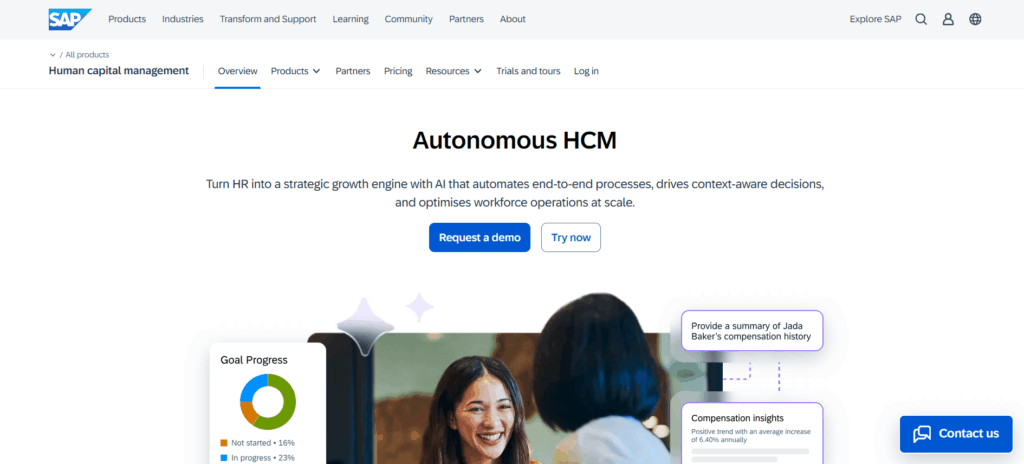
1. Engagedly

Engagedly is the most complete performance management platform available for mid-market and enterprise teams right now. Performance reviews, 360-degree feedback, OKR tracking, 1-on-1 meeting software, engagement surveys, and learning all live in one system with no integrations needed and no separate contracts.

The differentiator is Marissa AI, Engagedly’s built-in AI assistant. Marissa helps managers write more specific, less biased review comments, surfaces performance trends, and generates review summaries that cut hours out of calibration cycles. Unlike AI features that feel bolted on, this one is woven into how the platform actually works.

What Engagedly does that most competitors don’t: it connects performance data to employee development in a meaningful way. Goal progress, feedback history, skill gaps, and learning completions live in the same record, so managers walk into 1-on-1s with context rather than vague impressions, and HR teams can spot patterns before they become attrition problems.

Pros:

  • Native AI (Marissa) for review writing, trend detection, and calibration summaries
  • Performance, engagement, learning, and OKRs in one platform with no stitching required
  • Continuous feedback and 1-on-1 software built in, not sold as add-ons
  • Strong analytics that HR teams can act on without a data team
  • Transparent pricing that doesn’t require an enterprise procurement process

Cons:

  • Admin configuration has a real learning curve for first-time setup
  • Not a same-week deployment. Proper implementation takes planning
  • Smaller ecosystem of third-party integrations compared to Workday or SAP

Best for: Mid-sized companies scaling their people programs, and larger organizations consolidating performance, engagement, and learning into one platform.

Pricing: Starts at $9/user/month. Custom pricing for enterprise.

2. Lattice

Lattice is one of the most widely deployed performance platforms in the US. The product is well-designed, the manager experience is consistent, and the combination of performance reviews, goal tracking, and engagement surveys covers what most HR teams need.

Calibration software is a particular strength. HR teams get a clear read on performance distribution across departments, and the interface for running calibration sessions is less painful than most. AI-assisted review writing, added in 2024, has improved feedback quality and consistency in practice.

The weak spot is engagement depth. Lattice’s pulse survey product is functional but thin compared to platforms built specifically around it. If engagement data is central to how HR makes decisions, that will eventually feel limiting.

Pros:

  • Polished, consistent manager experience across reviews and check-ins
  • Calibration software is among the best in the category
  • AI-assisted feedback writing reduces the blank-page problem for managers
  • Well-supported with strong onboarding and customer success resources
  • Broad HRIS integration library

Cons:

  • Engagement surveys feel lightweight compared to Culture Amp or Engagedly
  • Module-based pricing adds up fast. The “starting at” number isn’t what most teams pay
  • OKR software isn’t as mature as Betterworks or Engagedly for complex goal hierarchies
  • Some customers report slow support response times at scale

Best for: HR teams that want a proven, well-supported platform and strong manager software.

Pricing: Starts around $11/user/month. Module-based pricing adds up quickly.

3. Culture Amp

Culture Amp started as an employee engagement platform and expanded into performance from there. That history still shapes what it does best.

The engagement and survey capabilities are excellent. The benchmark data alone, drawn from thousands of organizations, is something most competitors can’t replicate. If you want to understand how your company’s engagement scores compare to similar organizations by industry and size, Culture Amp has actual data rather than hand-waving.

The performance review module is competent. Goal-setting, though, isn’t as mature as dedicated OKR software. Companies that treat engagement and performance as equally important will find a well-balanced platform. Companies that need deep goal alignment across teams may want to look elsewhere for that piece.

Pros:

  • Industry-leading engagement benchmarks with data from thousands of real organizations
  • Survey design and analysis software is best-in-class
  • Connects engagement scores to performance trends in a way most software doesn’t
  • Accessible pricing at the entry level
  • Strong DEI analytics built into the platform

Cons:

  • OKR and goal-setting software is less mature than dedicated platforms
  • Performance review module can feel secondary to the engagement product
  • Reporting customization is limited without exporting to a separate BI system
  • Some smaller teams find it more software than they need

Best for: Organizations where engagement data drives HR decisions, or those that want to understand why performance looks the way it does across teams.

Pricing: Starts around $5/user/month, but scales with module selection.

4. 15Five

15Five has built its product around a specific premise: manager effectiveness is the biggest driver of employee performance. Most of the platform flows from that assumption.

The manager coaching software is the best in this category. Managers get training content, conversation guides, and in-app nudges based on how their direct reports are actually doing. The weekly check-in format (the origin of the company name) keeps feedback continuous rather than crammed into two annual reviews.

Where it falls short: workforce analytics aren’t as deep as Lattice or Engagedly for organizations that need detailed reporting. Compensation integration is also limited, which matters when review outcomes feed into pay decisions.

Pros:

  • Manager coaching and development software is the most developed in this category
  • Weekly check-in format builds a continuous feedback habit rather than relying on annual reviews
  • High employee adoption rates. The check-in format is low friction
  • Engagement pulse surveys built into the same platform
  • Strong support for remote and distributed teams

Cons:

  • Workforce analytics are not deep enough for enterprise HR reporting needs
  • Compensation integration is limited. Review outcomes and pay decisions live in separate systems
  • Pricing is higher than most competitors for comparable feature depth
  • OKR software is functional but not a differentiator

Best for: Companies actively investing in manager development as a core growth strategy.

Pricing: Around $14/user/month for the full platform.

5. Leapsome

Leapsome is a European platform that’s gained serious traction with mid-sized technology companies. The scope is broad, covering performance reviews, OKRs, engagement, and learning, with an interface that consistently scores well for usability.

The learning module is worth calling out specifically. It connects skill development to performance feedback in a way that most software skips. When a review identifies a gap, the system can surface relevant learning content rather than leaving follow-through to chance or to a calendar reminder that no one acts on.

GDPR compliance and EU data residency are built in, not afterthoughts.

Pros:

  • Learning and performance are connected natively. Skill gaps in reviews link directly to development content
  • Clean, modern interface with consistently high usability scores
  • GDPR-compliant with EU data residency, which is important for European teams
  • Covers OKRs, engagement, reviews, and learning in one platform
  • Compensation review software is more developed than most mid-market alternatives

Cons:

  • Smaller US market presence means fewer local implementation partners
  • Customer support response times can lag for non-European time zones
  • Analytics depth doesn’t match Engagedly or Lattice for complex workforce reporting
  • Integration library is narrower than US-based competitors

Best for: European mid-market companies, or any organization where learning and performance data need to be tightly connected.

Pricing: Around $8/user/month.

6. Betterworks

Betterworks has been in the OKR space longer than most, and that shows. Large organizations with complex reporting structures and cross-functional goal cascades will find it handles the goal alignment side better than most software on this list.
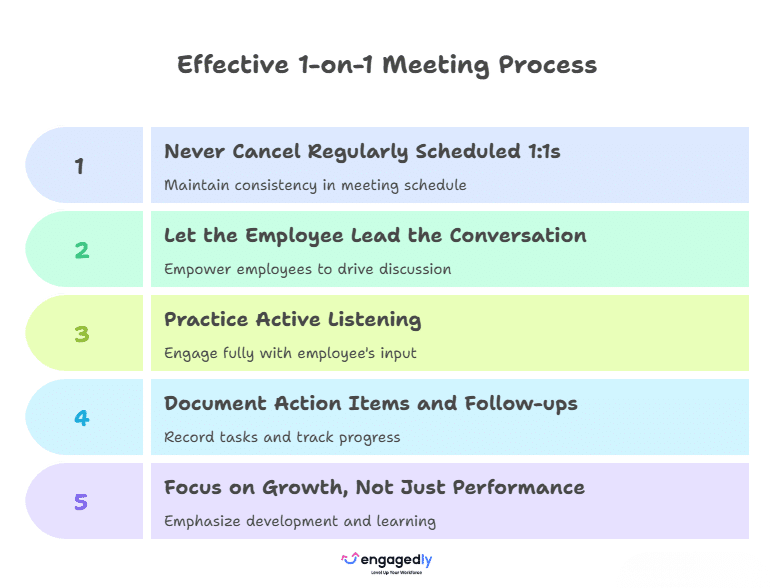
Performance reviews and feedback are functional but secondary. Betterworks works best for organizations that already run on OKRs and want their review process to align with that framework rather than sit alongside it.

Engagement features are limited. Plan for an integration if that matters.

Pros:

  • OKR software is the most mature on this list for complex, large-scale goal alignment
  • Handles cross-functional and cascading goals better than most platforms
  • Strong integration with Slack, Microsoft Teams, and major HRIS systems
  • Review cycles connect directly to goal progress data rather than relying on manager recall
  • Enterprise-grade security and compliance certifications

Cons:

  • Engagement software is thin. Plan to integrate a separate solution
  • Performance review module is functional but not a reason to choose Betterworks on its own
  • Custom pricing with no public tiers makes evaluation harder
  • Less suited to organizations that don’t operate on OKR methodology
  • UI feels dated compared to newer entrants like Leapsome or Engagedly

Best for: Enterprise companies with serious OKR programs where goal alignment is the central challenge.

Pricing: Custom.

7. Workday Performance Management

Workday’s performance module is part of the Workday HCM suite, not standalone software. For organizations already on Workday for HR and payroll, the integration argument is real. Review data, compensation decisions, and headcount planning all live in one system, which has value at scale.

Evaluated purely as performance management software, it’s competent but not modern. The interface is functional rather than intuitive, and configuring review cycles requires significant admin investment. AI features exist but are behind newer entrants on maturity.

Pros:

  • Seamless integration with Workday HCM with no data syncing or duplicate records
  • Compensation, headcount planning, and performance all in one platform at scale
  • Trusted by large global enterprises with complex compliance requirements
  • Strong audit trails and data governance for regulated industries
  • Succession planning software is well-developed

Cons:

  • Not available as standalone software. Requires a full Workday HCM subscription
  • Interface is functional but significantly less modern than newer platforms
  • Configuring review cycles requires heavy admin effort and often consultant support
  • AI features are present but behind Engagedly, Lattice, and 15Five on maturity
  • Implementation timelines and costs are substantial

Best for: Large organizations already running Workday who want to consolidate into fewer systems rather than add more.

Pricing: Custom, bundled with Workday HCM.

8. Rippling

Rippling is primarily an HR and IT platform with performance management added as a module. The main argument for it: if a company already uses Rippling for onboarding, payroll, and device management, adding performance reviews requires almost no setup because the employee data is already there.

The performance module itself is basic. 360-degree feedback is available but shallow. OKR tracking is minimal. For companies running simple annual or semi-annual review cycles without complex analytics requirements, that’s probably fine. For anything more ambitious, it runs out of capability quickly.

Pros:

  • Near-zero setup if the organization already uses Rippling for HR and IT
  • Employee data is pre-loaded with no CSV imports or manual syncing needed
  • Covers basic review cycles and simple feedback workflows cleanly
  • Single vendor for HR, IT, payroll, and performance simplifies procurement
  • Scales reasonably well for fast-growing companies adding features gradually

Cons:

  • Performance software is basic. 360 feedback is shallow and OKRs are minimal
  • Not a serious option for organizations with complex review or analytics needs
  • Each additional module adds cost. The combined price can surprise finance teams
  • No meaningful AI features in the performance module as of 2026
  • Manager coaching and development software is absent entirely

Best for: Small to mid-sized companies already on Rippling that want basic performance reviews without adding another vendor.

Pricing: Around $8/user/month for the performance module, on top of base Rippling costs.

9. Cornerstone OnDemand

Cornerstone built its name on learning management and still has one of the largest LMS customer bases in the enterprise segment. The performance module has improved, but learning is where the product is strongest.

For companies where development plans, certification tracking, and performance data need to connect at scale, Cornerstone’s depth on the learning side is hard to match. For companies that want a clean, modern performance experience without extensive implementation, it’s probably too heavy.

Pros:

  • Learning management software is enterprise-grade and deeply mature
  • Development plans and certification tracking connect directly to performance reviews
  • Handles compliance training at scale better than any pure-performance platform
  • Large partner ecosystem with experienced implementation specialists
  • Strong for regulated industries that need detailed audit trails on learning completion

Cons:

  • Performance review software is functional but not a differentiator
  • Interface is dated, frequently cited in G2 and Gartner reviews as a frustration
  • Implementation is lengthy and expensive
  • 1-on-1 and continuous feedback software is underdeveloped
  • Not a realistic option for companies under 500 employees given the overhead

Best for: Large enterprises with complex L&D programs where learning outcomes and performance reviews need to live in the same system.

Pricing: Custom. Budget for a real implementation.

10. SAP SuccessFactors

SuccessFactors is enterprise software in the traditional sense: highly configurable, deeply integrated with SAP’s HCM ecosystem, and not easy to set up. Global organizations running SAP for finance and HR often find it the pragmatic choice because the data architecture is already there.

The coverage is broad: performance reviews, succession planning, compensation, and workforce analytics are all available. User experience is a persistent complaint in Gartner and G2 reviews. The interface has improved but lags behind newer platforms. AI capabilities are present but still catching up.

Pros:

  • Deep integration with SAP finance, payroll, and HR systems
  • Covers the full talent lifecycle: performance, succession, compensation, and workforce planning in one platform
  • Built for global compliance across dozens of countries and languages
  • Strong data security and enterprise-grade governance
  • Extensive configurability for organizations with complex, non-standard workflows

Cons:

  • User experience is a consistent complaint. The interface lags significantly behind modern performance software
  • Implementation is slow, expensive, and typically requires a systems integrator
  • AI features are present but behind Engagedly, Lattice, and 15Five on maturity
  • Not practical for organizations outside the SAP ecosystem
  • Continuous feedback and manager coaching software are underdeveloped

Best for: Global enterprises already invested in SAP, particularly those with compliance requirements across multiple countries.

Pricing: Custom. Implementation investment is significant.

What Separates the Good from the Good-Enough

Most software on this list will help you run a review cycle. The differences show up when you ask harder questions. However, only a few truly stand out among the top performance review software for employee growth based on real impact.

Does feedback actually change how people work? Software that connects feedback to goals and development plans tends to produce better outcomes than platforms that file reviews in a database and move on. Engagedly, Leapsome, and 15Five invest in that connection. Most legacy platforms don’t.

How much does review quality depend on manager effort? It depends a lot, which is the problem. Platforms with AI writing assistance and manager coaching reduce that dependency. Managers who would otherwise write vague, two-sentence reviews write more specific ones when the software makes it easier.

Can HR actually act on the data? Performance distribution, calibration bias, and engagement correlation by team are useful analytics. Reports that require a data team to extract and clean aren’t.

Is it one system or three pieces of software talking to each other? The switching cost between performance software, an OKR platform, and an engagement survey system is real, in time, data gaps, and IT overhead. Engagedly covers all three natively. Lattice and Culture Amp cover two well. Most others pick one.

Picking the Right One

The gap between the strongest and weakest options on this list is larger than the product marketing suggests. SAP SuccessFactors and Workday make sense if you’re already deep in those ecosystems. Not otherwise. Betterworks does one thing well. Rippling and Cornerstone have specific homes where they belong.

For most mid-sized organizations evaluating fresh, the shortlist comes down to Engagedly, Lattice, Culture Amp, and 15Five, each with a different emphasis. Engagedly is the only platform that covers performance, engagement, learning, and AI-assisted feedback natively, at a price accessible outside of enterprise procurement.

The rest have real strengths. The question is whether those strengths match what your organization actually needs, not what looks best in a demo.