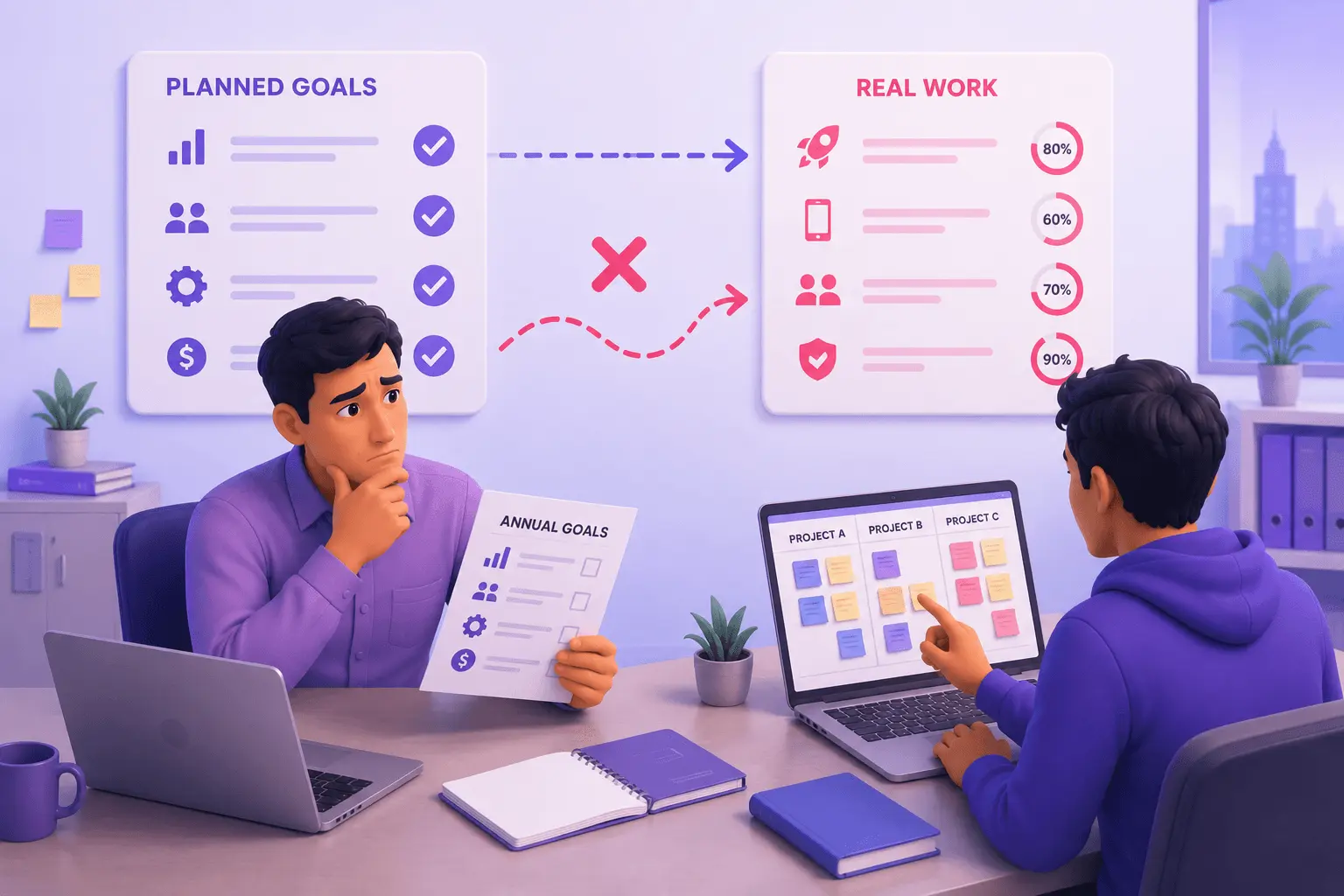
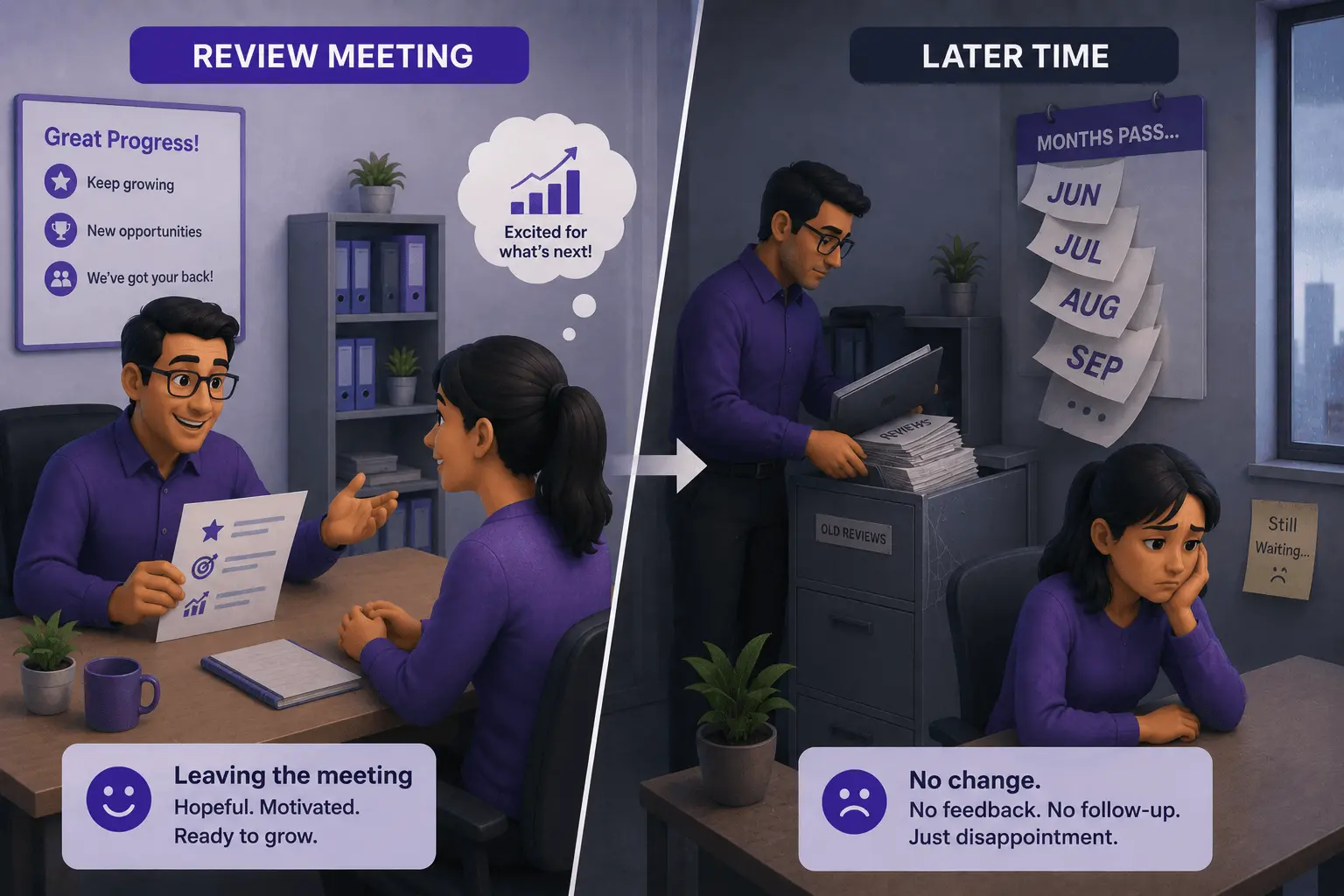
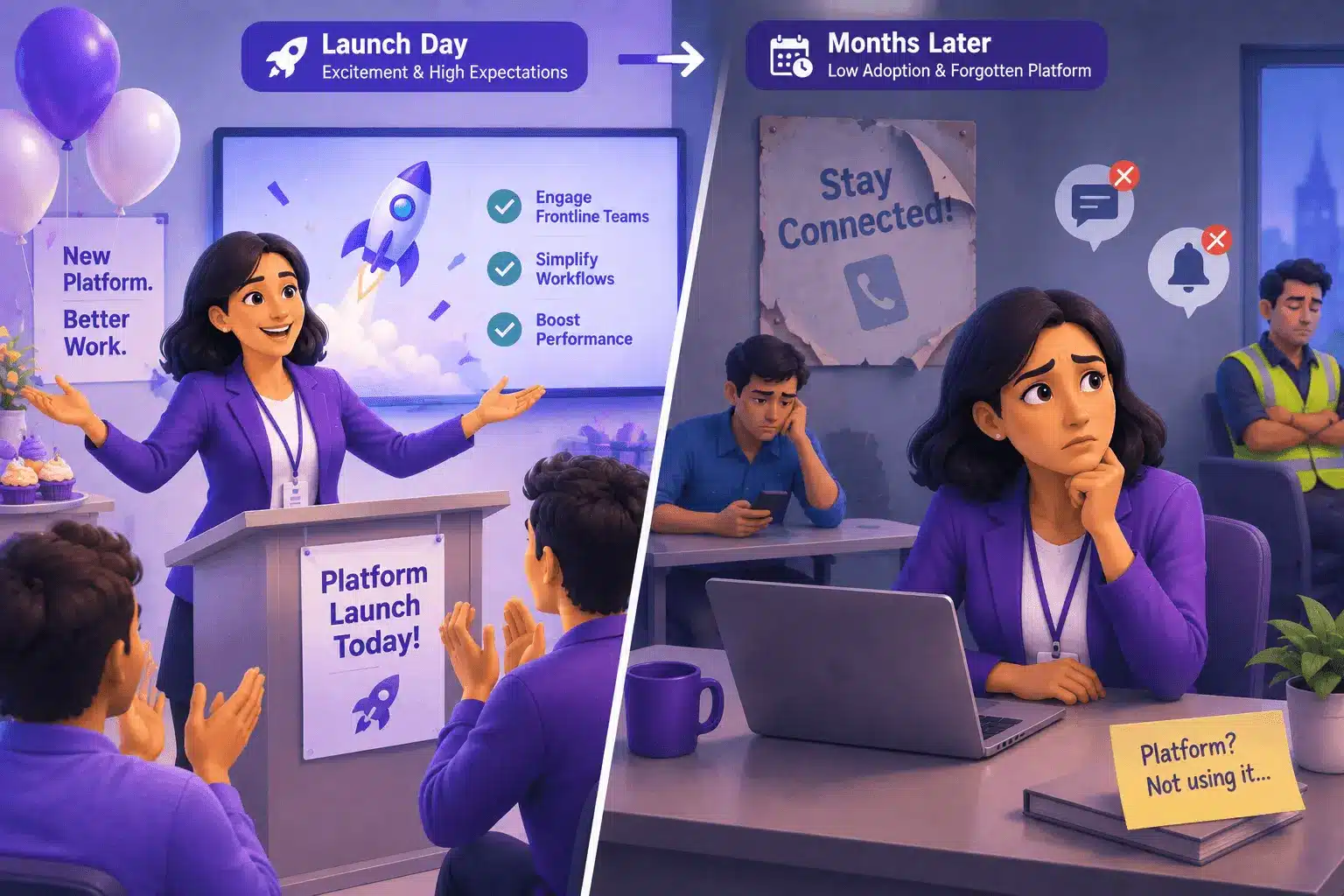
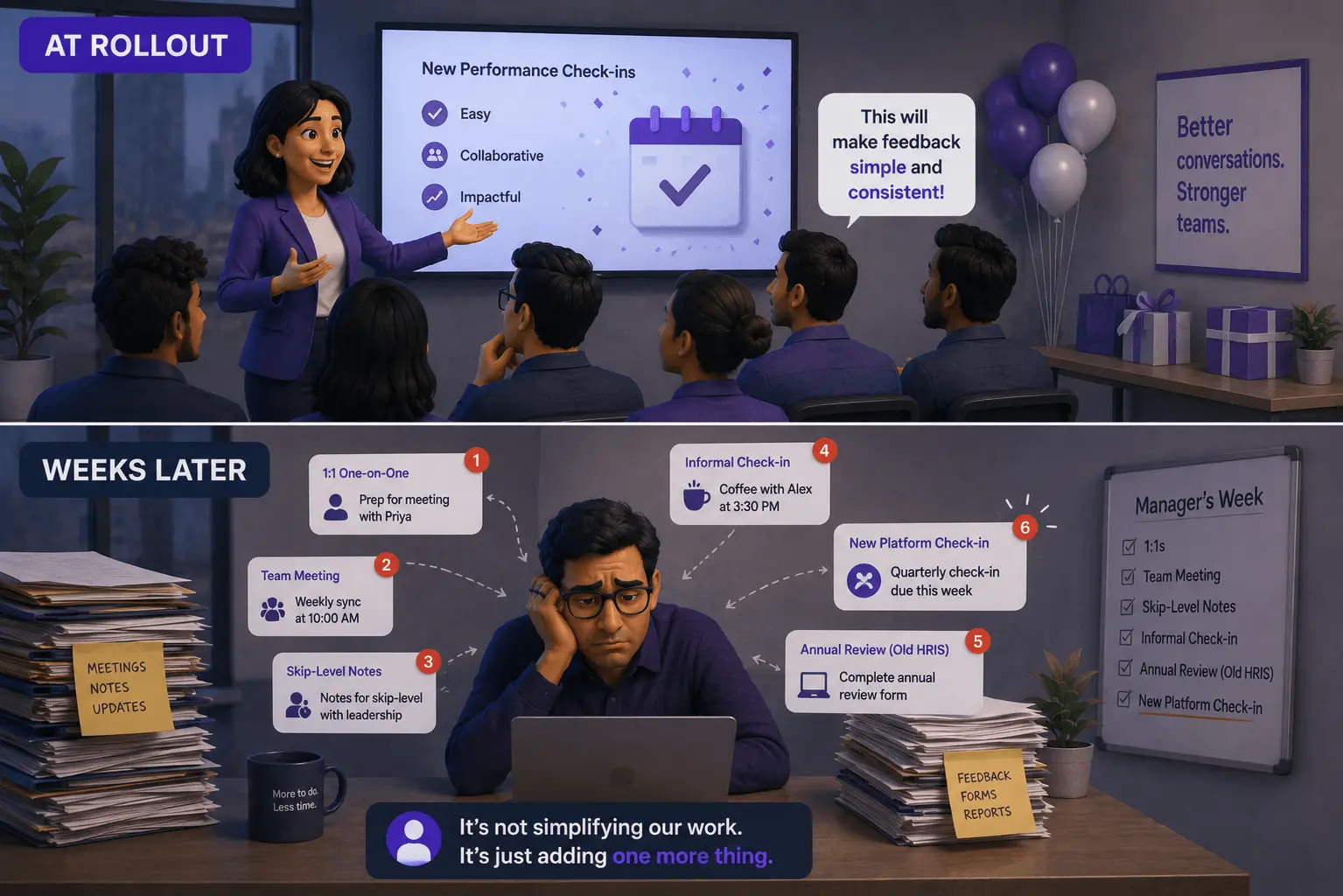
Find tons of enriching performance management resources in this blog category. It is a real-time people strategy platform that helps all aspects of business insights!
Effective performance review phrases are short, specific statements that describe how someone works, what results they delivered, and what they should do next. They work best when tied to real examples and agreed goals, and they help managers and employees talk about performance fairly. No phrase can replace honest, ongoing conversations.
If you have ever stared at a blank review form, you are not alone. Most of us know what we want to say. We just struggle to say it clearly, fairly and without sounding like a template.
This guide gives you 100+ performance review comments you can adapt right away, organized by skill. You will also get a simple way to write better reviews, the mistakes to avoid, and answers to the questions managers and employees ask most.
Why performance reviews still matter in 2026
Performance reviews give both sides a shared record of what is working, what is not, and where someone is headed. For employers, they support fair pay, promotion and development decisions. For employees, they show where you stand and what to focus on next.
The takeaway is simple. Specific, regular, honest feedback beats vague praise and rare formal reviews. The phrases below help you get there.
What performance reviews do for employees and employers
For employee development
Reviews show where each person is strong and where they need support. That makes training more personal and far more useful than a generic course.
For engagement and retention
When people see how their work connects to company goals, they stay more motivated. Clear feedback also helps employees feel noticed, which supports retention.
For record-keeping
Reviews create a documented history. Managers can compare performance over time, spot patterns, and back up decisions on pay and promotions.
How to set performance review goals that make reviews easier
Strong review comments start with clear goals. If nobody agreed on what success looked like, you have nothing solid to measure against.
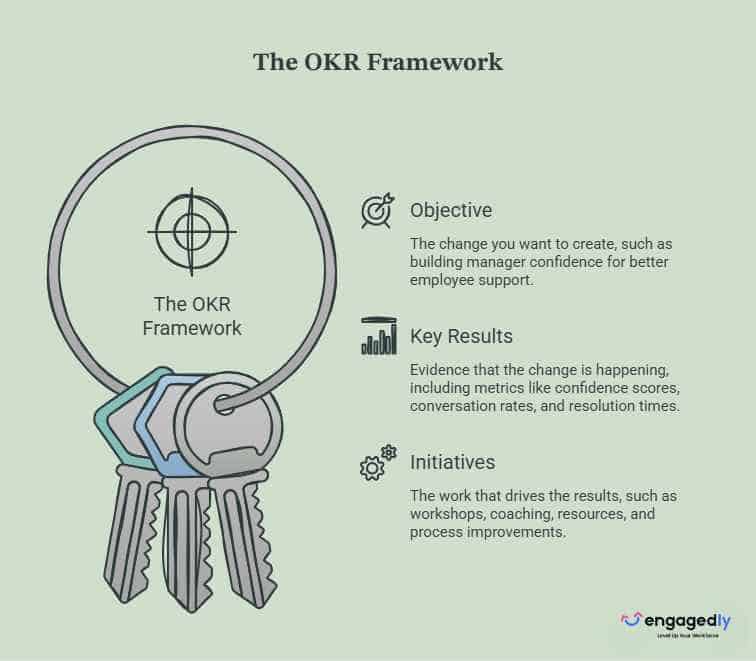
Many US teams use the Objectives and Key Results (OKR) method for this. An objective says what you want to achieve. Key results say how you will know you got there. Good OKR tracking also makes it easier to pull real examples when review time comes.
Start from the top and work down
Begin with company goals, then set team goals, then individual goals. Each level should be more specific and actionable than the one above it.
Write key results that are measurable
Each objective needs a few key results, usually three to five. Good key results are:
Specific and easy to understand
Realistic for the time frame
Measurable with a number, date or clear outcome
Prioritized, so people know what matters most
Why this matters for review comments
Without clear goals, reviews turn into opinions. With them, you can write a comment like “Delivered 4 of 5 key results this quarter and closed the onboarding backlog two weeks early.” That is far more useful than “Great job this quarter.”
How to use performance review phrases the right way
A phrase is a starting point. Before you copy one into a review form, run it through these checks.
Add a specific example, such as the project, date or result.
Describe the behavior, not the person’s character.
Tie it to a goal or expectation you set together.
Match the rating you are giving.
Say what happens next, whether that is keep doing it or try something different.
Here is the difference in practice.
Weak: “Communicates well.”
Stronger: “Sends clear weekly project updates that help the sales team plan around delivery dates.”
In the US, reviews can also become part of employment records. Keep comments factual and job-related, avoid references to protected characteristics, and check your company’s policy or ask HR if you are unsure.
100+ effective performance review phrases by skill
Each section below includes strength phrases and growth-area phrases. Swap in names, projects and numbers to make them your own.
Teamwork and collaboration
Strengths
Works well with colleagues across roles and backgrounds
Shares credit openly and celebrates team wins
Listens to different viewpoints before making a decision
Handles disagreements calmly and keeps the focus on the goal
Offers help without being asked when teammates are stretched
Areas for growth
Can become defensive when receiving feedback, so practice pausing before responding
Tends to work alone and would benefit from sharing progress earlier
Needs to follow through on feedback from teammates
Sometimes keeps ideas to themselves in group settings
Would benefit from checking in with peers to confirm everyone is aligned
Communication
Strengths
Explains complex ideas clearly to technical and non-technical audiences
Listens actively and asks thoughtful follow-up questions
Gives timely, useful feedback to peers
Keeps stakeholders informed without being reminded
Communicates well in writing, including chat, email and documentation
Areas for growth
Does not always flag problems early enough for the team to respond
Can come across as dismissive when others share ideas
Needs to tighten written updates so key points are easy to find
Sometimes assumes others have the context they need
Would benefit from checking for understanding at the end of meetings
Customer service
Strengths
Stays calm and professional with frustrated customers
Builds strong rapport and long-term customer relationships
Shows empathy and takes ownership of the customer’s issue
Turns difficult conversations into positive outcomes
Explains solutions in simple, friendly language
Areas for growth
Can rush customers instead of listening fully to their concerns
Needs to improve tone during long or repeated interactions
Does not always follow up after resolving an issue
Would benefit from learning more about the full product range
Sometimes misses chances to recommend helpful additional services
Time management and reliability
Strengths
Meets deadlines consistently, including time-sensitive tasks
Manages large projects with little supervision
Prioritizes well when several tasks compete for attention
Arrives prepared and on time to meetings
Communicates early when a deadline is at risk
Areas for growth
Has missed several deadlines this period and needs a clearer prioritization system
Tends to take on too much and then struggles to finish everything
Would benefit from breaking big projects into smaller milestones
Attendance and punctuality have affected team schedules
Needs to give earlier notice when plans change
Motivation and initiative
Strengths
Actively looks for training and growth opportunities
Takes calculated risks and learns from the results
Finds better ways to complete routine tasks
Exceeded the goals set at the last review
Asks for clarity when taking on new responsibilities
Areas for growth
Tends to wait for direction instead of taking the first step
Would benefit from volunteering for stretch assignments
Can be hesitant about change, so more openness to new approaches would help
Sometimes pushes hard for personal goals without considering the team impact
Needs to show more ownership of long-term development
Role knowledge and quality of work
Strengths
Understands the role and expectations deeply
Delivers accurate, high-quality work consistently
Shares expertise with teammates and helps others improve
Develops best practices that make processes faster
Keeps skills current in a changing field
Areas for growth
Needs to build confidence with the core tools used in the role
Deliverables sometimes need extra review before they are ready
Repeats similar errors, so a checklist or peer review could help
Would benefit from additional training in key areas
Needs to ask questions earlier when something is unclear
Problem-solving
Strengths
Breaks down complex problems into clear next steps
Offers practical, creative solutions
Stays open to new methods while using proven techniques
Thinks through the impact of a problem before acting
Uses available resources wisely to find answers
Areas for growth
Can hesitate to act when a problem appears
Would benefit from looking at root causes, not just symptoms
Sometimes escalates issues before trying to solve them
Needs to use available tools and resources more effectively
Would benefit from bringing solution ideas along with problems
Innovation and creativity
Strengths
Finds creative ways to improve processes
Brings fresh ideas to meetings and planning sessions
Offers suggestions that create long-term value
Experiments with new tools and shares what works
Encourages others to try new approaches
Areas for growth
Tends to stick with familiar methods even when better options exist
Would benefit from sharing ideas more often in team settings
Can react negatively to change that requires new thinking
Needs to connect ideas to business goals more clearly
Sometimes hesitates to test ideas that might fail
Flexibility and adaptability
Strengths
Adjusts quickly to changing priorities and new tools
Accepts feedback as a chance to grow
Stays calm and productive under pressure
Takes on new duties with a positive attitude
Supports teammates through change
Areas for growth
Finds it hard to shift when plans change at short notice
Can take feedback personally, so reframing it as growth would help
Needs more comfort with ambiguity
Sometimes shows little interest in new roles or duties
Would benefit from asking questions early during transitions
Leadership and mentoring
Strengths
Sets a strong example through consistent, ethical behavior
Needs to be more consistent when holding the team to standards
Sometimes makes decisions without gathering input
Could spend more time developing direct reports
Overall performance
Strengths
Consistently meets or exceeds the goals agreed at the last review
Sets realistic goals and achieves them
Adds clear value to the team through high-quality work
Looks for ways to improve without being asked
Takes responsibility for results, good or bad
Areas for growth
Did not meet several goals set at the last review, and a clear plan is needed
Output is steady but has room to reach a higher standard
Would benefit from a stronger focus on personal development
Needs to take more initiative without prompting
Should connect daily work more closely to team goals
Performance review phrases for remote, hybrid and AI-enabled work
Workplaces look different than they did a few years ago, and your reviews should reflect that. These phrases cover newer skills many US teams now evaluate.
Strengths
Stays visible and responsive when working remotely
Documents decisions clearly so the whole team stays informed
Handles time zones and flexible schedules with care
Uses AI tools responsibly to save time while checking outputs for accuracy
Shares helpful AI workflows and prompts with teammates
Protects company and customer data when using new tools
Areas for growth
Would benefit from more proactive updates when working remotely
Can be slow to adopt tools the team has agreed to use
Needs to double-check AI-generated work before sharing it
Should follow company guidelines on data and AI tool use more closely
Could build stronger connections with teammates in a hybrid setup
Performance review phrases for self-evaluations
If you are writing your own review, the same rules apply. Be specific, use numbers where you can, and look forward.
I exceeded my target by completing [project or goal] ahead of schedule.
I improved [process] by [action], which saved the team about [time or cost].
I asked for feedback on [skill] and applied it to [result].
I could have communicated more clearly during [project], and I am working on this by [action].
I would like to build skills in [area] to take on [future responsibility].
My goal for the next review period is to [specific, measurable goal].
Common mistakes to avoid when writing performance review comments
Even strong phrases fall flat if they are used the wrong way. Watch for these.
Vague language. Words like “good” or “needs work” give people nothing to act on.
Recency bias. Remember the whole review period, not just the last few weeks.
Personality labels. Describe what someone did, not what you assume they are like.
Surprises. Nothing in a formal review should be news to the employee.
Feedback with no next step. Every growth comment should come with a clear way forward.
Copy-and-paste sameness. If every review reads the same, people notice.
Conclusion
Performance review phrases are only a starting point. The best reviews use clear goals, real examples and regular conversations so nothing in the final review is a surprise.
Use the phrases above as a base, adapt them to the person and the period, and add the details that make them true. Then pair them with ongoing feedback and a simple goal-tracking system so your next review is easier to write and more useful to read.
What are some effective performance review phrases?
Effective phrases are specific, tied to goals, and focused on behavior. Examples include “Delivers high-quality work on time,” “Communicates clearly with cross-functional partners,” and “Would benefit from sharing progress earlier.” Add a real example to each one so the comment feels personal and credible.
How do I write a good performance review?
Start with the goals you agreed on, then gather examples from the entire review period. Describe what the person did and the result it had, mention strengths first, and be direct about growth areas. End with clear next steps and goals for the coming period so the review looks forward, not just back.
How do I give negative feedback in a performance review?
Stay factual and focus on the behavior and its impact. Say what you observed, explain why it matters, and offer support or a clear expectation for improvement. For example, “Three reports were submitted after the deadline this quarter, which delayed the finance close. Let’s set up weekly check-ins to get this back on track.”
How often should performance reviews happen?
Annual reviews are still common in the US, but more companies add quarterly or ongoing check-ins. Gallup’s research shows that regular, meaningful feedback is strongly linked to engagement, so shorter and more frequent conversations tend to work better than one big annual meeting. The right schedule depends on your company size, roles and review process.
Can I use AI to write performance review comments?
AI tools can help you organize notes or polish wording, but they should not write the review for you. A manager needs to supply the real examples, check every claim for accuracy, and protect employee data by following company policy. Treat AI output as a first draft and always add your own judgment.
What should I put in my self-evaluation?
Include your biggest wins with numbers where possible, what you learned from setbacks, and the skills you want to build next. Be honest and specific, and tie your comments back to the goals you and your manager set. Finish with one or two goals for the next period.
AI in performance reviews means using machine learning or generative AI software to help managers and HR teams gather feedback, summarize it, draft review language, and spot patterns across goals and ratings. It’s built for managers, HR teams, and employees who want reviews that are faster, more consistent, and better documented. It supports human judgment and does not replace it, and several US states now attach notice and oversight rules when AI influences employment decisions.
If you only have a minute, here’s the short version.
Managers are already using AI for reviews, often without telling employees.
Used well, it saves time and sharpens feedback. Used carelessly, it makes feedback generic and can raise legal questions.
The safest setup keeps a person in charge of every rating, tells employees what the AI does, and follows your state’s rules.
How Common Is AI in Performance Reviews in 2026?
Common, and often invisible to employees. Depending on the survey, between a third and nearly four in five US managers have used AI to prepare feedback or reviews, and few employees say anyone told them.
Three recent data points show the picture:
A Highwire survey of 1,034 U.S. professionals found that 78% of managers used AI to help prepare feedback or reviews in the past year, while only 16% of employees said they were told AI played a role in their latest review.
A Headway survey of 1,000 managers found that 33% had used AI to write feedback or prepare a review, down from 41% in a similar survey a year earlier.
The gap between 33% and 78% is wide. The likely reasons are different samples and different definitions of “using AI,” so treat each number as directional. What the surveys agree on is the disclosure gap and the quality risk, since 34% of employees in the Highwire data said feedback felt more generic after AI entered the process.
That mix of real time savings and real trust risk is why the rest of this guide focuses on using AI without losing the human part of the review.
How AI Is Used in Performance Reviews Today
AI in performance reviews refers to the use of artificial intelligence to support employee evaluations, feedback analysis, review writing, goal tracking, and development planning.
In simple terms, AI helps managers and HR teams make sense of performance data faster.
Instead of relying only on memory, annual review notes, or scattered feedback, AI can bring together information from multiple sources such as goals, peer feedback, manager notes, self-assessments, recognition, learning activity, and past review data.
The goal is not to replace managers. The goal is to help managers run more consistent, evidence-based, and development-focused conversations.
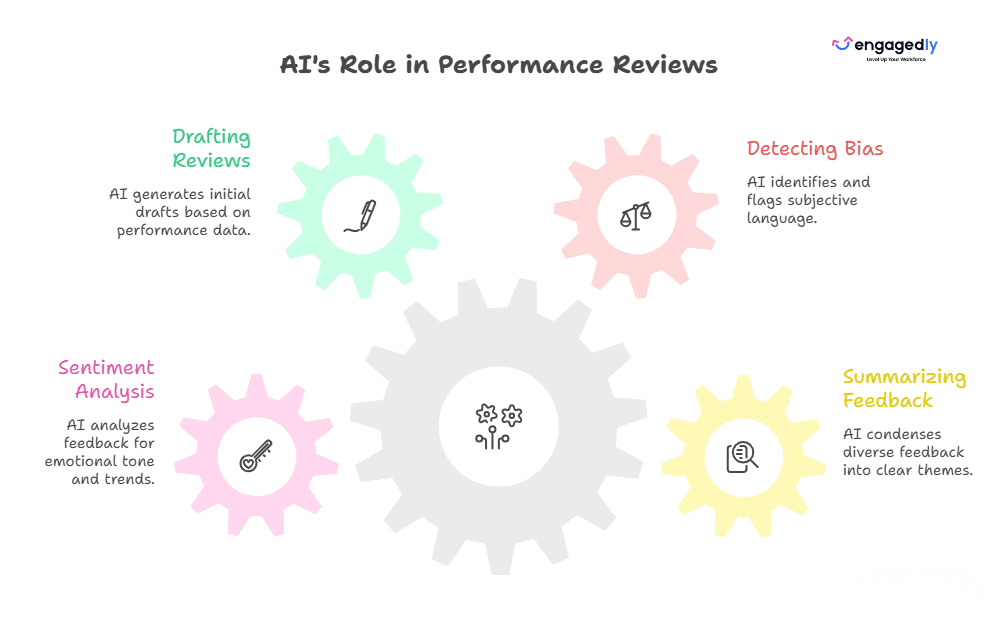
Today, AI is most commonly used to summarize feedback from multiple sources, draft first versions of reviews, identify patterns in manager feedback, detect biased language, analyze sentiment, suggest development areas, and connect performance trends to goals or learning plans.
AIHR notes that AI in performance reviews is commonly used for bias detection, goal tracking, performance assessment, and review drafting. It can improve consistency and reduce manual work, but still requires human oversight to keep reviews accurate and useful.
That distinction matters. AI can organize information and surface patterns, but managers still need to add context, judgment, empathy, and accountability.
A good AI-supported review process should help answer questions like:
Is the review language fair, specific, and evidence-based?
What should the employee focus on next?
When used well, AI can make performance reviews less subjective and less time-consuming. When used poorly, it can make reviews feel automated, opaque, or unfair.
Key Use Cases
AI can support performance reviews in several practical ways. The strongest use cases are the ones that reduce administrative work while improving the quality of feedback.
Managers often collect feedback from several places: peer reviews, manager notes, self-evaluations, 360-degree feedback, project updates, customer comments, and recognition data. Reviewing all of that manually can take hours and still leave room for missed patterns.
One of AI’s most useful roles in performance reviews is turning scattered feedback into clear, usable themes.
For example, it may identify that an employee is consistently praised for collaboration but receives repeated feedback about delayed follow-ups. It can also group comments by strengths, improvement areas, behaviors, and impact.
This helps managers prepare for reviews with better context.
Instead of starting from a blank page, they can begin with a structured summary and then validate it with their own observations.
AIHR explains that AI can gather and condense feedback from multiple sources, including managers, peers, customers, and self-assessments, to create a more complete view of employee performance.
Example: AI might summarize feedback like this:
“Across peer and manager feedback, the employee is consistently recognized for strong collaboration and problem-solving. The most common improvement theme is timeliness of stakeholder updates during cross-functional projects.”
This kind of summary gives managers a clearer starting point for the conversation.
Detecting Bias in Reviews
Another valuable use case for AI in performance reviews is identifying review language that is biased, vague, or difficult to act on.
Performance reviews are often shaped by human bias, even when managers have good intentions. Recency bias, inconsistent standards, and personality-based judgments can all influence how feedback is written and interpreted. Over time, these patterns make reviews less fair and less useful.
AI can help by flagging language that may be too subjective, overly broad, or potentially biased before the review is finalized.
For example, it may surface phrases such as:
“not leadership material”
“too emotional”
“not a culture fit”
“lacks executive presence”
“needs to be more aggressive”
These kinds of statements are often too vague to be useful and too subjective to be fair. They describe impressions, not observable behaviors, which makes them harder for employees to understand and harder for managers to justify.
A stronger review focuses on specific actions instead of personality judgments.
Instead of: “She is not assertive enough.” Use: “She can improve by sharing recommendations earlier in planning discussions and supporting them with data.”
This makes the feedback more specific, more actionable, and easier to apply.
Used well, AI can help managers catch unclear or loaded language early and reframe feedback in a way that is more consistent, evidence-based, and fair.
However, AI is not automatically unbiased. If the model is trained on biased historical review data, it can reinforce the same patterns it is supposed to catch.
This is why bias detection should be treated as a review aid, not a final judgment. AI can flag risk, but managers and HR still need to decide what fair feedback actually looks like.
Drafting Reviews
For managers staring at a blank review form, AI is often most useful as a drafting assistant.
This is especially useful for managers who lead large teams or struggle to turn notes into clear, balanced feedback. AI can take inputs such as goals, feedback notes, project outcomes, and past check-ins, then create a first draft of a review.
AI is most useful at the drafting stage, not the decision stage. Managers still need to review, refine, and contextualize every draft before it is shared.
A good AI-generated draft should help managers:
organize feedback
reduce blank-page effort
create clearer review language
balance strengths and development areas
connect feedback to goals
suggest next steps
For example, a manager might enter:
“Employee met 4 of 5 goals, led onboarding project, received positive peer feedback for collaboration, but missed two reporting deadlines.”
AI might draft:
“Over the past review cycle, you made strong contributions to the onboarding project and were consistently recognized by peers for collaboration. One development area is improving reporting consistency, especially when deadlines are shared across stakeholders.”
The manager should then edit the draft with specific examples, context, and agreed next steps.
How to Write a Performance Review With AI in 6 Steps
A good AI draft depends on what you feed it. This workflow keeps the manager in control.
Gather real inputs first. Pull goal results, peer feedback, 1:1 notes, and project outcomes from the whole review period, not just the last few weeks.
Use an approved tool. Don’t paste names, ratings, or leave and health details into a public chatbot unless your company has approved it.
Prompt with facts and ban inventions. Tell the AI to use only what you provide.
Edit every sentence. AI can write confident lines that aren’t true, so check each claim against your notes and add the specific examples only you know.
Run a language check. Ask the AI to flag vague or personality-based phrases, then decide yourself what to change.
Tell the employee how AI was used. Invite them to add context or correct anything before the review is final.
Three Prompts You Can Copy
Prompt for a first draft
Write a mid-year performance review for a [role] using only the facts I paste below. Do not invent examples, metrics, or quotes. Keep the tone direct and fair, separate strengths from development areas, and end with two next steps.
Prompt for a language check
Review this draft for vague, personality-based, or loaded language. List each phrase, explain why it may be unclear or unfair, and suggest a behavior-based rewrite. Do not change anything else.
Prompt for a development plan
Based on these three development areas, suggest one specific goal and one learning activity for each. Keep each goal measurable and tied to the next 90 days.
Sentiment Analysis
Sentiment analysis uses AI to identify tone, themes, and emotional patterns across feedback.
In performance reviews, this can help HR teams understand whether feedback is positive, negative, neutral, or mixed. It can also surface themes that may not be obvious when reading individual comments.
For example, sentiment analysis may show that employees in one department receive mostly positive feedback on collaboration but negative feedback on workload and manager support.
At an individual level, sentiment analysis can help identify patterns in review comments, peer feedback, and engagement survey responses.
It can help answer questions like:
Is feedback mostly constructive or overly negative?
Are certain teams receiving more critical feedback than others?
Are employees consistently raising concerns about workload?
Are managers using supportive or punitive language?
Are performance conversations improving over time?
This can make performance reviews more useful at both individual and organizational levels.
However, sentiment analysis should be used carefully. Tone is contextual. A comment may sound negative because it describes a real performance issue, not because the feedback process is unfair.
AI can identify patterns, but HR and managers need to interpret them responsibly
AI can improve performance reviews when it is used to support better conversations, not replace them.
The biggest benefits are speed, consistency, visibility, and stronger development planning.
1. Less manual work for managers
Managers often spend significant time collecting notes, reviewing feedback, and drafting reviews. AI can reduce this administrative load by summarizing information and preparing first drafts.
This gives managers more time to focus on coaching and follow-up.
AI can help standardize how reviews are written and structured.
For example, it can prompt managers to include specific examples, connect feedback to goals, and avoid vague language. This can reduce inconsistencies between managers and teams.
3. Better use of performance data
AI can analyze multiple data points instead of relying only on memory.
This is important because traditional reviews often suffer from recency bias, where managers overfocus on what happened most recently rather than the entire review period.
AI can help bring older feedback, completed goals, recognition, and development progress back into the conversation.
4. Faster feedback cycles
AI can support more continuous performance management by analyzing feedback and progress throughout the year.
Instead of waiting for annual reviews, managers can identify patterns earlier and coach employees in real time.
5. Stronger development planning
AI can help connect performance gaps to learning recommendations, coaching plans, and career development paths.
For example, if an employee repeatedly receives feedback about presentation skills, AI can suggest relevant learning resources or development goals.
6. Better visibility for HR and leadership
AI can help HR teams spot broader performance trends across teams, roles, or departments.
This can help answer questions like:
Which teams need more manager support?
Where are skill gaps emerging?
Are review ratings consistent across departments?
Are high performers getting enough development opportunities?
Are certain groups receiving less actionable feedback?
This makes performance reviews more valuable for workforce planning and talent decisions.
Additional Risks & Challenges to Be Aware of in 2026
Along with the usual concerns around bias and oversight, organizations also need to account for a newer set of risks as AI becomes more embedded in performance reviews. These challenges are less about whether AI can support reviews and more about whether it can do so fairly, transparently, and responsibly at scale.
1. Bias in training data
AI systems learn from historical performance data, and that data is not always neutral. If past reviews reflect biased manager behavior, uneven access to opportunity, or inconsistent standards across teams, AI can inherit and repeat those patterns.
Without regular auditing, this can reinforce existing inequalities rather than reduce them.
2. Uneven access and AI fluency
Not every employee has the same level of comfort with AI tools, digital systems, or workplace technology. Some employees may know how to use AI to improve documentation, feedback, or self-assessments, while others may have less exposure or support.
If performance systems assume equal access and equal AI fluency, they risk rewarding familiarity with tools instead of actual performance.
3. Black-box decision making
One of the biggest risks in AI-supported reviews is opacity. When AI surfaces recommendations, patterns, or warnings without explaining how it reached them, employees and managers may struggle to trust the output.
If people cannot understand how conclusions are reached, it becomes harder to challenge errors, identify bias, or explain decisions fairly.
4. Privacy and compliance risk
Performance reviews often involve sensitive employee data, including feedback history, development needs, performance concerns, and manager observations. Introducing AI into that process increases the need for stronger data controls.
Organizations need clear policies around what data is collected, how it is used, who can access it, how long it is stored, and whether employees have visibility into that process. This is especially important in regions with stricter privacy and employment regulations.
Some state laws now add notice and recordkeeping duties on top of this. Colorado’s updated law, effective January 1, 2027, requires employers to keep compliance records for three years.
5. Over-reliance on automation
AI can make reviews faster, but speed should not come at the cost of judgment. When managers rely too heavily on AI-generated summaries or drafts, reviews can become generic, impersonal, and disconnected from real day-to-day performance.
The more AI handles the thinking, the easier it becomes for managers to disengage from the quality of the conversation itself.
6. Employee trust and fairness perception
Even if an AI system is technically sound, employees still need to believe the process is fair. If AI feels opaque, overly influential, or difficult to question, trust in the review process can erode quickly.
In performance management, employee perception matters almost as much as technical accuracy. If people do not trust the process, they are less likely to trust the outcome.
7. Model drift over time
AI systems can become less reliable as business priorities, performance expectations, and organizational norms evolve. A model trained on outdated review data may continue reinforcing standards that no longer reflect how performance should be evaluated today.
Without periodic review and retraining, AI can drift out of alignment with current expectations and create poor recommendations that look credible on the surface.
8. Hidden AI use
When managers use AI without telling anyone, employees fill the gap with suspicion. In the same Highwire research, about 40% of employees either suspected AI was used or weren’t sure. Unclear AI use also creates legal exposure in places like Illinois, where notice is required when AI influences certain employment decisions.
9. Generic feedback
AI drafts tend to sound alike, and generic feedback doesn’t help anyone improve. It’s also hard to defend if a rating is challenged. The fix is simple. Require every AI-assisted review to include at least two specific examples written by the manager.
Best Practices for Using AI in Reviews
AI works best when it improves the quality of performance conversations. It should not make reviews colder, more automated, or harder to understand.
Use these best practices to keep AI-supported reviews fair and useful.
1. Keep managers accountable
AI can suggest, summarize, or draft. Managers should still own the final review.
Every AI-generated review should be checked for accuracy, context, tone, and fairness before it is shared with an employee.
2. Be transparent with employees
Employees should know when AI is being used in the review process.
Explain what the AI does, what data it uses, and what decisions remain with managers or HR.
Transparency builds trust.
Here’s a plain-language notice you can adapt.
“Our review process uses an AI tool to help summarize feedback and draft review language. Your manager reviews and edits every review and makes all rating, pay, and promotion decisions. The tool uses [list data types]. If you want to add context or correct anything, tell your manager or HR within [number] days.”
Have legal review the wording before you roll it out, because notice requirements differ by state.
3. Use AI for patterns, not final judgments
AI is useful for identifying trends across feedback, goals, and review notes. It should not be the final authority on ratings, promotions, compensation, or performance improvement decisions.
4. Audit for bias regularly
Review AI outputs for patterns across demographic groups, teams, managers, locations, and roles.
If the system consistently produces less specific feedback for certain groups, flags certain employees more often, or mirrors biased historical patterns, it needs review.
5. Train managers on AI literacy
Managers need to understand what AI can and cannot do.
Training should cover:
how to interpret AI summaries
how to edit AI-generated drafts
how to spot bias
how to protect employee data
how to explain AI-supported feedback to employees
6. Use specific examples
AI-generated feedback can become generic if it is not grounded in real examples.
Managers should add specific projects, outcomes, behaviors, and context.
7. Give employees a chance to respond
Employees should be able to clarify, challenge, or add context to AI-supported feedback.
This is especially important when reviews influence promotions, compensation, or development plans.
8. Connect feedback to development
AI should not only identify performance gaps. It should help managers turn those gaps into useful development plans.
A good review should end with clear goals, learning support, and follow-up actions.
AI Tools for Performance Reviews in 2026
AI performance review tools generally fall into two categories: dedicated performance management platforms and general AI writing tools.
Dedicated platforms are usually better for structured, compliant, and scalable review processes because they connect AI to goals, feedback, 360 reviews, development plans, and performance data.
General AI tools can help with drafting or rewriting feedback, but they require more caution because they may not have the same governance, privacy controls, or HR-specific workflows.
Here are common types of AI tools used for performance reviews in 2026:
1. Performance management platforms with AI
These tools support structured review cycles, goal tracking, feedback, calibration, and AI-assisted review writing. The strongest performance review tools connect AI to structured workflows instead of treating review writing as a standalone task.
They are best for organizations that want one system for performance reviews, feedback, and development.
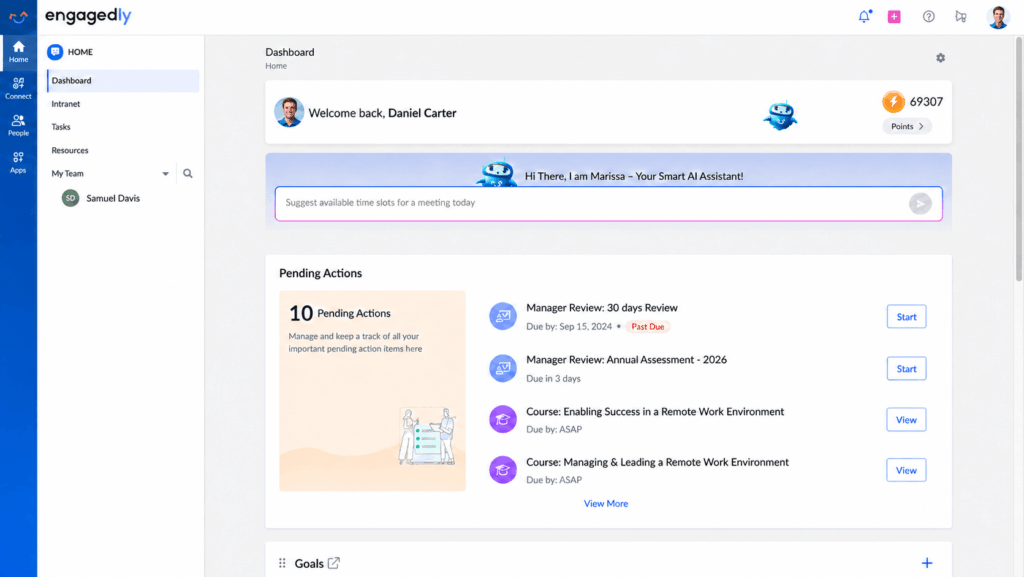
Examples include platforms such as Engagedly, Betterworks, Lattice, 15Five, Leapsome, and Culture Amp.
2. 360-degree feedback tools with AI summaries
These tools collect feedback from managers, peers, direct reports, and stakeholders, then use AI to summarize themes.
Using AI in Performance Reviews Legal? US Rules to Know in 2026
There’s no blanket US ban on using AI in performance reviews. But a growing set of state and local rules adds notice, anti-discrimination, and human oversight duties when AI influences employment decisions. Most of them focus on hiring, promotion, discipline, and termination rather than on drafting review text, so how you use the tool matters more than whether you use it.
This is general information and not legal advice, so check with employment counsel for the states where your people work.
Requires notice when AI is used to influence or facilitate covered decisions, including promotion, discipline, and terms of employment. State rules on how to give notice were proposed in May 2026 and withdrawn in June, with no new timeline yet.
Applies state anti-discrimination law to tools that make or facilitate employment decisions. Regulators can consider anti-bias testing, or the lack of it, in complaints.
Replaced the original Colorado AI Act. Requires notice before covered AI-assisted decisions and three years of records. Tools an individual uses to summarize or organize information for human review are excluded.
Mass-layoff AI disclosure from October 1, 2026, broader duties from October 1, 2027
Employers must tell the state whether AI contributed to a WARN-level mass layoff. Later duties cover disclosing automated tools that interact directly with employees.
Covers automated tools used in hiring and promotion. Requires an independent bias audit within the past year, a public summary, and notice. A December 2025 state comptroller audit called enforcement ineffective, which puts pressure on the city to enforce more actively.
There’s no single federal AI employment law. A December 2025 executive order set out to challenge state AI laws it views as burdensome, and a Justice Department AI task force followed in January 2026. As of September 1, the task force had not initiated litigation against a state AI law. A bipartisan federal discussion draft released in June 2026 would also leave state authority over employment-related AI in place. Until Congress or the courts change things, state obligations still apply, so waiting for federal preemption is a risky plan.
If you have employees in the EU, the dates moved. The Digital Omnibus on AI, in force since July 27, 2026, pushed high-risk obligations, which cover many employment tools, from August 2, 2026 to December 2, 2027. The requirements were delayed, not removed, so documentation and human oversight are still worth starting now.
The Practical Takeaway
If AI only helps a manager organize notes and the manager makes every decision, your exposure is lower. If AI scores, ranks, or recommends ratings, promotions, discipline, or terminations, treat it as a regulated tool. Give notice, keep a human reviewer who can genuinely disagree with the tool, and keep records.
What to Do in the Next 90 Days
You don’t need a perfect AI policy to get started. You need a clear one that people actually follow. A practical 90-day plan looks like this.
Days 1 to 30. List every AI feature in your HR and performance tools, including features inside platforms you already pay for. Note which ones summarize, which ones score or rank, and which ones recommend decisions.
Days 31 to 60. Write a one-page rule set covering approved tools, what data can be entered, who signs off on each review, and how employees are told. Draft your notice language and have counsel review it.
Days 61 to 90. Train managers to edit AI drafts, check one review cycle’s language for patterns by team and manager, and set up a record of who approved what.
Then put the dates that matter on a shared calendar. Colorado’s law and California’s privacy rules start on January 1, 2027, and California’s SB 947 starts on July 1, 2027.
AI will keep changing, and so will the rules. The teams that do well will treat AI as a drafting and pattern-spotting assistant and keep people responsible for the decisions.
Frequently Asked Questions
Can AI write performance reviews?
Yes, AI can draft a review from the notes, goals, and feedback you give it, but a manager should always edit and own the final version. It works best at turning scattered input into a clear first draft. It can’t know context you didn’t provide, and it can state things confidently that aren’t true, so check every claim against your own records.
Is it legal to use AI in performance reviews in the US?
There’s no blanket ban, but state and local laws add duties in some places. Illinois requires notice when AI influences covered employment decisions, California regulates automated decision systems under its civil rights rules, and Colorado’s updated law starts January 1, 2027. These laws focus mostly on hiring, promotion, discipline, and termination, so a tool that only summarizes feedback for a manager carries less risk than one that scores or ranks people. Ask employment counsel about your states.
Do I have to tell employees that AI was used in their review?
In Illinois, you do when AI is used to influence or facilitate covered employment decisions, and Colorado will require notice before certain AI-assisted decisions from January 1, 2027. Even where the law doesn’t require it, telling employees is the safer move. In one 2026 survey, only 16% of employees said they were told AI played a role in their review, and that gap is exactly what erodes trust.
Is it safe to paste employee information into ChatGPT or other public AI tools?
Only if your company has approved the tool and its data terms. Performance reviews contain sensitive details such as ratings, development concerns, and sometimes health or leave information. Use a company-approved tool with clear privacy controls, remove names and sensitive details where you can, and check your own policy first.
Does AI make performance reviews less biased?
It can help, but it doesn’t remove bias on its own. AI can flag vague or loaded language and bring older feedback back into view, which helps with recency bias. It can also repeat patterns from biased past reviews if it was trained on them, so audit the output by team, manager, and demographic group, and keep a person responsible for the final call.
How much time can AI save on performance reviews?
In a December 2025 Gartner survey of 1,622 respondents, managers who used AI saved an average of four hours across the performance management process. Your results will vary with team size and how much editing the drafts need. Put the time you save back into the review conversation rather than just finishing faster.
Can AI decide raises, promotions, or terminations?
Does the EU AI Act apply to my US company’s performance reviews?
It can, if you have employees in the EU. AI used to evaluate workers is treated as high risk, but the high-risk deadline moved from August 2, 2026 to December 2, 2027 under the Digital Omnibus. Start documentation and human oversight now, because the requirements were delayed and not removed.
The beloved Performance Improvement Plan (PIP) is the golden shovel that will probably end up digging your own grave. There is no way to hide it: for many employees, being told you are on a PIP feels as welcoming as finding a spider in your shoe.
The intent behind the PIP seems noble enough on paper- this is a chance for employees in danger of washing out to try to right the ship before they go down with it and crash and burn. In practice? And here is where it gets a bit tricky.
Whatever the case, is that a great elephant in the room… for PIPs – a paradox that companies don’t seem to get out from between us. Although these plans are meant to promote progress, they frequently have the opposite effect.
In fact, in some cases, they can actually harm your company’s culture and productivity as much as or more than help. Crazy, right? The PIP Paradox – Explained in detail!
PIPs: Catalyst for Success or Recipe for Failure?
But pause before we throw PIPs into the operational scrap heap. There is some credit due here. They have a good idea, even admirable. If used the right way, a PIP is nothing more than a structured plan for an underperforming employee to go back on track with guidance and support. It is a light in the darkness: for converting a floundering employee into an all-star. It would seem pretty good, right?
So here is the kicker: that is not what they are being perceived as. Let’s be real for a second. Well, what about if you were given a performance improvement planwhich – let’s be real here – essentially means your job is hanging by a thread… would that sound like doom and gloom, or hope? If you choose to terrorize, you are in good company.
A PIP is often, rightly or wrongly, seen by most employees as deathly serious – a pronouncement from their employer that they’re on the path out. You know as being handed a spoon to bail out water when they suggest you board a sinking ship. Not very inspiring, aye?
The issue is that PIPs have a lot of baggage associated with them. Instead of being developmental opportunities, they can stick a corporate scarlet letter on an employee that says they are a loser in front of their colleagues and managers.
This destroys not only the confidence of the individual who is on a PIP, but also the morale of that person (and could even become team-wide). Before you know it, everyone is awaiting their turn at the performance guillotine.
And that’s just the start. What is Behind it? What far too many PIPs do not appreciate is exactly how multifaceted workplace performance can be. They often pin everything on the employee and never take into account possible alternative causes such as inadequate training, bad work culture or incomplete instructions that could be behind the inadequacy issues.
Problem #1: PIPs Erode Trust and Morale
A performance improvement plan is supposed to do just that… improve performance. Wrong! For many employees, a PIP is only another step towards walking the plank at work. A study by Betterworks found that more than half of employees regard PIPs as a sign their job is already lost.
That perception problem hasn’t improved Only 14% of employees strongly agree their performance review inspires them to improve, and 61% of HR professionals say fewer than half of their managers effectively address employee underperformance and development needs. (EvalFlow, 2026) When the review process that leads into a PIP is already failing to land, the PIP inherits that credibility gap before it’s even written.
The result? Few things dial up the anxiety more, kill motivation faster, and send beneficial experience, skill sets, and institutional knowledge ducking for cover before the PIP reaches its end.
So much so that some of our managers will admit to you a PIP is usually just a step one, or formality with most employees before management decides to terminate. Sort of like handing over a parachute with dozens of holes in it and then acting surprised when the person doesn’t land without injury.
It was not just the person on the PIP who now found themselves compromised or revealed – this touched every leader and employee one way or another as well as teams in similar ways from both sides of senior management – eroding trust and affecting morale.
The Feedback Gap Behind the PIP
Most PIPs don’t fail because the plan is badly written. They fail because the feedback that should have happened months earlier never did. A 2026 survey of more than 250 organizations found that 91.6% have a formal performance management process on paper, but only 47% actually hold three or four feedback conversations during a review cycle. In practice, 68.5% of organizations say employees receive just one or two formal check-ins a year.In the Talent Strategy Group’s 2026 survey of more than 250 organizations, 91.6% had a formal performance-management process, 47% of participating organizations encouraged three or four formal feedback conversations during a performance cycle, and 68.5% reported that employees usually received only one or two formal feedback conversations. (Talent Strategy Group data via EvalFlow, 2026)Evalflow
That gap matters because of what it becomes by the time a PIP shows up:
A manager who hasn’t flagged an issue in months suddenly needs a paper trail
An employee who thought things were fine gets blindsided
A performance gap that could have been a five-minute conversation in March becomes a formal document in September
The PIP isn’t the failure point. It’s the receipt for a failure that happened upstream.
Problem #2: The “It’s All You” Mindset
Another big problem with a classic PIP is that it often lays all the blame at the feet of the employee. But guess what? It is not uncommon: the root cause of a performance issue has multiple owners. This is often the product of systemic issues within the organization itself, such as poor management, unfocused expectations, and a scarcity of resources.
Studies show that employees are virtually never at fault when performance is lacking. Often there are a range of causes spanning poor training or management support. However, the traditional PIP targets only the individual, ignoring organizational flaws.
Case Study: Fossil Group’s Shift to Continuous Performance Conversations
Fossil Group, a global leader in lifestyle accessories, faced a daunting challenge: its traditional, paper-based performance management system was no longer sufficient to meet the demands of its growing, competitive environment.
With 15,000 employees worldwide, managing performance through outdated methods led to inconsistencies, misalignment of goals, and inefficiency. Fossil recognized that it needed to evolve its approach to performance management to stay ahead in the competitive watch and fashion industry.
The company’s primary issue was that 35% of employee goals were found to be misaligned with the company’s strategic priorities. This gap not only created confusion among employees but also hampered productivity. Managers struggled to have effective performance conversations, leading to a lack of coaching and feedback.
In response, Fossil partnered with Quantum Workplace to implement a more dynamic and continuous performance management system. This system allowed for regular “check-ins” and ongoing feedback, which could be initiated by any employee at any time.
To emphasize the importance of performance conversations, Fossil created dedicated “Performance Days,” where no task-related meetings were scheduled. On these days, the focus was entirely on employee development and performance discussions.
Additionally, Fossil developed intuitive templates for these check-ins, ensuring that conversations were structured, goal-focused, and collaborative.
The company also integrated recognition tools, enabling peer-to-peer recognition and creating a more engaged workforce. This approach resulted in 92% of employees participating in goal-setting reviews, better goal alignment, and improved employee engagement. Aligning these efforts with clear OKRs and goals ensures better organizational alignment.
Through this transformation, Fossil achieved greater organizational alignment, reduced turnover, and enhanced the overall employee experience – proving that continuous feedback can outshine outdated performance management systems.
Problem #3: PIPs Are Reactive, Not Proactive
Most PIPS are reactive: traditional PIPs Employee problems are often months, if not years old before the employee is put on a Performance Improvement Plan. By then, the damage is done and you have dug a deep hole for your employee. Sending out a reactive PIP may seem like you are throwing a ladder but it is usually too little, too late.
However, in fact companies should be more proactive; they are required to intervene when there are problems with a performance Frequent check-ins, feedback loops, and mentoring can stop most performance issues from plummeting.
However, Adobe famously dropped its annual review process in lieu of regular conversations to give managers a chance to identify and address issues early. This feedback-centric system has led to 30% less voluntary turnover at Adobe, demonstrating how some simple proactive feedback can save everyone a giant migraine later on
Case Study: Adobe’s “Check-In” System
Adobe serves as a shining example of how moving away from traditional PIPs can lead to better outcomes. In 2012, the company scrapped its annual performance reviews and PIPs in favor of ongoing check-ins between managers and employees. The focus shifted from punitive measures to meaningful conversations about goals, challenges, and development opportunities.
The result? Employee engagement soared, voluntary turnover dropped by 30%, and the company saw improvements in both morale and performance. Adobe’s approach demonstrates that ongoing feedback and support are far more effective than reactive, one-size-fits-all PIPs.
Why You Shouldn’t Trust Any Single “PIP Success Rate” Number
If you’ve seen a specific PIP success rate quoted somewhere, treat it carefully. There’s no single, representative dataset that tracks PIP outcomes across industries, so most of the numbers circulating online come from anonymous polls or vendor case studies using different definitions of “success.”No high-quality, representative public dataset establishes a universal PIP success rate, and vendor anecdotes and anonymous internet polls often use incompatible definitions of success. (EvalFlow, 2026)
What that means practically:
Don’t build your PIP policy around a borrowed percentage from a blog post
Track your own numbers instead. Define what “success” means at your company (goals met, role change, voluntary exit, termination), and measure it over a fixed window
Compare your own year-over-year data rather than chasing an industry average that may not reflect your workforce, industry, or manager quality
This is a small section, but it’s the kind of honest, checkable framing that separates a trustworthy resource from another recycled listicle.
Problem #4: PIPs Ignore Emotional and Mental Health
Ok seriously, work is stressful enough without having to worry about being on a PIP. An employee placed on a PIP may feel afraid or anxious, which can have a great impact on emotional and mental health. Many times, employees are already struggling with their workload or personal life and a PIP can serve as the final straw leading them into burnout or disengagement.
Employees tend to spiral downward emotionally whenever they are put on a PIP. It can lead to their peer isolation or constant monitoring. Which can compound performance issues, rather than resolve them. Organizations such as HSBC have understood this and are now focusing on the psychological well-being of their staff alongside performance management strategies.
The PIP Paradox in Action
This is a system intended to support the rights of employees which, in many cases, has become their elimination. The paradox is also obvious in the actions of a PIP, which are to improve performance but often do more harm than good by driving employees away, compromising morale and perpetuating organizational systemic issues.
But – and here is the kicker – we continue to deploy them. Why? But PIPs are a necessary evil for many organizations. The process is well documented and can be demonstrated in the event a company is sued for wrongful termination.
However, suppose the main reason for doing this is protection from a legal perspective, and not the desire to actually make employees better. In that case, you might want to reconsider how you are conducting performance review management.
Data & Analytics to Guide PIP Decisions
Rather than relying purely on intuition, modern HR teams and managers should use data and analytics to inform whether initiating a PIP is the right step. Consider:
Performance trend analytics Look at an employee’s performance data over time (e.g. quarterly scores, output, quality metrics) to detect patterns rather than one-off lapses.
Comparative benchmarking Compare performance relative to peer group benchmarks, adjusting for role, tenure, and workload. This helps identify whether the individual is truly underperforming or being unfairly judged.
Variance / anomaly detection Use analytics to flag sudden dips or deviations from usual performance. But also check if the dip is explainable (e.g. project changes, resource constraints).
Bias and fairness audits Before recommending a PIP, run bias checks: are women/underrepresented groups more likely to be put on PIPs in your organization? Are certain managers more “trigger-happy”? Use HR analytics to monitor and guard against systemic bias.
Risk / impact modeling Estimate risks and consequences: e.g. attrition risk, morale impact, legal exposure. Use this insight to decide whether to try alternative interventions first.
By grounding the PIP decision in data and analytics, you reduce subjectivity, build a stronger case, and avoid misplacing blame.
What’s the Alternative?
Ok, but let’s get real… If traditional PIPs are about as effective as using a screen door for the hull of a submarine, what do you expect companies to do? Do they need to overlook poor performance? Absolutely not. Instead of running employees through the PIP wringer, here a few alternatives that are more successful as well as more humane. This is how you can change the way of doing performance improvement.
Check on a Regular Basis: Why Continuous Feedback Matters
One key lesson we learned from both Fossil and Adobe: don`t do performance reviews as one-time, excruciating sit-down events when each person is too scared to be truly honest. Having these regular check-ins not only provides the manager with opportunities to address problems in real-time and course-correct before things get out of control, but it also allows managers to build trust with their employees. Continuous real-time feedback ensures issues are addressed as they happen.
Studies have shown that employees who receive actionable feedback regularly are 2.7 times more likely to be engaged in their work and 3.2 times more likely to stay motivated.
Not bad, right?
The best part? This does not have to be a formal check-in. Actually, the looser and more ad-hoc they are, the nicer. Okay, maybe a little coffee and some post-project debrief, or even just a quick Slack message.
Cultivating a culture of feedback To create this environment, organizations need to ensure communication is a continuous process, with the help of honest conversations and enabling employees on their journey.
Blame in a Team Sport
When results start to suffer, the typical response is to place blame on the person. The problem is that most performance issues are they result of not something the employee should be trying to avoid (effort) nor a lack of skill. The real problem is often organizational barriers to progress: insufficient resources, conflicting expectations, or even dysfunctional leadership.
This is essentially where holistic community support comes into play. Rather than promising rebuke of the employee, ask: How might we support them? Do they require more instruction, improved hardware, or improved process of communication?
Experts say that 58% of executives think their current performance management system does not work to engage people as they should.
This can be fixed by taking a holistic approach – rather than letting an employee drown in an ocean of unrealistic demands.
You are Here to Build, Not Punish
Now how about this idea, stop making employees feel like their on the last chance saloon and instead treat performance challenges as an opportunity to grow? Radical, right?
To change a PIP from punishment to more of an opportunity for development, think about how you can turn that into some kind of upskilling or mentorship, or maybe even determine whether the job responsibilities themselves need to be re-assessed.
After all, performance problems are largely due to the discrepancies between employee strengths and of those in their existing roles. Those who need extra help in one area may excel in another with a guiding hand. The trick is to approach a performance dip as a coaching moment, and not the ‘last straw’ or whatever kind of proverbial phrase comes to mind.
Why Mental Health Matters: Because Allowing for the Total Employee
Real talk: you can’t really discuss performance without having a discussion about mental health. Not only do stress, burnout, and anxiety take their toll on personal well-being, but they also have a devastating impact on professional performance. And yet, they are hard to find in the classic PIP. However, frequently being put on a PIP only makes things more stressful and contributes to the problem.
Performance management: how best to cater to your employee’s mental health and well-being. Offering mental health care, flexible hours, and a culture of inclusion can improve performance as well as employee morale.
Is It Time to Rethink PIPs?
The traditional Performance Improvement Plan(PIP) might have started with good intentions, but let’s be honest- it’s often a ticking time bomb in the workplace. Sure, PIPs have their place for serious, documented performance issues, but they’re increasingly being seen as outdated and even counterproductive.
Why? Because most PIPs are reactive, addressing performance problems only when they’ve reached a crisis point. This puts employees in a high-stress, almost fight-or-flight mode, which, let’s face it, is not exactly a breeding ground for productivity or creativity. If you’re looking to move from reactive PIPs to a more proactive performance approach, it’s worth requesting a demo to see how it can be implemented effectively.
FAQs
What is a performance improvement plan?
Performance improvement plans are structured documents that define performance gaps, improvement goals, timelines, and manager support steps. A Performance Improvement Plan, or PIP, is a formal document used by HR and management to address sustained employee underperformance. It outlines exactly where an employee is falling short, what success looks like, how progress will be measured, and what support – such as coaching, training, or weekly check-ins – the company will provide to help them succeed.
Do performance improvement plans actually work?
Performance improvement plans can work, but they often fail when employees see them as punishment instead of support.
Performance improvement plans are only effective when they are implemented early, fairly, and with genuine coaching intent. Because many employees view a PIP as an unwritten notice of termination, it can trigger severe anxiety that further lowers morale. Companies usually achieve far better retention and engagement by addressing performance gaps through continuous feedback and early intervention long before a formal crisis plan is required.
What does a good PIP include?
A strong performance improvement plan should include clear goals, measurable outcomes, regular check-ins, and documented manager support.
A strong performance improvement plan must be highly specific, actionable, and structurally focused on growth rather than termination. Every effective PIP includes:
The Performance Gap: Clear, objective examples of exactly where the employee is falling short. Measurable Goals: Concrete metrics (e.g., changing “improve communication” to “provide daily written status updates”). Support Actions: The exact training, tools, or mentorship the company will provide to help. A Clear Timeline: Explicit deadlines (typically 30, 60, or 90 days) alongside scheduled weekly check-ins.
What can replace a PIP?
Better alternatives to traditional PIPs include continuous feedback, regular manager check-ins, coaching, mentoring, and role-specific support. Modern performance management systems prioritize proactive, fear-free alternatives to solve performance gaps earlier in the employee lifecycle:
Continuous Feedback Loops: Real-time constructive guidance immediately following tasks to course-correct behavior instantly. Structured Check-ins: Routine, bi-weekly conversations dedicated solely to roadblocks, separating development from high-stakes annual salary reviews. Targeted Mentorship: Pairing the employee with an internal subject-matter expert to remove manager-employee power dynamics. Role Redesign: Shifting responsibilities to better match the employee’s core strengths while retaining their institutional knowledge.
When is a PIP appropriate?
A company should use a performance improvement plan when underperformance is serious, documented, ongoing, and unresolved through coaching. A PIP should never be a surprise or a first-line response to a sudden performance dip. It is a formal step appropriate only when specific criteria are met:
Sustained Issues: The performance deficiencies are repeated and chronic, not isolated incidents. Prior Clarification: The employee has already been explicitly informed of their role expectations in writing. Failed Informal Coaching: Verbal warnings and standard managerial support have yielded no measurable improvement. Objective Calibration: HR has audited the situation to ensure there is no manager bias, peer benchmarks are fair, and the workload is realistic.
Lattice is best for mid-market companies that want a fast, easy to use performance management and engagement platform, while Workday is best for large, global enterprises that need a single system for HR, payroll, and financial operations. The right pick depends on your headcount, budget, and whether you need performance tools alone or a full HR and finance backbone.
Both are established names in HR technology, but they solve different problems. This guide breaks down what each platform actually offers in 2026, including official pricing, ratings, and features, so you can decide which one fits your organization.
What Is Lattice?
Lattice is a people management platform built around performance reviews, goal tracking, and employee engagement. It helps companies create a culture where continuous feedback, 1:1s, and goal alignment are part of everyday work rather than an annual event.
Lattice Features In 2026
Lattice has built its reputation on an intuitive interface and a sharp focus on performance and growth. In 2026, the platform has expanded further into AI, with an AI Agent, workplace habit tracking, and deeper analytics layered on top of its core performance tools.
The top features of Lattice include:
Performance Reviews: Structured, configurable review cycles including project based, 360 degree, and manager led reviews that reduce the admin burden on HR teams. You can explore this in more depth on Engagedly’s Performance Reviews page, which covers how continuous review cycles work in practice.
Goals & OKRs: Cascading goals connect individual work to company objectives, with integrations into Jira and Salesforce to keep progress visible. Engagedly’s OKRs and Goals module follows a similar cascading model for teams that want goal alignment from the top down.
1:1s, Feedback & Weekly Updates: Known together as Manager Tools, these keep managers and employees connected between formal review cycles.
Engagement: Pulse surveys, onboarding and exit surveys, eNPS tracking, and AI powered trend analysis to measure sentiment across teams.
Grow: Career pathing, competencies, and individual development plans (IDPs) to help employees see a clear route to advancement.
Compensation: Global benchmarks, comp bands, cycle management, and multi chain approvals for pay planning tied to performance outcomes.
AI Agent: An AI assistant built into the platform that acts on workforce data, answers manager questions, and surfaces coaching prompts inside the flow of work.
Analytics: Workforce level reporting that helps HR and leadership see engagement, performance, and attrition trends in one place.
Lattice Pricing (2026)
According to Lattice’s official pricing page, the platform uses modular, per seat pricing that scales as you add products. Here is what Lattice currently publishes:
Foundations (most popular bundle): $13/seat/month, includes Performance, Goals & OKRs, Analytics, AI Agent, Integrations, 1:1s, Weekly Updates, Feedback, and Q&A Boards
Performance: $10/seat/month
Goals & OKRs: $8/seat/month (can be purchased separately from Performance)
Engagement: $4/seat/month
Compensation (add-on): +$6/seat/month
Grow (add-on): +$4/seat/month
Enterprise: Custom pricing based on seats, complexity, and scale
Lattice requires a minimum annual agreement of $4,000, bills annually in USD, and all contracts include dedicated customer support at no extra cost.
What Is Workday?
Workday is a far more comprehensive, enterprise oriented system that unifies HR, finance, planning, and analytics on a single cloud platform. It handles payroll, recruiting, talent management, workforce planning, and financial operations, which is why large, global organizations tend to choose it over point solutions.
Workday Features In 2026
Workday’s scale and depth are what set it apart. In 2026, the platform continues to lean heavily into AI agents and skills intelligence woven throughout its HR and finance modules.
Here is a snapshot of Workday’s core capabilities:
Human Capital Management: A unified system covering the entire employee lifecycle, from recruiting through retirement, built on a single data model the company calls “Power of One.”
Human Resource Management: Core HR processes including employee records, onboarding, org management, and compliance, with self-service tools that free HR teams from manual admin.
Skills Intelligence & AI Agents: Workday has built AI agents directly into its HCM suite to automate routine HR tasks, surface skills data, and support workforce planning decisions.
Employee Experience & Voice: Mobile-friendly self-service for benefits, time off, and personal data, paired with pulse survey tools that feed employee sentiment into leadership decisions.
Workforce Management: Time tracking, scheduling, and attendance tools designed to keep large, distributed workforces compliant with labor regulations.
Analytics & Reporting: Embedded business intelligence that turns workforce data into actionable insight without needing a separate BI tool.
Local & Global Payroll: Native payroll processing across regions, which is especially useful for multinational companies managing compliance in several countries at once.
Workday Pricing (2026)
Workday does not publish pricing on its official site. Every plan, whether HCM alone or the full HR and finance suite, is quoted directly by the Workday sales team based on your headcount, modules, and contract structure. If pricing is a deciding factor for your evaluation, visit their platform page for pricing details or request a quote directly from Workday.
Lattice Vs Workday: Features Compared
Lattice Is Best Known For
Feedback System: Continuous, cross functional feedback that keeps performance conversations alive year round, not just at review time.
Goal Tracking: A centralized way to set and track OKRs, with integrations that keep goals visible across the tools teams already use.
Engagement: Pulse surveys, eNPS, and benchmarking that give leaders a clear read on morale and retention risk.
AI-Powered Coaching: The AI Agent surfaces manager guidance and performance context directly inside the platform.
Workday Is Best Known For
Hiring: End-to-end recruiting, from job postings to applicant tracking and interview scheduling.
Payroll: Automated, compliant payroll processing for both domestic and global teams.
Time Tracking: Clock-in/out, PTO requests, and working hour tracking built into the same system as HR and payroll.
Analytics: Enterprise grade dashboards that combine HR, finance, and workforce data for leadership decision-making.
Lattice Vs Workday: Ratings
Platform
G2 Rating
Capterra Rating
Lattice
4.7/5 (4,000+ reviews)
4.5/5 (200+ reviews)
Workday HCM
4.1/5 (1,400+ reviews)
4.5/5 (1,700+ reviews)
Lattice tends to score higher on ease of use and setup, since it is a purpose-built performance and engagement tool. Workday scores well on comprehensiveness and reliability at scale, which reflects its role as a full HR and finance system of record rather than a single-purpose tool.
What’s New In 2026
Both platforms have leaned hard into AI over the past year. Lattice’s AI Agent now acts on workforce data and coaches managers directly inside review cycles and 1:1s, while its newer Habits and Analytics modules push the platform further into proactive people management rather than reactive reporting. Workday has continued expanding AI agents across its HCM suite, using its unified data model to power skills intelligence and automate repetitive HR tasks at scale.
For companies that use both, it is worth noting that Workday customers frequently pair it with Lattice specifically for performance and manager effectiveness, using Workday as the system of record and Lattice as the layer that drives day-to-day performance conversations. That combination shows up often enough in customer feedback that it is a legitimate middle path if you do not want to choose just one.
Which HR Platform Is The Best?
Ultimately, choosing between Lattice and Workday depends on your organization’s size and what problem you are actually trying to solve.
If your priority is performance evaluations, goal setting, and employee development, Lattice is the stronger fit, especially for small to mid-sized businesses or those that already run a separate HRIS. If you want a full people strategy stack that goes beyond performance, Engagedly’s 360 Feedback and Real-Time Feedback tools offer a similar continuous feedback approach alongside learning and growth features in one platform.
If your organization needs a single system for HR, payroll, and financial operations at global scale, Workday remains the stronger option. Its depth in analytics, compliance, and multi-country payroll make it a fit for larger, more complex organizations.
Summing Up
Choosing HR software is not just about picking a tool. It is about matching a platform’s strengths, whether that is performance management, payroll, or full enterprise HR, to your organization’s actual needs and growth stage.
Lattice and Workday serve different purposes, and both are strong at what they do. The right choice depends on your headcount, budget, and how much of your HR stack you want in one place.
Looking for a platform that combines performance management, talent analytics, and growth planning without the enterprise price tag? Engagedly’s Talent Analytics & Mobility and CXO Insights tools give leadership teams the same kind of workforce visibility, built into a single platform designed for fast-moving companies. You can also read our breakdown of Lattice vs 15Five if you are comparing more than one performance management tool before you decide.
FAQs
Can Lattice integrate with Workday?
Yes. Lattice can pull employee data from Workday into its own system, so HR teams can run performance and engagement programs in Lattice while keeping Workday as their system of record for core HR data.
Lattice vs Workday: Which platform is better for small to mid-sized businesses?
Small and mid-sized companies generally lean toward Lattice because of its easy setup, lower cost of entry, and focus on performance and engagement rather than full enterprise HR.
Lattice vs Workday: Which platform provides better analytics and reporting?
Workday generally offers deeper analytics because it pulls from HR, payroll, and financial data in one unified system. Lattice’s analytics are more focused, covering performance, engagement, and goal progress rather than company-wide financial reporting.
Can Lattice and Workday integrate with other software?
Yes, both platforms support third-party integrations. Workday connects with a broader range of enterprise systems, including finance and operations tools, while Lattice integrates closely with communication and project management tools like Slack, Jira, and Microsoft Teams.
Why is Workday’s pricing not published?
Workday does not publish pricing because costs vary significantly by headcount, modules selected, and contract complexity. Organizations need to contact Workday sales directly for a quote tailored to their needs.
Ready to Build a High-Performance Culture?
Whether you are evaluating Lattice, Workday, or looking for a platform that brings performance management, engagement, and talent growth together without a modular pricing maze, Engagedly is built to scale with your team.
Request a demo to see how Engagedly can simplify your HR strategy in 2026 and beyond.
Improving the performance appraisal process means making the cycle of setting expectations, evaluating results, and discussing next steps clearer, fairer, and more useful to both managers and employees. The performance appraisal process itself is the structured cycle an organization uses to measure performance against agreed standards and decide on development, rewards, or support. No single template fits every company, so adapt the fixes below to your size, culture, and goals.
Most HR teams do not need a brand-new system. They need to find where the current one breaks down and fix those spots one at a time. This guide walks through each step of the process, shows what usually goes wrong, and explains how to improve it, with examples you can adapt.
What Is the Performance Appraisal Process?
It is the repeatable set of steps that takes an employee from clear expectations to a fair evaluation and a plan for what comes next. Most frameworks describe it in five to seven steps. They cover the same ground, which is setting standards, communicating them, tracking performance, evaluating results, discussing them, and acting on the outcome. It is also called a performance review or performance evaluation, and it sits inside a wider performance management system that includes goal setting, coaching, and recognition.
Signs Your Performance Appraisal Process Needs Improvement
Many traditional appraisals fall short of the one job they exist to do, which is helping people improve. In Gallup research from 2019, only 14% of employees strongly agreed that their performance reviews inspire them to improve. The same Gallup article cites American Psychological Association research suggesting that traditional reviews can make performance worse about one third of the time.
How feedback lands matters as much as whether it happens. Gallup found that employees whose manager’s feedback left them with positive feelings were 3.9 times more likely to be engaged than employees who felt hurt by it. These are US-based survey findings, so treat them as directional for your own workforce.
You may be dealing with a weak process if you see any of these signs.
Employees are surprised by their ratings.
Managers scramble to write reviews from memory in the week they are due.
Ratings vary widely between managers for similar work.
Development plans are written and then forgotten.
Employees describe reviews as a formality or a verdict.
If two or more of these sound familiar, the steps below will help.
How to Improve the Performance Appraisal Process Step by Step
Each step below covers what usually goes wrong and how to fix it. Work through them in order, or start with the step that hurts most.
Step 1 – Define the purpose and set clear standards
Start by deciding what the appraisal is for. Development, pay decisions, promotions, and compliance are different goals, and mixing them without saying so is a common reason employees distrust the process.
What usually goes wrong. Standards are vague, such as “show more ownership,” so every manager reads them differently.
How to improve it. Replace vague language with observable behaviors and measurable outcomes. For example, a support team might aim to resolve 85% of tickets within one business day while holding a satisfaction score of at least 4.5 out of 5. Both can be measured, and two managers would read them the same way. Linking each target to a team or company goal helps too, and OKRs and goal tracking in Engagedly let you cascade objectives from the company down to each role.
Step 2 – Communicate expectations early and often
Standards only work if employees know them.
What usually goes wrong. Expectations are shared once, in a kickoff email, and never revisited.
How to improve it. Share standards in writing at the start of the cycle and talk them through one-on-one. Ask the employee to describe what success looks like in their own words, which surfaces misunderstandings while they are cheap to fix. Revisit the standards when priorities change, because a target set in January may no longer fit by June.
Step 3 – Track performance continuously
What usually goes wrong. Managers try to recall twelve months of work in one afternoon, so recency bias takes over and the last two months count for the other ten.
How to improve it. Keep a running record and move toward short check-ins every week or two.
Note wins, blockers, and feedback as they happen.
Review goal progress at set intervals.
Capture peer and customer input along the way.
Fifteen minutes on priorities, blockers, and recent wins keeps expectations current and removes surprises at review time. A real-time feedback tool makes this easier, because praise and coaching are logged the moment they happen and can be pulled up when the review is due.
Step 4 – Gather input from more than one source
What usually goes wrong. The manager is the only voice, even though they see only part of someone’s work. A product designer, for instance, is often better known to the engineers and researchers they work with than to their manager.
How to improve it. Add a self-assessment so employees can describe their own impact with specific examples, and collect peer input on collaboration and influence. 360-degree feedback adds views from peers, direct reports, and cross-functional partners. It works best as an input to the review rather than the review itself, and it needs anonymity rules that people trust.
Step 5 – Evaluate fairly against the standards
What usually goes wrong. Ratings depend on which manager you have. One manager’s “exceeds expectations” is another’s “meets.”
How to improve it. Back every rating with a specific example. Instead of writing that someone is a great communicator, write that they ran the onboarding calls for three client accounts and received positive written feedback from each. Then add structure.
Write a short definition for every level of your rating scale.
Hold calibration sessions so managers compare ratings against shared examples.
Review the data once ratings are in. Look for teams scoring much higher than others for similar work, ratings bunched in the middle, or groups that consistently score lower.
These patterns do not prove bias on their own, but they show where to look more closely. A structured performance review workflow with templates and review cycles keeps ratings consistent and documented across teams.
Step 6 – Hold a two-way appraisal conversation
What usually goes wrong. The review is a once-a-year event that feels like a verdict, and managers who were promoted for results rather than people skills are not sure how to run it.
How to improve it. Share the written review ahead of time so nobody is surprised, then use the meeting to listen. A simple structure works well.
Start with what went well and why it mattered.
Move to the areas that need work, with examples.
Ask for the employee’s view and any obstacles in their way.
Agree on two or three priorities for the next period.
Give managers a simple feedback model, such as describing the situation, the behavior, and the impact, and let them practice before the cycle starts. Separate the development conversation from the pay conversation where you can. People struggle to take in coaching while they are waiting to hear a number.
Step 7 – Follow up on the results
What usually goes wrong. The appraisal ends with a development plan that nobody opens again, and managers are too buried in forms and approvals to follow up.
How to improve it. Turn the outcome into action people can see.
Write development goals and agree on the support behind them, such as training, a stretch project, or mentoring.
Link results to promotion, pay, or succession decisions through a documented process.
Set a dated next step and ask about progress at each one-on-one.
Simplify templates and automate reminders so managers spend time coaching instead of chasing paperwork.
If a development goal has not moved in two months, ask what is in the way instead of waiting for the next formal review.
Choosing the Right Appraisal Method
The method you choose shapes how fair the process feels, and most organizations blend a few.
Management by objectives measures results against agreed goals. It suits roles with clear outcomes, but pair it with behavioral expectations so teamwork and quality still count.
Rating scales score defined competencies, usually from 1 to 5. They are easy to compare, but only if every level is clearly defined.
360-degree feedback gathers input from several perspectives. It suits leadership and collaborative roles.
Self-appraisal gives employees a voice and shows where perceptions differ from the manager’s.
Narrative appraisals capture context numbers cannot, though they are harder to compare across people.
If you need one starting point, pair goal-based measurement with regular feedback, then add multi-rater input for roles where collaboration matters most.
A Suggested Appraisal Rhythm
There is no official standard for how often to run each activity. The table below shows a practical rhythm many HR teams use. Adjust it to your headcount, roles, and local requirements.
Activity
Suggested frequency
Who leads
Goal setting and expectation alignment
Start of each cycle
Manager and employee
One-on-one check-ins
Weekly or every two weeks
Manager
Real-time recognition and feedback
Ongoing
Anyone
Goal progress review
Monthly or quarterly
Employee and manager
Formal review conversation
Twice a year or annually
Manager, with HR support
Calibration
Before each formal review
HR and leadership
Development plan refresh
After each formal review
Employee and manager
How to Tell Whether Your Improvements Are Working
The most overlooked fix is asking employees how the process feels. A short survey after each cycle takes minutes to run and tells you more about fairness and clarity than another round of template changes. Ask whether people understood their standards, whether the feedback felt fair, and whether they know what to do next. Share what you learned and what you will change, so employees can see their input shapes the process.
Alongside the survey, track a few simple signals.
The share of reviews completed on time
How ratings are spread across teams and managers
Whether development plans show progress between cycles
How often employees say there were no surprises in their review
Compare results across two or three cycles before deciding what worked.
How Technology Helps Without Taking Over
Software cannot fix a weak feedback culture, but it removes the friction that makes good habits hard to keep. Automated review cycles, reminders, goal tracking, and a single record of feedback mean managers spend less time on admin and more time talking to people. AI features can help summarize feedback or draft review language, but a person should always own the final rating and the conversation.
Final Thoughts
The best performance appraisal process is one employees see as fair, useful, and ongoing. Set clear standards, track performance as it happens, gather more than one point of view, hold honest conversations, and follow through on what you agree.
If you want to see how this works in practice, request a demo of Engagedly and we will walk you through building a review cycle that fits your team.
Frequently Asked Questions
What are the main steps in the performance appraisal process?
The core steps are setting performance standards, communicating them, tracking performance, evaluating results against the standards, discussing the results with the employee, and acting on the outcome. Some guides show five or six steps, but they cover the same work. The guide above uses seven so that purpose-setting and follow-up each get their own step.
What is the difference between performance appraisal and performance management?
Performance appraisal is the evaluation part, where results are assessed and discussed. Performance management is the wider year-round system that includes goal setting, coaching, feedback, development, and recognition. Appraisal is one piece of it, and it works better when the rest of the system is healthy.
How often should you conduct performance appraisals?
There is no universal rule. Many organizations hold a formal review once or twice a year and add regular check-ins and feedback in between. More frequent conversations help employees course-correct sooner and reduce surprises at review time. Choose a rhythm your managers can realistically sustain.
Who should be involved in the appraisal process?
Start with clear, measurable standards and a defined rating scale. Collect input from more than one source, back every rating with an example, and run calibration sessions so managers apply the scale consistently. Reviewing rating data for patterns can also help you catch bias you would not see one review at a time.
Can software improve the performance appraisal process?
It can help with consistency and time. Performance management software can automate review cycles, keep goals and feedback in one place, and give HR data on trends. It does not replace manager judgment or honest conversations, so pair it with training and a culture that values regular feedback.
Recency bias in performance reviews is the tendency to give more weight to an employee’s recent work than to everything earlier in the review period. It is a memory shortcut, not a character flaw, and it cannot be removed completely. Managers can reduce its pull by recording evidence all year, reviewing against agreed goals, and gathering more than one point of view.
Picture a manager sitting down in early December to write reviews for eight direct reports. She opens a blank form and tries to recall what Dev did back in February. Nothing comes. Then she remembers the missed deadline last month, and suddenly that becomes the whole story of his year.
If that sounds familiar, you are in good company. This guide covers how recency bias works, what it costs, and the practical habits that keep performance discussions anchored to the full year.
What Is Recency Bias in a Performance Review?
Recency bias in a performance review happens when the last few weeks or months of work shape a rating more than the months before them. Recent events come back to a manager in sharp detail, while earlier ones arrive as a blur, so the recent ones feel more representative than they really are.
Psychologists tie this to the availability heuristic, a shortcut where whatever comes to mind easily feels more important. It has been tested in appraisal settings too. In experiments published in 1989 in the Journal of Applied Psychology, Steiner and Rain found that ratings leaned toward the most recent performances, and the lean was stronger when performances were spread over several days instead of seen in one sitting. These were lab studies, so real workplaces will vary, but the pattern matches what many managers describe.
Recency bias often travels with its cousins. Primacy bias lets a strong first impression color everything, and the halo effect lets one standout trait lift every other rating. This article stays focused on recency.
Why Recency Bias Happens (and Why Good Managers Fall for It)
Nobody sets out to ignore the first nine months of someone’s year. A few ordinary conditions make it almost automatic.
Long review windows. The longer the gap between reviews, the more the early months fade.
Writing from memory. Without notes, a manager rebuilds the year from whatever surfaces first.
Emotional weight. A big launch or a painful miss sticks, especially when it happened last month.
Large teams. Managers with many direct reports cannot track everyone’s small wins in their head.
Review season pressure. Forms get written fast, usually during the same weeks when year-end work peaks.
The common thread is that the process asks memory to do a job that records should be doing.
What Recency Bias Looks Like in Real Reviews
It is easier to catch once you know its usual shapes.
The late slump. Priya delivers three strong quarters, then has a rough November. Her review reads as if the whole year was uneven.
The late rescue. Marcus coasts until September, then leads a successful sprint. He gets a glowing review that covers only a fraction of the year.
The forgotten early win. A project that saved the team two months in March goes unmentioned because it wrapped up long ago.
The single recent mistake. A visible error in the final weeks becomes the headline, even though the person has a clean record before it.
These are illustrative examples, not data. Still, most people who have given or received reviews have lived a version of at least one.
Why It Matters for Your People and Your Business
Reviews feed pay, promotion, and development decisions, so small distortions carry real weight. Employees already doubt the process, and Gallup reports that only 14% of employees strongly agree their performance reviews inspire them to improve.
Memory shortcuts are one of several reasons for that gap. A large study by Scullen, Mount, and Goff found that more than half of the variation in managers’ ratings reflected the rater’s own tendencies rather than the performance of the person being rated. Recency is one of the quirks that can sit inside that noise.
The downstream effects add up.
Strong early performers feel their work was forgotten and may disengage.
Employees learn to save their best effort for the final stretch, which rewards short bursts over steady work.
Trust in the process drops, and so does the willingness to take the next review seriously.
How to Reduce Recency Bias in Performance Discussions
You cannot rewire memory, but you can change the process around it. These seven habits work best together.
1. Keep a running record of performance
Write down what you observe when it happens. Even two lines after a one-on-one will do. This replaces recall with a record. In field research across two organizations, DeNisi and Peters found that raters trained to keep performance diaries remembered more of their employees’ work and gave ratings that were less inflated and better differentiated. Those were trained, structured diaries, so casual notes may not deliver the same result, but the logic holds. Teams that capture real-time feedback as it happens give managers dated evidence to read when review season arrives.
2. Anchor the review to goals set at the start
Goals spread the evaluation across the whole period because each one has a beginning, a middle, and an outcome. In its research on performance management, Gallup found that employees whose manager involves them in goal setting are four times more likely to be engaged, yet this happens for only 30% of employees. Clear OKRs and goals that get updated through the year give both sides a shared reference. For a refresher on why this works, see these reasons goal setting is important.
3. Check in more than once a year
Shorter gaps mean less to forget. Gallup recommends progress reviews at least twice a year and meaningful manager feedback at least weekly. Its analysis of weekly versus annual feedback found that team members were 2.7 times more likely to be engaged when managers gave feedback weekly. Mid-year or quarterly checkpoints inside your performance management cycle also split the year into smaller pieces that are easier to judge fairly.
4. Gather more than one point of view
One manager sees only part of the picture. Peers, cross-functional partners, and direct reports see different moments. Gallup notes that when managers draw on multiple sources of information, measurement becomes more reliable and accurate. A 360-degree feedback process makes that practical, and it surfaces contributions a manager never witnessed directly.
5. Ask for a self-assessment first
A short self-review lets employees put their own case on the table, including work from months ago. Ask for three to five highlights with dates and outcomes. Treat it as input rather than a verdict, and compare it with your own notes.
6. Describe specific behaviors instead of impressions
Vague feedback invites memory to fill the gaps. Specific, dated examples keep the conversation grounded. The situation, behavior, and impact structure explained in this guide to SBI feedback works well here, because it forces you to name when something happened and what it changed.
7. Run a timeline check before you rate
Divide the review period into quarters. Under each one, jot down at least one result or observation before you assign any rating. If a quarter is blank, go back to your records or ask others who worked with the person. That blank space is recency bias showing itself.
A Simple Pre-Review Routine
Here is a routine managers can repeat for every direct report.
Pull your notes, goals, and feedback from the full review period.
Read the employee’s self-assessment and any peer input.
Sort the evidence by quarter and mark the gaps.
Draft ratings only after the timeline is complete.
Reread the draft and ask whether the rating would change if the last month disappeared.
If the answer to the last question is yes, the draft probably needs another pass.
Questions and Phrases That Keep the Conversation Balanced
Preparation is half the work and the conversation is the other half. Start with the full-year view, then move to recent events. A few openers help.
Let’s begin with the goals we set in January and how each one went.
Here is what I noticed across the year, including some earlier work I want to make sure we recognize.
What are you most proud of from the first half of the year?
How does the last quarter compare with the rest of your year?
Employees are not powerless here. Keep a short wins log with dates, metrics, and kind words from colleagues, and bring it to your self-assessment. If you suspect a review leans on recent events, say so calmly and point to specific earlier work. A good manager will want the fuller picture.
Where Technology Helps and Where It Does Not
Software cannot make anyone objective, but it can make the whole year easier to see. A performance review platform that keeps goals, feedback, and past cycles in one place means managers are not digging through inboxes in December. Tools only help when people use them consistently, so pair the system with a small habit, such as a five-minute note after every one-on-one.
Mistakes to Avoid When Correcting for Recency Bias
Fixing one bias can create another, so watch for these.
Overcorrecting toward early performance. Swinging the other way just swaps recency for primacy.
Treating every data point as equal. Recent trajectory can matter, for example when judging readiness for a bigger role. Weigh it deliberately instead of by accident.
Drowning in documentation. Notes should be short and useful, not a second job.
Relying only on numbers. Metrics matter, but context explains them.
Skipping manager conversations about bias. Talking openly about it among managers makes everyone more alert to it.
Final Thoughts
Recency bias is not a sign that a manager does not care. It is a sign that memory makes a poor filing system. Fix the system and reviews get fairer. Keep records, anchor to goals, check in more often, and invite other perspectives.
If you want to see how this works in practice, request a demo of Engagedly and we will walk you through building a review cycle that captures the whole year.
Frequently Asked Questions
What is recency bias in performance reviews?
It is the habit of letting an employee’s most recent work outweigh earlier work when rating performance. It usually happens because recent events are easier to remember, not because a manager is being unfair on purpose.
Can recency bias be eliminated completely?
No. It comes from how memory works, so the realistic goal is to reduce its influence. Records, goals, multiple perspectives, and more frequent check-ins all shrink the gap between what happened and what gets remembered.
How often should reviews happen to limit recency bias?
Gallup recommends progress reviews at least twice a year, and many teams add quarterly checkpoints. The right rhythm depends on your roles and project cycles, but shorter gaps almost always mean fewer things forgotten.
What is the difference between recency bias and the halo effect?
Recency bias overweights the most recent period of work. The halo effect lets one strong trait, such as charisma or a standout skill, lift ratings across unrelated areas. Both can show up in the same review.
What can an employee do if a review seems to ignore earlier work?
Bring dated examples, such as results, project outcomes, and positive feedback, and ask to discuss them calmly. Framing it as completing the picture rather than disputing the rating usually leads to a better conversation.
Performance management bias is a systematic error in how managers rate, coach, and promote employees, driven by mental shortcuts instead of observed results. It shows up as inflated scores, vague feedback, and uneven career opportunities. Structured criteria, ongoing documentation, and calibration reduce it, though no process removes it completely.
Here is why this matters. In one SHRM-published study, only 15% of women and 24% of men managers had confidence in their company’s performance evaluation process, and most viewed it as subjective and highly ambiguous. If the people running reviews don’t trust them, employees won’t either.
Managers also carry a lot of weight. Gallup estimates that managers account for at least 70% of the variance in employee engagement scores across business units. That is variance in scores, not a guarantee, but it shows how much one manager’s judgment shapes a team’s experience.
Below are 12 biases that quietly distort reviews in US workplaces, with an example and a fix for each.
Performance Review Biases at a Glance
Bias
What it looks like
Fastest fix
Central tendency
Everyone lands in the middle
Rate against role criteria with evidence
Leniency
Scores run too high to avoid conflict
Require examples for every high rating
Severity
Scores run too low
Calibrate against peer managers
Halo
One strength lifts every rating
Score each competency separately
Horn
One flaw drags every rating
Score separately and add multi-rater input
Recency
The last few weeks dominate
Keep a running log all year
Primacy
First impressions stick
Review the full period at set intervals
Similar-to-me
Favoring people like you
Use behavior-based criteria
Confirmation
Noticing only evidence that fits your view
List disconfirming examples
Stereotype
Judging by group assumptions
Use anchored rubrics and audit results
Proximity
Favoring who you see most
Rate outcomes, not visibility
Contrast
Judging against the last person, not the standard
Review against criteria, and vary review order
1. Central Tendency Bias: The Middle Ground Trap
Central tendency bias occurs when managers rate all employees in the middle or “satisfactory” range, regardless of their actual performance. This often happens when a manager evaluates many employees and unconsciously starts giving similar scores to everyone to avoid making difficult judgments.
Example: Imagine a manager overseeing 20 employees. Instead of recognizing individual strengths and weaknesses, the manager gives nearly all of them a “satisfactory” rating. This not only demotivates top performers who aren’t recognized for their efforts but also overlooks underperformers who need improvement.
How to Avoid It
To prevent central tendency bias, focus on each employee’s individual performance and how it aligns with the expectations of their role. Collect performance data at multiple points throughout the year rather than relying on a single evaluation period. Aligning performance with OKRs and goals makes evaluations more objective.
This provides a more comprehensive view of each employee’s contributions and ensures that standout performers receive the recognition they deserve.
Leniency and severity are related rating errors, so let’s look at those next.
2. Leniency and Severity Bias: The Extremes of Evaluation
Leniency bias occurs when a manager rates all employees too positively, while severity bias happens when the manager rates all employees too harshly. Both extremes can distort the performance review process and lead to frustration.
Example: A manager who wants to avoid conflict may give all employees high marks (leniency bias), even when some are clearly underperforming.
Conversely, a manager trying to motivate employees might rate everyone low (severity bias), hoping that tough evaluations will encourage improvement.
Unfortunately, leniency bias creates a false sense of accomplishment, while severity bias can lead to disengagement.
Removing the middle option helps, but it won’t fix things on its own. Without shared standards, managers just pick “slightly above” for everyone. Pair the scale with calibration sessions, where managers compare ratings across teams and explain the evidence behind each score before ratings are final.
How to Avoid It
Quick check before you submit ratings. If most of your team landed in the same rating band, pull the written evidence for each person and confirm it supports the score. If you can’t point to specific work, the rating is probably a default.
To counter these biases, establish clear evaluation criteria and use a consistent rating scale. If using a 5-point scale, consider eliminating the middle or neutral option, forcing managers to make a definitive judgment about performance.
By creating distinct rating categories, managers are encouraged to think critically about each employee’s achievements and areas for improvement.
3. Halo and Horn Bias
Halo and horn bias occur when managers allow a single trait or characteristic of an employee to disproportionately influence the entire performance review.
Halo Bias happens when a manager gives an employee an overly positive evaluation based on one strong trait, such as their punctuality, or even unrelated factors like supporting the same sports team. This singular focus can overshadow areas where the employee may need improvement.
Horn Bias is the opposite, where a manager gives an employee a negative review based on one disliked trait or past mistake, even if the employee excels in other areas. This bias can manifest as a result of personal preferences or even unconscious discrimination, such as sexism or racism.
Why It’s Problematic: No employee is perfect, and focusing on just one aspect of their performance—whether positive or negative—means overlooking other key contributions or challenges. This can lead to unfair evaluations, with high-performing employees going unrecognized or employees being penalized for one-off issues.
How to Avoid It
To avoid halo and horn biases, managers need to adopt a structured and objective performance evaluation process. The most reliable fix is structure. Score each competency or goal separately, using the same questions for every employee, so one standout trait or one bad week can’t set the tone for the whole review.
Evaluating employees across multiple metrics ensures that no important qualities are overlooked, and it helps uncover faulty logic, such as cherry-picking evidence to fit a preconceived conclusion. Many organizations also use multi-rater feedback to ensure broader evaluation inputs.
4. Recency and Primacy Bias: The Influence of Time
Recency bias occurs when a manager focuses primarily on the most recent work or interactions they remember with the employee, allowing these events to overshadow their overall performance throughout the evaluation period.
For example, if an employee closed a big deal just before the review, they may receive a high rating, even if their performance was inconsistent or underwhelming earlier in the year.
Primacy bias, on the other hand, is the tendency to give more weight to an employee’s initial performance, often overlooking their more recent achievements or struggles.
A manager might continue to rely on their first impressions of an employee’s past successes or failures, regardless of their current work.
The spillover effect also plays a role here. This happens when a manager assumes that an employee’s past performance trends – whether positive or negative – are continuing without thoroughly evaluating recent work.
For instance, if an employee has consistently performed well in the past, their manager might assume they’re still doing well and neglect to carefully assess their recent contributions.
Why It’s Problematic: Both biases skew the accuracy of evaluations, leading to unfair assessments. Recency bias can result in overrating short-term successes, while primacy bias can lead to outdated assessments that don’t reflect an employee’s current abilities or efforts.
How to Avoid It
Make it a habit instead of a project. Spend five minutes at the end of each week or project noting one win, one miss, and the context. At review time, you’re reading a record instead of trusting your memory.
To reduce the impact of recency and primacy biases, managers need to assess performance over the entire evaluation period, not just based on recent or early impressions.
Documenting regular real-time feedback throughout the year and reviewing an employee’s contributions at multiple intervals ensures a more balanced and fair evaluation. When employees work in teams, be sure to evaluate their contributions to get an accurate picture of their performance.
By maintaining a structured, consistent review process, managers can prevent these biases from skewing the performance appraisal and ensure that evaluations reflect an employee’s true capabilities over time
5. Similar-to-Me Bias: Liking What’s Familiar
Similar-to-me bias occurs when managers give higher ratings to employees they perceive as being similar to themselves, whether in terms of interests, personality, or background.
Example: A manager who shares a hobby or alma mater with an employee might give them a better evaluation because they feel a connection, even though other employees are performing just as well, if not better.
How to Avoid It
To reduce similar-to-me bias, set specific, measurable criteria for performance evaluations. Ensure that all employees are assessed based on their achievements and contributions rather than personal connections or similarities.
Using a structured, objective review process helps maintain fairness and focus on performance rather than personal traits.
6. Confirmation Bias & Stereotype Bias
What it is
Confirmation bias is when evaluators favor information or examples that confirm their existing beliefs about an employee, ignoring evidence to the contrary.
Stereotype bias involves allowing stereotypes (e.g. gender roles, age, race) to shape judgments of performance rather than actual behaviors. Role congruity theory shows how women in leadership are judged more harshly for traits viewed as “not fitting” stereotypes.
Why it’s problematic
Employees may be under-credited because of preconceived notions, or praised unfairly for confirming the manager’s expectations.
Stereotype bias can lead to systemic inequities in ratings, promotions, and development.
How to avoid it
Encourage evaluators to list disconfirming examples (instances that contradict prior impressions).
Use structured rubrics and behavioral anchors for rating, rather than relying on subjective impressions.
Include diversity, equity & inclusion training that surfaces unconscious stereotypes.
Rotate or anonymize parts of evaluation when possible (e.g. blind peer assessments) to reduce identity cues.
7. Proximity Bias
Proximity bias is the tendency to favor the people you see and talk to most. On hybrid and remote teams, that often means in-office employees get more credit, more stretch assignments, and higher ratings, even when remote colleagues deliver the same results.
How to avoid it
Judge outcomes against written, measurable goals, no matter where someone works.
Ask every employee to submit a short summary of their results before the review.
Compare ratings for remote and in-office employees in the same role.
8. Contrast Effect
Contrast effect happens when you rate someone against the last person you reviewed instead of against the standard. A solid performer looks average after a star, and an average performer looks great after a struggling one.
How to avoid it
Review against written criteria, not against peers.
Rate one competency across all employees before moving to the next.
Change the order you review people in.
Bias in AI Performance Tools in 2026
AI can make reviews more consistent, but it can also repeat and scale existing bias. A tool trained on past ratings learns whatever patterns those ratings contained. Treat AI output as one input to a manager’s judgment, never the final decision.
Where bias creeps in
Historical data bias, where models trained on biased ratings repeat unfair patterns.
Feature bias, where the metrics tracked favor certain roles, styles, or work modes, such as remote versus in-office.
Context blindness, where the tool misses personal circumstances or team dependencies and penalizes people unfairly.
What to do about it
Audit outputs regularly by gender, age, role, and location.
Keep a named human accountable for every rating.
Ask vendors how the model was built and tested for bias.
Tell employees when AI informs their review, and give them a way to question the result.
The US legal picture is also moving. Colorado’s governor signed SB 26-189 on May 14, 2026, replacing the earlier Colorado AI Act, with employer obligations scheduled to begin January 1, 2027. According to Proskauer’s summary, employers using covered automated tools to materially influence employment decisions would face notice, disclosure, recordkeeping, and review obligations. Other states and cities have their own rules, so check where your employees work and talk to counsel.
A Simple Process to Reduce Bias All Year
Awareness alone doesn’t fix bias, but consistency helps. In one site covered in a SHRM-published viewpoint, applying criteria consistently narrowed gender gaps in ratings and removed the overrepresentation of men in the top performance category and women in the middle. That was one organization, so treat it as encouraging, not universal.
Define criteria and rating anchors before the review cycle starts.
Collect evidence continuously through check-ins, notes, and goal progress.
Add more than one perspective, such as peer or multi-rater input.
Hold calibration sessions before ratings are final.
Audit the results by group, then fix the process, not just the individual rating.
Final Thoughts
Bias in performance reviews is normal, which is exactly why process matters. Clear criteria, ongoing documentation, multiple perspectives, and regular calibration give managers something sturdier than memory and gut feel. The payoff is fairer ratings, better conversations, and teams that trust the review process.
What are the most common types of bias in performance reviews?
The ones HR teams cite most often are central tendency, leniency, severity, halo, horn, recency, primacy, and similar-to-me bias. Confirmation, stereotype, proximity, and contrast effects also show up, especially on hybrid teams. Most of them share the same root cause, which is managers relying on memory and gut feel instead of documented evidence.
How can managers reduce bias in performance reviews?
Use written criteria for every role, collect evidence throughout the year, add input from more than one rater, and hold calibration sessions before ratings are final. Then compare rating patterns across groups to spot problems. Awareness helps, but structure does most of the work.
What is the difference between the halo effect and the horn effect?
The halo effect lets one strong trait lift the whole review. The horn effect does the opposite, letting one flaw or past mistake pull everything down. Scoring each competency separately is the simplest fix for both.
How do you prevent recency bias in performance reviews?
Keep a running record of wins, misses, and context all year, and look back over the full review period before rating anyone. A five-minute weekly note gives you evidence to draw on instead of whatever happened last month.
Can AI remove bias from performance reviews?
Not on its own. AI can make scoring more consistent, but it learns from past data that may already contain bias. Audit results by group, keep a human accountable for final ratings, and tell employees how AI is used. Some states are also adding rules for automated decision tools in employment, so check with legal counsel.
Can biased performance reviews create legal risk for US employers?
Yes, they can. If ratings, promotions, or terminations track protected characteristics such as sex, race, age, or disability instead of documented performance, an employer may face discrimination claims under federal and state law. Written criteria and consistent documentation make reviews easier to defend. This is general information, not legal advice.
Mentoring and coaching in the workplace are two ways of helping employees grow with support from another person. Coaching targets a specific skill or performance goal over a short period, while mentoring supports broader career growth through a longer relationship. Organizations use both for onboarding, leadership development and retention. Neither guarantees results on its own, because outcomes depend on program design, good matching and manager support.
If you have ever wondered why some programs fill up with engaged pairs while others quietly fizzle out, this guide covers the differences, real examples, program types, a launch plan and how to measure what is working.
What is Coaching and Mentoring in the Workplace?
The CIPD describes workplace mentoring as a relationship where a more experienced colleague shares knowledge to support someone less experienced, and notes that mentoring tends to run longer than coaching. Coaching, by contrast, is usually tied to a defined goal and a shorter timeline.
What Is the Difference Between Coaching and Mentoring?
Employees often use coaching and mentoring interchangeably, but they solve different workplace challenges.
Coaching is usually performance-focused. It helps employees improve a specific skill, behavior, or outcome within a shorter period of time. Mentoring, on the other hand, focuses on broader career growth, confidence, and long-term professional development.
Both approaches are valuable, but organizations get the best results when they understand when to use each one.
Aspect
Coaching
Mentoring
Primary Focus
Performance improvement
Career development
Duration
Short-term
Long-term
Structure
Goal-oriented and structured
Relationship-oriented
Driven By
Immediate business needs
Long-term employee growth
Common Topics
Productivity, leadership, communication
Career guidance, confidence, networking
Typical Relationship
Manager, coach, or external expert
Senior employee or experienced peer
Success Measure
Skill improvement and measurable outcomes
Growth, engagement, and career progression
For example, a sales manager may coach an employee to improve negotiation skills over six weeks. A mentor may help that same employee prepare for future leadership opportunities over the next two years.
Organizations that combine both approaches often build stronger leadership pipelines, improve retention, and create a more supportive workplace culture.
Why Do Coaching and Mentoring Matter More in 2026?
Coaching and mentoring are no longer viewed as optional employee perks. In 2026, they are becoming core workforce development strategies, especially as organizations navigate hybrid work, AI adoption, leadership burnout, and frontline retention challenges.
Employees increasingly expect continuous learning and personalized career support from employers. At the same time, organizations are struggling to retain skilled talent and prepare future leaders fast enough.
Here is what the evidence says, along with its limits.
Mentored employees at Sun Microsystems were promoted five times more often than employees outside the program, and mentee retention was 72% versus 49% for non-participants. This study was released in 2006 and covers one company, so treat it as a strong signal, not a guarantee.
The same study found the program was least effective for the highest performers, which is a good reason to think about who you enroll first.
Strong coaching and mentoring programs benefit both employees and organizations.
For employees, these programs create a safe environment to learn, ask questions, improve confidence, and develop new skills faster. For organizations, they improve retention, leadership readiness, collaboration, and performance.
Here are some of the biggest benefits of mentoring and coaching in the workplace:
Faster Employee Development
Employees learn faster when they receive personalized guidance instead of relying only on formal training programs. Coaching helps employees strengthen specific skills, while mentoring helps them navigate broader career challenges.
Better Employee Retention
Employees are more likely to stay with organizations that invest in their growth. Mentoring programs make employees feel supported, valued, and connected to the organization.
Stronger Leadership Pipeline
Coaching and mentoring help organizations prepare future managers and leaders internally instead of relying heavily on external hiring.
Improved Communication and Collaboration
Mentoring relationships often connect employees across departments, functions, or generations. This improves knowledge sharing and breaks down organizational silos.
Higher Employee Engagement
Employees who receive guidance and development opportunities are often more motivated and engaged in their work.
Faster Onboarding for New Employees
New hires become productive faster when they have access to experienced mentors who can help them understand company expectations, workflows, and workplace culture.
If you want managers to coach well, give them these basics.
Time set aside for development conversations, not just performance check-ins
A simple framework for goal-setting and feedback
Training on how to ask questions instead of giving answers
A clear path to hand employees to a mentor when the topic is career direction rather than a skill
What Are Some Examples of Mentoring and Coaching in the Workplace?
Modern mentoring and coaching programs are becoming more structured, technology-driven, and outcome-focused. Companies are using mentoring not only for leadership development, but also for onboarding, DEI initiatives, frontline training, AI upskilling, and internal mobility.
Below are some real examples of how organizations are implementing coaching and mentoring programs in 2026.
Real Examples of Mentoring and Coaching in the Workplace
Salesforce Ohana Culture Coaching (2024) Salesforce expanded their mentoring program to include AI skills coaching, with senior developers mentoring junior staff on Salesforce AI integration, resulting in 40% faster project completion.
Google’s DEI Mentoring Network (2024) Google’s updated mentoring program focuses on underrepresented groups in tech, with specific tracks for women in leadership and LGBTQ+ career advancement.
Mastercard
Mastercard considered mentoring as a means to break down silos and help employees connect with co-workers across the business who have similar ambitions and interests. This leading global payments technology company leveraged its talent marketplace to generate mentor pairings based on capabilities and ambitions, instead of making matches based solely on seniority. Mastercard’s mentoring program has proven to be particularly beneficial for welcoming new talents into their organization.
Why it works – pairing by skills and ambitions instead of seniority widens who can find a mentor.
Schneider Electric
Surveys revealed that nearly 50% of exiting employees cited subpar growth opportunities as their primary reason for leaving the business. Therefore, Schneider Electric decided to take action and launch a talent marketplace to transform internal mobility and empower its employees to take charge of their professional development. Mentoring is a core component of internal mobility at Schneider Electric.
Why it works – tying mentoring to internal mobility gives employees a visible next step, which speaks directly to the growth complaints behind exits.
Novartis
With a headcount that surpasses 100,000, breaking down silos is a priority for Novartis. In the past, associates struggled to gain visibility into opportunities outside of their region and function. This led to the launch of a mentoring program with an emphasis on cross-functional and cross-country pairings. The company used its talent marketplace to generate mentee-mentor pairs based on relevant expertise.
Why it works – cross-functional and cross-country pairs give people visibility they cannot get inside their own team.
Cooley
Cooley is a global law firm with over 1,500 lawyers. The intricacies of their legal work demand that new attorneys be ready for action quickly. Their Cooley Academy Mentoring Program (CAMP) was designed to onboard new employees and get them ready to fasten connections with more experienced individuals. This provided them with a good support system that helped them become competent in their new roles faster.
McGraw-Hill
The education publication giant, based in New York City, has offices in 38 countries, which provides interesting opportunities for mentorships. The company undertook a comprehensive planning and strategy approach to its mentoring program development. A case study on the process shows that most employees are well-served by the program. 97% of participants said that they would recommend the program.
Across these examples, three patterns repeat. Matching is based on skills and goals, mentoring is connected to a business need such as onboarding or mobility, and the program is designed for a specific group instead of the whole company at once.
What Are the Types of Coaching Programs in the Workplace?
Different coaching formats solve different organizational challenges. The best coaching programs are designed around employee needs, leadership maturity, and business goals.
Executive Coaching
Executive coaching focuses on senior leaders and managers. It helps improve leadership skills, strategic thinking, communication, and decision-making.
Peer Coaching
Peer coaching allows employees at similar levels to support each other through shared learning, accountability, and feedback.
Performance Coaching
Performance coaching helps employees improve specific skills, behaviors, or performance metrics tied to their role.
Group Coaching
Group coaching brings multiple employees together to learn from a coach and from each other. This format is often used for leadership development and cross-functional collaboration.
Career Coaching
Career coaching helps employees identify growth opportunities, prepare for promotions, and align their strengths with future career paths.
What Are the Types of Mentoring Programs in the Workplace?
Mentoring programs can take many forms depending on organizational goals, workforce size, and employee development needs. Some organizations focus on leadership development, while others use mentoring to improve onboarding, employee engagement, collaboration, or succession planning. Choosing the right format helps companies create stronger relationships and more meaningful employee development experiences.
Traditional Mentoring
Traditional mentoring is the most common mentoring model in the workplace. In this format, a senior or experienced employee mentors a less experienced employee over a longer period of time.
The mentor provides career guidance, shares workplace knowledge, and helps the mentee navigate professional challenges. These relationships often improve employee confidence, leadership readiness, and long-term career growth. Traditional mentoring is especially effective for onboarding new employees and preparing future leaders.
Reverse Mentoring
Reverse mentoring flips the traditional mentoring structure. Younger employees mentor senior leaders on topics like technology, digital communication, workplace trends, social media, or generational expectations.
This type of mentoring helps leadership teams stay connected with changing workforce dynamics and emerging technologies. It also creates a more inclusive culture where employees at different levels feel heard and valued. Many organizations now use reverse mentoring to strengthen diversity, inclusion, and digital transformation initiatives.
Group Mentoring
Group mentoring involves one mentor working with multiple mentees at the same time. This format encourages collaborative learning and allows employees to learn from both the mentor and each other.
Organizations often use group mentoring when scaling leadership development or onboarding programs across larger teams. It creates opportunities for broader discussions, peer support, and shared problem-solving. Group mentoring can also reduce the time commitment required from senior leaders while still supporting multiple employees.
Cross-Functional Mentoring
Cross-functional mentoring connects employees from different departments, teams, or business units. The goal is to improve collaboration, business understanding, and knowledge sharing across the organization.
For example, someone from operations may mentor an employee from marketing to help them better understand frontline challenges and workflows. This type of mentoring helps break down silos and encourages employees to think beyond their own roles. It also improves communication and alignment between teams.
Virtual Mentoring
Virtual mentoring programs use video calls, collaboration platforms, and digital mentoring tools to connect employees across locations and time zones. This format has become increasingly important in hybrid and remote work environments.
Virtual mentoring allows organizations to expand mentoring opportunities without geographical limitations. Employees can connect with mentors from different offices, regions, or even countries. Many companies now combine virtual mentoring with AI-powered matching platforms and progress tracking tools to improve participation and engagement.
How Is AI Changing Mentoring and Coaching?
AI is mostly changing the logistics. Matching tools suggest pairs based on skills and goals, scheduling gets easier, and some platforms summarize sessions or suggest discussion topics. The relationship itself still depends on trust between two people.
Before adopting an AI tool, ask a few practical questions.
What data does it use to match people, and did employees consent to that?
Can the vendor show evidence that its matching improves participation or outcomes?
Who can see session notes or summaries?
Claims about matching accuracy vary a lot by vendor, so ask for results you can check.
How Can You Start a Coaching or Mentoring Program?
Successful coaching and mentoring programs need more than good intentions. Organizations need clear goals, structure, accountability, and ongoing support to ensure the program delivers measurable value.
The most effective programs are designed strategically rather than treated as informal HR initiatives. When employees understand the purpose of the program and receive consistent support, participation and outcomes improve significantly.
1. Define Clear Goals
Start by identifying what the program should achieve. Goals may include leadership development, onboarding support, employee retention, career growth, or skill development.
Clear objectives help organizations design the right mentoring structure and measure success more effectively. For example, a mentoring program designed for leadership development will look very different from one focused on onboarding new employees. Defining goals early also helps mentors and mentees stay aligned throughout the relationship.
2. Match Participants Thoughtfully
Strong mentor and coach relationships depend on compatibility, shared interests, communication styles, and development goals.
Instead of matching employees based only on seniority, organizations should consider career aspirations, strengths, learning preferences, and areas of expertise. Thoughtful matching improves trust, engagement, and long-term participation. Many companies now use AI-powered matching platforms to improve pairing accuracy and scalability.
3. Provide Structure and Guidelines
Set expectations around meeting frequency, confidentiality, communication, milestones, and progress tracking from the beginning.
Without structure, mentoring relationships often lose momentum over time. Organizations should provide clear guidelines, discussion frameworks, and suggested goals to help participants stay focused. Regular check-ins also help ensure both mentors and mentees remain engaged and supported throughout the program.
4. Use Technology to Support the Program
Many organizations now use mentoring platforms, learning systems, and AI-powered matching tools to manage participation and engagement at scale.
Technology helps simplify scheduling, communication, documentation, and progress tracking. It also makes mentoring more accessible for remote and distributed teams. Digital platforms can provide analytics on participation, meeting frequency, skill development, and employee feedback, helping organizations improve the program continuously.
5. Measure and Improve Continuously
Collect feedback regularly and track program outcomes to improve effectiveness over time.
Organizations should monitor metrics such as participation rates, employee satisfaction, retention, internal promotions, and skill development progress. Feedback from mentors and mentees can reveal what is working well and where adjustments are needed. Continuous improvement ensures the program stays aligned with employee needs and business goals as the organization evolves.
What Mistakes Make Mentoring Programs Fail?
Most programs do not fail because of bad intentions. They fail because of design gaps.
Success is measured only by sign-ups, not by outcomes.
Pairs are matched only by seniority, so goals and styles clash.
Managers are not brought in, so mentoring feels like extra work.
How Can You Measure the Success of Coaching and Mentoring Programs?
Modern coaching and mentoring programs need to demonstrate measurable business impact, not just participation. In 2026, organizations are increasingly tying mentoring outcomes to retention, internal mobility, leadership development, employee engagement, and workforce readiness.
The most effective companies treat mentoring and coaching as strategic talent development initiatives supported by clear goals, ongoing feedback, and measurable outcomes. This is also why many organizations now use dedicated mentoring platforms like Mentoring Complete to improve matching, track participation, monitor progress, and scale mentoring programs across distributed teams.
Some of the most useful metrics include:
Employee retention and turnover rates
Internal promotion and mobility rates
Leadership readiness and succession pipeline strength
Employee engagement and satisfaction scores
Participation and program completion rates
Time-to-productivity for new hires
Performance improvement and skill development progress
Mentor and mentee feedback quality
Cross-functional collaboration and knowledge-sharing outcomes
Diversity, equity, and inclusion (DEI) development metrics
Beyond tracking participation, organizations should evaluate whether mentoring relationships are actually driving meaningful employee growth and business outcomes. Regular feedback surveys, milestone reviews, and mentoring analytics help HR leaders identify which programs are improving engagement, leadership development, and retention over time.
Conclusion
Mentoring and coaching are becoming essential components of modern workplace development strategies. As organizations face rapid change, skills gaps, hybrid work challenges, and rising employee expectations, structured guidance and continuous learning matter more than ever.
The most effective organizations are moving beyond occasional training sessions and building long-term coaching and mentoring cultures that support employees throughout their careers.
Whether the goal is leadership development, onboarding, retention, or performance improvement, coaching and mentoring programs help employees feel supported, connected, and prepared to grow.
To bring structure, visibility, and continuous development into your mentoring and coaching initiatives, organizations can request a demo to see how modern talent development platforms support mentoring, coaching, learning, feedback, and growth in one connected experience.
Frequently Asked Questions About Workplace Mentoring and Coaching
What is mentoring and coaching in the workplace?
Mentoring and coaching in the workplace are employee development approaches designed to improve skills, confidence, performance, and career growth.
Coaching usually focuses on helping employees improve a specific skill or achieve a short-term goal, while mentoring supports broader long-term professional development through guidance and shared experience. Together, they create a stronger learning culture and help employees grow more effectively within the organization.
What is the difference between mentoring and coaching?
The biggest difference between mentoring and coaching is the focus and duration of the relationship.
Coaching is typically short-term and performance-oriented. It helps employees improve specific skills, behaviors, or work outcomes. Mentoring is more relationship-driven and focuses on long-term career development, leadership growth, and professional guidance.
Why are mentoring and coaching important in the workplace?
Mentoring and coaching help employees develop skills faster, improve confidence, and feel more supported in their roles.
For organizations, these programs improve retention, employee engagement, leadership development, and collaboration. They also help companies build stronger internal talent pipelines and create a culture focused on continuous learning and growth.
What are the benefits of mentoring programs for employees?
Mentoring programs help employees gain career guidance, expand their professional network, improve confidence, and develop leadership skills.
Employees with mentors often adapt faster to workplace expectations and feel more connected to the organization. Mentoring can also help employees navigate career challenges, explore growth opportunities, and prepare for future roles.
What are the most common types of mentoring programs?
Organizations use several types of mentoring programs depending on their goals and workforce structure.
Common mentoring formats include: Traditional mentoring Reverse mentoring Group mentoring Cross-functional mentoring Virtual mentoring
In today’s ever-changing business environments, companies always look for ways to improve organizational and team performance. Considering the dynamic digital era, powerful tools are available that can transform the way organizations execute reviews, track goals, and improve employee engagement.
Since various online options are available, selecting the most appropriate performance management software becomes even more crucial. Management needs solutions that tackle staff challenges while enhancing productivity and training.
When companies adapt to a particular software for evaluating team performance, two names – Lattice and 15Five – come into the limelight. Although both have advantages and disadvantages, it is very important to know the core differences to make informed decisions about what the business requires.
Specifically, comparing Lattice vs. 15Five includes essential features, the possibility of scaling, and the overall return on investment. Let’s explore these tools and how they fit into your business to understand how they can help and benefit your business.
What’s Changed in 2026 for Lattice & 15Five?
Lattice exits HRIS and payroll to focus on performance. Lattice announced in late 2025 that it would discontinue its HRIS and payroll products, with payroll access ending March 31, 2026 and HRIS access ending July 31, 2026. The company has instead partnered with Workday and now positions itself purely as a performance and people-AI platform, with plans built around Performance, Goals & OKRs, Engagement, Grow, and Compensation.
Lattice’s pricing structure is now fully modular. Per Lattice’s official pricing page, the entry point is Goals & OKRs at $8/seat/month, Engagement at $4/seat/month, and Performance at $10/seat/month, with a bundled Foundations package (Performance, Goals & OKRs, Analytics, and the AI Agent) at $13/seat/month. Compensation and Grow remain paid add-ons.
15Five refreshed its plan lineup and added AI and coaching add-ons. According to 15Five’s official pricing page (last updated February 2026), the core plans are Engage, Perform, and Total Platform, and the older Transform and Transform Accelerator coaching tiers have been replaced with standalone Kona AI Coach and Manager Products add-ons.
Review scores remain close, but sample sizes have grown. As of August 2026, Lattice holds a 4.6/5 rating on G2 and a 4.5/5 rating on Capterra s, while 15Five holds a 4.6/5 rating on G2 and a 4.7/5 rating on Capterra.
What is Lattice?
Lattice is a cloud-based performance management and engagement solution for performance reviews, employee culture, and team development. It is an all-in-one tool for managing employee performance reports, tracking targets, and managing employee development programs.
Features & Benefits
1. Performance Assessments:
Customizable Review Templates: Tailor performance reviews to fit your organization’s unique needs, whether it’s 360-degree feedback, self-assessments, or manager-led evaluations.
Continuous Feedback Mechanisms: Encourage a culture of ongoing feedback with tools for real-time praise, constructive criticism, and recognition.
Synchronized Modules: Performance data is integrated with other Lattice modules, such as goal tracking and engagement surveys, to provide a holistic view of employee performance.
Regular Check-ins: Facilitate frequent one-on-one meetings between managers and employees, ensuring alignment on priorities and progress.
AI-Powered Insights: Leverage an AI agent to identify patterns in feedback and performance, helping managers address potential issues proactively.
2. Goal Setting and OKRs:
Alignment with Organizational Goals: Ensure individual and team goals are directly tied to the company’s broader objectives, fostering a sense of purpose and direction.
Real-Time Progress Tracking: Monitor goal progress in real time, with visual indicators and dashboards that highlight achievements and areas needing attention.
Flexibility in Goal Management: Easily adjust goals as priorities shift, ensuring teams remain agile and responsive to changing business needs.
Transparency and Visibility: Create a transparent environment where employees can see how their contributions impact the organization’s success.
Cascading Structure: Company, team, and individual goals connect in a visible hierarchy, which helps larger organizations keep everyone pointed at the same priorities.
3. Engagement Surveys:
Comprehensive Survey Tools: Conduct pulse surveys, onboarding feedback, exit interviews, and more to gather insights at every stage of the employee lifecycle.
eNPS (Employee Net Promoter Score): Measure employee loyalty and satisfaction with eNPS surveys, providing a clear metric for organizational health.
Customizable Templates: Design surveys tailored to your organization’s culture and priorities, ensuring relevant and actionable feedback.
AI-Powered Trend Analysis: Identify sentiment trends, uncover hidden issues, and track improvements over time.
Action Planning: Turn survey results into actionable initiatives with built-in tools for creating and tracking follow-up actions.
4. Advanced Analytics:
DEIB Analytics: Gain insights into diversity, equity, inclusion, and belonging metrics such as representation and inclusion sentiment to drive meaningful change.
Sentiment Analysis: Analyze employee feedback to gauge overall morale and identify areas for improvement.
Team Performance Indicators: Track key performance metrics at the team level, such as productivity, engagement, and goal achievement.
Custom Dashboards: Create personalized dashboards to visualize data and trends, making it easier for leaders to make informed decisions.
System Adoption Tracking: Monitor how effectively teams are using Lattice, ensuring maximum ROI and engagement with the platform.
5. Employee Development:
Personalized Growth Plans: Help employees create and track individualized development plans, aligning their career aspirations with organizational needs. This lives in the paid Grow add-on.
Learning Integrations: Integrate with third-party learning platforms to give employees access to relevant courses and resources.
Career Tracks and Competencies: Map role-based competencies so employees and managers can see what growth to the next level actually looks like.
Skill Gap Analysis: Identify skill gaps across teams and individuals, enabling targeted training and development initiatives.
Structured Agenda Tools: Provide managers and employees with pre-built templates and agendas to ensure productive and focused discussions.
Progress Tracking: Monitor employee progress on goals, tasks, and action items over time, ensuring accountability and alignment.
Action Item Management: Assign and track action items directly within the platform, making it easy to follow up on commitments.
Best-Self Kickoff: A structured way to align on expectations right when a working relationship or role begins.
Continuous Growth Monitoring: Use historical data and trends from one-on-one meetings to identify patterns and areas for improvement.
2. Continuous Feedback:
Real-Time Recognition: Enable employees and managers to give and receive praise instantly through the High Fives feature, fostering a culture of appreciation and motivation.
Weekly Check-Ins: Lightweight, recurring check-ins capture wins, challenges, and pulse ratings without requiring a full meeting.
Request Feedback: Employees and managers can request feedback anytime rather than waiting for a scheduled cycle.
Feedback Templates: Use pre-built templates to guide constructive feedback, ensuring it is actionable and meaningful.
AI Synthesized Feedback: Open-text survey and feedback responses get summarized automatically for faster review.
3. Engagement Surveys:
Pulse Surveys: Conduct short, frequent surveys to gauge employee sentiment and identify emerging issues before they escalate.
AI Predictive Impact Score: An AI-powered score that flags which engagement drivers matter most for retention.
Industry Benchmarking: Compare your organization’s engagement metrics against industry standards to identify strengths and opportunities.
Lifecycle Surveys: Cover onboarding and exit stages so feedback is captured at key transition points.
Action Planning: Turn survey insights into actionable initiatives with built-in tools for creating and tracking follow-up actions.
Engage: $4/user/month, engagement surveys and analytics
Perform: $11/user/month, most popular, AI-assisted reviews, OKRs, 360 feedback, and Talent Matrix
Total Platform: $16/user/month, everything in Engage and Perform plus manager training microlearnings
Add-ons: Kona Meeting Assistant at $2/employee/month, Kona Coach at $19/manager/month, Manager Content at $49/manager/month, live Coaching at $399/credit, and Compensation starting at $9/user/month
All plans are billed annually.
Lattice vs 15Five: Feature by Feature
Knowing the differences between Lattice and 15Five clarifies an organization’s various aspects and enables it to settle on the best choice.
AI agent, career pathing, compensation and payroll-adjacent workflows (standalone HRIS being sunset)
Kona AI Coach, live manager coaching credits, HR Outcomes Dashboard
Which Tool is Right for Your Team?
Knowing more about your organization and its dynamics will help you identify which solution better suits your performance management goals.
Decision Criteria
Team Size: Lattice tends to suit organizations with larger, more complex HR needs, while 15Five is popular with smaller and mid-sized teams that want to move fast.
Budget: Lattice’s entry point starts at $8/seat/month for Goals & OKRs, while 15Five starts at $4/user/month for Engage, per each platform’s official pricing page.
Specific Needs: Weigh how much you need deep, compliance-ready analytics versus a simpler, feedback-first interface.
Recommendations
Choose Lattice if:
You’re a large or compliance-focused organization needing advanced analytics, DEIB tools, and structured performance processes.
Ideal for: Enterprises, tech firms, and DEIB-driven companies that already run a separate HRIS.
Choose 15Five if:
You prioritize agility, strengths-based development, and lightweight engagement.
Ideal for: Startups, remote teams, and culture-first organizations.
Both platforms excel in modern performance management but cater to different organizational maturities and priorities. Align your choice with your company’s size, goals, and cultural values.
Conclusion
While Lattice and 15Five are well-known for performance management, Engagedly stands out as a powerful alternative that offers a more holistic approach. Beyond performance reviews, Engagedly combines OKRs and goals, 360-degree multi-rater feedback, a built-in learning experience platform, and talent analytics and mobility into one connected system, helping organizations build high-performance cultures without stitching together separate tools.
Each platform has its strengths, but the right choice depends on your organization’s needs, team size, and future growth strategy. If you want a comprehensive solution that combines performance management with learning, engagement, and career growth in one place, it is worth seeing how Engagedly compares to both Lattice and 15Five, and to other tools like PerformYard, before you decide.
Ready to see it in action? Request a demo of Engagedly and find out how a unified performance, engagement, and learning platform can work for your team.
Frequently Asked Questions (FAQs)
What is the difference between Lattice and 15Five?
Lattice and 15Five differ primarily in depth, scalability, and focus. Lattice is built for structured, enterprise-grade performance management with advanced analytics, DEIB reporting, compensation tools, and cascading OKRs, and has narrowed its scope to performance and people-AI after discontinuing its HRIS and payroll products in 2026. 15Five focuses on continuous feedback, weekly check-ins, and AI-assisted manager coaching with a simpler interface.
In short, Lattice suits mid-to-large organizations needing data granularity and compliance-ready reporting, while 15Five fits agile teams prioritizing manager coaching and culture alignment. The right choice depends on team size, complexity, and long-term HR strategy.
Which platform is better for small businesses or startups?
For startups and small teams, 15Five is often the better fit due to its lower entry price and lightweight user experience. Its weekly check-ins, Kona AI Coach, and strengths-based reviews support fast-moving teams that value feedback and culture.
Lattice, while powerful, may feel complex or costly for smaller organizations, especially with its $4,000 minimum annual agreement. If your priority is rapid deployment, manager enablement, and employee engagement without heavy configuration, 15Five’s Engage or Perform plans provide strong value for early-stage growth companies.
How do Lattice and 15Five compare on performance reviews and OKRs?
Lattice offers highly customizable 360-degree reviews, calibration tools, PIP tracking, and structured OKR alignment with cascading goals. This makes it ideal for enterprises managing promotions, compliance, and structured evaluation cycles.
15Five emphasizes AI-assisted reviews, weighted OKRs, and flexible review cycles through its Growth Studio. Its goal system is simpler and more team-centric, supporting agile goal-setting rather than hierarchical alignment.
If your organization requires standardized evaluation frameworks and pay-for-performance integration, Lattice leads. If you prefer continuous coaching conversations and lightweight goal tracking, 15Five may be more practical.
Which tool offers better analytics and reporting capabilities?
Lattice provides deeper analytics, including DEIB dashboards, sentiment analysis, compensation benchmarking, and HRIS-ready reporting through its Analytics module. These features support compliance, executive decision-making, and workforce planning.
15Five focuses on its HR Outcomes Dashboard, which surfaces actionable engagement insights and retention-risk signals at the team level. While powerful for managers, it does not offer the same depth of compensation or diversity analytics as Lattice.
Is there an alternative that combines performance, engagement, and learning in one platform?
Engagedly is a comprehensive alternative that integrates performance reviews, employee engagement, real-time feedback, recognition, and learning in one system. Unlike tools focused primarily on reviews or feedback, Engagedly connects goal tracking, surveys, 360-degree feedback, and development pathways into a unified experience.
This holistic approach supports high-performance cultures by linking performance conversations directly to growth and skill development. For organizations seeking an all-in-one talent management platform rather than modular add-ons, Engagedly offers a scalable and strategically aligned solution. You can compare more performance management platforms here or request a demo to see it firsthand.
“Caroline, you have failed to meet the deadlines way too many times this quarter, We expect more dedication from you this quarter.” How many of us are ready to face negative reviews about our work like this? Not all employees are usually open to negative performance review. Sometimes, it is demotivating to listen to negative performance reviews and employees also tend to get defensive at times.
Performance companies are organizations that have replaced the once a year performance review with continuous, development focused systems built on frequent check-ins, transparent goal tracking, and, increasingly, AI-assisted feedback. The term covers a real spectrum. Adobe and Microsoft lean development first, while Amazon and Meta run high-accountability, ratings-driven models. What most performance companies share in 2026 is speed. Feedback that used to wait twelve months now happens in weeks, and in some cases days.
Many organizations are now understanding the importance of shifting from traditional performance reviews to more continuous and flexible performance management processes.
Lattice vs Leapsome is a comparison between two HR platforms built for performance management, goals, engagement, and employee development. Lattice is a performance-first system with strong analytics, OKR tracking, and a new AI Agent for HR teams. Leapsome is a modular people enablement platform that now spans HRIS, recruiting, learning, and performance in one connected system. The right pick depends on whether you want a performance-first tool or a broader people platform that bundles HR data, hiring, and development together.
Choosing between Lattice and Leapsome in 2026 is not simply a “which tool has more features” decision. Both platforms have expanded well beyond basic reviews and surveys. Lattice added a native AI Agent and MCP support this year. Leapsome pushed further into HRIS territory with new Recruiting and Time Tracking modules, plus a Whistleblowing tool and a Form Builder. So the real difference now comes down to platform shape as much as feature depth.
Lattice is usually the stronger fit for organizations that want a polished performance management system with structured review cycles, OKRs, manager 1:1s, analytics, and an AI Agent that acts on HR data. Leapsome is often stronger for teams that want performance management connected to a broader system of record, including HRIS, recruiting, learning, and onboarding.
In this Lattice vs Leapsome comparison, we will break down features, 2026 pricing, pros, cons, integrations, and ideal use cases so you can decide which platform makes more sense for your HR team.
Quick answer: Choose Lattice if performance management, goals, analytics, and an AI-powered HR agent are your biggest priorities. Choose Leapsome if you want one connected platform for HRIS, recruiting, performance, learning, and onboarding, and you are comfortable getting a custom quote for pricing.
Lattice vs Leapsome at a Glance
Category
Lattice
Leapsome
Best for
Mid-sized and larger companies that want structured performance management, goals, and analytics
Growing companies that want HRIS, performance, learning, and recruiting in one modular platform
Core strength
Performance reviews, goals, 1:1s, analytics, and an AI Agent
HRIS, performance reviews, learning, surveys, and onboarding under one system of record
Performance reviews
Custom review cycles, feedback, calibration, succession planning, and PIPs
Automated review cycles, 360 feedback, competencies, and drag-and-drop calibration
Goals and OKRs
Cascading goals with Jira and Salesforce integrations
Individual, team, and company OKRs with a visual goal tree
Pulse, onboarding, exit surveys, eNPS, and AI analysis of trends
Science-backed survey library, benchmarking, DEI analytics, and turnover analysis
Learning
Career growth via the Grow add-on (competencies, IDPs, career tracks)
A dedicated Learning module with SCORM, AICC, and xAPI course support
HRIS and recruiting
Not part of the platform
HRIS is a core module; Recruiting and Time Tracking are in early access
AI
Lattice AI Agent plus Model Context Protocol (MCP) support
AI Agents included on the platform tier across every module
Pricing
Published per-seat pricing starting at $8/seat/month for a single product
Modules are bought individually or combined; pricing needs a custom quote
Integrations
Slack, Microsoft Teams, Google Workspace, Jira, Salesforce, HRIS tools, and SSO providers
HRIS, ATS, Slack, Microsoft Teams, Google Calendar, Outlook, and SSO providers
Better choice if
You want a performance-first platform with strong analytics and an AI Agent
You want HRIS, recruiting, and learning bundled with performance in one system
Pricing information was checked against Lattice and Leapsome’s official pricing pages in August 2026. Prices and plans can change, so contact each vendor directly to confirm current rates and contract terms before purchasing.
What Is Lattice?
Lattice is a people management platform built to help HR teams improve employee performance, engagement, growth, and alignment. It brings performance reviews, goals, feedback, 1:1s, engagement surveys, analytics, compensation, and a new AI Agent into one platform, with a customer base that includes GoCardless, Duolingo, and Discord.
Lattice is often a strong fit for mid-sized and larger organizations that want structured performance cycles, clear goal tracking, and an AI layer that can answer HR questions and coach managers directly inside the platform.
Goals and OKRs: Cascading goals across company, team, and individual levels, with native Jira and Salesforce integrations.
1:1 meetings: Structured agendas, shared notes, and action items, included free with every base product.
AI Agent: An AI agent that goes beyond a chatbot. It can act on HR data, answer employee questions, and coach managers in the flow of work.
MCP support: Lattice now supports the Model Context Protocol, letting HR data connect to AI tools wherever a team already works.
Engagement surveys: Pulse, onboarding, exit, and eNPS surveys with AI-generated trend analysis.
Analytics: People analytics included with every base product, at no extra cost.
Grow and Compensation: Optional add-ons for competencies, individual development plans (IDPs), career tracks, comp bands, and pay cycle management.
Lattice Pricing (2026)
According to Lattice’s official pricing page, the platform is sold as modular base products rather than flat tiers:
Performance: $10/seat/month, includes 1:1s, Weekly Updates, Feedback, and Q&A Boards
Goals & OKRs: $8/seat/month, same manager tools included
Engagement: $4/seat/month, same manager tools included
Foundations bundle (Lattice’s most popular package, combining Performance and Goals & OKRs): $13/seat/month
Compensation add-on: +$6/seat/month
Grow add-on: +$4/seat/month
Enterprise: custom quote based on seats, complexity, and scale
Analytics, the AI Agent, and integrations are included with all base products at no extra charge. Lattice’s pricing FAQ confirms a minimum annual agreement of $4,000, annual billing only, USD-only invoicing, and no additional implementation fees for its performance products.
Lattice Pros and Cons
Pros: Lattice is strong for structured performance management, with deep review customization, calibration, and succession planning. The built-in AI Agent and MCP support are genuinely new capabilities in 2026, and Analytics now comes bundled with every base product instead of being sold separately.
Cons: Lattice can get expensive as more modules are added, since Compensation and Grow are still priced as add-ons on top of a base product. It also has no HRIS, recruiting, or time-tracking layer, so companies that want a single system of record may need to look elsewhere, which is where Leapsome tends to stand out.
What Is Leapsome?
Leapsome is a modular people enablement platform that has grown well beyond performance management. As of 2026, it combines HRIS, recruiting, performance reviews, goals, learning, surveys, compensation, and time tracking, all connected to the same employee data model. It’s used by more than 2,000 organizations, including Spotify, Sony, and Bumble.
Leapsome’s biggest strength is that it connects performance data to a broader system of record, so reviews, goals, and learning are informed by the same HR data that powers onboarding and recruiting.
Key Features of Leapsome (2026)
HRIS: Centralized employee data, advanced workflows and approvals, absence management, payroll prep, and document e-signatures.
Recruiting (Early Access): Candidate pipeline management, AI screening and interview transcripts, and one-step candidate-to-employee conversion.
Goals: Individual, team, and company OKRs with a visual goal tree and Jira integration.
Surveys: A science-backed question library, DEI analytics, benchmarking, and turnover analysis.
Learning: Personalized learning paths, automated onboarding content, and course uploads via SCORM, AICC, xAPI, and CMI5.
Time Tracking (Early Access): Timesheets, work schedules, and automatic issue detection for hourly and salaried staff.
AI Agents, Workflows, Analytics, Whistleblowing, and Form Builder: All included on the platform tier regardless of which modules a company buys.
Leapsome Pricing (2026)
Modules can be bought individually or combined in any combination, with multi-module and user-volume discounts available. There is no published flat per-seat rate. Instead, cost depends on employee count, contract length, and the modules selected, and buyers need to request a quote.
What the official page does confirm: every contract has a minimum term of one year, there is no setup fee, a 14-day free trial is available with no credit card required, and dedicated Customer Success support is available for annual contracts of $6,000 or more. Special pricing is available for startups and NGOs on request.
Leapsome Pros and Cons
Pros: Leapsome’s expansion into HRIS, recruiting, and time tracking means growing companies can potentially replace several point solutions with one connected platform. Its modular approach lets HR teams start small and add modules as needs grow, and AI Agents are included across the platform rather than sold as a separate line item.
Cons: Because Recruiting and Time Tracking are still in early access, larger or more complex hiring and workforce needs may require a more mature dedicated tool for now. Pricing is entirely quote-based, so buyers cannot compare exact costs without contacting sales, and the total can climb quickly once HRIS, Learning, Surveys, and Compensation are all layered on top of Reviews and Goals.
Head-to-Head: Performance Reviews
Performance reviews remain one of the strongest areas for both platforms.
Lattice gives HR teams a high level of control over the review process, with custom cycles, calibration, succession planning, and PIPs built directly into the Performance product. This makes Lattice especially useful for companies with formal review processes across multiple departments.
Leapsome also offers strong review capabilities, including automated cycles, 360 feedback, and drag-and-drop calibration. Because Reviews sits on the same HRIS foundation as onboarding and recruiting, review outcomes can flow more directly into learning paths and competency development.
Which platform wins for performance reviews? Lattice is stronger if you want deep review customization and succession planning built into a dedicated Performance product. Leapsome is stronger if you want review data to connect naturally to HRIS records, learning paths, and onboarding history. For a broader look at how review software is evolving, Engagedly’s guide to the top performance management systems in 2026 covers where the category is headed.
Head-to-Head: Goals and OKRs
Both platforms support goals and OKRs, with slightly different framing.
Lattice’s Goals & OKRs product focuses on cascading goals with native Jira and Salesforce integrations, which is useful for companies that already run structured OKR programs tied to engineering or sales tools.
Leapsome’s Goals module includes a visual goal tree and automatic progress tracking, connected to the same Jira integration and to Leapsome’s broader HRIS and Reviews data.
Which platform wins for goals and OKRs? Lattice has a slight edge for organizations centered on Salesforce and Jira workflows. Leapsome is a strong choice if you want goal data visible alongside HRIS and review records in the same system. Engagedly’s OKR guide and templates is a useful reference regardless of which platform you choose, and Engagedly’s own OKRs and Goals module connects goal tracking directly to performance reviews and talent analytics.
Head-to-Head: Engagement Surveys
Both platforms help HR teams measure sentiment and engagement, which matters more than ever given how engagement is trending globally. Gallup’s 2026 State of the Global Workplace report found that only 20 percent of employees worldwide were engaged in 2025, the second consecutive annual decline, with low engagement costing the global economy an estimated $10 trillion in lost productivity.
Lattice offers engagement, pulse, onboarding, and exit surveys with AI-generated trend analysis, priced as its own Engagement product at $4/seat/month.
Leapsome’s Surveys module includes a science-backed question library, DEI analytics, and turnover benchmarking, always paired with the same employee data used across Reviews and HRIS.
Which platform wins for engagement surveys? Lattice is a strong option if you want engagement surveys as a lower-cost standalone product. Leapsome is stronger if you want survey results benchmarked against HRIS and turnover data in the same view.
Head-to-Head: Learning, HRIS, and Recruiting
This is where the two platforms have diverged the most in 2026.
Leapsome now includes a dedicated Learning module with SCORM, AICC, xAPI, and CMI5 support, plus a full HRIS layer and early-access Recruiting and Time Tracking modules. That means a growing company could plausibly run its entire employee lifecycle, from candidate to exit, on Leapsome alone.
Lattice does not have HRIS or recruiting capabilities. It supports employee growth through the Grow add-on, covering competencies, IDPs, and career tracks, but it is not built to replace a system of record.
Which platform wins for learning, HRIS, and recruiting? Leapsome wins by a wide margin here in 2026, simply because it has expanded into categories Lattice has not entered. If HRIS consolidation or in-house recruiting tools are a priority, that is likely the strongest reason to choose Leapsome over Lattice.
Head-to-Head: AI Capabilities
AI is the newest battleground between the two platforms.
Lattice launched a dedicated AI Agent in 2026, described on its pricing page as going beyond a chatbot by acting on HR data, answering employee questions, and coaching managers in real time. Lattice also added support for the Model Context Protocol (MCP), which lets the platform’s data connect to AI tools outside Lattice itself.
Leapsome bundles AI Agents into its platform tier across every module, so AI support is available regardless of which modules a company buys, alongside AI-prompted workflow and form creation.
Which platform wins for AI capabilities? Both vendors treat AI as a platform-wide layer rather than a paid add-on in 2026, so the deciding factor is less about AI itself and more about which underlying modules that AI acts on. For a broader look at how AI is reshaping this category, see Engagedly’s breakdown of AI in performance reviews.
Head-to-Head: Pricing
Pricing is one of the clearest differences between the two platforms in 2026.
Lattice publishes per-seat prices for its base products directly on its pricing page: $8/seat/month for Goals & OKRs, $10/seat/month for Performance, $4/seat/month for Engagement, and $13/seat/month for its Foundations bundle. Compensation and Grow are add-ons at $6 and $4/seat/month. There is a $4,000 minimum annual agreement.
Leapsome does not publish per-module prices. Its official pricing page confirms that modules can be bought individually or combined, with multi-module and volume discounts available, but the exact cost requires a custom quote based on headcount, contract length, and modules selected.
Which platform wins for pricing? Lattice is easier to evaluate up front because its core pricing is public. Leapsome may offer better value for companies buying several modules at once, but that only becomes clear after a sales conversation.
Head-to-Head: Integrations
Lattice integrates with Slack, Microsoft Teams, Google Workspace, Jira, Salesforce, major HRIS platforms, and SSO providers. Leapsome integrates with HRIS and ATS platforms, Slack, Microsoft Teams, Google Calendar, Outlook, and SSO providers, plus LinkedIn Learning and GoodHabitz for its Learning module.
Which platform wins for integrations? Both cover the essentials well. Lattice may fit better if your stack is already built around Salesforce and Jira. Leapsome may fit better if you rely heavily on learning content providers and want HRIS-native workflows.
Which Should You Choose?
Choose Lattice if your company wants a performance-first platform with strong review cycles, OKRs, an AI Agent, and published starting prices. It is a good fit for mid-sized and larger organizations that already have HRIS and recruiting tools and mainly need a stronger way to manage performance, goals, and engagement.
Choose Leapsome if your company wants performance management connected to HRIS, recruiting, and learning in one system, and you are comfortable requesting a custom quote. It is a good fit for growing companies that want to consolidate multiple HR tools into a single platform over time.
Conclusion
Lattice and Leapsome are both capable platforms, but they have grown into slightly different shapes by 2026. Lattice remains a performance-first system with structured reviews, goals, analytics, and a new AI Agent, with pricing that is easy to check upfront. Leapsome has expanded into a broader people platform covering HRIS, recruiting, learning, and time tracking, at the cost of needing a custom quote to understand the final price.
If neither platform feels like the perfect match, Engagedly offers an AI-first alternative that connects performance, OKRs, learning, engagement, and talent analytics in one platform, backed by its Marissa AI assistant. The best way to know for certain is to see it against your own review cycles, goals, and team structure.
See how Engagedly compares for your team.Request a demo and get a walkthrough built around your actual performance, goals, and engagement needs.
Frequently Asked Questions
Is Lattice or Leapsome better for a mid-sized company in 2026?
It depends on whether you already have separate HRIS and recruiting tools. If you do, Lattice’s performance-first approach and published pricing are easier to evaluate. If you want to consolidate HRIS, recruiting, learning, and performance into one platform, Leapsome’s 2026 module lineup covers more ground.
Does Lattice have an AI agent in 2026?
Yes. Lattice’s official pricing page describes an AI Agent that goes beyond a chatbot by acting on HR data, answering employee questions, and coaching managers, included with every base product alongside Analytics and Integrations.
Does Leapsome offer recruiting and time tracking?
Yes, as of 2026 Leapsome offers Recruiting and Time Tracking as early-access modules alongside its established HRIS, Reviews, Surveys, Goals, Learning, and Compensation modules.
Which platform has cheaper published pricing, Lattice or Leapsome?
Lattice publishes per-seat prices starting at $4/seat/month for Engagement, up to $13/seat/month for its Foundations bundle, according to its official pricing page. Leapsome does not publish per-module prices and requires a custom quote based on headcount, modules, and contract length.
Is there a free trial for either platform?
Leapsome’s official pricing page confirms a 14-day free trial with no credit card required. Lattice’s pricing page does not list a self-serve free trial, and the minimum annual agreement is $4,000, so interested teams should book a demo to evaluate the platform.
What is a good alternative if neither Lattice nor Leapsome fits?
Engagedly is worth evaluating if you want performance management, OKRs, learning, engagement, recognition, and talent analytics on one AI-first platform, alongside other options like 15Five, Culture Amp, and PerformYard depending on your priorities.
The manager brings up something that went wrong in March. It is now November. The employee remembers it differently, or does not remember it at all. There is a short pause while both of them decide whether to argue about it.
Neither one does. The form gets signed. Nothing changes.
That pause is worth understanding, because it is not a manager problem or an employee problem. It is a design problem, and it has a price tag.
The annual review is an expensive memory test
The traditional appraisal model was built for a slower world, and its running costs are easy to underestimate. Deloitte counted the cost of its own performance process and found the firm was spending close to 2 million hours a year on it. Not on coaching. On the process itself.
Adobe ran the same audit and found 80,000 manager hours a year going into reviews, which is roughly 40 full-time people doing nothing else.
The natural next question is what all that time buys. Gallup has asked employees directly, and the answers are not encouraging.
Three out of four employees do not believe their own review is accurate. Thousands of hours go into producing a document most people quietly disagree with.
Peter Cappelli, Director of the Center for Human Resources at The Wharton School, has spent years studying why these systems underperform. His diagnosis is that annual reviews:
That distinction is the heart of the problem. A healthy performance management cycle runs through planning, monitoring, developing, and reviewing, but most companies only staff the last stage. Reviewing is measurement. Managing is what happens in the eleven months between measurements. Most companies have automated the first and left the second to chance.
Srikant Chellappa, Co-Founder of Engagedly, describes the part that gets left to chance:
“Our job as leaders is to keep people focused, by giving them a sense of purpose and highlighting their individual accomplishments and its impact on the business.” Srikant Chellappa, Co-Founder, Engagedly
Keeping people focused is a weekly act, not an annual one. When it only happens once a year, five specific failures follow.
What goes wrong in the gap
Recency bias. A manager rating twelve months of work mostly remembers the last six weeks. Everything earlier blurs, so the review reflects the calendar rather than the contribution.
Goal drift.Clear goals are the backbone of the whole system, yet a goal written in January often describes a company that no longer exists by June. If nobody reopens the document, people spend half the year working toward targets that have quietly stopped mattering.
The February exodus. Adobe found voluntary turnover spiked every February, right after ratings landed and people processed a disappointing number.
Silent underperformance. This is the most expensive of the five, and the one that costs the most trust.
Kim Scott, Co-Founder of the management training firm Radical Candor and author of the book of the same name, spent years leading teams at Google and on the faculty of Apple University. She tells the story of an employee she calls Bob, whose work was poor for ten months while she reassured him to spare his feelings. When she eventually had to let him go, his reaction was the part she never forgot:
By the time most companies act on a case like Bob’s, the only tool left is a formal plan, which is why alternatives to the performance improvement plan are worth having before you need one. Scott’s conclusion applies to every review cycle that saves the hard news for December: “It sounds so simple to say that bosses need to tell employees when they’re screwing up. But it very rarely happens.”
Every one of these five failures comes from the same source, which is distance between the work and the conversation about it. Close that distance and the failures lose their oxygen. That is what real-time performance management is for.
What “real time” actually means
Real-time performance management is not a faster annual review. It is a different shape:
Feedback lands within days of the work, not months
Goals stay visible and get updated as priorities shift
Check-ins are short, frequent, and forward-looking
The formal review summarizes things that were already said
The last point does most of the work. In a real-time system, nothing in the review is new information, so the conversation stops being a verdict and becomes a summary.
Scott builds that same timing into her definition of useful feedback, using the acronym HHIPP:
“Radical candor is humble, it’s helpful, it’s immediate, it’s in person, in private if it’s criticism and in public if it’s praise, and it doesn’t personalize.” Kim Scott, Co-Founder, Radical Candor
Immediate is the word an annual cycle cannot satisfy by design. And the research on what immediacy is worth is unusually clear.
The evidence on frequency
Gallup found that employees whose managers give daily feedback are 3.6 times more likely to be motivated to do outstanding work than those receiving annual feedback.
Recognition follows the same curve. Daily shout-outs leave 98% of employees feeling valued, while annual feedback leaves 37% feeling that way.
Josh Bersin, founder of the HR research firm The Josh Bersin Company and previously of Bersin by Deloitte, has covered this market for two decades and reaches the same conclusion. Companies with a feedback culture consistently outperform those that do not encourage it. His term for the goal is enabling performance “in the flow of work”, meaning inside the tools and rhythms people already have rather than in a separate annual exercise.
The research is one thing. What makes the case harder to argue with is that several of the largest US employers have already run the experiment, at scale, and published what happened.
In 2012, Donna Morris, then Chief Human Resources Officer at Adobe, announced the company was scrapping annual reviews. She said it to a journalist, on a flight to India, before she had told her own team or the CEO.
Her reasoning:
“Adobe was founded on four core values: genuine, exceptional, innovative, and involved. Our old annual review process contradicted every one of them.” Donna Morris, former CHRO, Adobe
Adobe replaced it with Check-in, a rhythm of frequent, lightweight manager conversations about expectations, feedback, and growth. No ratings, no rankings, no forms.
The second row answers the objection most leadership teams raise first. Involuntary departures went up because honest conversations happened earlier, and performance problems that used to sit unaddressed for a year got surfaced in weeks. Removing the annual review did not remove accountability. It moved it forward.
Marcus Buckingham, then head of people and performance research at the ADP Research Institute, and Ashley Goodall, then Director of Leader Development at Deloitte Services LP, described the redesign in Harvard Business Review. No cascading objectives, no annual review, no 360 tool. Instead, weekly check-ins, plus four short questions each team leader answers about each person at the close of a project.
Their design principle was the same one Cappelli identified from the outside: stop assessing the past and start fueling the future.
General Electric: the company that invented ranking, abandoned it
GE built the stack-ranking system that the rest of corporate America copied for thirty years, which makes its reversal the most striking of the four.
It dropped forced rankings in the mid-2010s and replaced them with an app for continuous “touchpoints” between managers and employees, built around two recurring questions: what should I keep doing, and what should I change.
Netflix: informal 360s instead of a formal cycle
Netflix went further than most and dropped formal reviews without replacing them with another process. Patty McCord, Chief Talent Officer at Netflix for fourteen years and co-author of the company’s culture deck, described what took their place in Harvard Business Review:
“When we stopped doing formal performance reviews, we instituted informal 360-degree reviews. We kept them fairly simple: People were asked to identify things that colleagues should stop, start, or continue.” Patty McCord, former Chief Talent Officer, Netflix
The underlying assumption, in her words, was that people can handle anything as long as they are told the truth. The format survives outside Netflix even if the rest of that culture does not suit your company, and it sidesteps the question of which rating scale to use entirely. Stop, start, continue takes about four minutes to answer and produces more usable feedback than a five-point scale.
Across all four, the same trade appears. Less process, more conversation, and the conversation moved closer to the work.
What changes with a real-time system
The annual model
The real-time model
Feedback once a year
Feedback in the flow of work
Manager recalls from memory
Continuous record of actual work
Goals set once, forgotten
Goals visible and updated
Review is a verdict
Review is a summary
Problems surface at year-end
Problems surface in weeks
Recognition is annual and abstract
Recognition is immediate and public
Data lives in a spreadsheet
Data lives where the work happens
The right-hand column looks obvious on paper, which is why so many companies announce it and then watch it fade. None of it runs on goodwill. Managers are already stretched, and asking them to give more feedback produces three weeks of enthusiasm followed by silence.
It holds only when a system handles the remembering, the prompting, and the record-keeping. That is where software earns its place, and it is the problem Engagedly was built to solve.
How Engagedly does this
Engagedly did not start as a performance platform. It launched as a social collaboration tool, and the market pushed the founders somewhere else.
“We were initially focused on social tools in the platform as a product, but feedback from the market and our clients revealed they needed a more holistic approach that connected employee engagement with performance objectives.” Srikant Chellappa, Co-Founder, Engagedly
Give or request feedback in a few clicks, at any time
Every piece of feedback is stored and searchable
Public praise flows to the social feed, so recognition is visible
By review season, the manager has evidence rather than recollection instead of hunting for review phrases to fill a blank form
That last line is the direct answer to recency bias. A manager writing a review from a year of logged feedback is not reconstructing anything.
Goals and OKRs, for the drift problem
OKRs & Goals keeps objectives current and visible:
Cascading goals connect individual work to company strategy, using SMART goal formats people can actually measure
Progress updates happen continuously, not at quarter-end
Everyone can see how their work ladders up
Visibility matters as much as accuracy here, because employees cannot align to a strategy they cannot see. Chellappa makes that point about the leader’s side of the equation:
“Two important things you can do as an organizational leader is to make sure that your objectives and your company’s purpose is very clear and transparent to everyone, not just your direct reports. Also, employees should have a clear understanding of what they are working towards and how their contribution is moving the needle forward.” Srikant Chellappa, Co-Founder, Engagedly
Gallup suggests this is rarer than leaders assume. Only 26% of employees strongly agree they understand how their work connects to company goals.
Goals give the check-in something concrete to be about, which is what separates a useful employee check-in from a status update. Engagedly Meetings turns one-on-ones into a habit rather than an intention:
Shared agendas, so nobody arrives cold
Talking points and action items carried forward
A running history of what was discussed and decided
Reviews with a paper trail
By the time you run a performance review, the system already holds a year of feedback, goal progress, check-in notes, and recognition. The review becomes the summary described earlier rather than a reconstruction.
Adding 360 feedback, run to established best practice, widens the picture beyond one manager’s viewpoint, which is the most reliable way to dilute the rater bias that thin evidence encourages. It is the same instinct behind McCord’s stop, start, continue, with the collection handled for you.
AI that surfaces the pattern
Marissa™ AI, Engagedly’s AI layer, drafts feedback, summarizes review inputs, and flags patterns a manager may not have noticed. Our guide to using AI in performance reviews covers where that help is safe and where it is not.
The division of labor matters, given what the Amazon example showed about automated judgment. AI drafts, the human decides. The point is not to remove the manager from the conversation but to clear the admin work off their desk so the conversation can be the job.
There is a cultural condition attached to measuring people this often. It only helps if people are still allowed to take risks, which is the argument Chellappa made in TalentCulture:
A once-a-year verdict punishes a bad quarter. A continuous record can absorb a miss in March and still register a strong second half.
Signals from the whole employee
Performance problems are often engagement problems in disguise, which is why the record of work is only half the picture. Team Pulse and Employee Surveys catch a drop in sentiment while it is still a conversation rather than a resignation, well before the February exodus pattern has a chance to repeat.
It meets people where they work
All of the above depends on people actually opening the tool. Flow of Work integrations put feedback and goals inside Slack, Teams, and the applications people already have open, which is Bersin’s flow-of-work principle in practice. The mobile app covers frontline and field teams who rarely open a laptop.
Where teams get this wrong
Having the platform is not the same as having the practice. Four failure modes account for most stalled rollouts, and we have written a fuller list of performance management adoption barriers elsewhere.
Adding real-time on top of the annual review. Keep the twelve-page form and add weekly check-ins, and you have doubled the workload. Continuous feedback should shrink the formal review, not sit alongside it, which is exactly what Adobe and Deloitte did.
Skipping manager training. Frequent bad feedback is worse than infrequent bad feedback. Scott’s HHIPP standard is a usable checklist here, and the SBI model of situation, behavior, impact gives managers a repeatable structure for being specific, behavioral, and forward-looking.
Leaders who opt out. If the executive team skips check-ins, the layers below will too. Adoption is copied downward.
Avoiding those four is mostly a question of sequencing, which is what the next ninety days should look like.
A 90-day starting plan
Days
Focus
What good looks like
1-30
Goals
Every employee has 3 to 5 visible, current goals
31-60
Check-ins
Monthly one-on-ones happening for 80%+ of teams
61-90
Feedback and recognition
Most managers giving feedback monthly; praise visible publicly
Ongoing
Review
The annual review shortens, because the year is already documented
Goals come first for the reason given earlier. Check-ins need something concrete to be about, and feedback needs a shared definition of what good performance looks like before it can be useful.
The bottom line
The annual review asks a busy person to recall twelve months of someone else’s work from memory, then compress it into a number that affects someone’s pay. Cappelli’s objection, Scott’s story about Bob, and Gallup’s numbers all describe the same failure from different angles.
Adobe stopped doing it and cut voluntary turnover by 30%. Deloitte stopped and reclaimed hundreds of thousands of hours. Netflix replaced it with four minutes of stop, start, continue. GE, which invented the ranking model everyone copied, stopped as well.
Real-time performance management is not a gentler alternative to any of that. Problems get named while they are still small, good work gets recognized while it still feels recent, and the review, when it arrives, contains nothing anyone should be surprised by.
How does real-time performance management software work?
Managers and employees set goals in a shared system, update progress as work moves, and exchange feedback through the platform or through an integration with Slack or Teams. Check-in notes, feedback, and recognition are all logged. At review time, the system assembles that history into a draft.
What features should I look for in performance management software?
The five that matter most for a real-time process are goal and OKR tracking, continuous feedback, one-on-one check-in agendas, 360 or multi-rater reviews, and integration with the tools people already use. Recognition and employee surveys strengthen the picture, since disengagement usually shows up before a performance drop does.
How is this different from employee monitoring software?
Monitoring measures activity: keystrokes, hours, screen time. Performance management software captures outcomes, feedback, and goal progress. The distinction matters to employees, given that 61% of Americans oppose AI tracking their movements at work.
Does performance management software integrate with our HRIS?
Most established platforms do, and this is worth confirming before you buy. Employee records, reporting lines, and job data should sync from the HRIS automatically, otherwise HR ends up maintaining the same org chart twice.
Is real-time performance management suitable for small HR teams?
Yes, and arguably more so. A small HR function cannot manually chase a company-wide review cycle, so automating the reminders, the collection, and the record-keeping frees up more time proportionally than it does in a large enterprise.
Does AI in performance management create bias risk?
It can, if the model makes the decision. Amazon’s scrapped recruiting tool learned bias from its own hiring history. The safer pattern is the one described above: AI drafts and summarizes, and a human reviews, edits, and owns the outcome.
A performance management system is a mix of process and software that helps employers set goals, hold regular check-ins, collect feedback, run reviews, and plan development in one connected workflow. It is built for HR leaders, managers, and employees at US organizations of any size. It does not replace manager judgment, and no system guarantees better performance on its own. Results depend on how consistently managers use it.
If you’ve ever sat through a performance review, you know most people dread them. Managers put them off. Employees brace for them. HR chases everyone to finish the forms.
But that reaction says more about how the review is run than about performance management itself. When the system behind it works, the results are hard to argue with. Companies that focus on people’s performance are 4.2x more likely to beat their competition, with 30% higher revenue growth.
The catch? Almost nobody has built that system. Only 2% of Fortune 500 CHROs say theirs inspires employees to improve (Gallup). The rest have a process that makes paperwork, not progress.
The difference isn’t philosophy. It’s design.
This guide walks you through that design: what a performance management system includes, how the cycle works, how to keep it fair, where AI actually helps, how to choose a platform, and how to tell if it’s working.
Key takeaways
A performance management system is more than the annual review. It covers goal setting, check-ins, feedback, formal reviews, calibration, recognition, and development, all running on the same data.
Frequency beats format. Employees who get weekly feedback are 48% engaged. Those who get it annually are 5% engaged.
Fairness is a workflow, not a policy. Calibration sessions, behavior-based rubrics, and outcome audits do more for trust than any rewrite of your review form.
Managers are the make-or-break variable. They drive 70% of the variance in team engagement. If your system is hard for them to use, nothing else matters.
AI helps with drafting and pattern-spotting, not deciding. Keep the judgment human and keep an audit trail.
What is a performance management system?
A performance management system is how you set expectations, track progress, give feedback, review results, and grow your people. It combines a process, a set of conversations, and software that ties it all together.
It’s not the annual review. The annual review is one event inside it.
Two parts have to work together:
The method. How you set goals. How often you talk. What “good” actually means at your company.
The technology. Where all of that lives, so it builds up over time instead of disappearing.
The system runs on collaboration. You and your team set expectations together, agree on how success gets measured, trade feedback all year, and review the results at the end.
Performance management covers a lot of ground: progress reviews, real-time feedback, one-on-ones, coaching, recognition, rewards, and goal setting.
The system is what makes those things happen everywhere, every time. Without it, they only happen when a manager is naturally good at them.
What a performance management system does
Function
What that looks like day to day
Sets clear expectations
Everyone sees what they’re responsible for and how it connects to company goals
Creates a feedback rhythm
Check-ins happen on a schedule, not by accident
Captures evidence
Wins and misses get logged as they happen, not remembered in December
Standardizes reviews
Same rubric, same scale, same calibration across every team
Connects to real outcomes
Ratings shape pay, promotion, and development, and people can see how
Reveals patterns
Company-wide data shows where problems are forming
That last one is the difference between a process and a system. A process gives you a form. A system gives you insight.
Employers use a performance management system to make expectations clear, catch problems early, and keep reviews consistent across teams. The benefits show up in a few places.
Clearer expectations. Every employee can see what they own and how it connects to company goals.
Fewer review-day surprises. Check-ins and logged feedback mean nothing important waits until December.
More consistent decisions. One rubric and one calibration process make pay and promotion calls easier to explain.
A documentation trail. Notes, goals, and review history are stored in one place, which helps if a decision is ever questioned.
Better development planning. Review results can point directly to skills gaps and learning actions.
Company-wide visibility. Leaders can see rating patterns, flight risks, and manager differences instead of guessing.
These benefits depend on adoption. A system managers avoid will not deliver any of them.
Performance management vs. performance appraisal
People use these two terms as if they mean the same thing. They don’t, and the mix-up causes real problems.
Performance appraisal
Performance management
Looks
Backward, at one moment
Forward, all year
How often
Once or twice a year
Ongoing, with formal checkpoints
Purpose
Judge and rate
Develop and improve
Who owns it
HR runs it
Managers own it, HR supports
Input from
The boss
Self, peers, manager, direct reports
What you get
A rating and a form
Better work and clearer growth paths
How it feels
A verdict
Coaching
Anna Tavis, who teaches Human Capital Management at NYU, puts it well: “Getting feedback once a year is totally not serving a purpose. It comes as a verdict, a judgment, whereas the intention here is to be course-correcting, to have coaching throughout the year.” (Knowledge at Wharton)
Appraisal is one piece of performance management. It’s not a replacement for it.
Free template:Appraisal Performance Review Template — a ready-made structure for writing reviews that are specific and useful, without spending a weekend on them.
What a broken performance management system costs you
Ask a Fortune 500 CHRO whether their performance management system inspires people to improve, and 2% will say yes (Gallup, 2024). Two percent. These are the executives who own the thing.
Go one level down and it doesn’t get better. 61% of managers and 72% of workers can’t say they trust the process they’re in (Deloitte, 2025).
Ask why, and you land on a fairly uncomfortable admission: 75% of companies say they can’t accurately measure the value an individual creates (Deloitte, 2025).
Sit with that for a second. Companies are deciding raises, promotions, and layoffs using data they’ve openly told researchers isn’t reliable. No wonder only 29% of HR leaders think their process helps anyone do better work (Gartner, 2023), and 60% say it doesn’t work the way they want (Mercer, 2025).
The bill comes due in two places. People who aren’t performing well deliver 25% less value, and they’re 14% more likely to leave (Gartner, 2023). You lose the output, then you lose the person, then you pay to replace them.
What an effective system is worth
Here’s the good news, and the reason this page is 5,000 words long instead of a shrug.
Every one of those problems is fixable, and companies that fix them don’t get a modest bump. They separate from the field.
What happens when it works
Source
4.2x more likely to outperform peers, with 30% higher revenue growth
McKinsey, 2024
23% higher profits, 18% higher productivity, 51% less turnover
Most research tells you what works. This one tells you what happens when you stop halfway.
McKinsey tested three specific moves:
Link goals to business priorities. Individual targets ladder up to what the company is actually chasing this year.
Train managers to coach. Not to fill forms. To hold a conversation that changes what someone does next quarter.
Pay for performance. Ratings connect to compensation, so the rating means something.
Companies that did all three: 84% said their system worked (McKinsey). Companies that picked one and called it a transformation got very little.
That’s the trap most rollouts fall into. New software, same untrained managers, same disconnected comp cycle. The three moves aren’t a menu. They’re a set.
How feedback frequency affects engagement
If you remember nothing else from this section, remember this ladder. Gallup tracked employee engagement against a single variable: how often people hear from their manager.
How often you give feedback
% of your people who are engaged
Weekly or more
48%
A few times a month
38%
A few times a year
23%
Once a year or less
5%
Source: Gallup/Workhuman, 2024
Look at the top and bottom rows. Weekly feedback produces roughly ten times the engagement of annual feedback.
Not ten percent better. Ten times.
There is no software feature, no rating scale redesign, and no consultant engagement that beats simply talking to your people more often. Everything else in this guide is built to make that habit easier to keep.
The 4 Cs framework: Clarity, Cadence, Candor, Consequence
Before you look at software, it helps to have a way of thinking about what you’re building. Almost every failure we see traces back to one of four things being missing.
We call them the 4 Cs: Clarity, Cadence, Candor, and Consequence.
Clarity
People know what they’re responsible for and how it connects to the bigger picture.
This is the foundation, and it’s where most companies are weakest. Only 47% of employees strongly agree they know what’s expected of them at work, down from 61% in 2015 (Gallup).
Clarity pays off fast. Workers who feel aligned with leadership goals are 78% more motivated than those who don’t (PwC, 2025).
You have Clarity if: every person can name their top three priorities and point to the company goal each one supports.
Cadence
Conversations happen on a rhythm, not when someone remembers.
Right now, 56% of employees review their goals with their manager once a year or less (Gallup). A goal you look at once a year isn’t a goal. It’s a wish with a deadline.
You have Cadence if: check-ins happen monthly at minimum, and nobody is surprised at review time.
Candor
Feedback is specific, honest, and delivered in a way people can actually use.
This is the hardest one, because it depends on manager skill rather than process design. Only 20% of companies say their managers are good at coaching and feedback (WTW, 2025).
You have Candor if: employees can tell you one specific thing they’re working on because of feedback they got this quarter.
Consequence
Performance connects to something real: pay, promotion, growth, or opportunity.
Gartner found that when employees believe pay is tied to performance, they’re up to 17% more productive (Gartner, 2026). Note the word believe. The link has to be visible, not just real.
You have Consequence if: an employee can explain how their rating affected their pay, their next project, or their development plan.
Missing one C weakens the other three. Clarity without Cadence means goals drift. Candor without Consequence means feedback feels pointless. Consequence without Clarity is just arbitrary.
1. Plan. You and your team set SMART goals or OKRs and connect them to company objectives. This is the Clarity stage, and it’s the one most companies rush.
2. Monitor. Progress gets tracked through check-ins, one-on-ones, and feedback in the moment. This is Cadence.
3. Review. The formal evaluation happens. Usually a self-review first, then the manager’s, often with peer and 360-degree feedback added in. Candor lives here, along with most of the bias risk.
4. Reward and develop. Results connect to recognition, pay, promotion, and growth plans. This is Consequence, and it’s the stage most often skipped.
Then it starts again, with what you learned feeding the next round of goals.
The 8 components of a performance management system
A good platform pulls all eight of these together. Here’s what each one does and what to look for.
1. Goal setting and alignment
Clear, challenging goals beat vague ones, and both beat having none.
Don’t stop at the individual level. Team goals need to connect to company goals. That’s the difference between 500 people working hard and 500 people working hard in the same direction.
Set them together, too. A shared conversation gives both sides a real read on what’s possible.
Look for: OKR and SMART goal support, cascading views, cross-team linking, and progress tracking. Engagedly’s OKRs and Goals lets you cascade from company level down to the individual, so every goal has a visible parent.
It’s tempting to run your one-on-one as a project checklist. Face-to-face time is better spent on blockers, patterns, and growth.
Follow up on what your team is working on. It keeps momentum going and lets you fix small problems before they become review-day surprises.
But frequency alone isn’t enough. Gallup asked nearly 15,000 employees about their last conversation with their manager. Only 16% called it extremely meaningful (Gallup, 2026).
Look for: structured 1-on-1 agendas, shared talking points, action item tracking, and conversation history you can scroll back through. Engagedly’s Check-Ins and 1-on-1s keep the thread going between meetings.
New hires need the tightest cadence of all. Two templates for those first checkpoints:
The biggest change in reviews over the last decade is who gets to weigh in.
360-degree feedback brings in peers, direct reports, and cross-functional partners. It catches blind spots one rater always misses.
Upward feedback, where employees rate managers, feels awkward at first and stays useful forever. Yet McKinsey found only two in five companies use both upward and downward review (McKinsey).
Look for: flexible review cycles, self/peer/manager/upward flows, competency libraries, and reviewer reminders. Engagedly’s Performance Reviews can be configured per team, so engineering and sales don’t share one generic template.
Free template:Annual Performance Review Template — built to cover what was achieved and what comes next, so the yearly review isn’t purely a look backward.
Recognizing good work matters as much as flagging poor work. It’s also the piece most often skipped.
Only 23% of employees say they get the right amount of recognition. The ones who do are four times more likely to be engaged (Gallup/Workhuman).
It’s the cheapest lever in this whole guide. Praise costs nothing and compounds.
Look for: peer-to-peer recognition, values-linked praise, public visibility, and recognition analytics. Engagedly’s Rewards and Gamification makes peer recognition ongoing instead of a quarterly shout-out.
A review doesn’t end at “good work” or “needs improvement.” The value is in the specifics: what to change, and how.
Adam Grant of Wharton frames it neatly: “It’s surprisingly easy to hear a hard truth when it comes from someone who believes in your potential and cares about your success.” (CNBC)
There’s a limit, though. Jim Harter, Gallup’s Chief Scientist for Workplace, warns: “Constant criticism makes it nearly impossible for a manager and employee to build a trusting relationship.” (Gallup)
A few things that make hard conversations land better:
Treat it as a shared problem. You’re solving something together, not delivering a verdict.
Say it early. Waiting for the formal review leaves people blindsided by something you noticed in March.
Ask before you conclude. Underperformance often has a cause worth knowing: workload, unclear scope, something outside work.
Balance it. Only praise and feedback stops meaning anything. Only criticism and your team stays on edge.
Look for: real-time feedback capture, feedback requests, and feedback tied to goals and competencies. Engagedly’s Real-Time Feedback lets anyone request or give feedback without waiting for a cycle.
This is where performance data earns its keep. A rating that doesn’t lead to an action is just admin work.
It’s also the fastest-fading part of the employee experience. Only 31% of employees say someone at work encourages their development (Gallup, 2025). And 59% of CHROs now name development as a top struggle, up 16 points in a single year (Gallup, 2026).
Company-wide data answers questions no single review can. Where is performance strongest? Which managers grow people, and which burn them out? Are ratings fair across groups?
Only 6% of organizations say they’re doing this well (Deloitte, 2025).
Look for: rating distribution reports, equity analysis by group, engagement correlation, and flight-risk flags. Engagedly’s Talent Analytics and CXO Insights surface these patterns.
Not sure which numbers to watch first? Start here.
A good system gives you a live map of skill across the company. That map is what makes succession planning and internal moves possible.
Look for: 9-box talent review, successor tracking, readiness scoring, and internal opportunity matching. Engagedly’s Succession Planning and Talent Mobility build on data you’re already collecting.
Organizational vs. individual performance management systems
Most guides group these systems into two levels. An organizational system tracks company-wide results, such as revenue targets and department KPIs. An individual system tracks each person’s goals, feedback, and growth. A healthy setup connects the two, so one person’s goals visibly support the company’s priorities.
The methods below, such as OKRs, 360-degree feedback, and BARS, are ways of running the individual side.
Different methods answer different questions. Most mature companies run two or three together.
Method
What it measures
Best for
Watch out for
MBO / OKRs
Progress against agreed objectives
Outcome-driven roles, cross-team alignment
People setting easy goals to look good
360-degree feedback
Behavior and impact across relationships
Leadership growth, matrixed teams
Becomes a popularity contest if tied to pay
Rating scales
Traits and skills on a fixed scale
Large, standardized workforces
Everyone lands in the middle
BARS
Behavior against defined examples
Roles where how matters as much as what
Expensive to build for every role
Forced ranking
You against your peers
Mostly abandoned
Kills collaboration; legally risky
9-box grid
Performance and potential
Succession planning
“Potential” is the most bias-prone call in HR
Continuous check-ins
Progress and growth over time
Fast-moving and hybrid teams
Needs real manager skill
Project-based
Delivery against scope
Agile teams, contractors
Misses growth and teamwork
Thinking of changing your scale? You’re in good company. 45% of organizations use a five-point scale, and 54% have already changed theirs or are considering it (WTW, 2025).
Annual reviews vs. continuous performance management
Formal performance management goes back to the World Wars, when militaries needed to understand what each person could do. By mid-century, businesses were using appraisals to grade workers and hand out rewards. The 1960s brought a shift toward development.
Then, for roughly fifty years, not much changed. The technology improved. The model, evaluate once a year and rate, did not.
Peter Cappelli of Wharton calls the current shift “a fundamental change in the way to manage your employees and the relationship with them.” (Knowledge at Wharton)
Writing in HBR, Cappelli and Tavis noted that “hated by bosses and subordinates alike, traditional performance appraisals have been abandoned by more than a third of U.S. companies” (HBR, 2016).
Patty McCord, who built Netflix’s talent function, is blunter: “If the purpose is to give feedback, then the annual performance review is a pretty terrible system. It’s backward looking. It’s not in the moment. It’s usually not actionable.” (IESE Insight)
Annual vs. continuous: a side-by-side comparison
Annual
Continuous
How often you talk
Once or twice
Weekly to monthly, plus formal checkpoints
Feedback delay
Up to 12 months
Days
Goal changes
Once a year
Whenever priorities shift
Manager effort
One painful spike
Spread out and lighter
Recency bias
High
Low
Surprises at review time
Common
Rare by design
Engagement
5% engaged
48% engaged
Engagement data: Gallup/Workhuman, 2024
What continuous performance management does not mean
It doesn’t mean scrapping the formal review. Most companies that tried a pure “no ratings” model brought structure back, because pay, promotion, and legal defensibility all need a documented decision.
The version that works: talk continuously, decide periodically. The formal review gets easier because the conversations already happened.
Google, Microsoft, Netflix, Adobe, and Uber all made this move. Five things show up in every one of those redesigns:
More frequent, lower-stakes conversations
Development talks separated from pay decisions
Simpler rating scales
More money spent on manager training than on software
How to reduce bias and keep performance reviews fair
A system that’s consistent but unfair is worse than no system. It makes bias look official.
And the bias is real. Research from Harvard Kennedy School found managers rated people of color lower than white employees, with the steepest penalty for Black employees in the US. Attempts to correct for it didn’t help. Women of color still ended up with the lowest final ratings (HKS, 2025).
HBR research found something subtler. Even when men and women perform identically, managers soften feedback for women — and in softening it, remove the useful information (HBR, 2023).
A language study of 248 reviews put numbers on it. 58.9% of reviews for men contained criticism. For women, it was 87.9%. Criticism of someone’s personality showed up in 2 of 83 critical reviews for men, and 71 of 94 for women (Fortune).
7 ways to reduce bias in performance reviews
1. Run calibration sessions. Get managers from different teams in a room to compare ratings against one standard before anything is final. This is the single highest-impact fix, and it solves rating inflation too. → Calibration meetings explained · HR’s role in calibration
3. Write rubrics around behavior. Swap “Exceeds expectations” for a described behavior and an example. Vague scales are where bias hides.
4. Capture evidence all year. Recency bias is really a memory problem. If wins get logged as they happen, the review draws on twelve months instead of six weeks.
5. Get more than one opinion. Peer and upward feedback dilutes any single rater’s blind spot.
6. Audit your outcomes. Look at ratings, promotions, and pay by gender, race, and tenure. If a pattern shows up, find the cause instead of adjusting the number. Engagedly’s CXO Insights reports this at the org level.
7. Show your work. Publish the criteria, the timeline, and how to appeal. People judge fairness by the process as much as the outcome.
That last point is backed by McKinsey: perceived fairness, not rating accuracy, is what decides whether people trust the system (McKinsey).
Managers save about four hours across the review process using AI
Gartner, 2026
90% of HR leaders say AI changed what a “high performer” looks like
Betterworks, 2026
But only 42% include AI expectations in goal setting today
Betterworks, 2026
Executives are 6x more likely than employees to think reviews have kept up with AI
Betterworks, 2026
That’s the story of 2026 in three rows. Almost everyone agrees AI changed what good work means. Very few have changed how they measure it. And leaders think the gap is smaller than it is.
What AI is genuinely good at:
Drafting. Turning a year of logged feedback into a review draft you edit. That’s where the four saved hours come from.
Catching biased language. Flagging personality comments, gendered words, and empty praise before submission.
Fixing recency bias. Surfacing the win from month three that everyone forgot.
Checking goal quality. Flagging goals that can’t be measured the moment they’re written.
Performance management for deskless, hybrid, and dynamic teams
One template doesn’t fit everyone. Three groups break most systems.
Deskless and field workers
Think manufacturing, healthcare, hospitality, retail, and logistics. These people work away from a desk and often can’t get to internal systems easily.
They’re the majority of the global workforce and get the minority of design attention. If your system assumes a laptop and a calendar invite, it doesn’t serve them.
What to change: mobile-first access, shorter and more frequent touchpoints, shift-aware scheduling, and goals based on what you can observe. Engagedly’s mobile app exists for this gap.
Remote work removed the casual information managers used to rely on. Proximity bias fills the gap: the people you see get rated higher.
What to change: written goals and documented progress, output measures instead of presence, deliberate calibration to catch proximity effects, and async feedback.
Teams have shifted from traditional to agile to dynamic: cross-functional, always changing, often with no assigned leader, and disbanding when the project ends.
Traditional
Agile
Dynamic
Leadership
Assigned line manager
Assigned scrum master
Self-managing
Workflow
Predictable
Shifts frequently
Changes constantly
Membership
Same job title
Formal sprints
Cross-functional, in flux
Lifespan
Ongoing
Ongoing
Ends with the project
Team model framework adapted from SAP’s performance management research
What to change: capture feedback at project milestones instead of year-end, gather input from whoever they actually worked with, and evaluate on skills rather than role.
The most common mistake is buying software before deciding what performance means at your company. Here’s a sequence that avoids it.
Weeks 1–4: Define. Agree on the philosophy. Set your rating scale and what each level means. Pick your cadence. Decide the pay link and say it out loud. Name the two or three metrics that will prove it worked.
Weeks 5–8: Build. Create competency frameworks by job family, not one global list. Configure templates and workflows. Connect your HRIS, SSO, and payroll. Write the communication plan.
Weeks 9–12: Pilot. Run with two teams, one enthusiastic and one skeptical. Train managers on the conversation, not just the software. Fix friction weekly.
Weeks 13–20: Roll out. Go business unit by business unit. Publish the criteria to everyone. Hold manager office hours during the first cycle. Run your first calibration with HR facilitating.
Ongoing: Improve. Audit rating spread and equity after every cycle. Ask employees whether it felt fair, not whether they liked it. Review goal quality, not just completion. Refresh competencies yearly.
Everything you need to manage performance, all in one place.
The standalone annual review is done, and the data explaining why isn’t subtle. Weekly feedback produces about ten times the engagement of annual feedback. Quarterly check-ins nearly double it. Companies that combine goal alignment, manager coaching, and real rewards report an 84% success rate.
None of that requires a new philosophy. It requires Clarity, Cadence, Candor, and Consequence, plus a system where the conversation you had in March still exists in November.
The companies getting this right don’t have the fanciest forms. They’re the ones where a manager can have a five-minute conversation on a Tuesday and have it count.
If your setup today is spreadsheets, forms, and calendar reminders that only meet once a year, that’s the gap worth closing.
What is a performance management system in simple terms?
It’s the set of processes and software a company uses to set expectations, track progress, give feedback, review results, and grow its people. It runs all year, not just at review time.
What’s the difference between performance management and performance appraisal?
Appraisal is a backward-looking evaluation that produces a rating, usually once a year. Performance management is the ongoing system that includes appraisal plus goal setting, check-ins, feedback, coaching, recognition, and development.
What are the stages of the performance management cycle?
Four: plan, monitor, review, and reward and develop. Some models compress this to three, but the reward and development stage is where most systems break, so it’s worth naming on its own.
What are the main components of performance management?
Goal setting, check-ins, reviews, recognition, feedback and coaching, learning, analytics, and succession planning.
Do small companies need a performance management system?
Yes, but keep it light. Under about 50 people, a simple goal framework plus a steady check-in habit gets you most of the value. Formal calibration and 9-box planning make sense as you add management layers.
Can AI replace performance reviews?
No, and it shouldn’t. AI is good at drafting, surfacing evidence, flagging biased language, and spotting patterns. The judgment and the conversation stay human. About 37% of companies use AI somewhere in the process today.
BambooHR is the better fit for small and mid-sized businesses that want a simple, HR-first system, while Rippling is the stronger choice for companies that want HR, IT, and finance unified on one platform. The right answer depends on whether you need a focused HR tool or a broader workforce operations system.
BambooHR is used by 30,000+ companies worldwide, largely due to its clean interface and centralized HR database. Rippling, on the other hand, connects with 600+ third-party apps in its App Shop and has expanded well beyond HR into IT and finance automation.
Choosing between BambooHR and Rippling is one of the more consequential HR software decisions a business can make in 2026. The right platform can streamline operations, raise employee satisfaction, and make HR teams more efficient. This guide breaks down features, pricing, and other key differences to help you decide which platform fits your organization, and where a people-enablement platform like Engagedly might round out what either one leaves on the table.
BambooHR vs Rippling: A Quick Overview
BambooHR is a niche HR platform built for small to mid-sized businesses that automates core HR work such as employee records, onboarding, and performance management. Rippling integrates HR, IT, and finance into a single platform, with a strong focus on automation and global workforce management, including device provisioning, payroll, and expense tracking.
BambooHR Overview
BambooHR emphasizes ease and efficiency for HR teams through a unified employee lifecycle management platform.
Key features include:
Employee Records: A centralized, secure database for all employee data.
Hiring & Onboarding: Customizable onboarding checklists, e-signatures, and a built-in applicant tracking system.
Time Off & Benefits Tracking: Automated time-off requests, approvals, and benefits tracking.
Performance Management: 360-degree review cycles, 1:1s, and goal tracking (available on the Pro plan and above).
Payroll: US-based payroll with automated federal, state, and local tax filing (add-on).
AI Assistant: Ask BambooHR answers everyday HR questions using company data, with deeper capabilities on higher plans.
Mobile App: Full HR access from any device.
Pros
Intuitive, easy-to-navigate interface
Strong onboarding and time-off management
Automatic volume discounts as headcount grows
7-day free trial to test the platform
Cons
Payroll is limited to US-based employees
No native IT or finance functionality
Advanced analytics and benchmarking are reserved for the Elite plan
Rippling Overview
Rippling combines HR, IT, and finance into one system, aiming to automate the full employee lifecycle for growing businesses.
Key features include:
HR Automation: Onboarding, offboarding, time-off tracking, and workflow automation.
Global Payroll: Tax-compliant payroll processing across the US and internationally.
IT & Device Management: Automated provisioning of apps, devices, and access (identity and access management, zero-touch device deployment).
Rippling Spend: Corporate cards, expense management, and bill pay.
Rippling AI: Launched in March 2026, Rippling AI answers company-specific questions using live workforce data and can take action across HR, IT, and finance rather than just generating text.
Integrations: 600+ apps available through the Rippling App Shop.
Pros
One platform for HR, IT, and finance
Deep automation and workflow customization
Global payroll and Employer of Record services for international hiring
Highly extensible with custom apps and API access
Cons
No free trial; evaluation happens through a guided demo
Setup can take longer given the breadth of modules
Full pricing requires a custom quote, which makes upfront budgeting harder
BambooHR vs Rippling: Feature and Pricing Comparison
1. Pricing
BambooHR publishes its pricing directly on its official pricing page. For companies with more than 25 employees, pricing is per employee, per month:
Core: $10 USD per employee/month
Pro: $17 USD per employee/month
Elite: $25 USD per employee/month
Companies with 25 employees or fewer are billed a flat rate starting at $250 USD/month. Volume discounts apply automatically as headcount grows, registered nonprofits get an additional 15% off, and bundling Payroll with Benefits Administration adds another 15% discount for US-based customers. BambooHR also offers a 7-day free trial with no credit card required.
Rippling does not publish a full rate card. According to its official pricing page, the Rippling Platform starts at $8 per user per month, with every other HR, IT, and finance product purchased separately on top of that required base. Rippling states that pricing works on a per-employee, per-month basis for most products, though some carry an added monthly base fee, and every quote is customized to the modules a business selects. There is no free trial, but Rippling offers guided demos to evaluate the platform before purchase.
Note: If your team needs exact costs for a specific module combination, visit their platform page for pricing details.
2. HR Services
Rippling’s HR toolkit centers on automation and flexibility: onboarding, time-off management, document storage, workforce analytics, recruiting, learning management, and PEO/EOR services for global teams. Its Workflow Studio lets admins build custom approval chains across departments.
BambooHR keeps its HR toolset structured around the employee lifecycle: employee records, custom report builder, workflows and approvals, applicant tracking (job opening limits scale by plan), and compliance training powered by EasyLlama. Businesses that want structured goal tracking and review cycles alongside their HRIS may also want to look at how OKRs and Goals software can extend what a core HRIS offers once headcount grows.
3. Payroll Services
Rippling’s payroll spans domestic and international employees and contractors, with automated tax filings and integrated PEO options for companies that need compliance support in multiple countries.
BambooHR Payroll is built for US-based teams, integrating with time tracking and benefits so payroll data flows automatically. BambooHR is currently running a promotion offering Payroll subscription fees at $0 through December 31, 2026 for qualifying customers who commit to a 12-month agreement, though implementation and multi-state filing fees are excluded from that offer.
4. Usability
BambooHR is built around simplicity. Its dashboard is designed for non-technical users, and its 7-day free trial makes it easy to test drive before committing.
Rippling trades some of that simplicity for depth. The unified platform reduces the need for separate HR, IT, and finance tools, but the breadth of modules means a longer learning curve during initial setup, even as automation reduces manual work over time.
5. Integration Capabilities
Rippling connects to 600+ apps spanning accounting, identity and access management, security, and productivity tools, and it offers developer kits for teams that want to build custom integrations.
BambooHR’s marketplace includes 150+ integration partners focused specifically on HR use cases, such as applicant tracking, performance management, and employee engagement tools, but it does not extend into IT or finance systems the way Rippling does.
What’s New for 2026
Both platforms have leaned further into AI this year. Rippling introduced Rippling AI in March 2026, designed to answer company-specific questions using live data and execute actions across HR, IT, and finance rather than act as a simple chatbot. It followed that up with Rippling Data Cloud, an AI-powered BI layer for workforce analytics.
BambooHR expanded its own AI Assistant across its plan tiers: Core users get HR data questions answered directly, Pro adds company policy and document lookups, and Elite unlocks benchmark-based analysis for strategic decisions. BambooHR also added Compliance Intelligence, powered by VirgilHR, giving HR teams instant answers to compliance questions alongside 100+ templates and guides.
If your organization is evaluating AI-driven performance and feedback tools alongside an HRIS, it’s worth comparing how a dedicated platform handles it. Engagedly’s Real-Time Feedback and 360 Degree Feedback tools are purpose-built for continuous performance conversations, something that sits outside the core scope of either BambooHR or Rippling.
BambooHR vs Rippling: Tabular Comparison
Criteria
Rippling
BambooHR
Starting Price
$8/user/month (platform) + module quotes
$10/employee/month (Core), custom for 25 employees or fewer
HR Services
Onboarding, global payroll, automation, app & device management
BambooHR and Rippling both hold strong positions in the HR software market, but they serve different needs. Rippling is built for organizations that want HR, IT, and finance in one unified, highly automated system, and its global payroll and device management make it a strong fit for larger or fast-scaling companies. BambooHR, with its intuitive interface and HR-first focus, remains a favorite for small and mid-sized businesses that want straightforward onboarding, time-off management, and performance tools without added complexity.
If you’re looking for a platform built specifically around performance management, employee engagement, and talent development rather than general HR administration, Engagedly is worth a look. From Performance Reviews to talent mobility, Engagedly helps organizations build high-performing, people-centric cultures that a general-purpose HRIS isn’t designed to deliver on its own.
The right choice between BambooHR, Rippling, or Engagedly ultimately comes down to your business needs, budget, and growth stage. Request a demo with Engagedly today to see how our AI-powered platform can strengthen your people strategy.
FAQs
Is BambooHR cheaper than Rippling?
For a straightforward HR-only setup, BambooHR’s published per-employee pricing (starting at $10/month) is easier to estimate than Rippling’s, since Rippling requires a custom quote once you add modules beyond the $8/month base platform.
Does Rippling offer a free trial?
No. Rippling does not offer a free trial as of 2026, but it does provide guided demos so businesses can evaluate the platform before signing a contract.
Which platform is better for a small business?
BambooHR is generally the simpler fit for small businesses due to its intuitive setup, flat-rate pricing for companies with 25 or fewer employees, and shorter learning curve.
Do BambooHR and Rippling offer performance management tools?
Both offer basic performance features, BambooHR includes 360-degree review cycles and goal tracking from the Pro plan up, while Rippling includes review cycles and OKR alignment within its HCM suite. Neither is purpose-built for performance management the way a dedicated platform is.
Qualtrics is an experience management platform that lets teams build surveys, collect feedback, and turn responses into reports without writing code. It covers customer, employee, product, and brand experience programs through a single suite. For teams that find its interface complex, its learning curve steep, or its pricing out of reach, a smaller and more focused tool often gets the same feedback job done for less money and less setup time.
What are the best Qualtrics competitors in 2026?
The strongest Qualtrics alternatives in 2026 are SurveyMonkey, Engagedly, Zonka Feedback, Survicate, Typeform, SurveySparrow, Jotform, Customer Thermometer, Medallia, and Forsta. Each one trades away some part of Qualtrics’s enterprise research depth in exchange for a simpler interface, faster setup, or clearer pricing, so the right pick depends on whether the priority is customer feedback, employee engagement, or general-purpose survey building.
Market research combined with experience management
Custom pricing, contact sales
Top Qualtrics competitors: find the right feedback tool for your needs
1. SurveyMonkey (Momentive)
SurveyMonkey, now operating under parent brand Momentive, remains one of the most recognized names in the survey space. It started as a simple feedback tool and has grown into a full experience management platform with AI-assisted analysis built in.
Why it’s a strong competitor: The interface stays approachable even as the feature set has grown, and the platform now leans heavily on AI for survey creation and results analysis, which shortens the distance between collecting responses and acting on them.
Pricing: Team Advantage: $30/user/month; Team Premier: $92/user/month; Enterprise: Custom pricing. Individual plans range from Free to $139/month.
2. Engagedly
Engagedly is an AI talent management platform built to help organizations connect performance, engagement, learning, growth, and recognition in one unified experience. Powered by Marissa, its AI SuperAgent, Engagedly helps leaders turn people strategy into intelligent actions, reduce talent silos, and drive measurable business outcomes. Trusted by organizations worldwide, Engagedly supports stronger engagement, better retention, and the development of high performing teams.
Why it’s a strong competitor: Where most names on this list are built for external customer feedback, Engagedly is built for the internal side of the equation, combining performance management, engagement pulse surveys, and workforce analytics so HR teams are not stitching together three separate tools to run a single review cycle.
Pricing: Modules range from $2 to $10 per user per month, billed annually, with a $7,500 per year minimum. Bundles and enterprise plans are available on request.
3. Zonka Feedback
Zonka Feedback is an AI-powered customer feedback and intelligence platform built to unify scattered feedback sources such as surveys, tickets, chats, and reviews into a single view, then turn that data into role-based insights teams can act on.
Why it’s a strong competitor: Zonka now runs two connected products, Customer Feedback and AI Feedback Intelligence, and it can be bundled with Engagedly’s growth hub style continuous-feedback workflows for teams that want survey data and development planning in one place.
Pricing: The company now quotes custom pricing for both products, based primarily on the number of responses for Feedback Management and on data credits for Feedback Intelligence, with the option to bundle both under one custom quote.
4. Survicate
Survicate takes a channel-first approach to feedback, letting teams collect input through websites, in-app prompts, and email without needing a research team to run the program.
Why it’s a strong competitor: Survicate is genuinely flexible for product and CX teams, with native integrations into HubSpot, Intercom, and Zapier that make it easy to trigger surveys based on real user behavior instead of a fixed send schedule.
Pricing: Survicate offers a free plan, and paid tiers scale up based on monthly responses, topping out at several hundred dollars per month for higher-volume plans. Current tier details are on Survicate’s own pricing page.
5. Typeform
Typeform began as a form builder and became known for its conversational, one-question-at-a-time format, which tends to produce higher completion rates than a traditional long-form survey.
Why it’s a strong competitor: The visual, interactive design is still Typeform’s biggest draw. For teams that care about respondent experience as much as the data itself, that design edge often outweighs a smaller feature list compared to Qualtrics.
Pricing: Typeform offers flexible plans starting at $25/month when billed annually, with higher tiers providing more responses, users, customization, analytics, and automation. Enterprise plans offer custom limits, dedicated support, advanced security, and features such as SSO, HIPAA, and GDPR compliance.
6. SurveySparrow
SurveySparrow replaces Delighted on this list following Delighted’s shutdown. It offers the same conversational, chat-style survey format Typeform is known for, plus dedicated NPS, CSAT, and CES programs built for ongoing customer experience tracking rather than one-off surveys.
Why it’s a strong competitor: SurveySparrow covers both ends of the feedback spectrum, quick single-question NPS checks and longer multi-page research surveys, inside one platform, which suits teams that outgrew a single-metric tool like Delighted.
Pricing: SurveySparrow offers flexible survey plans ranging from a Forever Free option to Enterprise, with paid plans starting at $7/month when billed yearly. Higher tiers add more responses, users, integrations, automation, advanced analytics, customization, and enterprise features such as HIPAA compliance.
7. Jotform
Jotform has grown well past basic form building into a tool with genuine survey and feedback capabilities, built around a fast, drag-and-drop form editor.
Why it’s a strong competitor: Jotform integrates with Google Sheets, Slack, Zapier, and dozens of other platforms, so teams can automate what happens after a response comes in instead of just collecting it. Its mobile app also makes it practical to gather feedback on the move.
Pricing: Jotform offers flexible pricing plans, from a free Starter plan to customizable Enterprise plans, with increasing limits for forms, submissions, storage, and advanced features. Paid plans start at $34/month when billed annually, with nonprofit and education discounts available.
8. Customer Thermometer
Customer Thermometer built its name on one-click feedback: a single click from the customer captures satisfaction data with almost no friction, which keeps response rates high.
Why it’s a strong competitor: The one-click format is the differentiator here. It works especially well for support and service teams who want a fast pulse check rather than a full survey, and it integrates with tools like Salesforce and HubSpot to route results automatically.
Pricing: Customer Thermometer offers usage-based pricing with unlimited users, rollover responses, reporting, and flexible upgrades or cancellations. Advanced plans add features such as NPS reporting, embedded surveys, and email-footer Thermometers, with 10 surveys available free to get started.
9. Medallia
Medallia has long been positioned as an enterprise leader in experience management, built around collecting real-time feedback from customers, employees, and other stakeholders so businesses can act on it quickly.
Why it’s a strong competitor: Medallia’s AI and machine learning tools are built for large organizations that need to estimate future trends and understand sentiment across many channels at once, rather than run a single survey campaign.
Pricing: Medallia does not publish self-serve pricing on its site.
10. Forsta (formerly Confirmit)
Forsta formed in 2021 from the merger of Confirmit, Dapresy, and FocusVision, and it focuses on blending traditional market research with day-to-day experience management.
Why it’s a strong competitor: Forsta pairs advanced survey logic with text analytics that goes beyond multiple-choice data, which suits research and consulting teams that need to make sense of large volumes of open-ended feedback.
Pricing: Forsta does not list public pricing. Quotes are custom and depend on the scope of the research program, so a conversation with their sales team is required to get exact numbers.
Conclusion
The market for experience management tools keeps expanding, and the list of realistic Qualtrics competitors has shifted even over the past year, with Delighted’s shutdown being the clearest example. Each platform here is still built for a different job: SurveyMonkey and Typeform for general survey work, Medallia and Forsta for enterprise-scale research, Zonka Feedback, Survicate, and SurveySparrow for ongoing CX programs, Jotform and Customer Thermometer for lightweight, fast feedback collection, and Engagedly for the employee side of the equation.
If the priority is bringing performance management, continuous feedback, and engagement surveys into one connected platform instead of stitching several tools together, Engagedly is worth a closer look.
For most small and mid-sized teams, yes. SurveyMonkey’s published team plans start at $30 per user per month, and its individual plans start free, while Qualtrics generally requires a custom enterprise quote regardless of team size.
Which Qualtrics competitor is best for employee feedback specifically?
Engagedly is the strongest option on this list for employee-focused programs, since it combines performance reviews, engagement surveys, and workforce analytics rather than treating pulse surveys as a standalone feature.
Do any of these tools offer a free plan?
SurveyMonkey, Jotform, Survicate, and Typeform all offer usable free tiers with limited responses or questions. Medallia, Forsta, and Engagedly are enterprise tools quoted through sales, with no self-serve free option.
What is the main difference between Qualtrics and Engagedly?
Qualtrics is built primarily around research and experience data collection across customers, employees, and products. Engagedly is built specifically for the employee lifecycle, connecting performance reviews, goal tracking, and engagement surveys into one workflow rather than treating each as a separate module.
Which Qualtrics competitor is easiest to set up?
Typeform, SurveySparrow, and Jotform are generally the fastest to get running, since each relies on a visual, template-driven builder rather than the configuration layer research platforms like Qualtrics or Forsta require.
How often should companies re-evaluate their feedback platform?
An annual review is a reasonable baseline, since pricing, features, and even product availability change: Zonka Feedback shifted from flat tiers to custom quotes, and Delighted shut down entirely within the same year. Checking each platform’s own pricing and status page before renewal avoids budgeting around information that is no longer current.
Can a small business afford a Qualtrics alternative?
Yes. SurveyMonkey, Survicate, Typeform, and Jotform all publish self-serve pricing that starts free or under $50 a month, which makes them realistic options for small teams that do not need enterprise-scale research tools.
Buying software is the easy part of fixing a broken process. The hard part shows up twelve weeks later, when the platform is live, the training is done, and almost no one is using it. Nowhere is that gap more expensive than in performance management, where adoption isn’t a vanity metric; it’s the difference between a process that shapes promotions, pay, and development and one that quietly becomes a spreadsheet nobody trusts.
When a rollout fails, the instinct is to blame the tool and start a new vendor search. But low adoption is rarely a software problem. It’s a design problem: the process asks managers for time and skill they were never given, and stops mattering to employees the moment nothing happens after the review.
Here is the number that explains why. Gallup asked CHROs at Fortune 500 companies whether their performance management system inspires employees to improve. Two percent said yes. Not 2% of employees, who might be expected to grumble. Two percent of the people who bought the thing.
When the buyers do not believe in it, nobody below them has a reason to.
Deloitte’s 2025 Global Human Capital Trends survey found 61% of managers and 72% of workers could not say they trust their organization’s performance management process. You cannot train your way past that. You cannot configure your way past it either.
Below, we look at the seven barriers that stall performance management adoption — and offer an actionable fix for each one, none of which is a software feature.
So what actually goes wrong?
Ask people who have run these implementations and the same five answers come back:
Managers do not participate
The process never becomes an ongoing conversation
Goals drift out of alignment with real work
Nothing happens after the review closes
Change management stops at the launch email
Start by working out which ones you have.
✨ Key Takeaways
Measuring completion instead of quality hides the real problem — 96% completion with eleven-word comments is compliance, not adoption, and it’s what triggers a needless second RFP.
Low adoption is a design problem, not a software problem — the platform usually works fine; the process around it asks managers for time and skill they were never given.
Manager participation is the single biggest failure point, and it’s arithmetic: rollouts add a recurring obligation without retiring anything, and forms built by committee take 40 minutes per report.
Continuous performance management only works if the conversation is continuous — most companies just run the annual review four times a year with a login screen.
Adoption dies in cycle three, not at launch. That’s the first cycle where employees have evidence that their honest input went nowhere, so the fixes that matter happen before go-live and right after cycle one.
First, find your barrier
Low adoption looks identical from the dashboard no matter what is causing it. The symptom pattern is what tells them apart. Find the row that matches what you are seeing.
What you are seeing
Most likely barrier
Managers complete late, after multiple reminders, every cycle
1. No time was made
Check-ins are completed but comments are short and generic
2. Capability gap
Activity spikes in the review window and flatlines between cycles
3. Still an event, not a rhythm
Goals in the system do not match what the team is actually working on
4. Goal alignment broke
Cycle one was fine, cycle three collapsed
5. No post-review process
Adoption is high in one function and near zero in another
6. Change management gap
Completion is above 90% but engagement scores are flat
7. You are measuring the wrong thing
Most organizations have two or three of these at once. Fixing the wrong one produces no movement, which is usually what leads to a premature conclusion that the platform failed and a second RFP nobody needed.
What low adoption is quietly costing you
Skip this if you already have budget. It exists for the conversation where someone asks why this is worth another quarter of effort.
Global employee engagement fell to 20% in 2025, the second consecutive annual decline Gallup has recorded and the lowest since 2020. That costs the world economy roughly $10 trillion in lost productivity, about 9% of global GDP.
The part that matters for your rollout is where the decline came from. Manager engagement dropped from 27% to 22% in a single year, and the gap between managers and individual contributors has closed from 11 points in 2022 to 3 points now. Managers are barely more engaged than the people they manage, and your entire performance process runs through them.
Then there is what employees say about reviews themselves, all Gallup, all percentage who strongly agree:
Statement
% who strongly agree
My performance review inspires me to improve
14%
My performance review is accurate
26%
My performance review is fair
29%
I know what is expected of me at work
47%
Against that, employees who get weekly rather than annual feedback are 5.2 times more likely to say the feedback is meaningful and 3.2 times more likely to say they are motivated to do outstanding work. The annual model produces the table. Frequency produces the multipliers. Your platform is only the delivery mechanism.
Retention is where this reaches the finance team. Only 31% of employees strongly agree someone at work encourages their development, and development conversations are exactly what a performance process is supposed to force into the calendar. Gartner also reports that organizations with better-than-average healthy change adoption see roughly double the year-over-year revenue growth rate.
None of which is theoretical. Rudolph and Sletten, a California construction firm, was running reviews on paper: fill in the form, scan it, email it. Completion sat at 33%. After moving to Engagedly, it hit 100%, and their talent management lead, Shareen, made a point of saying people picked it up without formal training. The full case study has the detail.
Going from a third to everyone is not a software story. It is a friction story.
Before the list: adoption doesn’t die at launch — it dies in cycle three
Watch enough rollouts and they all fail on the same schedule.
Cycle one looks great. Novelty does the work, executives are watching, and the reminder emails are still new enough that people actually open them. Cycle two holds, though you’re chasing a little harder now. Then cycle three arrives, the numbers fall off a cliff, and by then the launch is nine months in the rearview — so nobody thinks to trace the drop back to a decision made before go-live.
Here’s what actually happened. Cycle three is the first time employees have evidence. They wrote something honest back in cycle one. They watched to see what it would change. Nothing changed. So this time they either skip it or type the shortest thing that clears the field validation — and who could blame them.
Two things follow from this:
Your cycle one completion rate is almost meaningless. Don’t celebrate it, and definitely don’t report it upward as a win.
The interventions that matter happen before launch or right after cycle one — not nine months later when the dashboard finally looks bad enough to panic about.
Which brings us to the seven barriers themselves.
Barrier 1: Managers were never given the time
This is the biggest one, and the least glamorous. Manager participation is the single most common failure point in performance management rollouts, and the most common cause is arithmetic.
Most rollouts add work. Almost none of them remove any. The manager still has their one-to-ones. They still have the team meeting, the skip-level notes, the informal check-in over coffee, the annual review form in the old HRIS that IT has not switched off yet. Now they also have quarterly check-ins in a new platform. From where they sit, this is the sixth thing, not the replacement for the first five.
Laszlo Bock, who built Google’s people operations function, put the failure mode plainly in Work Rules!: performance management systems have become “substitutes for the vital act of actually managing people.”
That is what a sixth obligation does. It converts managing into administering.
Gartner surveyed 2,947 employees and managers in late 2025 and found 47% of managers say more is expected of them than a year ago. Two thirds said their primary responsibility is managing their people, ahead of driving progress on organizational goals. They are not resisting your platform out of principle. They are triaging.
The form itself compounds it. Somebody in the configuration workshop suggested adding a competency section. Somebody else wanted a self-assessment. Legal wanted a documented development plan. Nobody said no to anything, because saying no in a configuration workshop feels unhelpful. The result is a check-in that takes 40 minutes per report. For a manager with twelve reports, that is a full working day, four times a year.
Long forms also push managers toward vague answers, because vagueness is fast. The Gallup numbers on accuracy and fairness, 26% and 29%, are partly downstream of forms designed by committee.
The fix
Both problems are arithmetic, so both fixes are subtraction, and both belong before launch.
Subtract before you add. List every existing performance ritual by name and give each one a verdict.
Existing ritual
Verdict
What managers hear at launch
Annual review form in the old HRIS
Retired
“The mid-year form is dead. This replaces it.”
Q1 goals doc in Sheets
Retired
“Goals live in one place now.”
Weekly one-to-one
Kept, with a standing performance item added
“Same meeting, one extra question.”
Skip-level notes
Absorbed into the check-in record
“Stop keeping a parallel doc.”
Quarterly team retro
Kept, unchanged, for a stated reason
“This is a team ritual, not a performance one.”
If you cannot name one thing the new system kills, managers will read it as an additional obligation, and they will be right.
Then time the form yourself. Fill it in as a manager would, for a real direct report, with the clock running:
More than ten minutes per person and you cut fields until it is under ten
Ask of every field: what decision does this input change? If the answer is nothing, delete it
Complexity can come back in year two, once the habit exists
Deloitte found just 6% of organizations say they are doing well at using performance data in a way that also builds worker trust. Most performance data gets collected and never used, which managers work out faster than HR expects.
In Engagedly, performance review and check-in templates are built per cycle rather than fixed, so cutting a form to three questions is a configuration decision, not a support ticket. Most teams struggling here have never revisited the template they approved during the buying process.
Altisource is the counterexample. They moved to quarterly reviews with a company-wide OKR program, and their organizational development team credited the platform’s simplicity for how fast people picked it up. They reached 90% engagement and 80% goal success. Details in the Altisource case study.
Time is only half the problem, though. Give a manager a ten-minute form and an empty afternoon and you still have to answer what goes in the box.
Barrier 2: Managers have the tool but not the skill
That is the second half of the manager participation problem, and the one most often misdiagnosed as a technology issue.
A manager who has never been taught to give developmental feedback does not become good at it because you gave them a text box with a character counter. They become good at avoiding the text box. Or they write “great work this quarter, keep it up,” which is technically a completed check-in and functionally nothing.
Douglas Stone and Sheila Heen, the Harvard Negotiation Project authors of Thanks for the Feedback, cite survey data showing 63% of executives name the same obstacle: their managers “lack the courage and ability to have difficult feedback discussions.”
Courage and ability. Neither one ships with the software.
Deloitte found that only about 26% of organizations say their managers are very or extremely effective at enabling the performance of their teams, and that managers spend roughly 13% of their time developing people. Gartner has had leader and manager development as the number one HR priority for three years running, and in its July 2024 survey 74% of HR leaders said their managers are not equipped to lead change.
So the sequence most companies run, which is buy platform, then train on platform, then hope coaching improves, has the dependency backwards. Coaching capability is the input. The platform is where the coaching gets recorded.
Worth being honest about what this costs. Coaching capability takes months and a budget line, and it competes with every other L&D priority. Plenty of HR teams know this and buy the platform first anyway, because a platform is a visible deliverable and manager capability is not. It still produces the 28% completion rate.
The fix
Separate the two training tracks completely. Collapsing them into one enablement session is why so many rollouts end up with a trained manager population that still writes eleven-word comments.
Platform training
Coaching training
Teaches
Where the buttons are
How to give developmental feedback
Format
Recorded video, self-serve
Practice with real feedback, cohort-based
Length
20 minutes, once
Recurring, months
Starts
At go-live
Before go-live
Owner
HR ops or the vendor
L&D
Success looks like
Managers can complete a check-in
Comment quality holds steady across cycles
It also helps to put the prompt inside the tool rather than in a deck a manager read once. Value-linked recognition works this way: instead of an open text box, the manager picks the behavior they saw and says why. Engagedly pairs recognition and badges with check-ins for this reason, and it is the closest thing to on-the-job coaching practice most managers get.
HIMSS did something adjacent to this. They replaced mid-year and year-end reviews with frequent check-ins and tied recognition badges to company values, so managers had a concrete behavior to reinforce rather than an empty field to fill. Employee participation rose 35%, and 91% of employees received recognition tied to values. The HIMSS case study covers how they sequenced it.
Barriers 1 and 2 are about whether the conversation happens at all. The next two are about its shape.
Barrier 3: The review stayed an event instead of becoming a rhythm
Almost every company that buys a continuous performance management platform ends up running a slightly faster annual review on it.
The mechanics look like this: the window opens, reminders go out, everyone completes their form in the last four days, the window closes, and nothing happens for eleven weeks. Usage data shows a sawtooth. Spike, flat, spike, flat.
The difference between that and an actual rhythm is not the software. It is where each thing happens.
Event, run four times a year
Actual rhythm
Where feedback happens
Inside the check-in form
Continuously, form captures a summary
When managers think about it
The four days before the deadline
Weekly, in existing one-to-ones
What the check-in contains
News
Confirmation of things already discussed
What drives completion
Reminder emails
The conversation already happened
Usage pattern
Sawtooth
Steady with mild cycle peaks
That is not continuous performance management. That is the annual review, run four times, with a login screen. The benefit was never in the frequency of the form. It was in the frequency of the conversation.
Marcus Buckingham, who redesigned Deloitte’s own performance management system, has made this his central argument: “The antidote to dynamic change is frequency.”
The quality of any single conversation matters far less than how often it happens, and most organizations have optimized the opposite variable. Gallup found 74% of employees get a review once a year or less, and 57% discuss their goals with their manager annually or less. Set against the 5.2x and 3.2x multipliers from weekly feedback, that gap is enormous.
The fix
This one is uncomfortable because it is not primarily a configuration change. Decouple the conversation from the window:
Make lightweight feedback available and expected between cycles, not just inside them
Put a standing performance item into existing one-to-ones rather than creating a new meeting
Stop treating the formal check-in as the place where things get said for the first time
If a manager’s quarterly check-in contains news, the rhythm is broken.
A useful diagnostic is the ratio of between-cycle activity to in-window activity. If more than 80% of your feedback volume lands inside the check-in window, you have an event, not a rhythm, no matter what the platform is capable of.
The platform’s job is to lower the cost of a small interaction. Real-time feedback, praise, and feedback requests in Engagedly all work outside a cycle, and the nudges keep them from being forgotten between quarters. Worth auditing whether those are switched on, because plenty of implementations configure the review cycle carefully and leave the between-cycle features dormant.
Frequency is only half of that shape, though. A conversation that happens weekly and is about nothing still fails.
Barrier 4: Goals are set once and never touched again
Goal alignment is where adoption quietly stops making sense to the people using it.
The pattern is familiar enough to put on a calendar:
When
What happens to the goals
What it does to adoption
January
Written in a rush, cascaded from something the employee never saw
Low ownership from day one
March
Team priorities shift, goals do not
Goals start describing the wrong work
June
Objectives in the system match nothing anyone is doing
Employee opens the platform, closes it
September
Manager stops maintaining the goals module
Check-ins lose their anchor
December
Goals reconstructed retroactively to match what happened
The record is fiction, and everyone knows it
Once that sets in, every check-in becomes an abstract conversation. There is nothing concrete to talk about, so the comments get vague, which is Barrier 2 showing up as a symptom of Barrier 4.
John Doerr, who brought OKRs from Intel to Google and wrote Measure What Matters, compresses the whole problem into four words: “Ideas are easy. Execution is everything.”
A goal written in January and abandoned by March is an idea. The execution is the maintenance nobody scheduled.
Fewer than half of employees (47%) strongly agree they know what is expected of them at work. The more useful Gallup finding is what fixes it: employees actively involved in setting their own goals are twice as likely to have clear expectations. Cascading goals downward produces alignment on paper. Involving people in writing them produces alignment they can act on.
The fix
Three things worth doing:
Make goal review an explicit agenda item in every check-in, so drift gets caught quarterly instead of annually
Give managers permission to retire a goal mid-cycle rather than carrying dead objectives to year end for the sake of the record
Make the parent objective visible on the employee’s goal, so the connection between their work and the company’s direction does not depend on remembering a slide from an all-hands
Cascading OKRs and goals make the third point easier, because the parent objective travels with the goal instead of living in a separate deck. If your goals sit in Engagedly but the check-in happens somewhere else, that link is the first thing to reconnect.
Zone approached this from the culture side rather than the process side. They put real-time feedback and OKRs in place and made managers accountable for team growth as part of the role rather than as a quarterly obligation. Engagement moved above 90%.
Fix the frequency and the substance and you have a conversation worth having. What happens next is where most organizations stop.
Barrier 5: Nothing happens after the review closes
This is the barrier that produces the cycle three collapse described earlier, and it is the one HR teams plan for least.
Enormous effort goes into the cycle itself: comms, configuration, calibration sessions, chasing. Then the window closes and the process ends. There is no defined sequence for what comes next, so:
Development plans get written and never revisited
Calibration outcomes never reach the people they describe
Themes that came up in forty check-ins go into a deck that goes into a folder
Ask an employee why they stopped responding to feedback requests, and you will rarely hear “the interface was confusing.” You will hear that they wrote something honest in March and nothing happened.
Wharton’s Peter Cappelli and NYU’s Anna Tavis summarized the shift in their Harvard Business Review piece on performance management: “The focus is shifting from accountability to learning.”
Accountability ends when the form is submitted. Learning does not.
Gallup’s finding that only 14% of employees strongly agree their review inspires them to improve is the aggregate version of this. People are not saying the review was unpleasant. They are saying it did not do anything.
The fix
Design the post-review process with the same care you gave the review itself. A workable minimum, all inside 30 days of the cycle closing:
Action
Owner
Deadline
Visible to
Documented next step tied to something specific in the review
Manager
14 days after close
Employee, in the platform
Every development action given an owner and a date
Manager
14 days after close
Employee and HRBP
Calibration outcomes communicated to the people they describe
HRBP
21 days after close
Employee
Organization-level themes published with specifics
HR
30 days after close
Everyone
That last row is the one that gets skipped, and it is the one that matters most. Publishing that two goals were reprioritized at leadership level, or that a process was killed because it came up in eleven separate check-ins, does more for the next cycle than any reminder campaign.
“We heard you” is not a loop closure. It is an acknowledgement of receipt, and people can tell the difference.
Two things make this survivable at scale. Development actions need to live where the next check-in happens, not in a document nobody opens, which is what individual development plans and career paths are for. And surfacing organization-level themes needs sentiment analysis on survey data, because reading forty check-ins by hand is how follow-up quietly gets dropped in cycle two. Engagedly covers both. The harder part is still committing publicly to act on what comes out.
Nuspire ran engagement surveys, acted on the results with new engagement and recognition programs, and saw engagement climb 15% over three years. The survey was not the intervention. What they did with it was.
The first five barriers are all things the process does or fails to do. The last two are things HR does around it, starting with how the whole thing was introduced.
Barrier 6: Change management stopped at the launch email
Most rollout communications explain what the platform does. Very few explain why a manager should care, in terms that the manager recognizes.
“Drive alignment and visibility across the organization” is a sentence written for the person who signed the contract. The manager reading it has fourteen direct reports, two open roles, and a quarter to close.
John Kotter, whose Leading Change remains the standard text on why transformations fail, named this as error four of eight: “Undercommunicating the Vision by a Factor of Ten.”
Kotter’s estimate was that most organizations communicate a change at a tenth of the volume required. Performance management rollouts usually manage one launch email and three webinars.
Gartner is blunt about the cost of skipping this. Only 32% of mid to senior business leaders said the last change they led achieved healthy change adoption, meaning employees acted on it, acted on time, and did so without the change wrecking their performance and wellbeing. A separate April 2025 survey of more than 2,850 employees found 79% report low trust in change. Gartner’s Kayla Velnoskey describes today’s change as “ungovernable” because it is continuous, stacked, and driven by things outside the company.
Low trust matters more than most rollout plans account for. Gartner found the inspirational approach to change leadership only works when change trust is already high. When it is low, inspiration predicts healthy adoption in roughly a quarter of cases. Your launch video is landing in a room that has been burned before.
The fix
Two practical consequences.
Build the case per audience instead of per company. Same rollout, three different arguments:
Audience
Lead with
Do not lead with
Managers
The comp conversation that goes badly because nothing was documented, and the year reconstructed from memory every December
Alignment, visibility, org-wide transparency
Employees
Clarity on what is expected, which fewer than half currently have
Process compliance or completion deadlines
Executives
The retention and revenue numbers above
The feature list
Then make leadership behavior visible, because it is the highest-bandwidth channel you have. If the CEO has not completed their own check-in, every manager knows within about a week, and what they hear is that this process is for people below a certain level. Have leadership complete check-ins in the first week of the window and say so out loud. Gartner’s guidance points the same way: amplify change influencers embedded inside the process rather than relying on top-down instruction.
One more thing. If an executive finds the process too heavy to finish, resist the urge to grant an exception. They have just surfaced a design flaw on your behalf. Fix the form.
Two things make this easier to manage. Since trust in change is usually low before you start, measure that baseline with a short employee survey rather than assuming your comms are landing. And completion reporting needs to be sliceable by management level, because if you cannot see whether adoption thins out above director, you are relying on rumor for the strongest signal in your rollout.
Get the change management right and adoption starts moving. Which creates the last problem, because now you have to decide what “moving” means.
Barrier 7: HR is measuring completion instead of quality
Completion rate is a wonderful metric. It is easy to pull, it goes up when you send reminders, and it tells you almost nothing about whether performance management is working.
A company can hit 96% completion with an average check-in comment length of eleven words. That is not adoption. That is compliance with a good dashboard.
W. Edwards Deming listed performance appraisal among the seven deadly diseases of management in Out of the Crisis, and his verdict on rating systems applies just as well to the metrics built around them: “The effect is exactly the opposite of what the words promise.”
Deming’s argument was that measuring individuals inside a system tells you about the system. Measuring completion tells you about your reminder cadence, not your managers.
The trap is that completion is what gets reported upward, so it becomes what HR optimizes. Reminders go out, completion climbs, the board deck looks healthy, and manager behavior is exactly where it was in January.
It also sets up a bad second year. When leadership sees 96% completion and flat engagement scores, the conclusion they usually reach is that the platform did not work, and the RFP starts again. The platform worked fine. The thing being measured was never the thing that mattered.
The fix
Track a few quality signals alongside completion:
Signal
What it tells you
Healthy direction
Median comment length
Whether managers are writing or clearing a field
Rising, then stable
% of check-ins referencing a live goal
Whether goals are still aligned to real work
Above 70%
Between-cycle feedback as % of total
Whether it is a rhythm or an event
Above 20%
% of employees who can state their top priority
Your local version of Gallup’s 47%
Above 60%
Time from cycle close to visible action
Whether the post-review process exists
Under 30 days
Completion by management level
Whether leadership is modeling it
Flat across levels
Then put the quality metrics at the top of the slide and completion underneath. Whatever sits at the top is what the organization optimizes for.
Most come straight out of platform analytics. The priority-clarity one needs a short pulse survey alongside, which is a two-question exercise, not a project. Engagedly reports across check-ins, goals, feedback, and surveys in one place, which matters mainly because it puts a quality number and a completion number on the same slide instead of three exports the night before the review.
Emids, a healthcare IT provider, moved off an evaluation process that had stopped working and automated the full cycle with documentation. Engagement rose 16%. The Emids case study covers the mechanics.
Most organizations have several of these at once, so the practical question is sequence.
If adoption is already low: a 90-day recovery sequence
If you are mid-rollout and the numbers are not where you want them, the order matters more than the individual actions.
Find out what is actually happening. Talk to ten managers, five with high adoption and five with none. Do not survey them. Sit with them and watch them complete a check-in. You will learn more in an hour than from a quarter of dashboard analysis.
Cut. Make the form shorter, retire whatever nobody uses, and say out loud what the new process replaced.
Fix the goals, because everything else depends on them. If the objectives in the system do not describe current work, no amount of process design will make the check-in feel worth doing.
Close one loop visibly, with names, dates, and changes people can verify. A single real loop closure does more for the next cycle’s participation than a communication campaign will.
Fix the measurement last. Once you are looking at quality rather than completion, you can go back and add the things you cut, assuming you still want them.
Most adoption problems are design problems that surfaced ninety days late.
How Engagedly closes the adoption gap
Every fix in this guide comes down to the same four design principles: keep check-ins short enough that managers actually finish them, let feedback flow between cycles instead of only inside them, keep goals current enough to be worth discussing, and report on quality instead of completion.
Engagedly is built around those four, which is why teams don’t just launch on it; they keep using it. Rudolph and Sletten went from 33% completion on paper to 100%, and adopted it without any formal training. Altisource hit 90% engagement and 80% goal success. HIMSS lifted participation 35% after swapping annual reviews for frequent check-ins tied to company values.
You already know which of the seven barriers are showing up in your own dashboard. Book a demo and we’ll walk through exactly how Engagedly fixes the ones that are costing you adoption, using your rollout, not a generic tour.
FAQs
Why do managers not use performance management software?
Usually time and capability rather than resistance. Most rollouts add a recurring commitment without removing anything, and the check-in form is often long enough to consume a full day per cycle for a manager with a large team. Underneath that, many managers have never been trained to give developmental feedback, so they avoid the parts of the tool that require it.
How do we make performance management an ongoing conversation instead of an event?
Decouple the conversation from the review window. Put a standing performance item into existing one-to-ones, make lightweight feedback available between cycles, and check whether more than 80% of your feedback volume lands inside the formal window. If it does, you are running an annual review four times a year.
What should happen after a performance review closes?
Within 30 days, every employee should have a documented next step tied to something in the review, every development action should have an owner and a date, and HR should publish what changed at the organizational level with specifics. Cycles that end without visible consequence are the main cause of participation collapse by the third cycle.
How do we keep goals aligned through the year?
Review goals in every check-in rather than annually, let managers retire objectives mid-cycle instead of carrying dead ones to year end, and make the parent objective visible on each employee’s goal. Gallup finds employees involved in setting their own goals are twice as likely to have clear expectations.
What is a realistic manager adoption rate?
Completion above 90% is achievable in most organizations within two cycles, but on its own it means very little. A better target is 90% completion with median comment length holding steady and more than 70% of check-ins referencing a live goal.
The annual review is expected to accomplish an unreasonable amount in one conversation. Managers must evaluate performance, discuss goals, explain ratings, provide feedback, address development, and sometimes communicate pay or promotion decisions.
Employees arrive with a different set of concerns. Was my work noticed? Is this evaluation fair? What am I doing well? What needs to change? Where can I grow?
Too often, the answers arrive late or remain unclear.
A recent study of 18,665 employees found that only one in five considered their performance reviews transparent, fair, or capable of inspiring better performance. In a related survey, only 2 percent of Fortune 500 CHROs strongly believed their performance management systems encouraged employees to improve.
The problem is not simply that reviews happen annually. It is that many organizations expect the review to replace the feedback, recognition, support, and development employees need throughout the year.
Moving Beyond the Annual Review
Eliminating annual reviews does not automatically create a better performance culture. A quarterly review can still feel unhelpful if expectations are unclear, feedback is vague, ratings feel subjective, and development receives little attention.
Recent CIPD guidance notes that structured reviews continue to have an important role when they form part of a broader performance management cycle. Their purpose should be to summarize evidence, reflect on progress, and set future direction. They should not introduce months of previously unspoken feedback.
Employees value performance practices that help them succeed while there is still time to act.
1. Clear Expectations from the Beginning
Performance cannot be evaluated fairly when the employee and manager begin with different definitions of success.
In a study of 18,665 employees, only 47 percent of employees strongly agreed that they knew what was expected of them at work. Managers need to clarify the outcomes that matter, how success will be measured, which priorities come first, and what the employee can reasonably control.
Expectations should be revisited whenever roles, resources, or business priorities change.
2. Employee Involvement in Goal Setting
Goals create more commitment when employees help shape them.
Managers can define the strategic direction while employees contribute practical knowledge about timelines, obstacles, dependencies, and realistic measures of progress.
This involvement does not reduce accountability. It gives employees a clearer understanding of why the goal matters and how they can influence it. A goal assigned without discussion may create compliance. A goal developed through conversation is more likely to create ownership.
3. Regular Progress Conversations
Goals set at the beginning of the year rarely remain unchanged for 12 months. Projects move, customers change, and new priorities compete for attention.
Yet 56 percent of employees formally review their performance goals with their manager once a year or less.
Employees who participate in quarterly progress conversations are 90 percent more likely to be engaged and 2.1 times as likely to consider the performance process fair and transparent. Research on quarterly progress conversations
These conversations allow managers to adjust expectations, remove obstacles, and keep goals relevant.
4. Feedback That Is Timely and Actionable
Employees value feedback when it helps them understand what to do next.
Useful feedback identifies a specific behavior, explains its impact, and clarifies what should continue or change.
“You need to communicate better” is a judgment.
“Raise timeline risks earlier so the team has time to respond” is actionable guidance.
Feedback should arrive close enough to the event for the employee to remember the context and apply the lesson to future work.
5. Recognition That Explains What Created Value
Recognition is not separate from performance management. It shows employees which contributions are noticed and worth repeating.
A recent Gallup and Workhuman study found that 61 percent of employees who received both feedback and manager recognition at least weekly were engaged. Engagement fell to 38 percent among employees who received weekly feedback but less frequent recognition.
Recognition becomes valuable when it explains what the employee did and why it mattered. Specific recognition reinforces strengths and makes successful behavior easier to repeat.
6. Conversations That Flow Both Ways
Employees should not be passive recipients of performance decisions.
Two way conversations give them an opportunity to explain context, ask for support, challenge unclear expectations, and provide feedback to their managers.
Managers can ask what is making the work difficult, which expectations require clarification, and what they could do differently to provide better support.
They must then act visibly on useful input. Asking for feedback without follow through teaches employees that participation is symbolic.
7. Coaching That Builds on Strengths
Performance conversations often focus disproportionately on what employees need to fix.
Improvement areas matter, but employees also need to understand which strengths contribute to their success and where those strengths can be applied again.
Managers can examine a situation in which the employee performed particularly well, identify the behavior that created the result, and discuss how it can be repeated in another context.
This creates a more balanced view of performance without avoiding difficult conversations.
8. Development Connected to Real Work
Development should not be a brief topic added to the end of a performance review.
Employees value growth conversations when career interests are connected with current work and realistic opportunities.
Development may involve leading a meeting, managing a larger project, observing an experienced colleague, receiving mentoring, or practising a specific capability.
Managers should agree on one or two development actions and revisit them during future conversations. This turns development from an aspiration into observable progress.
9. Evaluations Based on Relevant Evidence
A single manager cannot observe every contribution an employee makes.
Only 22 percent of employees strongly agreed in a recent study that their review process is fair and transparent. Manager observations and ratings remain the most common sources of evaluation, while team outcomes and customer evidence are used less frequently.
A more complete evaluation combines progress against goals, feedback from relevant colleagues or customers, the employee’s own reflection, development progress, and examples gathered throughout the review period.
This reduces the influence of recent events and individual bias.
10. Transparency Around Ratings and Decisions
Employees are more likely to trust a review when they understand how the outcome was reached.
Organizations should clearly explain what ratings mean, which evidence managers consider, how ratings are calibrated, and how employees can respond when they disagree.
Performance feedback and compensation decisions should also be separated where possible. When ratings, pay, promotion, and development are compressed into one conversation, employees may focus on the decision rather than the learning.
Separate discussions allow managers to explain both with greater clarity.
11. Follow Through After the Conversation
Performance management loses credibility when agreed actions disappear after the meeting.
Managers should return to important commitments during future conversations. They can review what was agreed, examine progress, identify remaining obstacles, and decide whether additional support is required.
Follow through shows that the original conversation mattered. It also gives managers an opportunity to recognize improvement instead of repeatedly documenting the same concern.
Organizations often train managers on forms, rating scales, and deadlines while providing limited preparation for the conversations themselves.
Managers need to know how to clarify expectations, give difficult feedback, recognize contributions, discuss development, ask useful questions, and manage emotional reactions.
A carefully designed review form cannot compensate for a manager who is unprepared to have a meaningful conversation.
Build a Performance Rhythm, Not More Reviews
Moving beyond the annual review does not mean constantly evaluating employees. It means giving each type of conversation an appropriate place.
Timely feedback and recognition should follow meaningful work. One on one conversations should address priorities and obstacles. Quarterly discussions should examine goals and progress. Development conversations should focus on future capability.
Structured reviews should then bring the evidence together and set direction for the next period. Their role becomes reflection and planning rather than the delayed delivery of feedback.
Connecting Everyday Performance with Engagedly
Engagedly brings these performance practices into one connected experience. Managers can align individual and organizational goals, provide ongoing feedback and praise, gather perspectives through 360 feedback, and create personalized development plans.
Organizations can select review cadences, customize templates and rating scales, run different cycles for different employee groups, and use calibration to improve consistency across managers. AI assisted reviews and feedback can reduce administrative effort while helping managers prepare more meaningful evaluations.
Because goals, feedback, recognition, meetings, learning, and development remain connected, reviews can reflect evidence gathered throughout the year. Managers gain a more complete view of performance, while employees receive clearer visibility into expectations, progress, strengths, and development priorities.
People do not value performance management because it happens more frequently. They value it when it helps them succeed. Clear expectations, useful feedback, recognition, employee voice, development, fairness, and follow through create that value throughout the year. The formal review should bring those practices together, not attempt to replace them.
The first sign that OKRs are failing is not a missed target. It is a team that can recite its progress percentages but cannot explain what success is supposed to change.
This happens more often than organizations admit. Objectives multiply, key results become task lists, and weekly updates turn into reporting exercises. The framework remains visible, but the purpose behind the work disappears.
That loss of purpose matters. A 2025 Gallup and Stand Together study of 4,475 working adults found that employees with a strong sense of purpose at work were 5.6 times as likely to be engaged as those with a low sense of purpose. Employees were also more likely to experience purpose when they understood how their work contributed to the organization’s broader mission.
OKRs can help make that connection visible. But only when they begin with the change an organization wants to create, not the volume of work it wants employees to complete.
When OKRs Become a Reporting System
OKRs are meant to narrow attention. In practice, they often become an inventory of everything happening across the organization.
Routine responsibilities become objectives. Projects become key results. Every departmental goal is connected to a company priority, even when the relationship is weak. Employees then spend time maintaining a complicated goal structure that offers little help with actual decisions.
A team may have perfectly updated OKRs and still lack clarity about:
Which outcomes matter most
Why those outcomes matter now
What work should receive less attention
What the team can change if the current approach fails
Metrics can create another problem. Gallup in a study found that only 21 percent of employees strongly agree that their performance measures are within their control. Holding employees accountable for results they cannot meaningfully influence creates frustration rather than ownership.
The purpose of an OKR is not to document all work. It is to identify the few changes important enough to require shared focus.
Purpose Is More Than a Sentence at the Top
Organizations often assume that company purpose will naturally flow into team goals. Usually, it does not.
Employees may know the mission statement and still struggle to see how a quarterly target connects with it. Managers have to make that connection explicit.
Consider this objective:
“Launch a new manager training program.”
It is clear, but it describes an activity. The team can complete the program without improving management.
The difference is not cosmetic. The revised objective identifies who should benefit and what should improve. It also gives the team room to question whether training is the best answer. Coaching, better resources, clearer processes, or changes to manager workload may create a stronger result.
A useful objective should answer one question:
“If we achieve this, what becomes meaningfully better for employees, customers, or the business?”
If the only answer is that a project will be completed, the objective is describing output rather than purpose.
Separate the Change, the Evidence, and the Work
Much of the confusion around OKRs comes from blending three different elements.
The objective describes the change the team wants to create.
The key results provide evidence that the change is happening.
The initiatives are the work the team believes will produce that change.
For the manager’s effectiveness objective, conducting workshops would be an initiative. The key results should show whether manager behavior and employee experience improved.
They might include:
Increase manager confidence scores from 3.1 to 4.0 out of five.
Increase the percentage of employees receiving weekly manager conversations from 45 percent to 75 percent.
Reduce the average time taken to address employee obstacles from 12 days to six days.
These measures do not simply confirm that work took place. They reveal whether it had the intended effect.
This distinction gives teams flexibility. If the workshops do not improve manager behavior, the team can change the initiative without abandoning the objective. The purpose stays stable while the approach evolves.
Alignment Does Not Require a Perfect Cascade
Many organizations visualize alignment as an unbroken chain from a company objective to every team and individual goal. It looks orderly on a dashboard, but work rarely moves through such a clean hierarchy.
Some teams contribute directly to a company objective. Others provide capabilities that support several priorities at once. Certain responsibilities remain essential even though they do not belong under a strategic OKR.
Forcing every goal into a cascade can create complexity without creating alignment.
If an organization wants to improve customer retention, product teams may address usability problems. Customer success may redesign onboarding. Learning teams may strengthen product knowledge. People leaders may improve staffing and manager capability.
Their goals do not need identical language. They need a shared understanding of the business outcome, their specific contribution, and the dependencies connecting their work.
Alignment is shared logic, not matching labels.
It should help teams decide where to focus, when to collaborate, and what to deprioritize. If linking a goal does not improve any of those decisions, the connection may be administrative rather than useful.
Goals Create More Commitment When Employees Help Shape Them
Purpose cannot be imposed entirely from the top. Employees need enough involvement to understand the goal, challenge its assumptions, and see how they can influence the outcome.
In a recent study Gallup found that only 30 percent of employees strongly agree that their manager involves them in setting goals. Employees who do feel involved are 3.6 times more likely to be engaged.
Leaders should still define strategic direction and essential business requirements. But the people closest to the work should help shape the measures, identify dependencies, and assess whether the target is realistic.
A useful goal conversation explores:
What outcome the employee or team can directly influence
What success should look like in practice
Which assumptions may prove incorrect
What support or resources will be required
What existing work may need to stop
That final question is often overlooked. A new priority without a tradeoff is usually an addition to an already crowded workload.
Involvement does not weaken accountability. It makes accountability more credible because employees understand both the purpose of the goal and their role in achieving it.
Progress Needs Conversation, Not Just a Percentage
OKRs often receive the most attention when they are created and when they are scored. The weeks between those moments are reduced to status updates.
A progress percentage may show where a goal stands. It does not explain why progress has slowed, what the team has learned, or whether the original plan still makes sense.
Regular goal conversations should examine the evidence beneath the score. Managers can ask:
What changed since the previous discussion?
What suggests that the current approach is working?
Which obstacle needs support or a decision?
What should the team continue, change, or stop?
Is the objective still the right priority?
The objective should remain stable while its purpose remains relevant. Initiatives can change as new information emerges. Key results should only be revised when the original measure no longer represents success, not because the target has become difficult.
A low score is not automatically a failure. It may reveal a poor assumption, an external dependency, or an approach that needs to change. Used well, the score starts a better conversation rather than ending one.
Simpler OKRs Are Usually Stronger OKRs
An organization does not need more goals to create better alignment. It needs fewer goals with clearer reasons behind them.
Teams should have few enough objectives that employees can name the priorities without opening a dashboard. Routine responsibilities can remain in project plans and operating metrics. OKRs should be reserved for changes that require concentrated attention, collaboration, or a new way of working.
Leaders can reduce OKR overload by regularly asking:
Does this objective describe a meaningful change?
Do the key results measure outcomes rather than completed tasks?
Can the goal owner reasonably influence the measures?
Does the alignment help anyone make a better decision?
Is this goal still important enough to compete for attention?
Removing an outdated goal can create more clarity than adding another one.
Keeping Purpose Visible with Engagedly
Engagedly helps organizations connect top level priorities with team and individual goals without losing visibility into the purpose behind them. Managers and employees can create objectives, define measurable key results, align contributing goals, assign ownership, and update progress throughout the goal cycle.
Goal templates provide a consistent starting point, while drafts allow goals to be reviewed before they are published. Dashboards make it easier for employees to see their priorities, follow related discussions, and understand how their goals contribute to broader organizational objectives.
Engagedly also connects goals with meetings, feedback, recognition, and performance reviews. Managers can use regular conversations to discuss progress, address obstacles, recognize contributions, and adjust the work supporting an objective.
Technology cannot decide which goals deserve attention or explain why they matter. That responsibility remains with leaders and managers. Engagedly provides the structure that keeps purpose, alignment, ownership, and progress connected after the planning session ends.
The real value of OKRs is not the number of objectives completed or progress updates submitted. It is the clarity they create about what matters, why it matters, and where people should focus next. When purpose leads and measurement follows, OKRs become a tool for better decisions rather than another layer of work.
Workplace competencies used to be a nice HR tool to have. In 2026, they’re the operational backbone of high-performing organizations. Companies navigating hybrid work, AI integration, and rapid market shifts simply can’t afford to guess at what makes an employee effective. They need to define it, measure it, and build it.
This guide covers everything: what workplace competencies are, how they differ from skills and traits, the 20 core ones every organization should know, how to assess them, and how to build them at scale.
What Is A Workplace Competency?
Workplace competencies are the measurable combination of skills, behaviors, and knowledge that an employee must demonstrate to perform their role effectively and contribute to organizational goals. They go beyond job descriptions because they define how work gets done, not just what gets done.
A competency is not just the ability to complete a task. It’s the ability to complete it consistently, at the required level of quality, and in a way that reflects the values and direction of the organization. A person achieves true competence when they can apply the right knowledge and behavior across varied situations and still hit the target.
Workplace competencies are broadly grouped into two types:
Behavioral competencies – how someone approaches their work (communication style, accountability, adaptability)
Functional/technical competencies – the job-specific knowledge and skills required to perform operational tasks
Modern workplace competency frameworks also include a third growing layer:
Digital and AI competencies – the ability to work alongside AI tools, interpret data, and navigate rapidly evolving digital environments
Competencies vs. Skills vs. Traits: What’s the Difference?
These three terms often get used interchangeably. They shouldn’t.
A skill is a learned capability that improves through practice and repetition. Writing SQL queries, delivering presentations, and using spreadsheet software are all skills. They’re trainable and measurable in isolation.
A trait is a stable personality characteristic. Curiosity, conscientiousness, and introversion are traits. They’re relatively fixed and hard to train directly.
A competency sits above both. It’s what happens when the right skill meets the right behavior in a real work context. Think of it this way:
A skill is what you can do
A trait is how you naturally tend to behave
A competency is how effectively you apply what you can do, the way the job demands
For example, “communication” as a competency isn’t just the skill of speaking clearly. It includes active listening, adapting your message to your audience, resolving misunderstandings, and providing feedback – all demonstrated in real work situations.
This distinction matters enormously for HR teams. You can train skills. You can coach behaviors. But designing a competency framework requires understanding both, and how they interact in specific roles.
Types of Workplace Competencies
Behavioral Competencies
Behavioral competencies define not just whether someone can do the job, but how they show up while doing it. They capture the interpersonal and self-management qualities that determine whether an employee is effective in a team, aligned with company culture, and sustainable as a long-term hire.
When managers assess behavioral competencies, they typically look for evidence of:
Interpersonal skills and the ability to collaborate across functions
Accountability – taking ownership rather than deflecting
Receptivity to feedback and the ability to adjust course
Sound decision-making under pressure
Reliability in follow-through on commitments
Alignment with company values in practice, not just on paper
Examples of behavioral competencies:
Competency
Observable Behaviors
Managerial Effectiveness
Sets clear team goals, creates work plans aligned to strategy, delivers consistent feedback
Commitment
Widely trusted, takes ownership, follows through without being chased
Values and Ethics
Adheres to code of conduct, aligns decisions with company values even under pressure
Functional (Technical) Competencies
Functional competencies are the role-specific, technical knowledge and skills an employee needs to perform the actual operational work of their position. They vary widely across departments, industries, and levels of seniority.
Proficiency in relevant languages (Python, JavaScript, Ruby on Rails, etc.)
System design and architecture
Code review practices
API development and integration
Data Analyst:
SQL and data querying
Data visualization tools (Tableau, Power BI)
Statistical analysis and interpretation
Business intelligence reporting
The key principle: high-performing organizations develop competency frameworks that integrate both behavioral and functional dimensions for every role. Neither alone gives the full picture.
How AI Is Changing Workplace Competencies in 2026
AI hasn’t added a brand new category to the competency list. It has made a few existing competencies more specific and testable, and it created a thin new layer that sits underneath digital literacy.
Four capabilities are showing up in competency frameworks now that weren’t broken out separately a few years ago:
AI literacy – understanding what a given AI tool can and can’t do reliably, and knowing when to trust its output versus verify it
Data literacy – reading AI-generated insights critically enough to catch a flawed input or a misleading pattern before acting on it
Human-AI collaboration – knowing which parts of a workflow to hand to a tool and which parts still need human judgment, especially in decisions with real stakes
AI governance awareness – recognizing bias, privacy risk, or compliance exposure in how a team is using AI day to day
None of this replaces the 20 competencies below. It’s a more granular version of digital literacy, and it’s becoming its own line item in performance templates at organizations that already run structured performance reviews.
List of 20 Core Workplace Competencies
Based on current employer research, the WEF Future of Jobs Report 2025, and cross-industry best practices, here are 20 competencies that matter most in today’s workplace – grouped into three tiers.
Core Competencies (Universal Across Roles)
These eight apply to virtually every employee, regardless of level or function:
Communication – The ability to convey ideas clearly in writing and speech, adapt messaging to different audiences, and listen with genuine intent.
Critical Thinking – Analyzing information objectively, questioning assumptions, evaluating evidence, and reaching well-reasoned conclusions rather than defaulting to the obvious answer.
Accountability – Taking responsibility for outcomes (not just tasks), maintaining follow-through without supervision, and owning mistakes transparently.
Adaptability – Staying productive and positive when priorities shift, projects pivot, or new tools are introduced. This is consistently rated among the top competencies by employers globally.
Collaboration – Contributing effectively in team settings, sharing credit, respecting diverse perspectives, and building trust across functional lines.
Problem-Solving – Identifying the root cause of issues (not just symptoms), generating workable solutions, and implementing them efficiently.
Emotional Intelligence (EI) – Recognizing and managing your own emotions, empathizing with others, and navigating interpersonal dynamics with awareness and skill.
Digital Literacy – The ability to effectively use digital tools, collaborate on modern platforms, interpret data, and adapt to new technologies as they emerge – including AI-assisted workflows.
Leadership Competencies
These six competencies apply primarily to managers, team leads, and senior individual contributors:
Strategic Thinking – Connecting day-to-day decisions to long-term organizational goals, anticipating future challenges, and identifying opportunities others miss.
Decision Making – Making timely, well-informed decisions even with incomplete information; weighing competing priorities without unnecessary delay.
People Management – Developing team members, setting clear expectations, providing honest feedback, and building a culture where people feel motivated and valued.
Coaching and Mentoring – Developing others’ capabilities through guidance, structured feedback, and creating growth opportunities rather than simply directing work.
Change Management – Leading teams through organizational transitions, communicating change clearly, managing resistance, and keeping performance steady during uncertainty.
Cultural Intelligence – Working effectively across cultural, generational, and geographic differences – critical for global and diverse teams.
Functional Competencies
These six represent important technical competency domains that span multiple roles and industries:
Project Management – Planning, organizing, and executing work across timelines, resources, and stakeholders.
Data Analysis and Interpretation – Reading, understanding, and drawing actionable conclusions from data – not just for analysts, but for any role where evidence-based decisions matter.
Technical Proficiency (Role-Specific) – Mastery of the core tools, systems, and technologies specific to a given function.
Process Improvement – Identifying inefficiencies, designing better workflows, and executing improvements with measurable results.
Compliance and Risk Awareness – Understanding relevant regulatory requirements, identifying risk exposure, and maintaining standards without needing constant oversight.
Domain Expertise – Deep knowledge of the industry, sector, or function in which the employee operates – the foundational knowledge layer beneath all other competencies.
Workplace Competency Examples in Action
What does a competency look like in practice? Here’s how three common roles demonstrate competencies in real, observable situations.
Example 1: HR Manager
An HR Manager exhibiting strong collaboration and strategic thinking competencies doesn’t just run the annual performance review cycle. They proactively identify patterns in performance data, flag potential leadership gaps six months before they become critical, partner with department heads to co-design competency frameworks, and advocate for L&D investments with board-level data. The behavior is visible and measurable – it’s not just “they’re good with people.”
Example 2: Software Engineer
A Software Engineer demonstrating accountability and communication competencies doesn’t just write clean code. When a sprint deliverable is at risk, they flag it early with a clear reason and a proposed solution – not just a status update. They document their decisions for other team members, give useful code review feedback that helps junior devs grow, and own their bugs in retrospectives rather than redirecting blame. Those behaviors are as valuable as the technical output.
Example 3: Team Lead
A Team Lead showing people management and adaptability competencies recognizes when team morale is dipping before it becomes a performance problem. When the project scope changes mid-sprint, they recalibrate priorities calmly, communicate the change to the team with context (not just instructions), and adjust resource allocation without creating chaos. The difference between a good manager and a great one usually lives in these behavioral competencies – not just technical ones.
Why Workplace Competencies Matter in 2026
The workforce data behind competency development is increasingly difficult for organizations to ignore.
According to the World Economic Forum’s Future of Jobs Report 2025, 39% of workers’ core skills are expected to change by 2030 – driven by AI adoption, automation, green transitions, and shifting global supply chains.
Skills gaps are not a soft HR concern. The WEF reports that 63% of employers cite skills gaps as the single biggest barrier to business transformation – ranking above lack of capital and regulatory constraints.
And when it comes to AI specifically,94% of organizational leaders report facing AI-critical skill shortages, with one in three reporting gaps of 40% or more.
For organizations, competency frameworks deliver clear, measurable benefits:
They make performance expectations explicit, which reduces ambiguity, improves job satisfaction, and speeds up onboarding
They give HR leaders a structured basis for hiring decisions – moving away from gut-feel toward evidence
They identify development needs at an individual, team, and organizational level before gaps become crises
They create a more objective foundation for promotions, succession planning, and compensation conversations
They make training investment more targeted – programs get built around actual competency gaps, not assumed ones
They align individual performance with strategic business priorities, so everyone is pulling in the same direction
Competency Mapping: How to Build a Framework That Actually Works
Competency mapping is the process of identifying the key competencies required across roles in an organization and embedding them systematically into hiring, onboarding, performance management, and development programs.
Done well, it’s one of the most valuable investments an HR team can make. Done poorly, it produces a document that nobody references. Here’s the process that works in practice:
Step 1: Conduct a Job Analysis
Start with the roles that matter most to business performance. Ask employees and managers to identify:
The skills required to perform the job effectively at a target proficiency level
The behavioral patterns that distinguish high performers from average ones
The technical knowledge that’s non-negotiable for the role
A structured questionnaire works well here, but pair it with manager interviews for richer qualitative data.
Step 2: Create Competency-Based Job Descriptions
Use the job analysis data to write role profiles that include both behavioral and functional competency requirements – not just task lists. This becomes the foundation for everything downstream.
Step 2: Define Proficiency Levels for Each Competency
For each competency, define what it looks like at different levels (e.g., developing, proficient, advanced, expert). This gives employees a clear growth path and gives managers a structured basis for evaluation.
Step 4: Map Competencies to Assessment Tools
Decide how each competency will be measured. Options include:
Structured performance reviews with behavioral anchors
360-degree / multi-rater feedback for behavioral competencies
Skills assessments and technical tests for functional competencies
AI-powered simulations and scenarios for complex decision-making competencies
Step 5: Run Competency-Based Reviews and Generate Development Plans
Once assessed, employees receive a report of their competency strengths and development gaps – along with a concrete plan to address them. Many organizations now complement this with monthly peer learning sessions and targeted microlearning modules. Continuous real-time feedback also helps employees improve competencies before formal review cycles.
Step 6: Audit Regularly
Competency frameworks need to evolve. Run a competency audit at least annually to check that the framework still reflects your business priorities, especially as technology, roles, and market conditions shift.
How to Assess Workplace Competencies
There are several practical methods for assessing competencies, and the best frameworks use more than one:
Structured Performance Reviews Reviews built around competency frameworks – rather than generic rating scales – produce far more actionable data. Each competency is rated against predefined behavioral indicators, removing subjectivity from the equation.
360-Degree Feedback Multi-rater feedback collects input from managers, peers, direct reports, and sometimes customers. This gives a more complete view of behavioral competencies, which often look different depending on the relationship.
Behavioral Interview Techniques Competency-based interviewing (using the STAR method – Situation, Task, Action, Result) is the most effective way to assess behavioral competencies during hiring. It surfaces evidence of past behavior rather than hypothetical responses.
Skills Assessments and Simulations Technical competencies are best assessed through role-specific tests, work samples, or AI-powered simulations. For complex competencies like strategic thinking or change management, scenario-based assessments can reveal depth that interviews can’t.
Self-Assessment (with Calibration) Employee self-rating is valuable, especially for self-awareness and development planning – but it needs to be calibrated against manager or peer assessments to reduce bias.
Manager Calibration Sessions Bringing managers together to discuss and align ratings across their teams reduces inconsistency and ensures that the same competency is being evaluated the same way across the organization.
How to Develop Workplace Competencies
Identifying competency gaps is step one. Closing them is where most organizations struggle. Here’s what actually works in 2026:
Conduct an Annual Competency Audit Map current competency levels against business goals and flag priority gaps. This is the foundation of any effective workforce development strategy. (Source: WEF Future of Jobs Report 2025)
Build Agile Learning Programs Long, annual training programs don’t close competency gaps effectively. Short, targeted learning modules – tied to real work and followed up with application – do. Build playlists of 15–30 minute modules organized around specific competencies.
Invest in Mentoring and Peer Learning Mentorship is one of the most effective competency development tools available. It transfers tacit knowledge that formal training can’t replicate. Lepaya’s State of Skills 2026 report found that empowering leadership training surged by 126% from 2024 to 2025 – and now accounts for over half of all training investment in the organizations they studied. (Source: Lepaya State of Skills 2026 / Lepaya Blog)
Use AI-Powered Diagnostics and Simulations Simulated work scenarios are increasingly used to develop and assess complex competencies – communication, leadership, decision-making – in a safe environment where failure is instructive rather than costly.
Host Regular Growth Conversations Monthly or quarterly one-on-ones focused explicitly on competency development – not just performance – signal to employees that growth is taken seriously. They also surface development needs early, before they show up as performance problems.
Create Internal Mobility Pathways One of the most underused competency development strategies is internal movement. Stretch assignments, cross-functional projects, and temporary role changes build competencies faster than training alone, because they involve real stakes and real feedback.
Tie Development to Business Outcomes Track whether competency development programs are actually moving the needle. Useful metrics include:
Time-to-proficiency for newly developed competencies
Performance lift in cohorts that completed training
Internal mobility rate (percentage of roles filled by reskilled internal talent)
Retention rates in critical-skill roles
The Future of Workplace Competencies
Workplace competencies have become one of the most important foundations of organizational performance in 2026. As AI adoption accelerates, roles evolve faster, and workforce expectations shift, companies can no longer rely only on job titles, static skills lists, or annual evaluations to measure effectiveness.
Organizations now need clear competency frameworks that define how employees perform, collaborate, adapt, solve problems, and contribute to business outcomes in real work environments.
The companies leading this shift are treating competencies as dynamic capabilities that connect hiring, performance management, learning, internal mobility, leadership development, and workforce planning into a single continuous system.
This is why competency-based organizations are increasingly investing in structured feedback systems, continuous development programs, workforce analytics, and AI-powered talent management platforms to build more agile and future-ready teams.
Teams looking to operationalize workplace competencies at scale often use integrated talent management platforms to connect competency mapping, feedback, performance reviews, goals, learning, and workforce development in one place. Organizations interested in modernizing competency management can explore this further by requesting a demo.
FAQs
What are workplace competencies?
Workplace competencies are the combination of skills, knowledge, abilities, and behaviors employees need to perform their jobs effectively. They define not only what employees do, but also how they approach their work and contribute to organizational goals.
What are examples of workplace competencies?
Common workplace competencies include communication, accountability, adaptability, collaboration, critical thinking, problem-solving, emotional intelligence, leadership, project management, and digital literacy. The specific competencies required vary depending on the role and industry.
What is the difference between competencies and skills?
Skills are specific learned abilities, such as coding, public speaking, or data analysis. Competencies are broader and combine skills, knowledge, and behaviors that enable employees to apply those abilities effectively in workplace situations.
Why are workplace competencies important?
Workplace competencies help organizations define performance expectations, improve hiring decisions, identify skill gaps, support employee development, and create more objective performance evaluations. They also help align employee performance with business goals.
What are behavioral competencies?
Behavioral competencies are the attitudes and behaviors that influence how employees perform their work. Examples include communication, teamwork, accountability, adaptability, leadership, and emotional intelligence.
What are functional competencies?
Functional competencies are the technical skills and job-specific knowledge required to perform a role successfully. Examples include payroll administration for HR professionals, software development for engineers, or financial analysis for accountants.
What are the 4 types of workplace competencies?
Most frameworks group competencies into four types: core competencies that apply to every employee, leadership competencies for people managing others, functional or technical competencies specific to a role, and the newer category of digital and AI competencies that cuts across all roles.
How many competencies should a workplace competency framework have?
Most effective frameworks land between 8 and 15 competencies per role. Going much higher makes the framework hard to assess consistently, and going much lower usually means important behaviors are getting lumped together instead of measured separately.
What is an example of a competency model?
A competency model for a Sales Manager might combine communication, negotiation, coaching and mentoring, and revenue forecasting, each defined at four proficiency levels from developing to expert, with specific behavioral indicators at each level.
Is leadership a competency or a skill?
Leadership is a competency, not a single skill. It’s made up of several underlying skills and behaviors, including decision making, coaching, communication, and change management, applied together in a way that gets a team to perform.
How do you write a workplace competency statement?
A strong competency statement names the behavior, states the standard it needs to meet, and gives an observable example. For instance: “Communicates project risks to stakeholders within 24 hours of identifying them, with a proposed mitigation attached.
A performance bonus is a one-time or periodic payment made on top of base salary when an employee, team or company hits goals agreed in advance. Employers use it to link pay to measurable results and to keep strong performers. It differs from a merit raise, which permanently lifts base pay, and it is never guaranteed on its own, since payouts depend on the plan rules, the budget, and local tax and labor law.
This guide covers everything you need to know – what performance bonuses are, the different types, how to calculate them, real examples from companies like Google and Apple, and the pitfalls to watch out for as you build or refine your own program.
What is a Performance Bonus?
A performance bonus is a financial reward paid to an employee on top of their regular salary when they meet or exceed specific, pre-defined goals. It is separate from a standard pay raise, discretionary gift, or holiday bonus – it is tied directly and transparently to measurable results.
Think of it as a formal agreement between employer and employee: hit the target, earn the reward. A sales rep who blows past their quarterly quota by 20% gets a check that reflects exactly that. A software team that delivers a feature release two weeks ahead of schedule shares in an award for their collective effort.
Performance bonuses work because they satisfy a fundamental human need – to see a direct connection between effort and outcome.
Performance Bonus vs Merit Increase vs Discretionary Bonus
A performance bonus is a one-time payment for hitting pre-set goals, a merit increase permanently raises base pay, and a discretionary bonus is paid at the employer’s choice with no advance promise. The differences affect cost, motivation and legal treatment.
Pay type
What it is
Does it raise base pay?
What triggers it
Merit increase
A raise based on performance review
Yes
Annual review rating
Performance bonus
A payment against goals set in advance
No
Hitting goals in a set period
Discretionary bonus
A payment the employer decides on, with no prior promise
The label also matters legally. Under the US Department of Labor’s Fact Sheet 56C, a bonus is discretionary only when the employer decides both whether to pay it and how much, at or near the end of the period, without a prior promise that leads employees to expect it. If you announce the criteria up front, treat the bonus as nondiscretionary. The overtime section below explains why that matters.
Types of Performance Bonuses
Not every organization should use the same bonus type. The right choice depends on your team structure, business model, and what behaviors you actually want to reinforce.
Individual Performance Bonuses
Individual performance bonuses are awarded to a single employee based on their personal output against agreed metrics. These are the most common type and work best in roles where individual contribution is easy to isolate and measure.
Common use cases include:
Sales representatives hitting or exceeding quota
Customer service agents maintaining high satisfaction scores
Recruiters meeting hiring targets within a set timeline
Developers completing assigned sprint work within defined quality thresholds
The main advantage is clarity. The employee knows exactly what they need to do, and there is no ambiguity about why one person earned a bonus while another did not.
Team-Based Bonuses
Team-based bonuses reward a group of employees for hitting a collective goal. Instead of measuring individual output, the focus shifts to what the team achieved together.
This format works well when the work is genuinely interdependent – where no single person can succeed without the rest performing. Product teams, cross-functional project squads, and operational units are natural fits.
Benefits of the team bonus model include:
Stronger collaboration and knowledge sharing
Reduced internal competition that can damage culture
A shared sense of accountability for the outcome
Recognition that great results often come from collective effort, not solo performance
The watch-out is that low performers can coast on the work of their teammates. Pairing team bonuses with individual performance reviews helps address this.
Company-Wide Bonuses
Company-wide bonuses are distributed to all eligible employees when the organization as a whole hits a financial or operational target – typically annual profit, revenue, or growth benchmarks.
A classic example is profit sharing, where a percentage of the company’s profits is divided among employees according to a formula based on tenure, salary level, or role. This model is common in large enterprises and employee-owned businesses.
Company-wide bonuses are effective because they:
Build a shared ownership mentality across the entire workforce
Connect every employee to the bigger picture, regardless of their function
Reduce silos by giving people a reason to care about outcomes beyond their own department
Profit-sharing is less common than many people assume. BLS data for March 2025 shows only 6% of private industry workers had access to cash profit-sharing bonuses.
Spot Bonuses
A spot bonus is a small, immediate cash reward given to an employee right after they do something exceptional – no waiting until the end of the quarter or the annual review cycle.
The defining characteristic is speed. The recognition happens within days of the behavior, which makes the connection between action and reward much stronger from a motivational standpoint.
Spot bonuses work best for:
Handling a difficult client situation with exceptional skill
Staying late to help close an urgent, high-stakes deal
Going out of their way to mentor a struggling new hire
Solving a critical production issue at short notice
Contributing meaningfully beyond the scope of their normal role
Spot bonuses are usually smaller than quarterly or annual payouts, and the right amount depends on your budget and pay levels. Many teams set a fixed range per manager each quarter so awards stay consistent. Like any bonus, they are taxable wages
Gain-Sharing Bonuses
Gain-sharing pays employees a share of measured improvements in a specific area, such as fewer defects, faster production or lower costs. It differs from profit-sharing because it rewards operational gains a team can influence directly, not company profit that depends on many outside factors. It is most common in manufacturing and operations.
Commission-Based Bonuses
Commission bonuses pay a percentage of the sales an employee closes. They are the most direct link between output and pay, which is why they dominate sales roles. Because they hinge on one number, pair them with quality or retention metrics so reps do not chase volume at the customer’s expense.
Real Performance Bonus Examples
Looking at how major companies apply performance bonuses in practice reveals a wide range of approaches – and valuable lessons for building your own program.
Apple – Retention Bonuses
Apple has used retention bonuses during periods of major strategic transformation or after key acquisitions, targeting engineers and leaders in critical roles to prevent exits at sensitive moments. These bonuses are typically used selectively during periods where losing specialized talent could delay critical strategic initiatives.
Pfizer – Sales Incentive Plan
Pfizer’s sales compensation model tracks both individual rep performance and total product line performance, creating a layered incentive structure that rewards personal achievement while connecting it to broader portfolio results.
IBM – Project Completion Incentives
IBM links team bonuses directly to delivering projects on time and within scope. Teams that hit both criteria qualify for a bonus, reinforcing that speed and quality are not trade-offs but complementary goals.
Google built a peer recognition system that lets any employee nominate a colleague for a cash bonus, without needing manager approval for smaller amounts. This democratizes recognition, surfaces contributions that leadership might never see, and strengthens team cohesion.
Adobe – Innovation Awards
Adobe’s Innovation Awards recognize employees who create meaningful value through new ideas – whether that means building a better product, improving a process, or identifying a new business opportunity. The emphasis on innovation as a measurable behavior, not just a vague aspiration, makes this model worth studying.
Netflix – Talent Fund
Netflix gives managers direct access to a discretionary budget – the Talent Fund – to reward high performers on the spot or through unscheduled bonuses. This model trusts frontline managers with real financial authority, keeping recognition fast and closely tied to actual performance.
How to Calculate a Performance Bonus
There is no single correct formula. The right calculation method depends on how you define performance, what data you have, and what behaviors you want to reinforce. Here are the three most widely used approaches.
The Basic Percentage Formula
This is the simplest and most common structure, used in both sales and non-sales roles.
Formula: Bonus = Base Salary × Bonus Percentage
Example: An employee with a $70,000 base salary and a 10% target bonus earns a $7,000 bonus if they hit 100% of their goals. Clearly defined performance goals make bonus calculations significantly easier for both employees and managers to understand.
Many companies set a target bonus percentage by level. Common ranges are:
Example: An employee with a $5,000 target bonus who performs at 120% of target earns $5,000 × 1.20 = $6,000. An employee who performs at 80% of target earns $5,000 × 0.80 = $4,000.
The multiplier creates a natural gradient – strong performers earn more, weaker performers earn less, without an all-or-nothing cliff.
Tiered Bonus Calculation
Tiered structures set explicit payout levels at different performance thresholds, which are easier for employees to understand and plan around.
Example structure:
Below 80% of target: No bonus
80% to 99% of target: 50% of target bonus paid
100% to 119% of target: 100% of target bonus paid
120% or above: 150% of target bonus paid (capped)
Caps are important. Uncapped bonuses in sales environments in particular can create misaligned incentives or enormous, unbudgeted payouts.
Target, Threshold and Maximum
Most plans set three payout points. Threshold is the lowest performance that earns anything, target is the expected payout at 100% of goal, and maximum is the cap. Meridian Compensation Partners describes 200% of target as a typical maximum and 50% of target as the most common payout at threshold performance. Treat this as consulting-firm market practice, not a rule, and test it against your own budget.
Bonus Pool Method
Instead of setting a bonus for each person, some companies fund a pool and split it. Suppose a department has a $100,000 pool and five eligible employees with weighted scores of 120, 110, 100, 90 and 80. The scores add up to 500, so the employee scoring 120 receives 120 divided by 500, or 24% of the pool, which is $24,000. The others receive $22,000, $20,000, $18,000 and $16,000. A pool keeps total cost fixed, but each person’s payout shrinks if more people qualify.
Weighted Scorecard Payouts
Many plans multiply the target bonus by a weighted score. Say a $10,000 target rests 60% on company results and 40% on individual goals. If the company hits 90% of its goal and the employee hits 110% of theirs, the weighted score is (0.6 × 0.9) + (0.4 × 1.1) = 0.98, so the payout is $9,800.
Tax and Legal Rules to Check Before You Pay Out
How are performance bonuses taxed in the US?
Bonuses are supplemental wages. They are taxed as income like regular pay, but withholding works differently. If a bonus is paid separately from regular wages, an employer can withhold federal income tax at a flat 22%. If it is paid together with regular wages, the aggregate method applies. IRS Publication 15 for 2026 keeps the flat rate at 22% and requires 37% on supplemental wages above $1 million paid to one employee in a calendar year.
That rate is only withholding. The final tax is settled on the employee’s annual return, and Social Security and Medicare taxes apply as well. For example, a $5,000 bonus paid separately would have $1,100 withheld for federal income tax at the flat rate, before FICA and any state tax.
This covers US federal rules only. State tax and rules in other countries differ, so confirm with your payroll provider or a tax advisor.
Do bonuses count toward overtime for hourly employees?
Yes, if the bonus is nondiscretionary. For nonexempt employees, a bonus promised under a predetermined plan must be added to straight-time earnings when calculating the regular rate, and overtime is owed on that higher rate. The Department of Labor’s Fact Sheet 56C explains the calculation. In January 2026, DOL Opinion Letter FLSA2026-2 confirmed this for safety and performance bonuses paid under set criteria. If you have hourly staff on a bonus plan, have payroll or legal review the plan before launch.
Bonus Structures That Work
Gallup’s meta-analysis of 183,806 business units found that top-quartile engagement units achieved 23% higher profit than bottom-quartile units. Engagement is not the same as bonus satisfaction, so read this as context for why clear, fair pay design matters, not as proof that bonuses alone cause the gap.
Here is what consistently separates bonus programs that work from those that backfire:
Tie it directly to strategic objectives. If the company is focused on customer retention this year, bonus metrics should reflect that. Bonuses that track metrics no one cares about at the leadership level lose credibility fast.
Make the criteria clear before the period starts. Employees should know exactly what they need to achieve, how it will be measured, and what the payout looks like at different performance levels – before the quarter or year begins, not after.
Use SMART goals as the backbone. Specific, measurable, achievable, relevant, and time-bound goals remove subjectivity from the evaluation. They also give employees a real sense of ownership over the outcome.
Build in tiers, not cliffs. A cliff structure where an employee earns nothing unless they hit 100% creates anxiety and, in some cases, distorted behavior near the end of the period. Tiered payouts keep motivation high even when the top target looks out of reach.
Review and update the structure regularly. Business conditions change. A bonus structure designed for 15% annual growth will not serve the same company entering a consolidation phase. Schedule a review every 6 to 12 months.
Combine bonuses with non-cash recognition. Announcing bonus payouts publicly, pairing them with visible recognition, or celebrating team achievements amplifies the motivational effect beyond the cash value alone.
Even well-intentioned bonus programs can go sideways. Here are the problems that show up most often and how to address them before they damage trust.
Gaming the system. When bonus metrics are too narrow, some employees will optimize for the metric at the expense of everything else. A customer service agent chasing call resolution time might rush through interactions and damage customer relationships. Build in balancing metrics – do not rely on a single number to capture performance. Continuous feedback conversations often provide far more context than isolated quarterly metrics alone.
Subjectivity bias. Bonuses that rely heavily on manager discretion without objective data create real fairness risks. Unconscious bias can affect who gets recognized and who does not. Use documented, data-backed criteria as the foundation, with manager input as context rather than the sole driver.
Lack of transparency. If employees do not understand how bonuses are calculated or feel the process is a black box, the motivational effect disappears – and often flips into resentment. Share the formula, the data sources, and the evaluation timeline openly.
Short-term focus. Quarterly bonuses can push employees to prioritize short-term wins over long-term value creation. Balance short-cycle and long-cycle metrics, especially for senior roles.
Inconsistency across teams. When one department has a generous bonus structure and another does not, it creates internal friction, retention problems in under-bonused teams, and perception of favoritism. Benchmark internally as well as externally.
Mislabeling the bonus. Calling a bonus discretionary does not make it so. If employees know the criteria in advance and expect payment, it is likely nondiscretionary, which affects overtime calculations for hourly staff. Get the label right in your plan document.
Fairness checklist before launch:
Are the goals the same level of difficulty across comparable roles?
Is the data used for evaluation clean, accessible, and consistent?
Has the criteria been communicated to every eligible employee in writing?
Is there a clear appeals or review process if an employee disputes their evaluation?
Have you audited for patterns in who receives bonuses across gender, tenure, and team?
Running through this checklist before each bonus cycle – not just at program launch – keeps the system honest as conditions change.
Conclusion
Performance bonuses work best when they feel fair, transparent, and genuinely connected to meaningful outcomes. A well-designed bonus structure does more than reward employees financially. It reinforces company priorities, strengthens accountability, encourages stronger performance, and helps retain top talent in a competitive market.
But the structure matters just as much as the payout itself. Employees need clarity around what success looks like, how it is measured, and why certain goals matter to the business. Without that transparency, even generous bonuses can create frustration instead of motivation.
The strongest bonus programs balance short-term rewards with long-term organizational health. They recognize both individual contribution and collaborative success. They evolve as business priorities change. And most importantly, they create a culture where employees can clearly see the connection between effort, impact, and recognition.
At the end of the day, performance bonuses are not just compensation tools. They are communication tools. They tell employees what the organization values most.
Modern performance bonus programs work best when goals, feedback, recognition, analytics, and employee development are connected within a single system instead of scattered across spreadsheets and disconnected tools. Platforms like Engagedly help organizations align performance conversations with measurable business outcomes. If you’re exploring ways to improve your performance and rewards strategy, consider requesting a demo.
Frequently Asked Questions
What is a performance bonus?
A performance bonus is a payment on top of base salary for hitting goals agreed in advance. It can be paid to an individual, a team or the whole company, and it does not raise base pay.
How is a performance bonus different from a merit increase?
A merit increase permanently raises base salary based on a performance review, so it compounds year after year. A performance bonus is a one-time payment that resets each cycle. Employers usually fund the two from separate budgets.
How much should a performance bonus be?
It depends on job level, industry and pay philosophy. Meridian Compensation Partners notes that target bonuses run from about 10% of salary at the lowest levels to 150% of salary or more for a CEO. Benchmark against a current salary survey for your market before you set your own targets.
How are performance bonuses taxed?
In the US, bonuses are supplemental wages. IRS Publication 15 for 2026 allows a flat 22% federal withholding rate on separately paid bonuses and requires 37% on amounts above $1 million in a calendar year. Social Security and Medicare taxes and any state taxes apply as well, and the final tax is settled on the employee’s annual return.
Are performance bonuses guaranteed?
Not unless a contract or written plan promises one, and even then the plan rules decide the payout. A bonus you announce in advance with set criteria is generally treated as nondiscretionary for overtime purposes, so write the terms down clearly.
Do performance bonuses count toward overtime pay?
For hourly employees, yes when the bonus is nondiscretionary. The Department of Labor’s Fact Sheet 56C says these bonuses must be included when calculating the regular rate, which raises the overtime rate for that period.
What is the difference between a spot bonus and a performance bonus?
A spot bonus is a small, immediate reward for a specific act, such as saving a client relationship. A performance bonus is tied to goals set before the period begins and is usually larger and paid on a schedule.
How often should performance bonuses be paid?
Match the timing to the work. Quarterly payouts suit sales cycles and fast-moving goals, while annual payouts suit company-wide results. Many programs combine both so short-term wins and long-term outcomes both count.